

AWS Migration Notes: From Manual Chaos to CLI-Driven Precision
AWS migrations fail not because the technology is inadequate, but because the approach is wrong. Console-clicking through dozens of services, manually copying configurations, and hoping nothing breaks during cutover, this is how organisations rack up unexpected costs and endure hours of downtime. At Hoomanely we followed a better way: CLI-driven, scripted migrations using dual AWS profiles, transforming migration from a stressful, error-prone manual process into a repeatable, auditable, cost-optimized workflow.
The problem with manual migrations
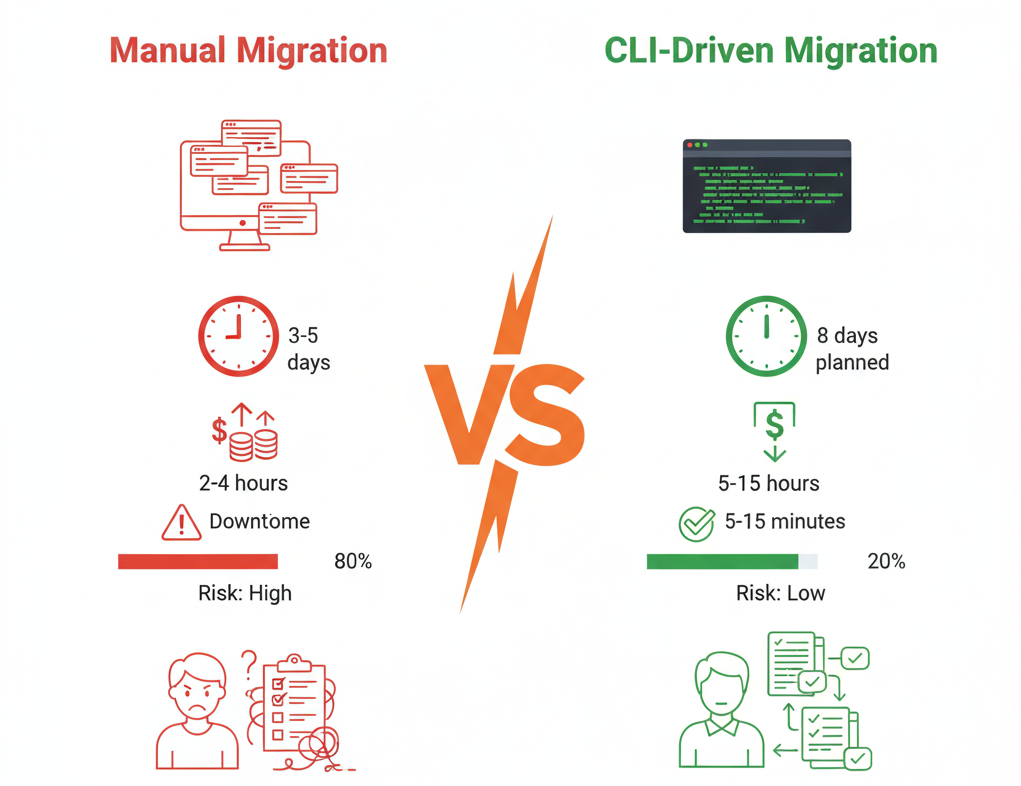
Cost overruns happen because resources run in parallel across both accounts longer than necessary, teams miss cleanup steps leaving orphaned resources accumulating charges, and trial-and-error approaches waste time on failed attempts. Downtime extends because manual steps take unpredictable amounts of time, human errors require rollbacks, and dependencies aren't properly mapped, causing cascading failures. Visibility disappears because actions aren't logged systematically and multiple people clicking through consoles creates confusion with no audit trail.
The foundation: dual AWS profile strategy
The entire CLI-driven approach rests on one simple configuration, two AWS profiles that let you orchestrate across accounts from a single terminal:
# Configure source account profile
aws configure --profile source-prod

# Configure destination account profile
aws configure --profile dest-prod

# Verify both profiles work
aws sts get-caller-identity --profile source-prod
aws sts get-caller-identity --profile dest-prod
This simple setup unlocks reading from source and writing to destination in a single script, parallel operations across accounts without switching contexts, atomic cutover sequences that minimize transition time, and verification loops comparing source and destination states. Use IAM users with minimal required permissions, rotate credentials after migration completes, and log all CLI operations to CloudTrail for audit purposes.
Four migration principles
Migrate data before traffic, moving data first while systems are still running, then switching traffic in a narrow cutover window, so only the final delta sync requires coordination:
# Phase 1: Initial sync (while source is live, no downtime)
aws s3 sync s3://source-bucket s3://dest-bucket --profile source-prod

# Phase 2: Final delta sync (during cutover window)
aws s3 sync s3://source-bucket s3://dest-bucket --delete --profile source-prod

# Phase 3: Switch application to new bucket
# Update config, restart services (minutes)
Use blue-green deployments, building a complete new environment, verifying it works, then switching traffic instantly, reducing downtime from 30-60 minutes to under 5 minutes in most cases. Automate verification so scripts not only migrate but verify success at every step:
#!/bin/bash

# Migrate resource
aws lambda create-function ... --profile dest-prod

# Verify it exists
FUNCTION_STATUS=$(aws lambda get-function \
  --function-name my-function \
  --profile dest-prod \
  --query 'Configuration.State' \
  --output text)

if [ "$FUNCTION_STATUS" != "Active" ]; then
  echo "ERROR: Function not active, rolling back"
  exit 1
fi

echo "✓ Lambda migration verified"
And go parallel where possible, sequential where necessary, identifying independent resources that can migrate simultaneously versus dependent chains that need ordering, maximizing throughput while respecting dependencies.
Cost optimization strategies
CLI-driven migrations enable precise cost control impossible with manual approaches. Just-in-time resource creation means not spinning up destination resources until source is ready to cut over, reducing the overlap-period costs substantially. Automated cleanup scripts build teardown into the migration workflow rather than relying on manual steps, eliminating forgotten resources that can cost hundreds monthly. And cost monitoring during migration sets up real-time tracking to catch unexpected charges immediately, comparing combined daily costs across both accounts against a budget threshold.
Downtime minimisation strategies
The goal isn't zero downtime, it's predictable, minimal downtime. Never execute a migration for the first time in production, create a staging environment mirroring production and run the complete workflow, timing it to plan the production downtime window with a buffer. Before cutover, verify everything programmatically with a pre-flight checklist confirming destination resources exist and data sync is complete. Bundle all cutover steps into a single atomic script that executes rapidly, typically a 3-8 minute window for most applications. And always have a one-command rollback option ready, an instant DNS switch back to the source environment.
The complete migration workflow
Preparation sets up dual AWS profiles, writes migration and verification scripts, and builds rollback procedures. Staging rehearsal executes the complete migration, times each step, and identifies bottlenecks. Pre-migration runs the initial data sync while systems are live and deploys destination infrastructure. Cutover executes the atomic script and monitors health checks. Validation monitors application metrics and cost anomalies while keeping the source environment running as rollback insurance. And cleanup executes automated scripts and decommissions source resources, documenting lessons learned for next time.

Key takeaways
- Scripts are rehearsals, test in staging, execute with confidence in production.
- Automation reduces overlap, faster migrations mean lower costs.
- Verification catches issues early, problems found in staging, not production.
- Logs provide audit trails essential for compliance and post-mortems.
- And rollback should be instant, a DNS change versus rebuilding manually.
- Don't wing it, every manual migration takes 3x longer than estimated.
- Don't forget cleanup, orphaned resources cost more than the migration itself.
- And don't skip staging, the first production attempt should never be the first attempt.



