
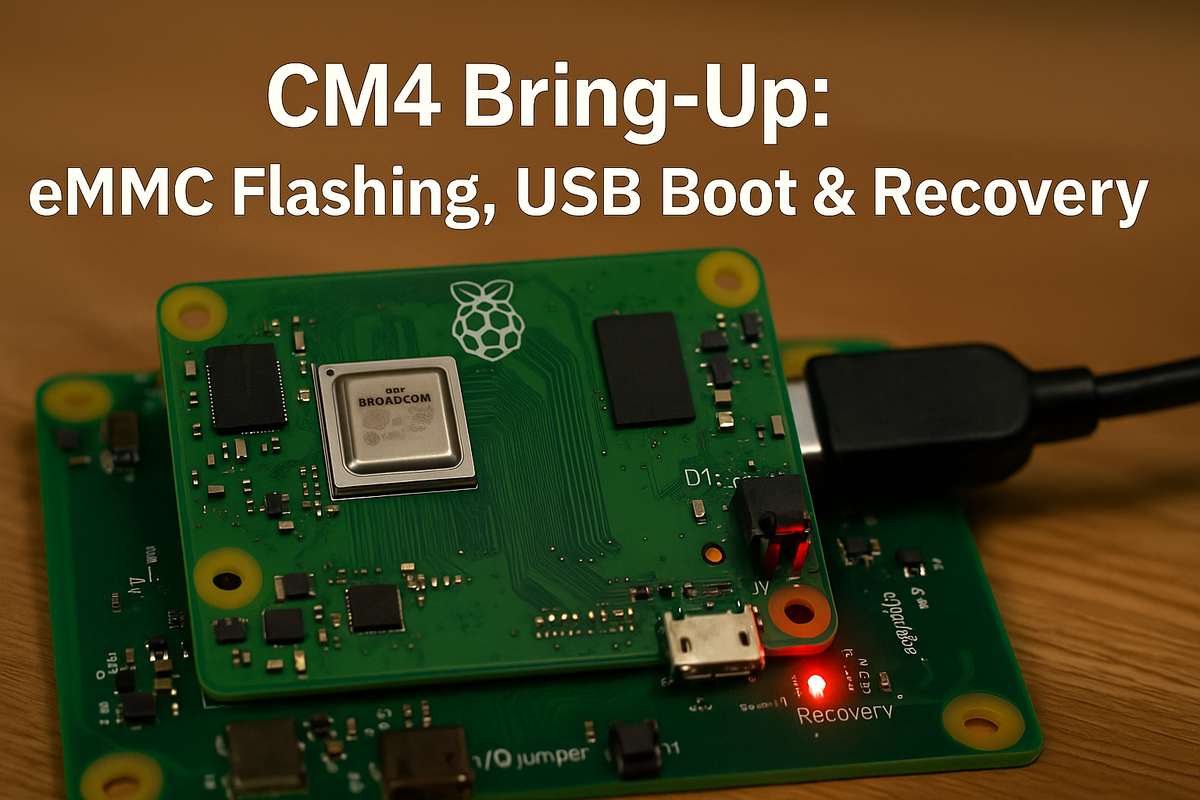
CM4 Bring-Up Checklist: eMMC Boot, USB Boot, and Recovery Routes
During prototyping of our EverBowl and EverHub hardware, we used the Raspberry Pi Compute Module 4 as our embedded compute platform for early-stage development, a prototyping vehicle ahead of transitioning to Hoomanely's custom, purpose-built System on Module for production. The CM4 requires specific initialization procedures to establish reliable boot paths and recovery mechanisms, and this post documents the critical bring-up steps we validated during that phase.
Hardware configuration
The CM4 IO board includes a J2 jumper header labeled to disable eMMC boot. Setting this jumper pulls the nRPIBOOT pin (pin 93) low, forcing the module into USB device mode instead of attempting an eMMC boot. Pins 1-2 on J2 disable eMMC and force USB device boot mode for recovery or flashing. Pins 3-4 are EEPROM write-protect, preventing bootloader modification. No jumper means the normal boot sequence runs per the configured BOOT_ORDER.
Flashing the eMMC
Install the J2 jumper on pins 1-2, connect the USB slave micro-USB port to a host computer, apply 12V to the barrel jack, and run the rpiboot utility. The D1 LED lights red but the module won't boot, instead the eMMC appears as USB mass storage on the host:
# On host machine
git clone https://github.com/raspberrypi/usbboot --depth=1
cd usbboot
make
sudo ./rpiboot
After flashing, disconnect power and USB, remove the J2 jumper, reconnect power, and the CM4 boots from the freshly flashed eMMC.
Boot order configuration
The EEPROM stores boot configuration in boot.conf with a BOOT_ORDER parameter, for example BOOT_ORDER=0xf25641, specifying priority read right-to-left, least significant nibble first. Boot mode values: 1 for SD/eMMC, 4 for USB-MSD, 5 for BCM-USB (SoC XHCI), 6 for NVMe, and f for restart.
For BOOT_ORDER=0xf25641, the actual try order is 1 (SD/eMMC, tried first), then 4 (USB-MSD), then 6 (NVMe), then 5 (BCM-USB), then 2 (network), then f (restart, tried last). Change 0xf25641 to 0xf21564 and the order flips to NVMe first, network last before restart. To modify boot order, edit boot.conf under usbboot/recovery, replace pieeprom.original.bin with the latest from the rpi-eeprom repo, and run sudo ./rpiboot -d recovery/. A green ACT LED flash confirms a successful EEPROM update.
USB boot
USB boot via the internal SoC XHCI controller requires boot mode 0x5 in BOOT_ORDER, which wasn't enabled by default on early CM4 modules. Modules manufactured after the 2021-01-16 bootloader release include USB boot support by default. Some carrier boards may need USB-related device tree overlays enabled, like dtoverlay=dwc2 for USB OTG or PCIe initialization overlays in config.txt, depending on hardware routing and USB controller configuration.
Recovery mechanism
The nRPIBOOT pin gives hardware-level recovery, pulled low, the boot ROM enters USB device mode. Unlike the Raspberry Pi 4, the CM4 doesn't read recovery.bin from SD or eMMC, instead the host PC actively pushes recovery firmware over USB using rpiboot. The boot ROM is immutable, making the CM4 effectively unbrickable via software corruption.
The recovery workflow: assert nRPIBOOT by installing the J2 jumper on pins 1-2, connect the USB slave port to a host, run rpiboot to push recovery.bin and trigger an EEPROM firmware update over USB, then remove the jumper and reboot to validate. After finalizing boot configuration, install the J2 jumper on pins 3-4 to hardware write-protect the EEPROM, preventing accidental bootloader corruption in production.
Critical constraints
CM4 modules with eMMC have SD card signals hardwired to the eMMC controller, so the SD slot on IO boards can't be used to boot the eMMC variant. Booting from an external SD card requires a USB-SD adapter with a modified BOOT_ORDER, or GPIO-conditional boot configuration.
Validation commands
# Check bootloader version
vcgencmd bootloader_version

# View current EEPROM config
rpi-eeprom-config

# Verify boot devices
lsblk
This checklist gives you deterministic boot behavior and robust recovery paths, both essential for production embedded systems. Boot order verification and recovery testing should be mandatory validation steps before deploying any CM4-based product.



