How We Ran Our PyTorch Models Without Python Using TorchScript
At Hoomanely, a lot of our intelligence runs on models we trained in PyTorch: YOLO segmentation networks that understand what is happening in a frame, a MobileNetV3 classifier that recognises bowls, and a YAMNet-based audio model that listens for specific sounds. Training these in Python is comfortable. Shipping them is not. The moment you want a model to run inside a lightweight C or C++ service, on-device or at the edge, the Python runtime becomes a liability you do not want to carry.
This post walks through how we took our trained PyTorch checkpoints and converted them into TorchScript artifacts that load and run in C++ with no Python, no Ultralytics, and no model class definitions required. The result is a set of self-contained files that LibTorch can load with a single line of code.
What a TorchScript File Actually Is
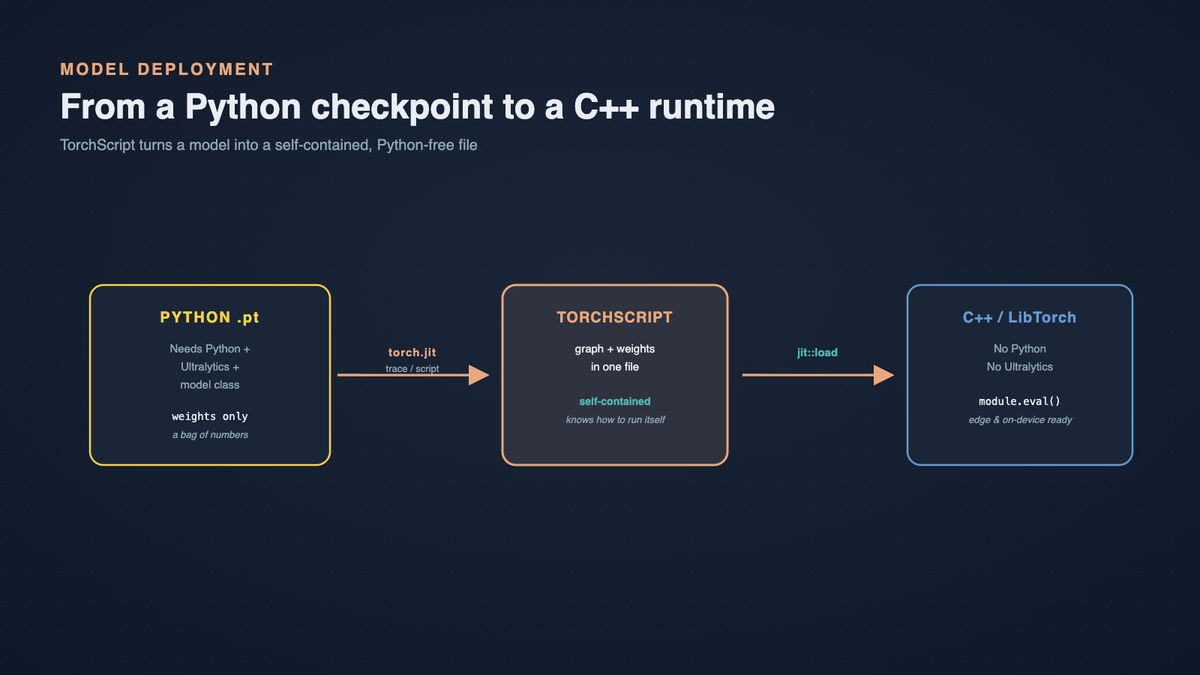
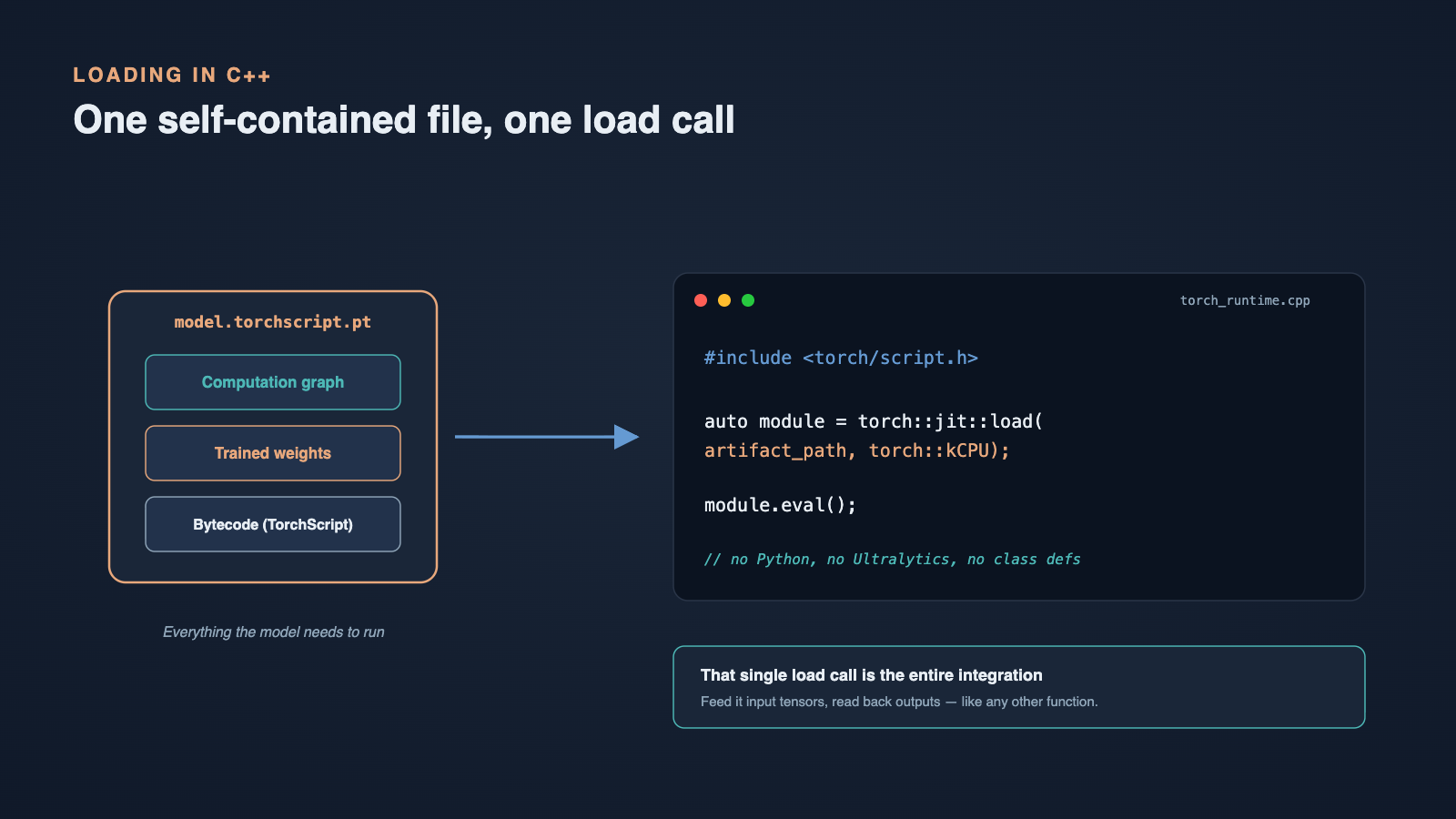
TorchScript is PyTorch's way of serializing a model into a self-contained, Python-free bytecode format. It captures both the trained weights and the computation graph in a single file that can be loaded and executed by LibTorch, PyTorch's C++ runtime, with no Python dependency at all.
This is the key distinction from a normal checkpoint. Our original .pt files were standard Python-bound checkpoints: to load one, you needed Python, the Ultralytics library, and the same training environment the model was built in. The model was really just a bag of weights that only made sense next to its Python class definition. A TorchScript file is different. It bundles the graph and the weights together, so the file knows how to run itself.
Two Ways to Get There: Trace vs. Script
PyTorch gives you two routes into TorchScript, and choosing the right one per model mattered more than we expected.
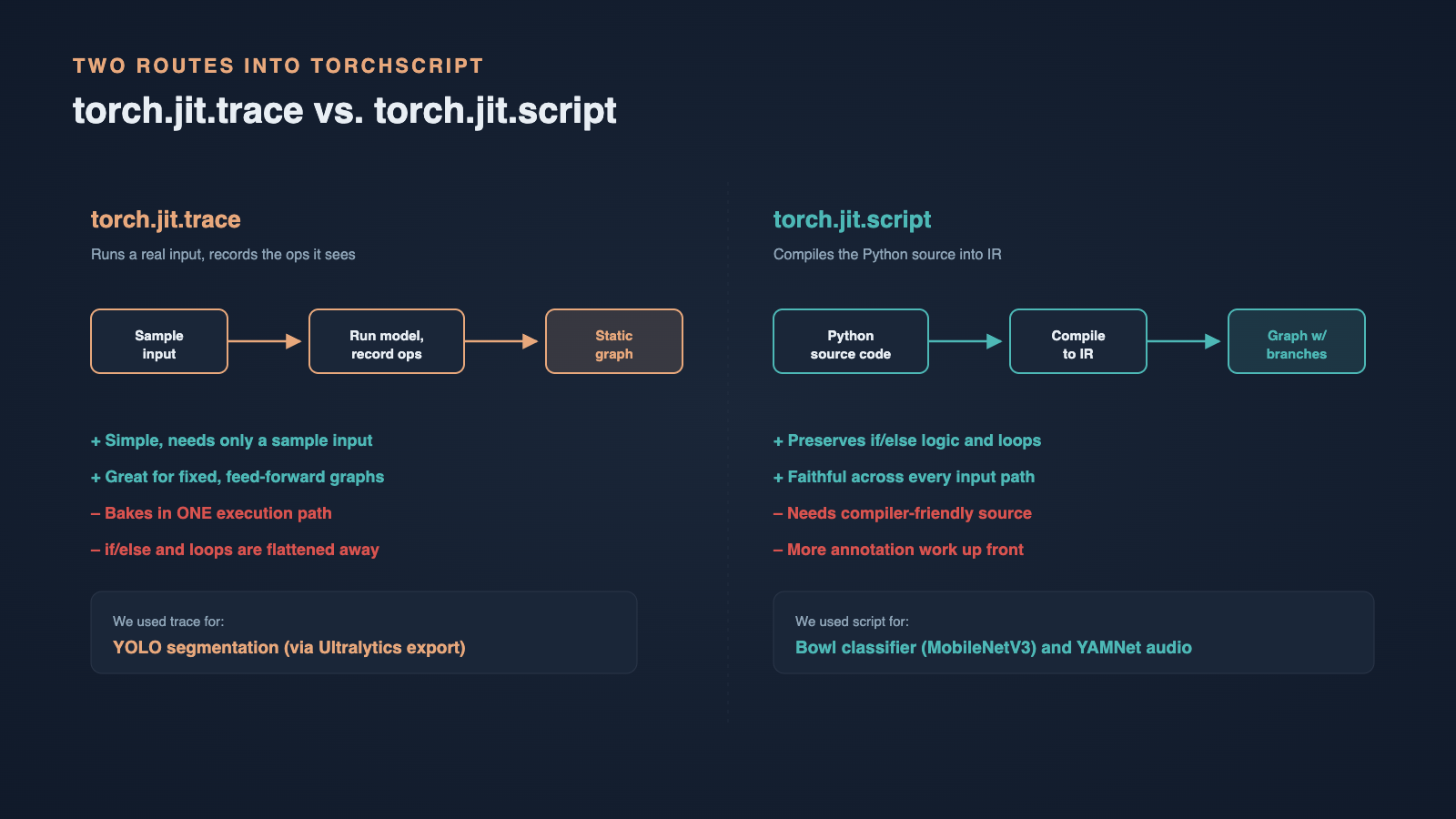
Tracing runs a real sample input through the model and records every operation it executes into a static graph. It is simple and works well, but it bakes in a single execution path: any branching that depends on the input is frozen as whatever happened during that one trace.
Scripting takes a different approach. Instead of running the model, PyTorch analyses the Python source code directly and compiles it into TorchScript IR. This is the better choice when a model has real control flow, such as if/else logic or loops, because the conditionals survive the conversion instead of being flattened away. The cost is that your code has to be written in a way the compiler can understand.
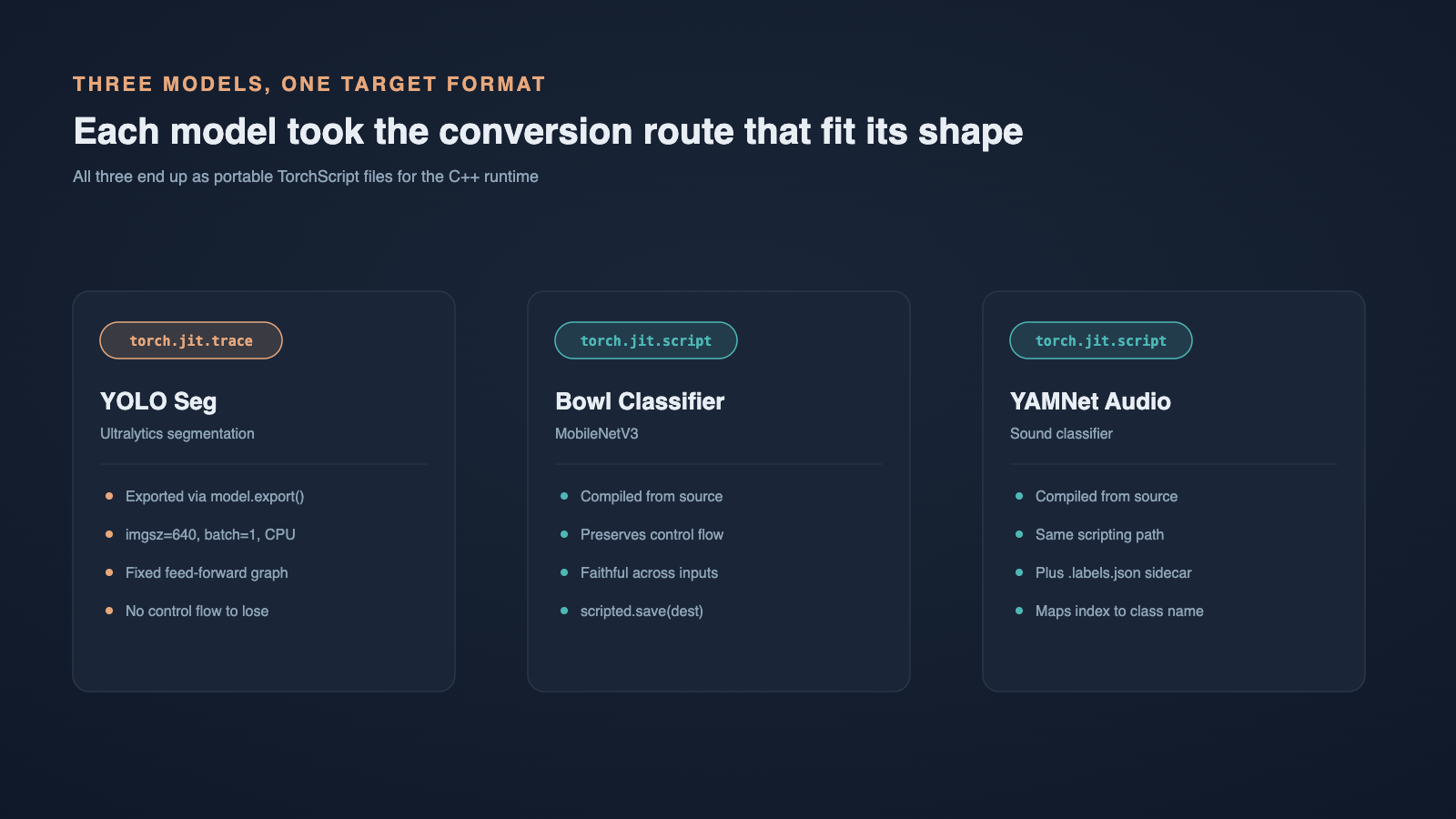
We used both, picking the method that fit each model's shape.
Converting the YOLO Segmentation Models
Our segmentation models were trained with Ultralytics YOLO, so we leaned on its built-in export method. A single call asks for the TorchScript format at a fixed input size and batch size, pinned to CPU:
model = YOLO(str(source))
model.export(format="torchscript", imgsz=640, batch=1, device="cpu")
Under the hood, Ultralytics' export method calls torch.jit.trace for us. It runs a dummy input of the declared shape through the network and records every operation into a static graph. Because a YOLO forward pass is essentially a fixed sequence of convolutions and post-processing with no input-dependent branching that matters at inference, tracing is a perfect fit. There is no control flow to lose.
Converting the Bowl Classifier
The bowl classifier is a MobileNetV3, and here we switched to scripting. Rather than tracing one execution, we compiled the module's source directly:
scripted = torch.jit.script(module)
scripted.save(str(destination))
Scripting analyses the Python source and compiles it to TorchScript IR, preserving any control flow in the module. For a classifier that may include conditional preprocessing or branching logic, this keeps the behaviour faithful across every possible input rather than freezing a single path.
Converting the YAMNet Audio Classifier
The YAMNet-based audio classifier followed the same scripting path as the bowl model. The one extra step was its labels: the model outputs class indices, which are meaningless on their own in C++. So alongside the TorchScript file we exported a small sidecar file mapping each index to a human-readable class name:
scripted = torch.jit.script(module)
scripted.save(str(destination))
# plus a .labels.json sidecar mapping class index -> name
Keeping the label map in a simple JSON file next to the model means the C++ side never has to hardcode class names or depend on the original training code to interpret a prediction.
Loading the Models in C++
This is where all the effort pays off. On the C++ side, loading a converted model is almost anticlimactic. Including the TorchScript header and calling torch::jit::load is the entire story:
#include <torch/script.h>

torch::jit::script::Module module =
    torch::jit::load(artifact_path.string(), torch::kCPU);
module.eval();
That is it. No Python interpreter, no Ultralytics, no model class definitions, no training environment. The file is completely self-contained: it carries both its weights and its graph, so a single load call gives us a ready-to-run module. From here we feed it input tensors and read back its outputs like any other function.
Trace or Script: How We Chose
The decision came down to one question: does the model have meaningful control flow? Tracing is the path of least resistance and is exactly what Ultralytics uses for YOLO, but it bakes in one execution path and needs a representative sample input to record. Scripting requires annotated, compiler-friendly Python source, but it preserves if/else branches and loops, which is why we used it for the bowl classifier and YAMNet.
One naming note worth flagging: our files use a .torchscript.pt extension, but that is just our internal convention. The format inside is the standard TorchScript format regardless of how the file is named or which of the two methods produced it.
What We Took Away
Converting to TorchScript turned our models from Python-bound checkpoints into portable, self-contained artifacts. The biggest practical win is the clean separation: the team that trains models keeps working in Python and Ultralytics, while the team that ships the runtime works in C++ against a single load call, with no shared Python environment between them.
If there is one lesson we would pass on, it is to be deliberate about trace versus script. Trace when the graph is static and you have a good sample input; script when control flow carries real meaning. Get that choice right per model, keep any label maps in simple sidecar files, and the C++ integration becomes the easy part.