
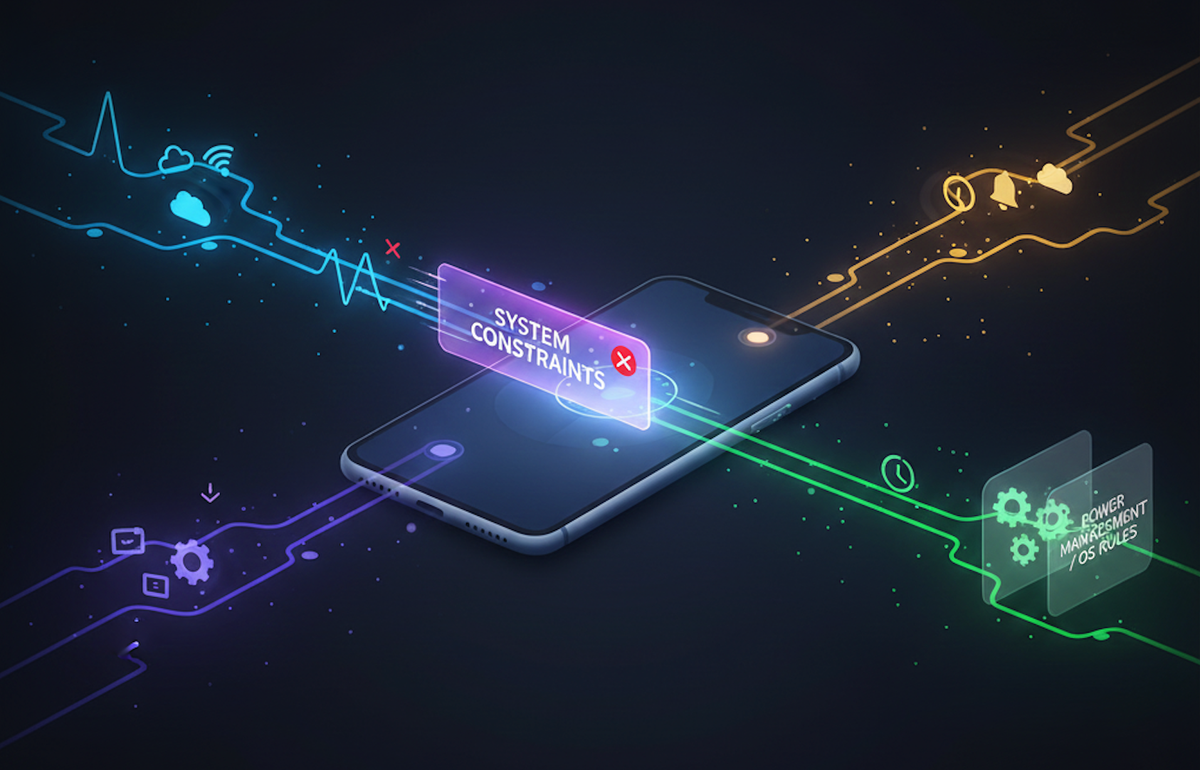
Background Execution Is a Privilege, Not a Feature
Introduction
Background execution on mobile sounds deceptively simple: run this task even when the app isn't open. Anyone who's actually shipped a production app knows how misleading that sentence is.
On both iOS and Android, background tasks live under strict OS control. Battery life, thermal limits, privacy, and system fairness all take priority over whatever your business logic wants. What you get is a constantly shifting set of constraints, quotas, and edge cases that can catch even experienced engineers off guard. This post is written from a developer's perspective and focuses on practical patterns, failure modes, and mental models you can apply right away, whether you're building consumer apps, internal tools, or data-heavy systems.
The core concept: background work is a privilege
Before getting into APIs, it helps to align on one thing: background execution isn't guaranteed, it's opportunistic. Both platforms only allow background work when the system decides conditions are safe, the task fits an approved use case, and the app has shown "good behavior" over time. That's not an accident. Mobile operating systems are optimized for a predictable user experience, not developer convenience.
Why background tasks matter anyway
Despite the restrictions, background execution is essential for syncing user-generated data, uploading logs or telemetry, refreshing content, processing deferred actions, and delivering notifications reliably. In real products, background work is often the difference between "it works on my phone" and "it works for millions of users across devices and conditions."
At Hoomanely, how reliable background tasks are directly affects how user interactions get captured, processed, and surfaced, especially when connectivity is spotty or the app is frequently suspended.
iOS: built for predictability, not flexibility
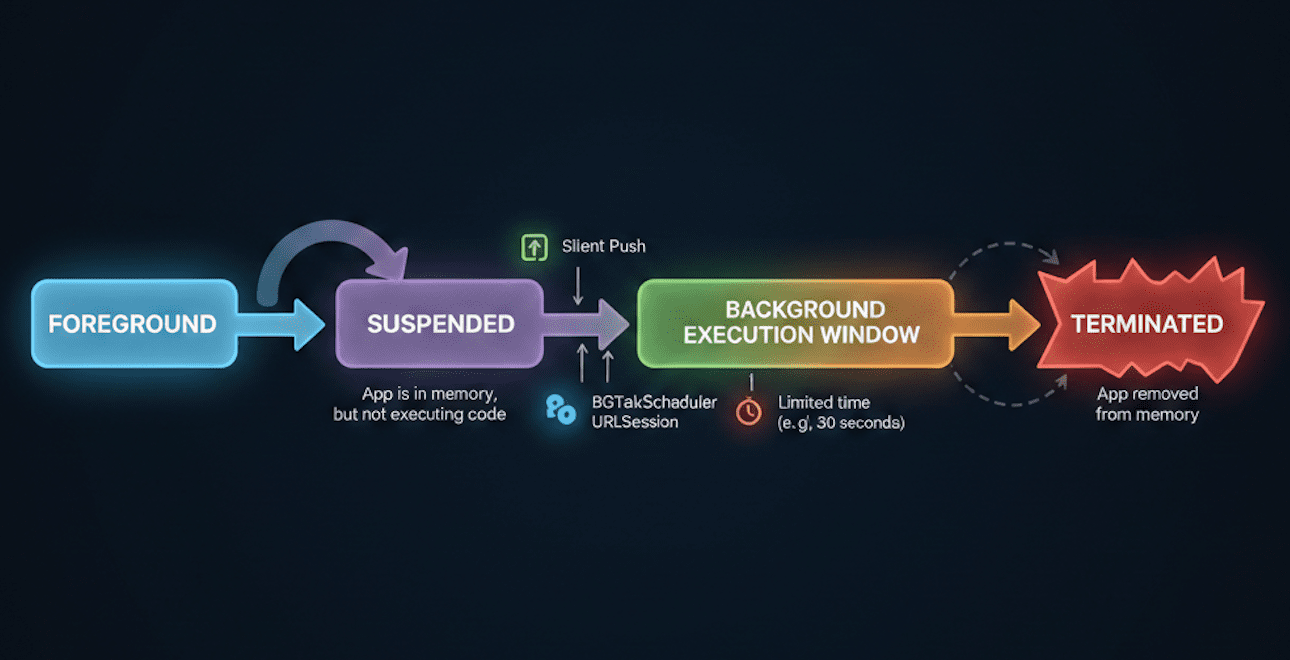
iOS treats your app as inactive by default. The system only wakes it when you explicitly qualify for a background mode, the system schedules a task on your behalf, or a push notification triggers execution.
| Mechanism | Typical use |
|---|---|
| Background App Refresh | Lightweight data refresh |
| BGTaskScheduler | Deferred, system-scheduled work |
| Silent Push | Server-initiated work |
| Background URLSession | Reliable uploads/downloads |
The hard constraints are real: execution windows are short, often just seconds; scheduling is non-deterministic; repeated failures reduce your future opportunities; and debugging timing issues is genuinely difficult. Rule of thumb: if a background task absolutely must run at a specific time, iOS isn't where you enforce that guarantee.
Android: more flexible, but actively policed
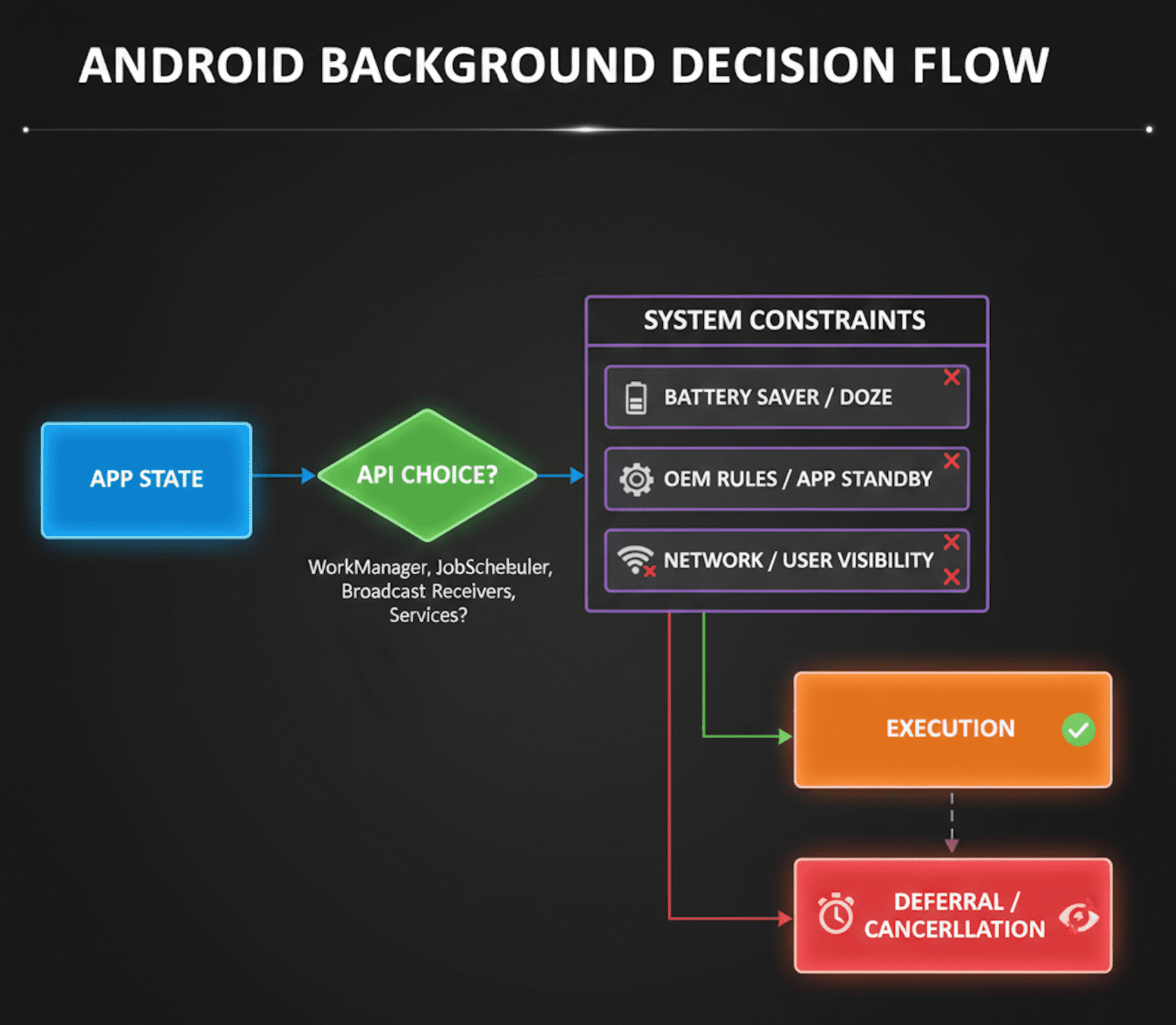
Android gives you more background freedom, but only if you play by its rules, and the OS actively watches for apps that abuse resources.
| API | Use case |
|---|---|
| WorkManager | Deferrable, guaranteed work |
| Foreground Service | User-visible ongoing tasks |
| AlarmManager | Time-based triggers |
| JobScheduler | Condition-based work |
The hidden cost is that background limits get tighter with every OS release, OEM customizations can break assumptions you didn't know you were making, and foreground services require a persistent notification. Flexibility here comes with visibility: if users can't see your work happening, Android increasingly doesn't want it running.
Cross-platform doesn't mean same behavior
One of the most common mistakes is designing background logic once and just mapping it onto both platforms. That fails because iOS optimizes for system fairness, Android optimizes for developer control with accountability attached, the scheduling semantics are fundamentally different, and the failure modes aren't symmetric.
The practical fix is designing intent-based background work instead of time-based work. Instead of "run every 15 minutes," think "run when the network is available, battery is sufficient, and the system allows it."
Chunked work with early exit
Background windows are unpredictable, so break work into small chunks with checkpointed steps and a graceful early exit. If the system kills the task midway, you don't get penalized as harshly.
Push as a hint, not a guarantee
Silent push on iOS, or FCM on Android, should signal opportunity, not enforce an assumption that execution will actually happen. In some of our internal tools at Hoomanely, push notifications work as nudges, with the real processing happening opportunistically during the next window the system allows.
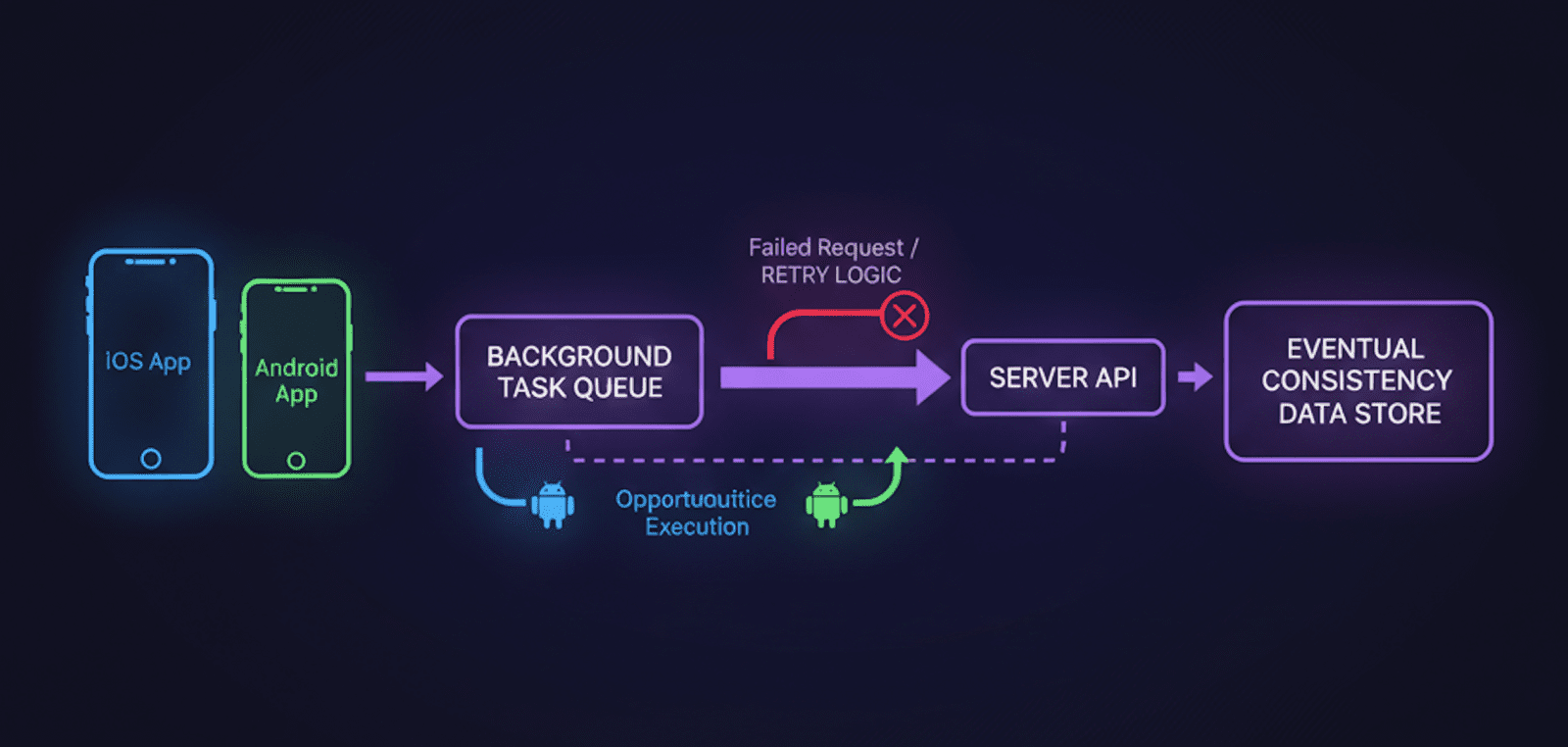
In some of our products, background execution becomes critical for deferred data uploads, analytics consistency, and keeping a user session continuous. The real lesson from these systems isn't the API usage, it's accepting inconsistency and engineering around it with retries, reconciliation, and backend intelligence. Worth repeating: background tasks are a system design problem, not just a mobile API problem.
Common anti-patterns to avoid
- Long-running background loops
- Assuming scheduled time equals execution time
- Treating background failures as edge cases
- Debugging with logging alone, since you'll miss silent kills entirely
Metrics that actually matter
Track task completion rate, retry count per task, time-to-eventual-success, and execution success rate broken down by OS version. These surface real-world reliability, not just whether the logic is technically correct.
How this connects back to Hoomanely
Hoomanely's mission is really about building systems that adapt to real human behavior, not ideal conditions, and background task design fits that closely. Users close apps. Networks drop. Devices throttle aggressively. Engineering for uncertainty and opportunistic execution is what makes background systems more resilient and, honestly, more trustworthy.
Key takeaways
- Background execution is permission-based, not guaranteed.
- iOS favors predictability; Android favors flexibility with oversight attached.
- Design around intent, not fixed schedules.
- Break work into resumable, idempotent chunks.
- Measure reliability, not just whether the logic works in principle.
If there's one thing worth taking from this: the best background task is the one that eventually succeeds without the user ever noticing it struggled.



