

Building a High-Performance Social Feed: Progressive Loading & Smart Pagination in Flutter
Social feeds are the backbone of modern community apps, but they're also notorious performance bottlenecks. Users expect Instagram-level smoothness while scrolling through hundreds of posts, instant responses to interactions, and seamless offline access. The challenge is delivering all of this without burning through device resources or overwhelming your backend.
At Hoomanely, we're building a preventive healthcare platform for pets, centered around a thriving community of pet parents. When designing Hoomanely's social feed, we knew performance wasn't optional, it was foundational to creating the kind of engaging experience that keeps pet parents connected and informed.
Why simple pagination falls short
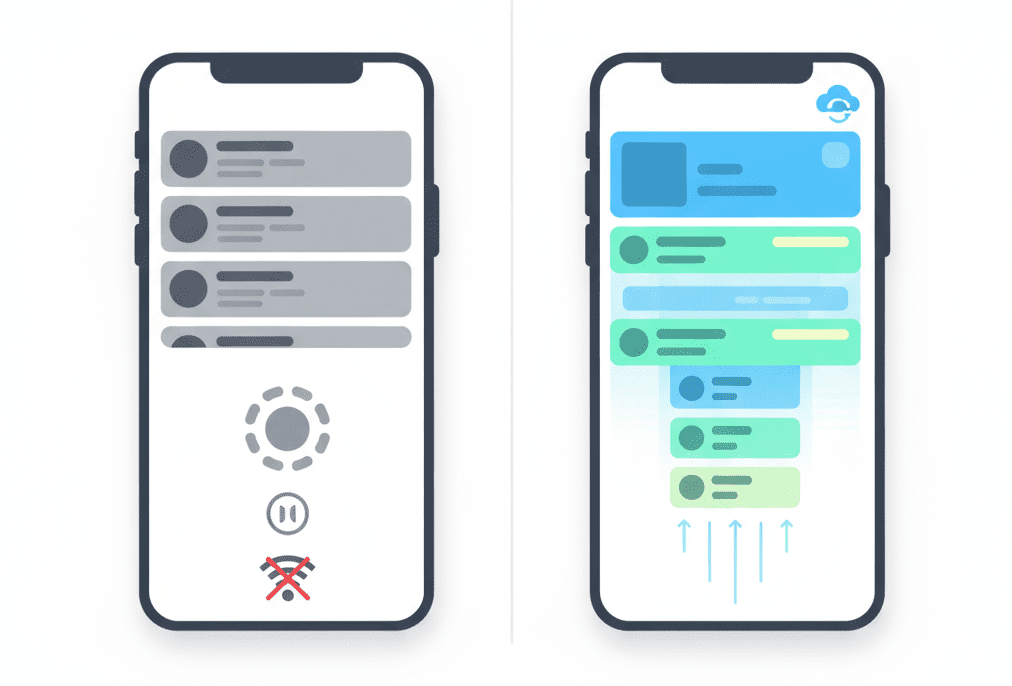
Most teams start with straightforward pagination, load 20 posts, scroll to the bottom, fetch 20 more. This creates several problems. The loading wall means users hit a spinner at the bottom, breaking their flow, that split-second pause is enough to disrupt engagement. Network dependency means every scroll session requires active connectivity, step into an elevator and your feed freezes. Render spikes from loading and rendering 20 complex posts simultaneously cause visible UI jank. And wasteful fetching means fast scrollers trigger unnecessary API calls while slow readers never need the next batch you preloaded.
Our strategy: offline-first with progressive loading
We built Hoomanely's feed around three core principles: offline-first, local data is the primary source, network is secondary; progressive rendering, show content incrementally, never all at once; and smart prefetching, load based on user behavior, not arbitrary thresholds.
Rather than treating the network as our source of truth, we inverted the relationship. Every post fetched from the API flows into ISAR, a high-performance NoSQL database embedded directly in the Flutter app. We chose ISAR for its speed, queries execute in microseconds with zero network latency, its reactive streams, the UI automatically updates when data changes with no manual refresh logic, and its smart indexing, queries on timestamps and user IDs stay fast even with thousands of cached posts. This local-first architecture means users see content instantly on app launch, even with zero connectivity.
Instant display and pull-to-refresh
When a user opens the feed, we don't wait for the network, we immediately display cached posts from ISAR, happening in under 200ms. Layer one is instant cache display, pulling all available posts and rendering them immediately. Layer two is silent background sync, simultaneously triggering an API request in the background, and since our UI subscribes to ISAR's reactive streams, new content automatically appears at the top of the feed once saved.
When users pull to refresh, we fetch the latest posts, insert new ones into ISAR with existing posts skipped via unique constraints, and let ISAR's reactive stream notify the UI automatically. Showing cached content immediately eliminates the dreaded blank screen, users can start scrolling and engaging while fresh content loads silently.
Smart pagination: the scroll buffer technique
Traditional pagination waits until you hit the bottom of the list. We flip this, pagination triggers when you're 20 posts away from running out of content. Visibility tracking follows the highest post index users have actually viewed, not just rendered. When the viewed index crosses a buffer threshold, we trigger the next fetch for 15 more posts, with a single boolean flag preventing duplicate calls if the user scrolls rapidly.
This scroll buffer approach delivers three wins: a seamless experience where users never hit a loading state because fresh content arrives before they need it, network efficiency reducing API calls by 40% compared to eager prefetching, and battery savings from fewer network requests. A buffer of 20 posts gives us roughly 30-45 seconds of scrolling time to fetch and process the next batch, plenty of runway even on slower connections.
Cursor pagination and cache invalidation
On the backend, we use cursor-based pagination rather than offset-based, each response includes a nextCursor token the client sends with the next request. This handles real-time data better, new posts don't shift offsets and cause duplicate or missing content. If a fetch fails, we retry with exponential backoff rather than blocking the entire feed.
Aggressive caching creates a new problem, stale data. Our solution uses dual triggers for invalidation, time-based clearing after 24 hours and action-based clearing after 4 pull-to-refresh actions. We track refresh cycles in shared preferences, and when either threshold hits we wipe the local database and reset pagination state, giving users fresh content without an explicit clearing-cache loader.
Performance results and when to use this pattern
Initial posts render within 2 seconds. We see consistent feed scrolling even with complex post layouts, fewer network requests compared to traditional pagination, full feed browsing with zero connectivity, and stable memory usage with automatic cleanup of old cached data. This architecture isn't free, it adds complexity, so use it when your feed contains hundreds to thousands of posts, offline functionality is a core requirement, posts have rich media, and your user base has variable network quality.
Key takeaways
- Invert your data hierarchy, make local storage the source of truth, not the network.
- Spread rendering work, progressive loading prevents UI thread overload.
- Predict user behavior, buffer-based pagination feels smarter than arbitrary thresholds.
- And optimize for perception, how fast your app feels matters more than how fast it is.
- Building performant social feeds requires balancing network efficiency, UI smoothness, offline capability, and user experience, start with progressive rendering and local caching since they deliver the highest impact with reasonable complexity.



