
Building Responsive Voice Input for Pet Health Conversations
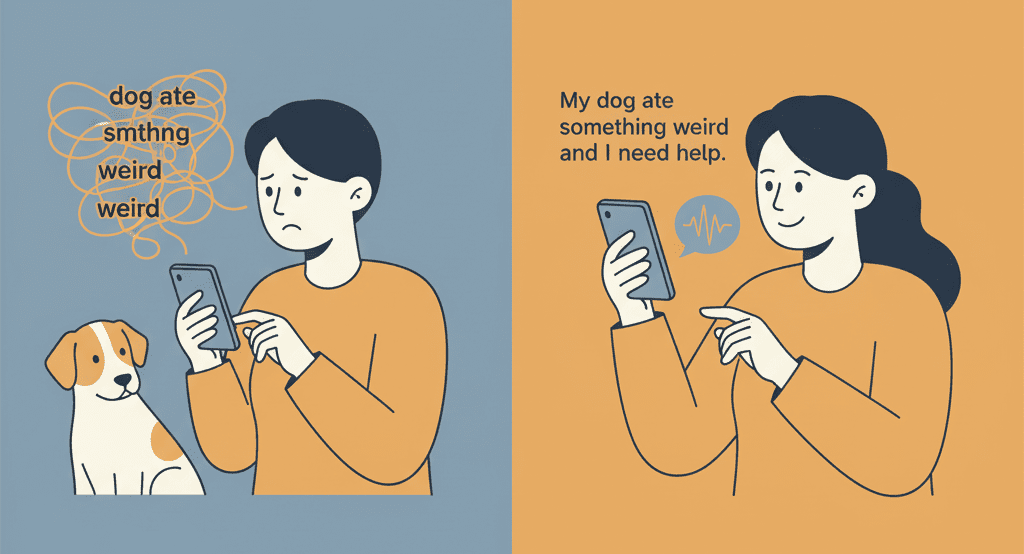
When your dog suddenly starts limping at 2 AM, or your cat refuses to eat for the second day in a row, panic sets in. Pet parents turn to Hoomanely's AI assistant for immediate guidance, but there's a catch: typing out complex symptoms on a mobile keyboard while your pet is in distress is frustrating, slow, and often incomplete. "My dog ate something weird and now he's acting strange" becomes "dog ate smthng weird acting strng", losing crucial context that could help our AI provide better recommendations.
This disconnect between urgency and input method isn't just inconvenient, it's a barrier to getting pets the help they need quickly. We needed a solution that would let worried pet parents communicate naturally, without fighting with autocorrect or struggling to describe symptoms while comforting their anxious companions.
The problem: when keyboards fail pet parents
Pet health conversations are inherently challenging to type. Descriptive precision matters, pet parents need to explain behaviours, symptoms, and timeline details, and information density that's tedious to type on mobile. Situational constraints often mean pet parents are simultaneously comforting their pet and checking symptoms, one hand petting an anxious dog while the other attempts to type. Medical terminology hurdles mean pet parents may not know how to spell veterinary terms correctly, voice input bypasses this entirely.
The result is shortened messages, missed details, and frustrated users who abandon the conversation before getting the help they need.
Exploring the voice input landscape
Custom ML models, using frameworks like Whisper, Wav2Vec, or DeepSpeech, give complete control and potential for domain-specific training, but require substantial infrastructure, audio preprocessing pipelines, model hosting, continuous training data collection. For a startup focused on pet health AI, diverting team resources to become speech recognition experts felt like mission drift. More critically, the latency problem remains, round-trip time for audio upload, processing, and response typically ranges from 1 to 2 seconds. When someone's describing their pet choking or having a seizure, every second counts.
Cloud speech APIs from Google, AWS, or Azure offer production-ready solutions with impressive accuracy, handling multiple languages and noise cancellation. But beyond obvious pricing concerns, cloud APIs introduce network dependency, a pet parent in a rural area with poor connectivity experiences delayed or failed transcriptions. There's also data pipeline complexity, managing audio uploads, streaming versus batch decisions, retry logic, temporary storage raising privacy questions.
Platform-native speech recognition, iOS's SFSpeechRecognizer and Android's SpeechRecognizer, seem perfect, on-device processing, low latency, no per-use costs, already optimised for the device's hardware. The fragmentation problem is that native implementations mean maintaining separate codebases for each platform, bug fixes and feature improvements happening twice. For a Flutter application where rapid iteration is our value proposition, this fragmentation tax would slow down everything else we're trying to build.
The elegant solution: speech_to_text package
After evaluating these paths, we arrived at a solution that felt almost too simple, the speech_to_text Flutter package. It serves as a unified wrapper around platform-native speech recognition APIs, giving us on-device processing with cross-platform consistency.
Because it uses iOS's SFSpeechRecognizer and Android's SpeechRecognizer under the hood, transcription happens locally, no network hop, no cloud dependency, latency stays under 100ms. Pet parents see their words appear almost instantly as they speak. There's zero infrastructure overhead, no servers to maintain, no models to host, no audio storage to manage, the package handles native platform bridging, permission management, and lifecycle complexity. And it's proven reliable, over 1,000 pub points, actively maintained, battle-tested across thousands of Flutter apps.
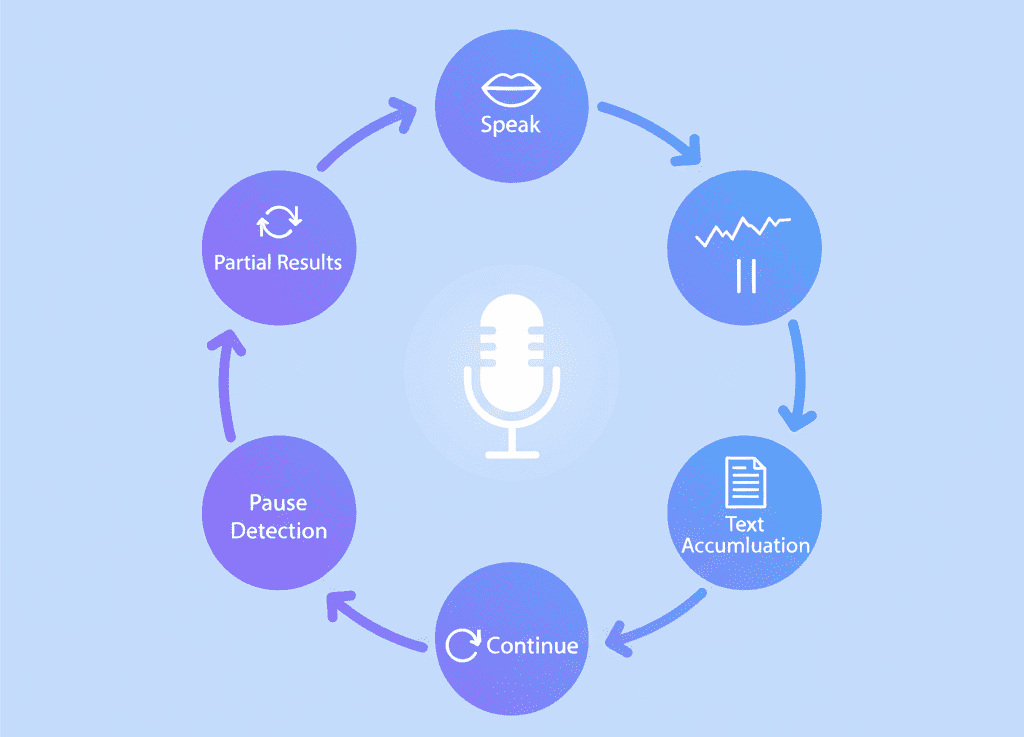
A few features align particularly well with our use case. Partial results streaming means text appears progressively as the user speaks, letting pet parents see their description forming in real time, which reduces anxiety when someone's worried about their pet and sees the AI listening. Configurable pause detection, a 3-second pauseFor parameter, strikes the right balance, long enough for natural pauses, short enough to feel responsive.
Continuous listening architecture is where the package really shines. Most speech recognition APIs have session timeouts, typically 30-60 seconds. But pet health descriptions often take longer, a worried pet parent might need to gather their thoughts or recall timeline details. The package's event-driven architecture gave us the building blocks to implement auto-restart functionality, when a session hits its natural timeout we seamlessly start a new one, accumulating text across sessions, feeling to the user like one continuous conversation.
Key takeaways
- Match technology to constraints, custom ML models and cloud APIs offer theoretical advantages, but on-device speech recognition better fits our latency requirements and infrastructure constraints, sometimes the simplest proven solution is the right one.
- Design controls around user intent, continuous listening plus partial results plus explicit confirmation buttons creates an experience that feels responsive while maintaining user control, crucial when accuracy matters for health conversations.
- Embrace platform strengths, Flutter's package ecosystem let us leverage native platform capabilities without fragmenting our codebase.
- And context shapes implementation, voice input for casual messaging has different requirements than voice input for health conversations, understanding that our users are often simultaneously managing an anxious pet influenced everything from timeout handling to confirmation UI.
- The result is a feature that doesn't feel like a feature, it's just a microphone button that works exactly as pet parents expect.



