
Camera Streams That Don't Drop Frames
Mobile apps now depend on real-time camera pipelines more than ever. Whether you're scanning QR codes, running on-device AI, analyzing food labels, previewing AR overlays, or streaming video, smooth, uninterrupted camera frames are critical.
Here's the catch: mobile devices are unpredictable. CPU spikes, GPU contention, thermal throttling, and OS scheduling quirks can all cause dropped frames and janky previews. When frames drop, everything breaks, your ML model misses detections, the preview stutters, and users get frustrated.
On iOS and Android, camera frameworks behave very differently in how they deliver frames, handle backpressure, and respond to slow processing. Understanding those differences is the key to building robust real-time experiences.
Why camera streams drop frames
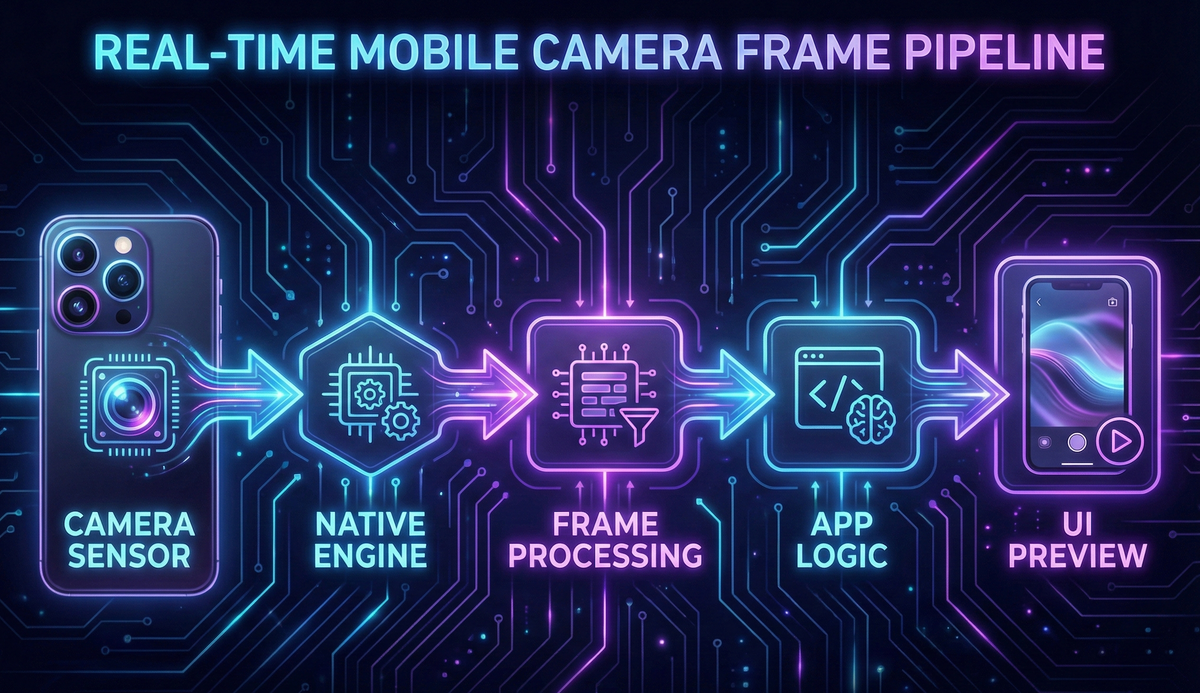
A camera operates at a fixed FPS, usually 30 or 60. Your app needs to receive frames from the hardware, process them (optional ML inference or filters), display the preview, and free buffers on time so the camera can reuse them. If any of these steps is slower than the camera's frame interval, roughly 33ms at 30fps, you get a stuttering preview, latency in ML processing, occasional black frames, slow QR detection, and in extreme cases overheating. The culprit is almost always threading architecture and memory backpressure.
Threading models: how iOS and Android deliver frames
On iOS, AVFoundation uses AVCaptureSession and delivers frames via AVCaptureVideoDataOutputSampleBufferDelegate on a dedicated GCD queue. Apple's framework internally handles frame synchronization, buffer pool management and reuse, frame timing and pacing, GPU/CPU load balancing, and graceful degradation under load. The result is stable, predictable frame delivery roughly 95% of the time, even on older devices.
On Android, CameraX (or the lower-level Camera2 API) delivers frames as ImageProxy objects through a background executor you configure yourself, meaning you're responsible for explicitly closing buffers with image.close(), choosing the right backpressure strategy, managing GPU/CPU contention manually, preventing main-thread blocking, and handling manufacturer-specific quirks. Performance varies drastically by manufacturer, Android version, camera HAL driver quality, thermal state, and available RAM, which is why Android developers so often complain about inconsistent camera preview performance across devices.
The real problem: memory backpressure
When the app can't process frames fast enough, backpressure decides what happens next, and this is where iOS and Android diverge sharply.
iOS automatically drops frames gracefully when processing falls behind, prioritizing smooth preview and consistent FPS without blocking the capture pipeline, the framework just skips delivering older frames to your delegate. This is ideal for real-time use cases like QR scanning and lightweight ML inference.
Android's CameraX gives two explicit strategies. STRATEGY_KEEP_ONLY_LATEST, recommended for 99% of apps, automatically drops older frames when processing is slow and always delivers only the newest frame, preventing preview freezing. STRATEGY_BLOCK_PRODUCER instead blocks the entire camera HAL when processing slows down, freezing or stuttering the preview visibly, only useful for special cases like video recording where every frame matters. The bottom line: almost every real-time camera app should use KEEP_ONLY_LATEST on Android.
GPU/CPU contention: the silent frame killer
Real-time camera apps stress multiple hardware pipelines at once: the ISP for raw sensor data, the CPU for ML inference and frame processing, the GPU for preview rendering and effects, the Neural Engine/NPU for accelerated ML, and a thermal throttling system watching all of it. When ML inference and preview rendering hit the GPU at the same time, frames drop or the preview gets sluggish, especially on mid-range devices with shared memory architectures.
Solution strategies: move ML processing to a background isolate or executor, use direct YUV buffers instead of converting to RGB, avoid converting to Bitmap unless absolutely necessary, cap ML inference to 10-15fps for heavy models, use proper backpressure handling to prevent queue overflow, and monitor thermal state to reduce processing when the device heats up.
Zero-copy and efficient buffer handling
Every buffer copy costs 2-6 milliseconds, which is massive when your entire frame budget is only 33ms at 30fps. Optimizations that matter: access raw YUV data directly (CVImageBuffer on iOS, ImageProxy on Android), avoid Bitmap conversion unless you're displaying the frame in a non-native view, use GPU texture mapping for preview rendering, reuse shared buffer pools instead of allocating new memory, and don't resize frames on the CPU, use GPU shaders or let ML frameworks handle it. Implementing these strategies alone can cut dropped frames by 40-60% on most devices. Every copy you avoid is time you can spend on actual processing.
How we use this at Hoomanely
At Hoomanely, our camera pipelines power two critical flows that need to work flawlessly.
Food label image capture: the camera must not freeze or jitter during capture, text on the label needs to stay sharp and readable for OCR, processing has to feel instant, and consistent frames avoid blurry captures that fail OCR. Our production pipeline uses AVCaptureSession with optimized metadata output on iOS, CameraX with KEEP_ONLY_LATEST backpressure on Android, zero-copy YUV buffer access for speed, an isolate-based OCR pipeline that doesn't block the UI thread, and automatic focus optimization for text clarity. This gets the scan experience feeling instant and accurate, with ingredient extraction completing in under 2 seconds on most devices.
QR code scanning, mission-critical for device pairing and pet tag reading, needs a rock-solid, stable frame rate, sub-200ms decoding, fast retry logic on partial scans, and zero blocking or freezing. We achieve this with a dedicated camera processing thread separate from the UI, fast YUV-to-binary conversion using SIMD optimizations, continuous auto-focus tuning for varied distances, and adaptive exposure across lighting conditions. The result: QR codes scan in under 150ms on average, even on budget Android devices. Users just point and go, no repeated attempts, no frustration.
Key takeaways
- Smooth camera performance requires the right threading architecture and buffer handling from day one.
- iOS is predictable and handles edge cases automatically; Android needs more manual engineering and device-specific testing.
- Always use KEEP_ONLY_LATEST backpressure on Android to prevent frozen previews.
- ML inference should always run on background threads or isolates, never the main thread.
- Implement zero-copy buffer access wherever possible, every copy costs precious milliseconds.
- Adopt frame skipping for heavy ML models to keep the preview smooth.
- Actively manage GPU/CPU contention to avoid thermal throttling.
- Test on low-end devices first, if it works on budget hardware, it'll fly on flagships.
If your camera pipeline isn't properly optimized, every real-time feature breaks, from food label scanning to QR code pairing to AR experiences. Get this foundation right, and everything else gets easier.
Conclusion
Modern mobile apps increasingly rely on high-performance camera streams for core functionality, and smooth, drop-free frames are now a fundamental engineering skill, not an optional optimization. Whether you're building AR experiences, ML-driven scanning, or pet-care visual insights like we do at Hoomanely, the difference between a smooth camera preview and a jittery one directly affects user trust and retention.
We leaned into this challenge early on. Our camera architecture delivers fast, reliable food-label analysis and sub-second QR scanning across both iOS and Android, even on the mid-tier and budget devices that make up most of our user base. No frame drops, no delays, no frustration. Just a smooth, real-time experience that feels effortless. And when the technology gets out of the way, users can focus on what actually matters: taking better care of their pets.



