
Debugging STM32CubeProgrammer .stldr Parsing Issues: A Deep Dive into External Memory Loaders
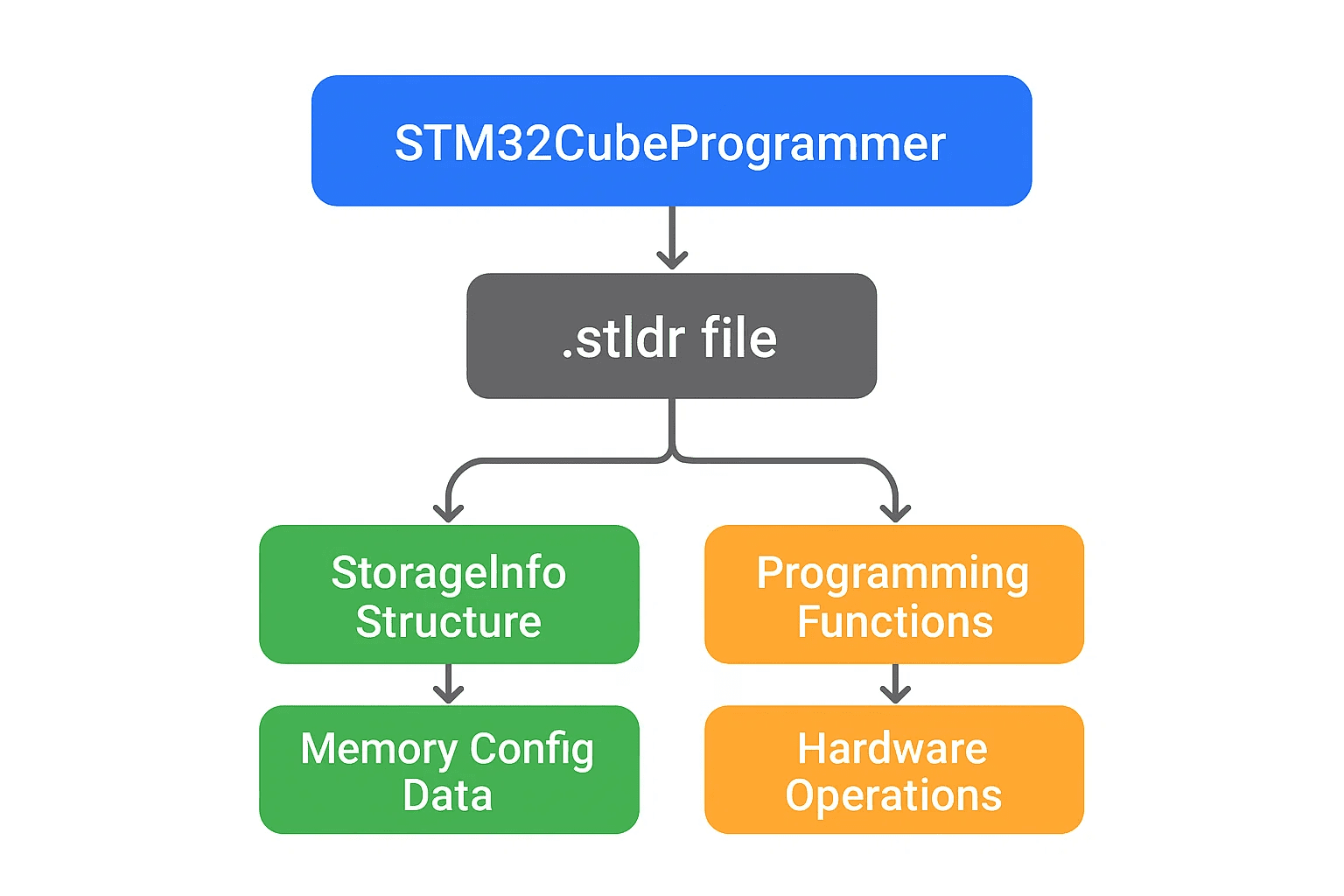
When working with STM32 microcontrollers and external memory configurations, few things are more frustrating than STM32CubeProgrammer refusing to recognize a carefully crafted external memory loader. We ran into exactly this, and the fix revealed some genuinely useful insight into how STM32's toolchain parses external memory loader files.
When tools refuse to cooperate
The issue showed up while developing an STM32N6-based system needing external flash memory programming. The external memory loader project built successfully, but STM32CubeProgrammer consistently failed with parsing errors when loading the generated .stldr file: it couldn't parse the file, was missing the storage_info structure during external memory detection, and the build succeeded while the loader stayed non-functional. Without a working external memory loader, the entire development and deployment workflow grinds to a halt.
Understanding external memory loaders
The external memory loader lets STM32CubeProgrammer program external flash and memory devices, containing device-specific configuration and programming algorithms that bridge the programmer and the hardware. The key components are a 200-byte StorageInfo structure holding memory configuration, programming functions for read, write, and erase operations specific to the memory, and initialization code setting up GPIO, clocks, and peripheral configuration. The .stldr file itself is essentially an ELF executable that STM32CubeProgrammer loads and executes on the target MCU to handle external memory operations.
The investigation
We started by examining the generated .stldr file directly:
# Check if .stldr file was generated successfully
arm-none-eabi-objdump -h ExtMemLoader.stldr

# Look for the storage_info section
arm-none-eabi-nm ExtMemLoader.stldr | grep StorageInfo
The build had completed without errors and the file was the right size, but STM32CubeProgrammer couldn't locate the StorageInfo symbol.
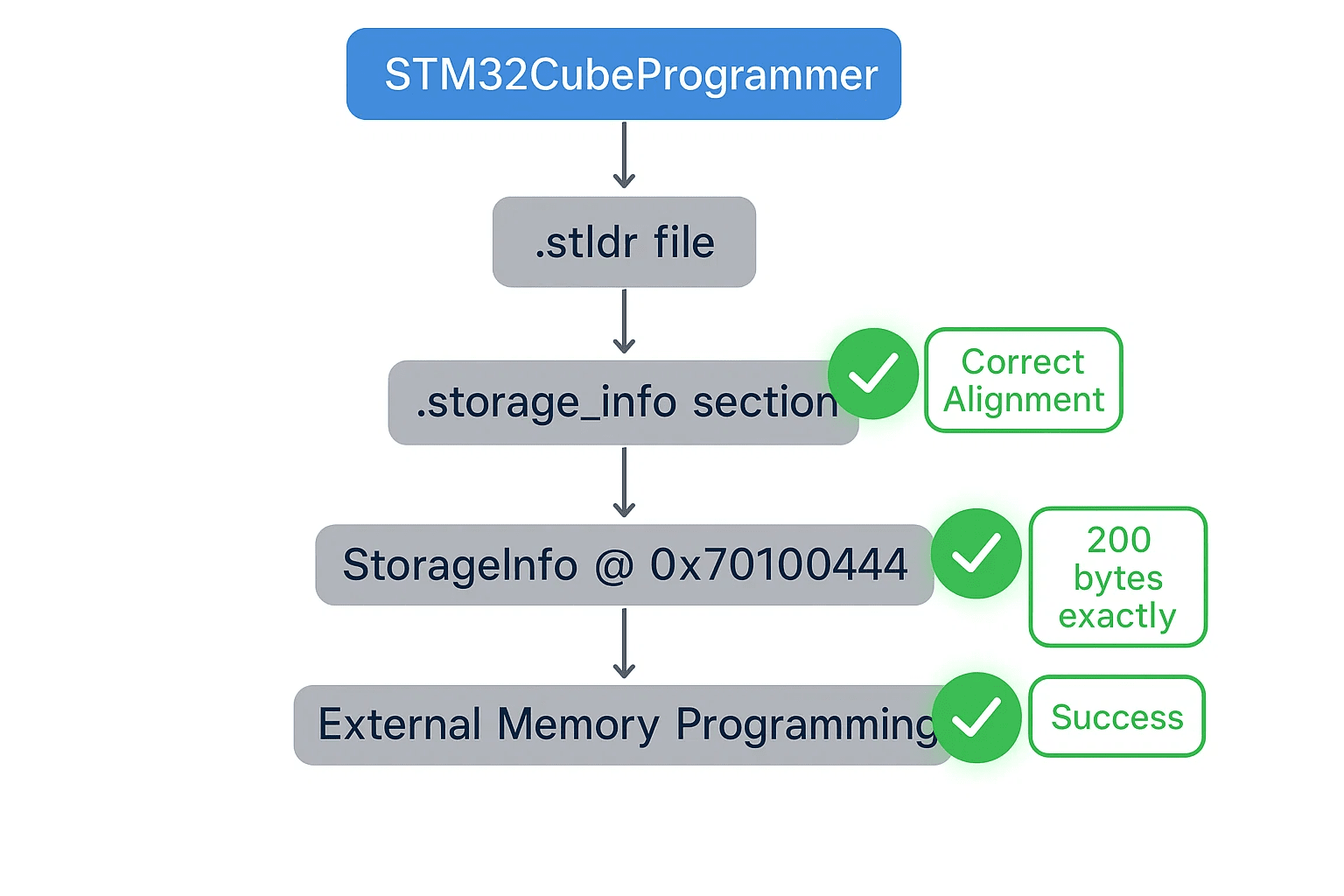
The StorageInfo structure is the heart of loader configuration, exactly 200 bytes with specific memory parameters:
typedef struct {
   uint8_t  DeviceName[100];          // Device name and description
   uint16_t DeviceType;               // NOR_FLASH, NAND_FLASH, etc.
   uint32_t DeviceStartAddress;       // Memory start address
   uint32_t DeviceSize;               // Total device size
   uint32_t PageSize;                 // Programming page size
   uint8_t  EraseValue;               // Erased memory content (0xFF)
   DeviceSectors Sectors[10];         // Sector configuration
   uint32_t padding[16];              // Ensure exactly 200 bytes
} sStorageInfo;
This structure has to be placed in a specific memory section STM32CubeProgrammer can locate and parse. The breakthrough came examining the linker script. The source code placed it correctly:
#if defined(__ICCARM__)
__root sStorageInfo const StorageInfo __attribute__((section(".storage_info"))) =
#else
__attribute__((used)) __attribute__((section(".storage_info"))) sStorageInfo const StorageInfo =
#endif
{
    // StorageInfo configuration...
};
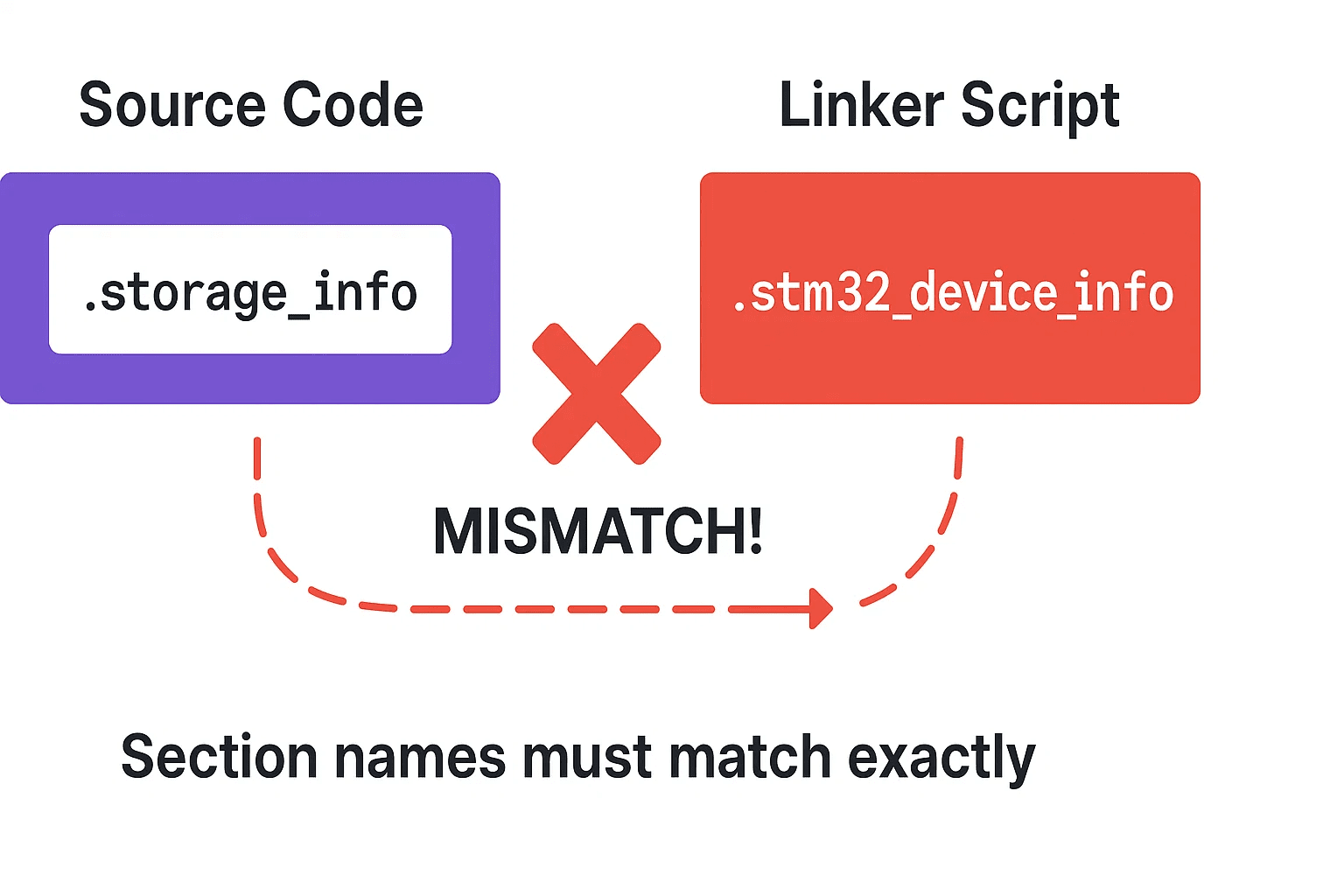
But the original linker script was looking for the wrong section name entirely:
/* This was WRONG - looking for wrong section name */
.stm32_device_info :
{
  KEEP(*(.stm32_device_info))
}:SgInfo
The fix: aligning section names
The root cause was a plain section name mismatch. The structure was placed in .storage_info, but the linker script looked for .stm32_device_info. The fix:
/* Storage info section for STM32 External Memory Loader */
.storage_info :
{
    . = ALIGN(4);
    KEEP(*(.storage_info*))
    . = ALIGN(4);
} >ROM
Four corrections mattered: the correct section name (.storage_info instead of .stm32_device_info), proper 4-byte alignment for ARM architecture, wildcard matching (.storage_info*) to catch variations, and placement in the ROM region where external memory loaders belong.
Verification
After the fix, three checks confirmed the solution. Build verification with arm-none-eabi-objdump -h showed the .storage_info section present at the expected address. Symbol verification with arm-none-eabi-nm showed StorageInfo correctly placed. And STM32CubeProgrammer itself successfully parsed the .stldr file, extracted the StorageInfo structure, recognized the external memory configuration, and enabled programming operations.
For reference, the working configuration:
sStorageInfo const StorageInfo = {
    "External_NOR_Flash_Loader",     // Device Name
    NOR_FLASH,                       // Device Type (3)
    0x70000000,                      // Start Address
    0x02000000,                      // Device Size (32MB)
    0x100,                          // Page Size (256 bytes)
    0xFF,                           // Erase Value
    {
        {8192, 4096},               // 8192 sectors of 4KB each
        {0x00000000, 0x00000000}    // Terminator
    },
    {0}                             // Padding array
};
Best practices and lessons learned
Always verify section placement when working with custom linker scripts, using objdump, nm, and size as your standard verification commands. Understand toolchain expectations: STM32CubeProgrammer needs an exact 200-byte StorageInfo structure, proper section alignment, and correct symbol visibility via __attribute__((used)). Keep linker scripts in version control, tracking memory layout changes and documenting section purposes, and always test with actual hardware after modifications. And document custom configurations clearly, memory map diagrams, section purpose explanations, and build verification procedures all save time down the road.
Why it matters at Hoomanely
External memory management is crucial for our multi-sensor platforms processing thermal imaging, camera data, and proximity sensing in real time. The reliability of our external memory loaders directly affects our ability to deploy firmware updates to field devices, maintain data integrity, and support complex sensor fusion algorithms. This kind of low-level debugging strengthens our technology foundation, ensuring our embedded systems can handle the demanding requirements of modern IoT applications while maintaining the reliability our customers depend on.
Key takeaways
Section name alignment is critical for STM32 external memory loaders. Linker script verification should be part of every build process. Tool-specific requirements have to be understood and documented. Systematic debugging saves real time when toolchain issues arise. And documentation plus testing prevent future regressions, the next time STM32CubeProgrammer refuses to parse an external memory loader, start with the basics: verify section names, check alignment, and confirm the linker script matches the code's expectations.



