
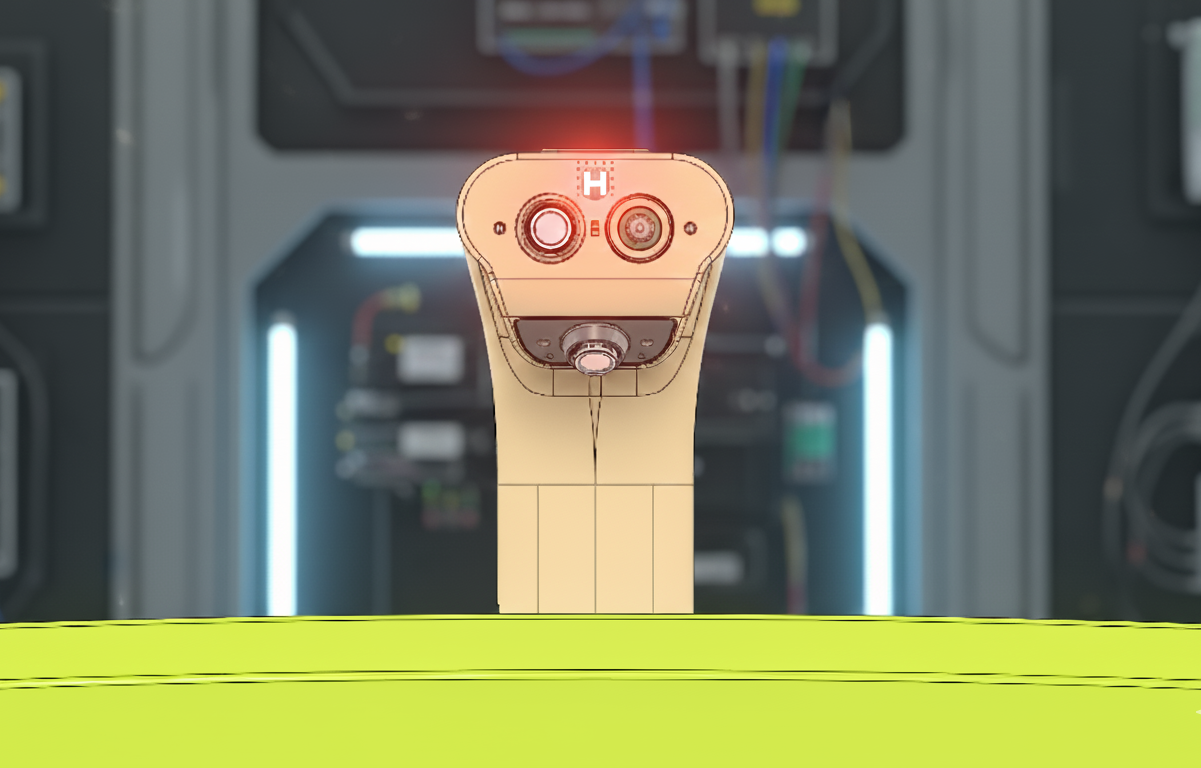
Designing Status LEDs That Speak: The Silent Language of Smart Products
When a user picks up your IoT device, they ask three immediate questions without saying a word: is it on, is it working correctly, how much battery is left. At Hoomanely, we answer all three through a single, intelligent interface: RGB LEDs driven by PWM signals. Not as decoration, but as a carefully designed communication system that builds user trust and reduces support calls.
Why RGB LEDs on PWM
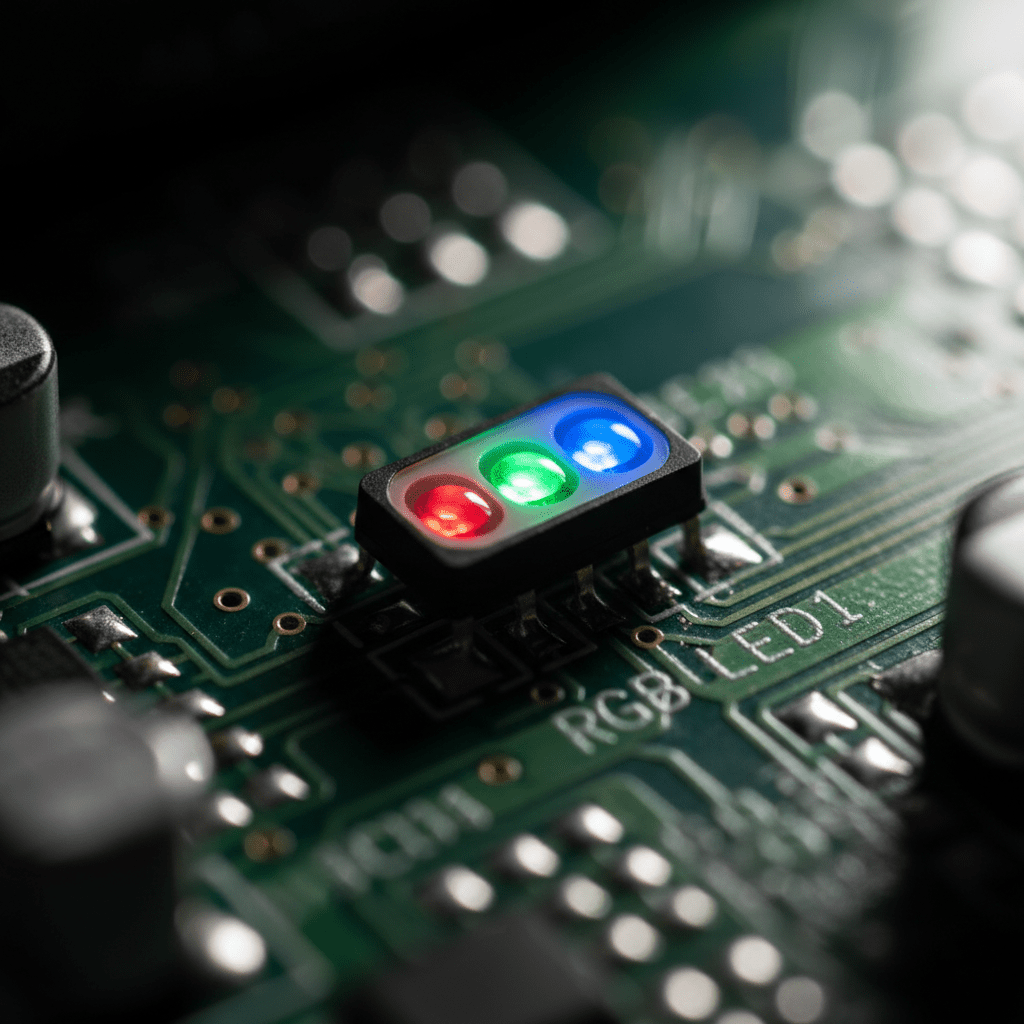
Traditional status indication uses multiple discrete LEDs, one for power, one for connectivity, one for errors. This wastes PCB space (each LED needs its own footprint, resistor, and GPIO pin), conveys limited information (just on/off or simple blink patterns), scales poorly (new indicators mean hardware changes), and confuses users with visual clutter. A single RGB LED solves all of this, one physical component displays millions of color combinations, PWM control enables precise brightness and color mixing, and behavior is software-defined for updates and customization.
Each color channel connects to a PWM-capable GPIO pin, varying duty cycle from 0-100% controls perceived brightness, and independently controlling red, green, and blue creates any color, yellow from red plus green, cyan from green plus blue, white from all three full. For simpler products we use MCU-based PWM with built-in hardware peripherals, low CPU overhead, perfect for battery-powered devices. For complex products like gateways, we use MPU-based PWM with software control, integration with complex state machines, and rich animation capabilities.
The visual language: battery status
We use a traffic light metaphor users universally understand. Solid green (80-100% charge) means "everything is great." Solid amber (50-79%) means "still healthy, plan for charging soon." Solid orange (20-49%) means "time to think about charging." Pulsing red (5-19%) means "charge immediately," a smooth breathing effect over two seconds. Fast blinking red (under 5%) means "device shutting down very soon," a half-second on-off cycle for urgent attention. When charging, a slow pulse of the current battery color indicates charging active, solid green plus a brief white flash every 10 seconds indicates fully charged and safe to disconnect, and alternating red and orange indicates a charging fault.
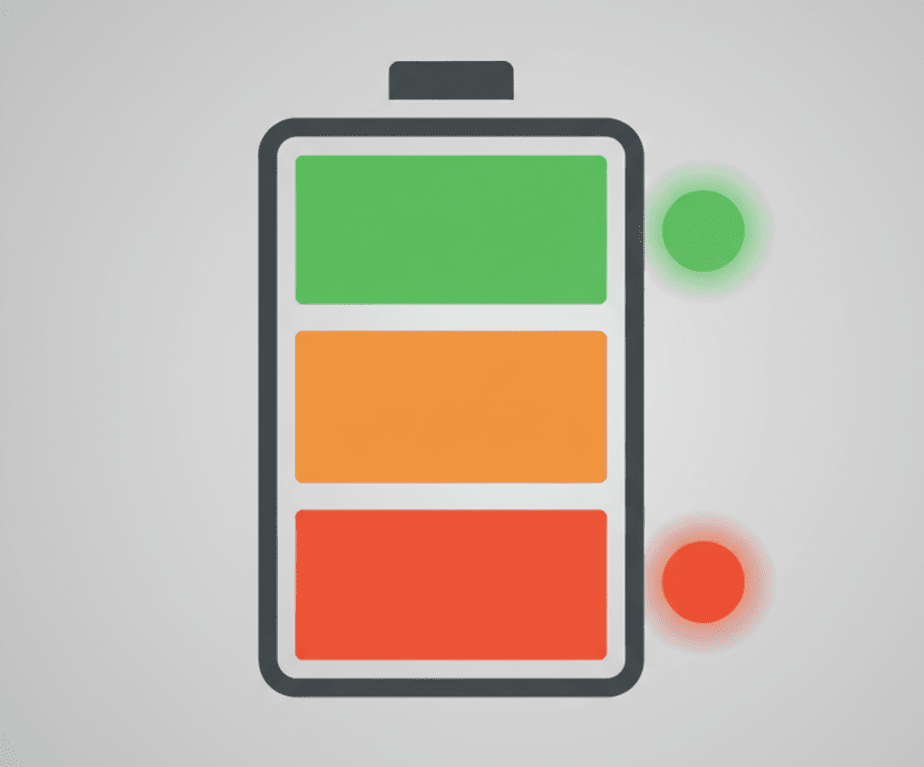
Getting smooth indication right requires careful firmware. We sample battery voltage every 30 seconds, average over five samples to smooth transient drops, and map voltage to percentage using a calibrated discharge curve, not linear. We implement 5% hysteresis when transitioning between zones to prevent flickering at boundaries, a transition from orange to yellow at 50% doesn't transition back until 45%. PWM frequency runs 1-2kHz, above flicker perception, below audible whine. Gamma correction, since human brightness perception is non-linear, applies roughly a 2.2 exponent to PWM duty cycles for perceptually linear fade animations.
Fault indication: communicating problems clearly
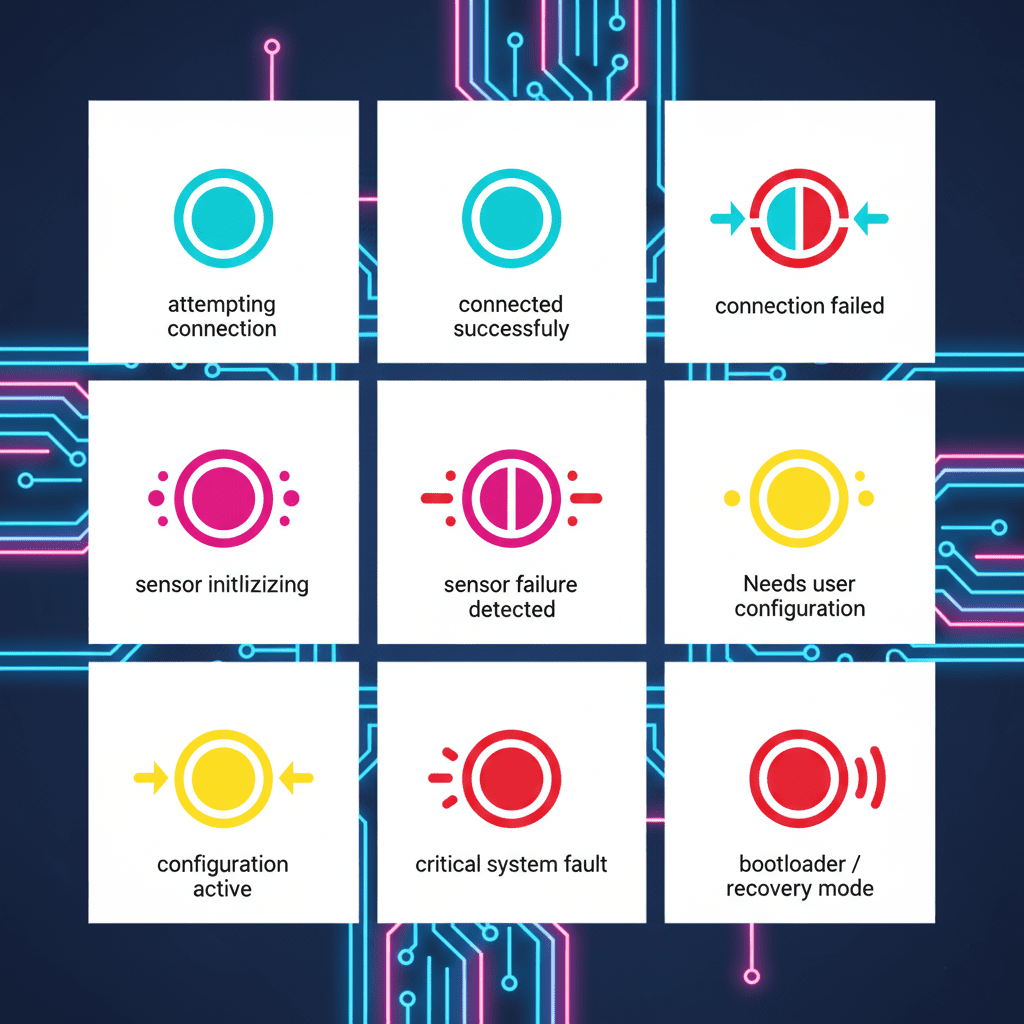
Connectivity faults use blinking cyan for attempting to connect, solid cyan for connected, fast blinking red-cyan for connection failed and retrying. Sensor faults use blinking magenta for initialization or calibration, alternating red-magenta for a detected failure, distinctive from charging faults. Configuration faults use blinking yellow for waiting on user setup, alternating yellow-white for active configuration mode. Firmware and system faults use rapid 3Hz red blinking for a watchdog reset or critical exception, solid red plus periodic white flash for bootloader or recovery mode.
By using unique color combinations for different fault types, we enable remote troubleshooting, a user can describe LED behavior over phone or email and support identifies the problem immediately, reduced support load since common issues are self-explanatory, and faster resolution since specific indication guides users to the correct solution. Multiple faults can occur simultaneously, so we implement a priority system, critical system faults highest, then critical battery, then sensor or hardware faults, then connectivity, then normal status lowest. For faults of similar priority we use time-slicing, displaying fault A for two seconds, then fault B, repeating.
Building user trust through consistency
The most important aspect isn't technical, it's psychological. Users must learn to trust that the LED accurately represents system state. Consistency across products means green always means healthy, red always means problem, amber always means caution, cyan always means connectivity, magenta always means sensor, users who own multiple Hoomanely products don't need to relearn LED meanings. Accurate representation means we rigorously validate that indications match actual state, battery LED shows true capacity not optimistic estimates, connectivity LED only shows connected after successful data exchange, not just WiFi association. Predictable behavior means the same state always produces the same indication with smooth, logical transitions.

Advanced techniques: animation and attention management
A gentle breathing effect, brightness varying sinusoidally over 2-3 seconds, works for normal operation and charging status, calculated as a sine-wave-modulated brightness with gamma correction applied. Fast blinking, sharp on-off transitions at 2-4Hz with high contrast, works for critical alerts, leveraging peripheral vision's sensitivity to motion so users notice even without looking directly at the device. Color transitions interpolate R, G, B independently over 0.5 seconds for smooth morphing, preventing jarring changes that might suggest malfunction rather than a normal state change.
For idle state strategy, battery-powered portable devices dim or turn off the LED to conserve power with a brief pulse every 30 seconds, mains-powered stationary devices show a dim green breathing pattern for reassurance without distraction, and critical infrastructure devices stay always-on with brightness adjusted for ambient light.
Power consumption considerations
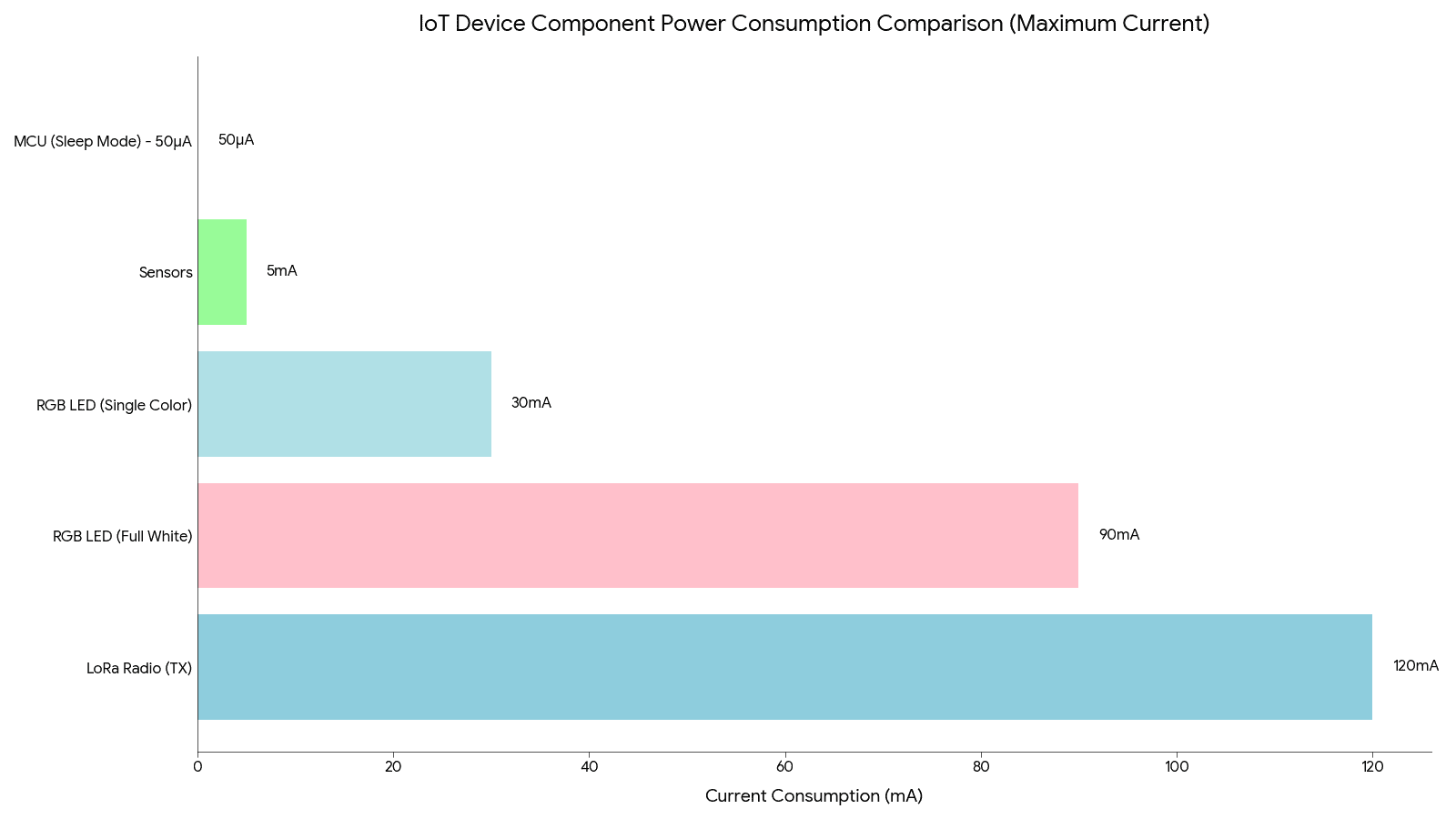
RGB LEDs at full brightness consume real power, a single color channel at full brightness draws 20-30mA at 3.3V, all three for white draws 60-90mA. For context, an IoT sensor node's MCU sleep current is 10-50 microamps, meaning an RGB LED at full white brightness continuously consumes more power than the MCU in sleep mode consumes in days. Our optimization scales brightness with battery level, full at 80-100%, reduced to 60% at 50-79%, low at 30% for 20-49%, minimal at 10% below 20% except during critical warnings. We also dim to 20% automatically after two minutes of stable state, restoring full brightness briefly on any change, and on some products an ambient light sensor adjusts brightness for visibility in bright rooms and to avoid being obnoxious at night.
The result
Users no longer ask "is it on" or "is the battery dead," instead they say "I can see it's healthy and connected, green LED" or "battery is getting low, it's showing orange." Beyond user clarity, this dramatically improves remote diagnosis, because every color and pattern corresponds to a precise internal state, our support team can identify what's happening inside a device just from the user describing the LED behavior, no logs, no debugging session, no guesswork. This turns abstract technical problems into simple, actionable conversations and reduces resolution time from hours to minutes.
Final thoughts
Designing effective status LEDs isn't about adding colorful lights to look high-tech. It's about creating a visual language that communicates accurately, builds trust through consistency, provides actionable information at a glance, reduces support burden, and enables remote troubleshooting. At Hoomanely, we treat status LED design as seriously as circuit design and firmware architecture, because the best technology is invisible, but when it needs to speak, it should speak clearly.



