
Reflashing a Live Fleet Remotely
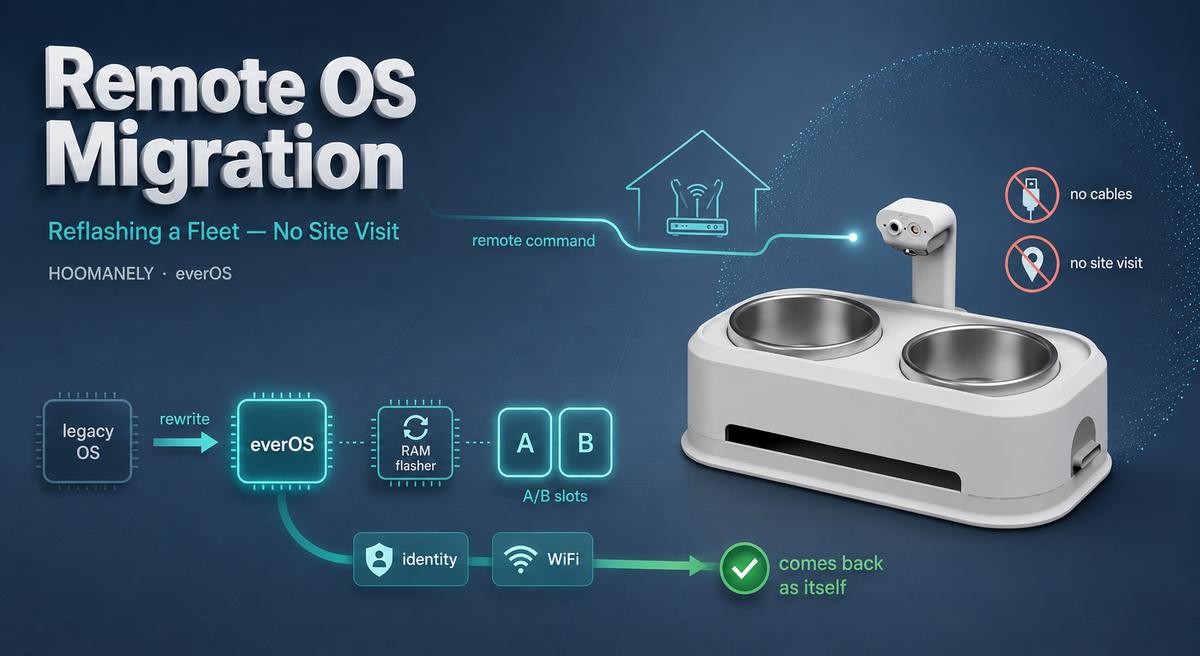
Replacing the operating system on a computer usually means having your hands on it: a cable, a USB stick, a recovery button, someone in the room. Now imagine that computer is inside a pet's feeding bowl, in a stranger's kitchen, behind their home router, three time zones away — and you need to replace its entire operating system with a new one. Multiply that by a fleet already out in the field. Shipping a technician to every living room isn't a plan; it's a reason not to ship at all. So we built the alternative: a way for a deployed device to rewrite its own disk, over the internet, and come back as a new machine — with nobody touching it. This is the story of migrating a live fleet from a legacy OS to everOS, remotely.
Context: A Fleet Built by Hand
The first Everbowl units ran a legacy, hand-assembled Linux image — packages and binaries installed by hand on a stock distribution. It worked, but it wasn't built for a fleet: every unit drifted slightly, there was a single root filesystem with no rollback, and updates were ad-hoc scripts.
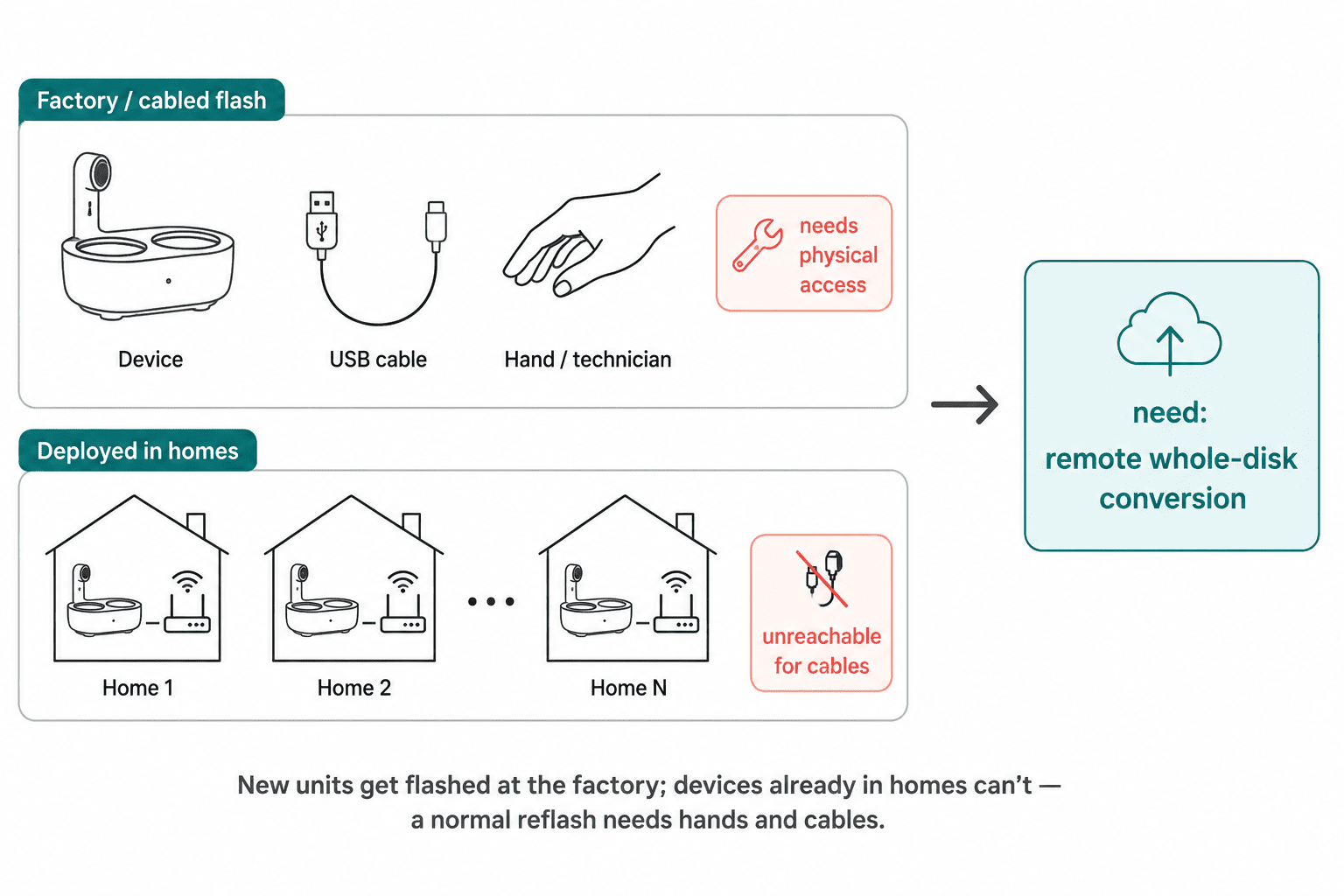
everOS is the replacement — a reproducible, versioned operating system with the safe A/B update machinery a fleet in homes actually needs. The catch is getting there. New units can simply be flashed with everOS at the factory, but the devices already deployed in customers' homes were still on the old hand-built image.
Those in-field devices couldn't just receive a normal update, because everOS isn't a package — it's a different disk layout entirely. Converting them meant rewriting the whole disk, which normally demands physical access. That's the problem this migration had to solve.
The Challenge: Rewrite the Disk From Under Itself
Here's the fundamental knot. To rewrite a disk cleanly you can't be running from the disk you're rewriting — it's like repaving a road while driving on it. On a bench you sidestep this with an external tool that takes over the device's storage over a cable. In the field there is no cable and no external computer.
There's a second knot: reachability. A bowl in someone's home sits behind their router, with no public address — you can't just SSH to it from the office to kick anything off.
And a third: continuity. After the dust settles, the device has to come back as itself — same identity, same WiFi, same place in the backend — or you've simply created a brick with a fresh OS and no way home. Solve all three without a person on-site, and you have a remote migration.
The Approach: Boot Into RAM, Then Repave
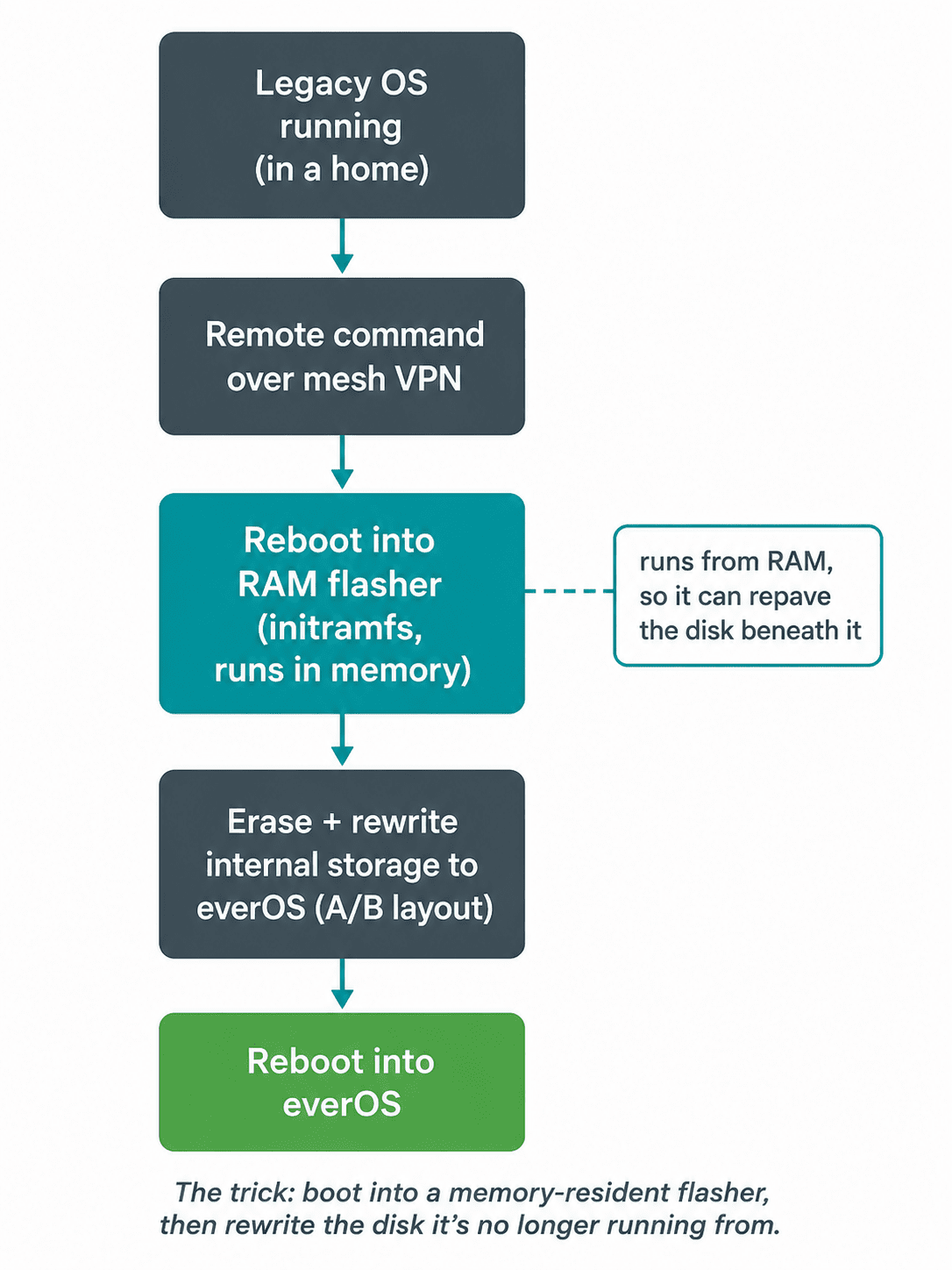
The key move is to stop running from the disk before touching it. A single remote command tells the device to reboot into a tiny, self-contained operating system that lives entirely in RAM — an initramfs flasher. Because that flasher runs from memory, not from the disk, it's free to erase and rewrite the storage beneath it completely.
Once it's in control, the RAM flasher writes the full everOS image onto the device's internal storage — both root filesystem slots and the partition layout — turning a legacy single-rootfs disk into a proper A/B everOS disk. When it finishes, it reboots one last time, and the device comes up running everOS.
Reachability is handled by a mesh VPN: every device joins a private mesh that gives it a stable address reachable from anywhere, so the migration can be triggered even though the bowl lives behind a home router. Mesh provides the reach; the RAM flasher does the work.
Keeping the Device Itself
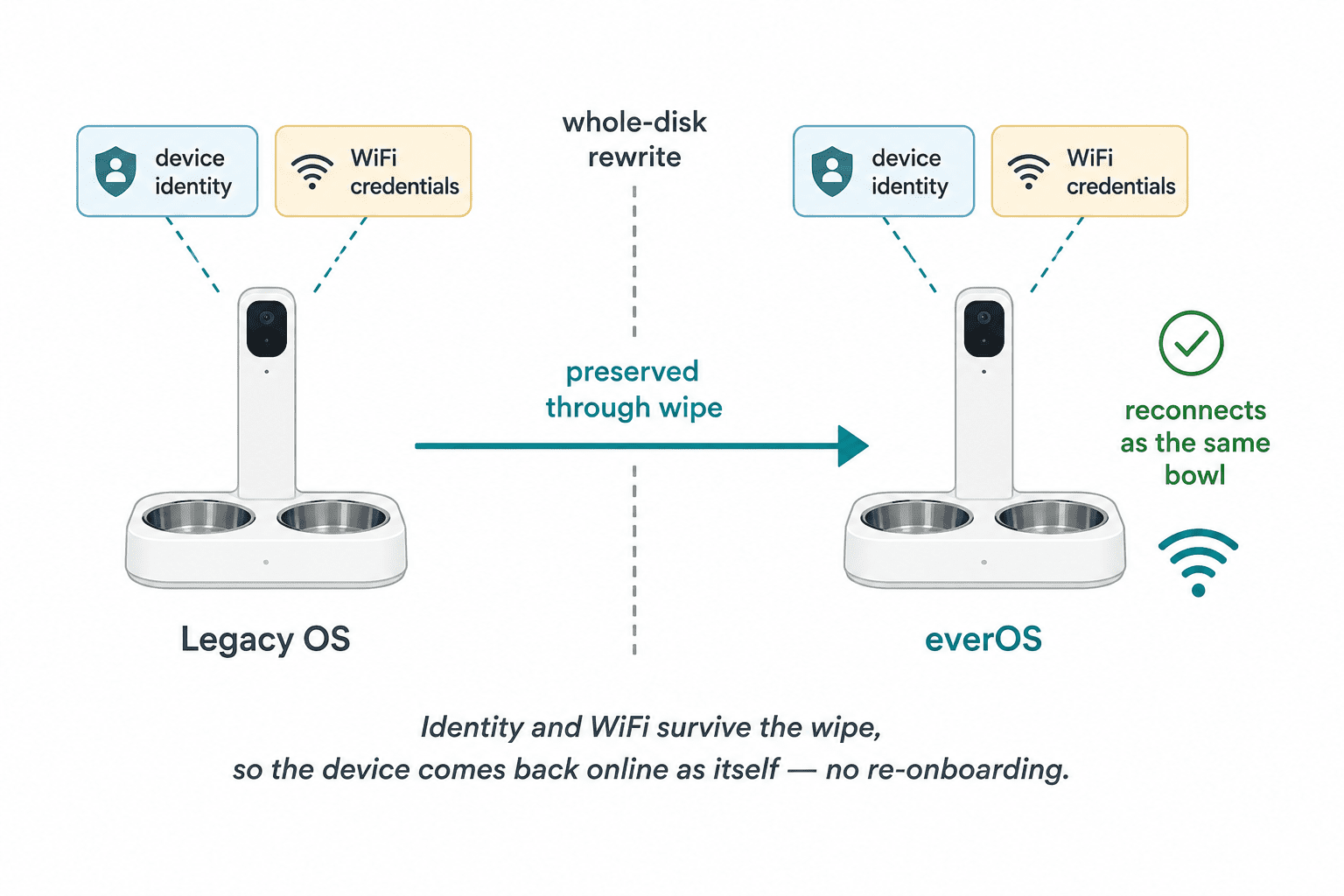
A new OS is only useful if the device rejoins the world as the same unit. So the migration carries identity and network settings across the wipe automatically. The device's unique identifier — the identity it uploads under — and its saved WiFi credentials are preserved through the conversion, so when everOS boots for the first time it connects to the same home network and reports to the backend as the same bowl.
To the owner, nothing changed: the bowl went quiet for a few minutes and came back working. To the fleet, a device silently graduated from an unmaintainable hand-built image to a versioned, safely-updatable OS — without a box being opened.
That continuity is what turns a scary one-off into an operationally sane process. There's no re-onboarding, no lost history, no customer action required.
The Honest Risk: A No-Rollback Window
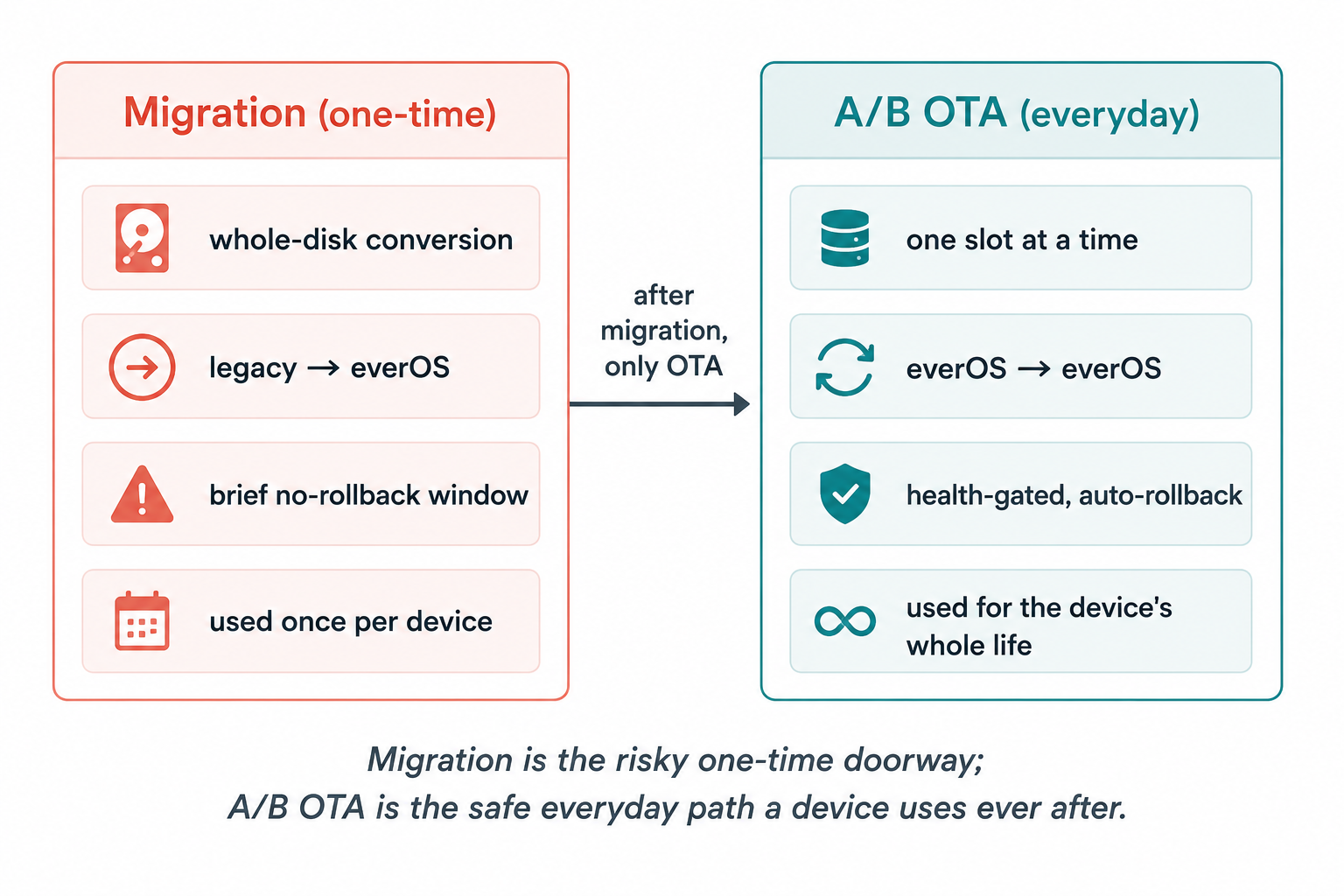
Migration is not the everyday update, and it's important to be precise about the difference. The routine A/B OTA is rollback-safe by design: it writes an inactive slot and reverts automatically if the new one isn't healthy. Migration is a one-time whole-disk conversion — for the brief window while the disk is being repaved, there is no previous slot to fall back to.
That's an inherent property of replacing everything at once, and we treat it with the seriousness it deserves: the image is verified before it's written, the flasher is minimal and self-contained, and the process is proven before it's scaled. Crucially, this risk exists only during that one conversion. The moment a device is on everOS, it never uses this path again — from then on it's the routine, rollback-safe A/B OTA for the rest of its life.
Results: Proven, Zero Site Visits
The approach was validated end-to-end on real deployed hardware — 2 of 2 devices converted successfully, remotely, with no rpiboot, no cables, and no one dispatched to a home. Each came back on everOS, on the same WiFi, reporting as the same device, ready for the safe A/B OTA path from then on.
Small numbers, but the point is the mechanism: a repeatable, hands-off way to bring an already-shipped fleet onto the new platform. That converts "we'd have to recall or re-visit every unit" — a project-killer — into "we push a command." It's the bridge that lets everOS reach the devices that were sold before everOS existed.
Why It Matters at Hoomanely
Hoomanely is reinventing healthcare for pets — replacing reactive, imprecise care with continuous, clinical-grade monitoring that catches problems early. Our devices form a Physical Intelligence ecosystem: sensors fused at the edge, feeding the Biosense AI Engine that turns raw signals into personalized, preventive insights.
A health companion in a home has to keep improving for years, and that promise can't have an asterisk that says "except the devices we already shipped." Remote migration is how we bring the entire fleet — old and new — onto one modern, maintainable OS, so every pet benefits from the same reliability and every future improvement reaches every device. No customer disruption, no landfill of un-upgradable units.
That's what platform engineering in service of care looks like: unglamorous, invisible to the owner, and quietly essential. The bowl just gets better over time — and now, so does the bowl that was bought last year.
Key Takeaways
- Don't run from the disk you're rewriting. Booting into a RAM-resident flasher lets a live device repave its own storage cleanly, no external computer required.
- Separate reachability from the operation. A mesh VPN gives a device behind a home router a stable address, so a whole-disk conversion can be triggered remotely.
- Preserve identity and network across the wipe. Carrying the device ID and WiFi credentials through means it returns as itself, with no re-onboarding.
- Be honest about the one-time risk. Whole-disk migration has a brief no-rollback window; verify the image, keep the flasher minimal, and prove it before scaling.
- Migrate once, then update safely forever. After conversion a device uses only the rollback-safe A/B OTA — the risky path is never revisited.



