
Background Execution Is a Privilege, Not a Feature
Introduction
Background execution on mobile sounds deceptively simple: “run this task even when the app is not open.”
Anyone who has shipped a real production app knows how misleading that sentence is.
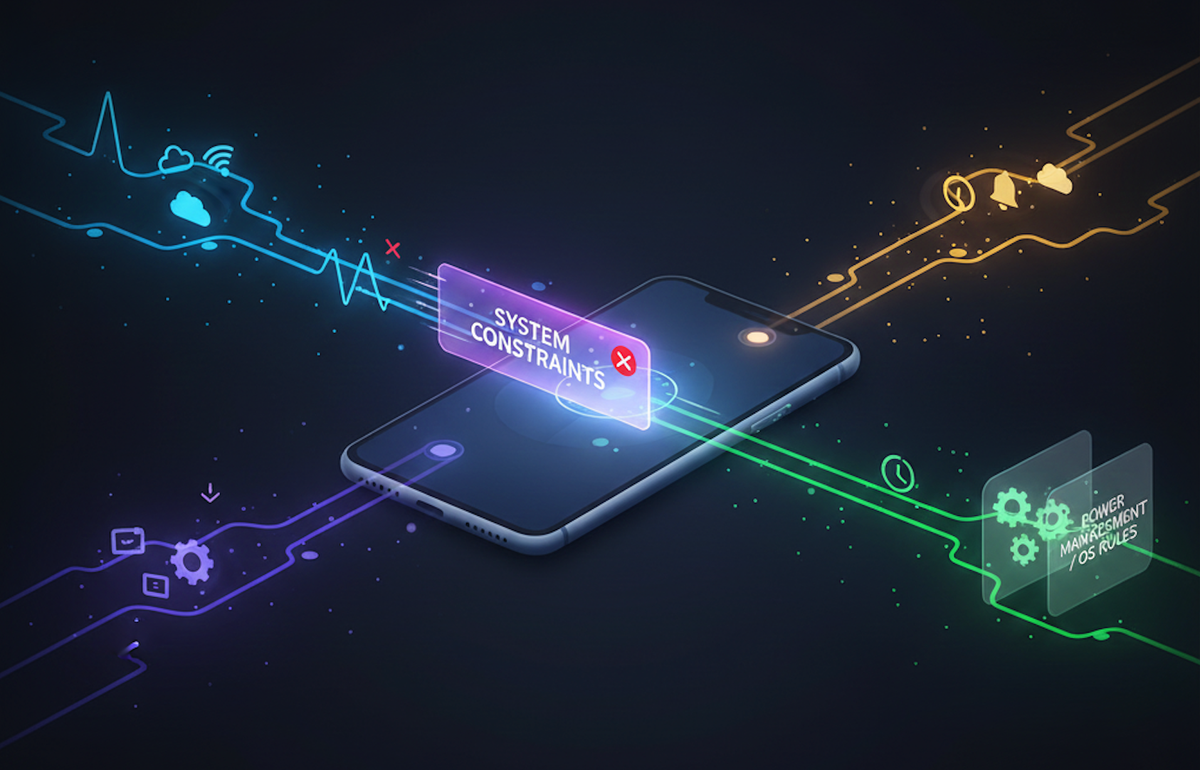
On both iOS and Android, background tasks live under strict OS control. Battery life, thermal limits, privacy, and system fairness all take priority over your business logic. The result is a constantly shifting set of constraints, quotas, and edge cases that can surprise even experienced engineers.
This post is written from the perspective of a developer and focuses on practical patterns, failure modes, and mental models you can apply immediately, whether you’re building consumer apps, internal tools, or data-heavy systems.
The Core Concept: Background Work Is a Privilege
Before diving into APIs, it’s critical to align on one principle:
Background execution is not guaranteed. It is opportunistic.
Both platforms allow background work only when:
- The system decides conditions are safe
- The task aligns with approved use cases
- The app demonstrates “good behavior” over time
This is not accidental. Mobile operating systems are optimized for predictable user experience, not developer convenience.
Why Background Tasks Matter
Despite the restrictions, background execution is essential for:
- Syncing user-generated data
- Uploading logs or telemetry
- Refreshing content
- Processing deferred actions
- Handling notifications reliably
In real products, background work is often the difference between:
- “It works on my phone”
- “It works for millions of users across devices and conditions”
At Hoomanely, background task reliability directly affects how user interactions are captured, processed, and surfaced—especially when connectivity is intermittent or apps are frequently suspended.
iOS: Designed for Predictability, Not Flexibility
Mental Model
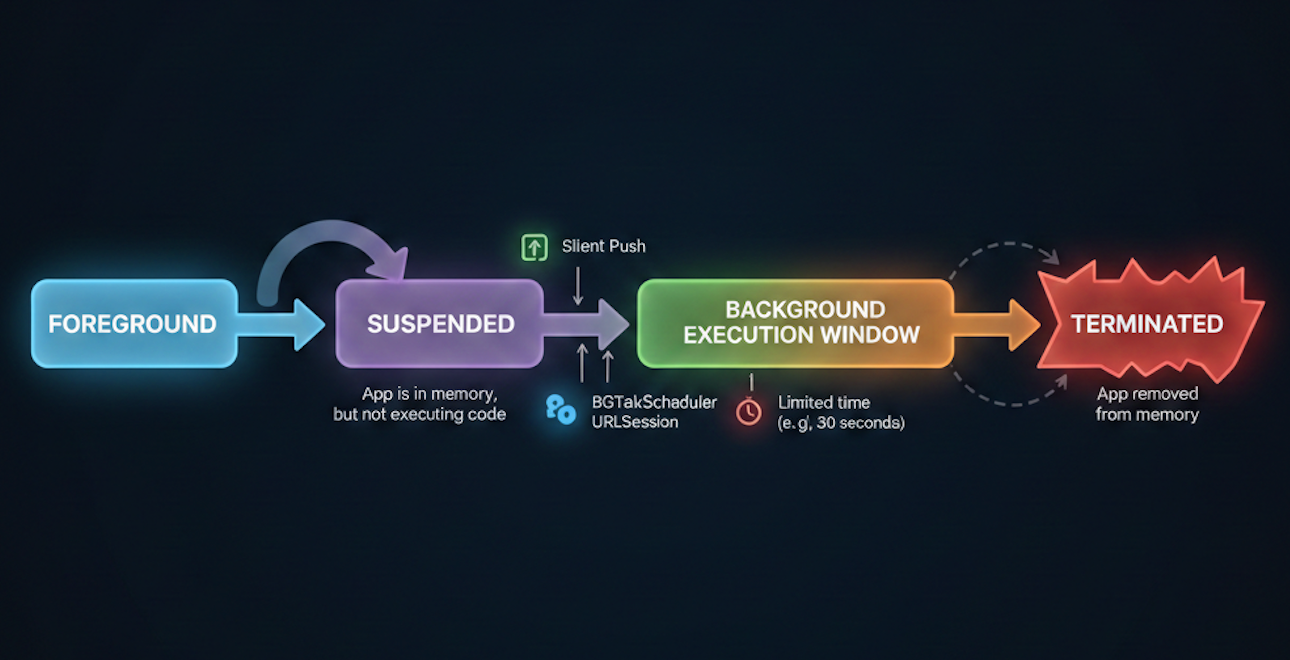
iOS treats your app as inactive by default. The system wakes it only when:
- You explicitly qualify for a background mode
- The system schedules a task on your behalf
- A push notification triggers execution
Common iOS Background Mechanisms
| Mechanism | Typical Use |
|---|---|
| Background App Refresh | Lightweight data refresh |
| BGTaskScheduler | Deferred, system-scheduled work |
| Silent Push | Server-initiated work |
| Background URLSession | Reliable uploads/downloads |
Hard Constraints
- Execution windows are short (often seconds)
- Scheduling is non-deterministic
- Excessive failures reduce future opportunities
- Debugging timing issues is difficult
Rule of thumb: If your background task must run at a specific time, iOS is the wrong place to enforce that guarantee.
Android: Flexible, But Actively Policed
Mental Model
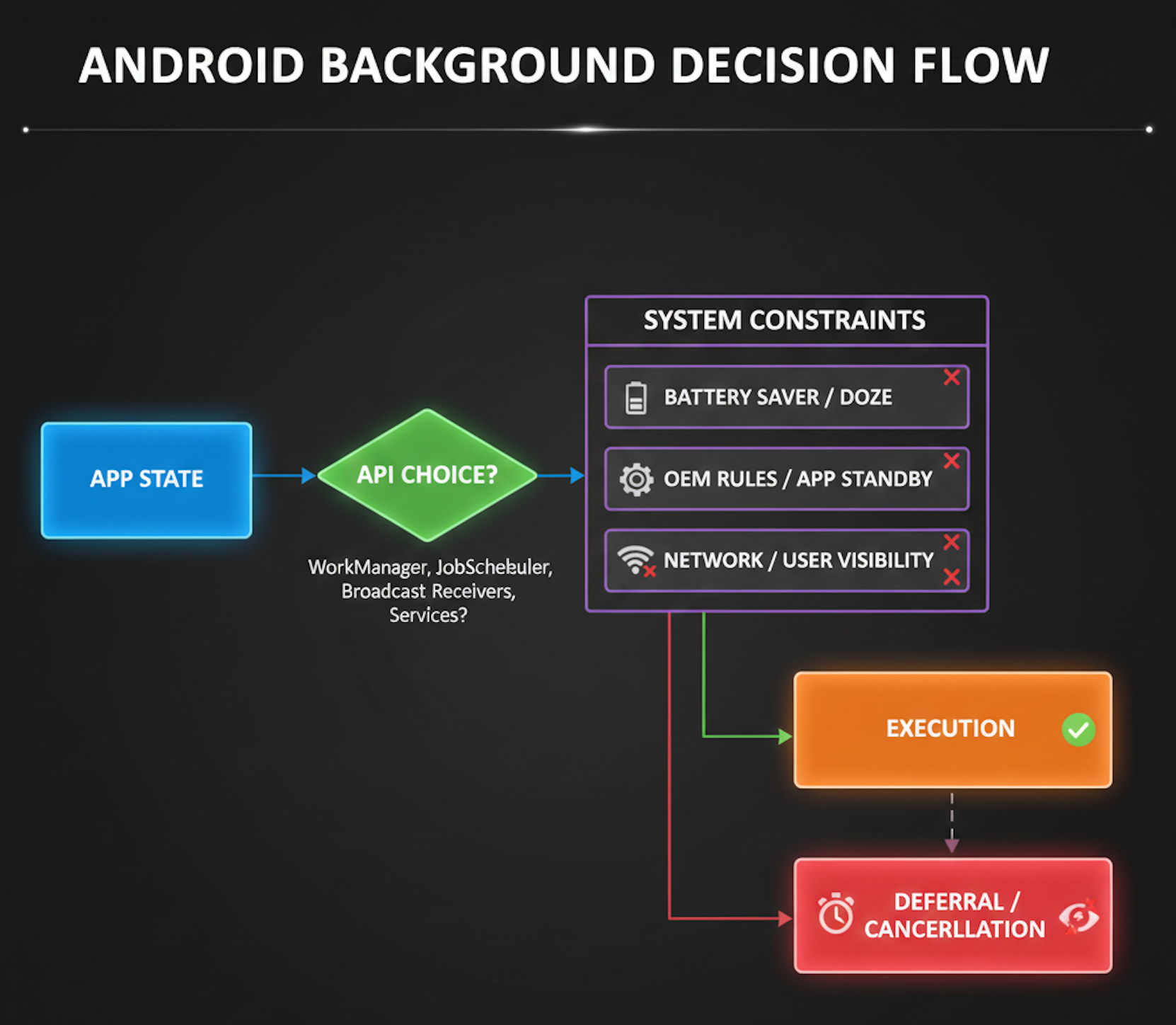
Android allows more background freedom—but only if you follow the rules. The OS aggressively monitors apps that abuse resources.
Key Background Options
| API | Use Case |
|---|---|
| WorkManager | Deferrable, guaranteed work |
| Foreground Service | User-visible ongoing tasks |
| AlarmManager | Time-based triggers |
| JobScheduler | Condition-based work |
Android’s Hidden Cost
While Android appears permissive:
- Background limits tighten with every OS version
- OEM customizations can break assumptions
- Foreground services require persistent notifications
Flexibility comes with visibility.
If users can’t see your work, Android increasingly doesn’t want it running.
The Reality: Cross-Platform ≠ Same Behavior
One of the most common mistakes is designing background logic once and “mapping” it to both platforms.
Why This Fails
- iOS optimizes for system fairness
- Android optimizes for developer control with accountability
- Scheduling semantics differ fundamentally
- Failure modes are asymmetric
Practical Insight
Design intent-based background work, not time-based work.
Instead of:
“Run every 15 minutes”
Think:
“Run when network is available, battery is sufficient, and the system allows it”
2. Chunked Work with Early Exit
Background windows are unpredictable. Break work into:
- Small chunks
- Check pointed steps
- Graceful early termination
If killed midway, the system doesn’t penalize you as harshly.
3. Push as a Hint, Not a Guarantee
Silent push (iOS) or FCM (Android) should:
- Signal opportunity
- Not enforce execution assumptions
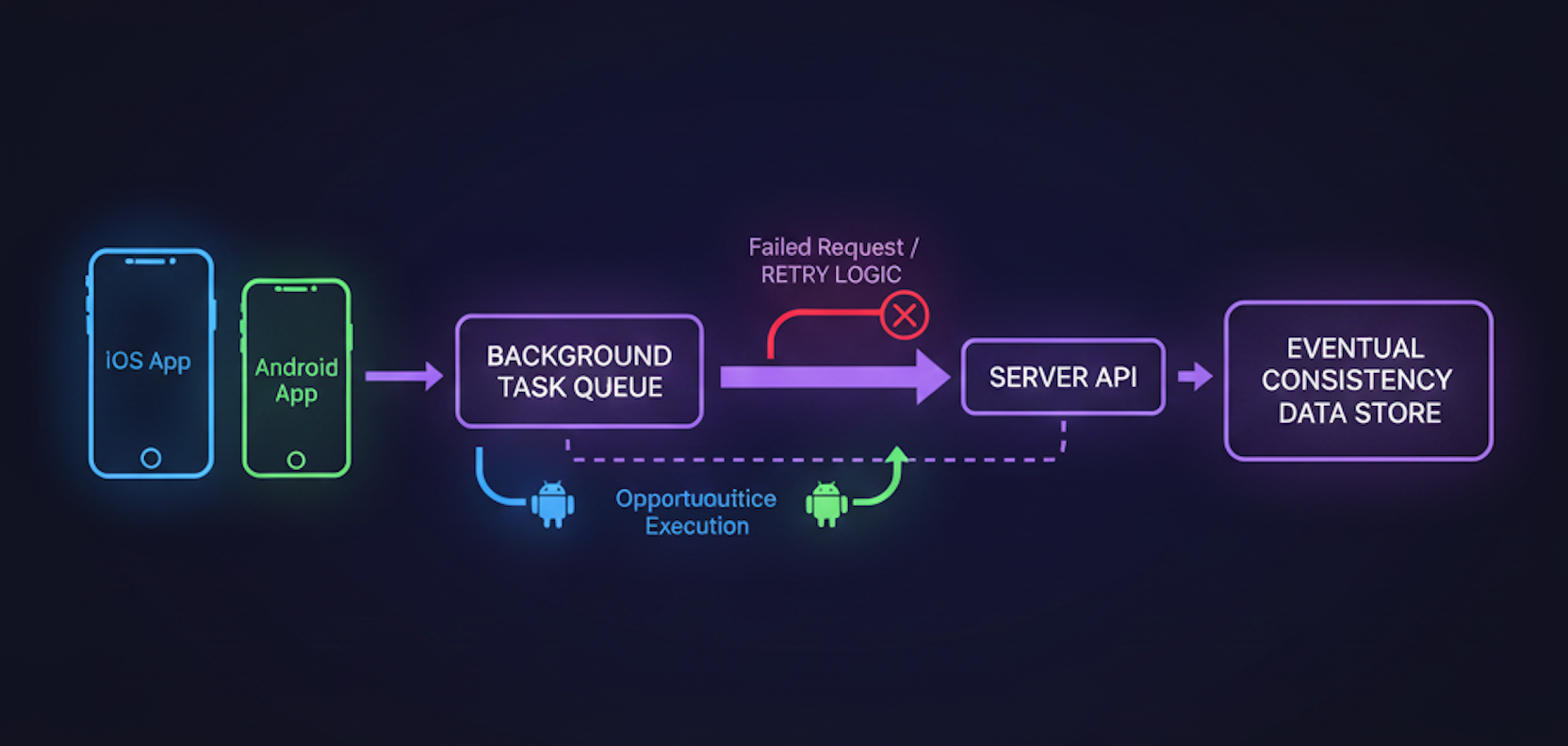
In some internal tools at Hoomanely, push notifications are treated as nudges, while actual processing happens opportunistically during the next allowed window.
In some products, background execution becomes critical for:
- Deferred data uploads
- Analytics consistency
- User session continuity
The key lesson from these systems isn’t the API usage—it’s accepting inconsistency and engineering around it with retries, reconciliation, and backend intelligence.
Mentioning them here only to reinforce a point: background tasks are a system design problem, not just a mobile API problem.
Common Anti-Patterns to Avoid
- ❌ Long-running background loops
- ❌ Assuming scheduled time == execution time
- ❌ Treating background failures as edge cases
- ❌ Logging-only debugging (you’ll miss silent kills)
Metrics That Actually Matter
Tracking:
- Task completion rate
- Retry count per task
- Time-to-eventual-success
- OS version vs execution success
These metrics surface real-world reliability, not just correctness.
How This Connects Back to Hoomanely
Hoomanely’s mission centers on building systems that adapt to real human behavior—not ideal conditions.
Background task design aligns closely with this philosophy:
- Users close apps
- Networks drop
- Devices throttle aggressively
By engineering for uncertainty and opportunistic execution, background systems become more resilient, more humane, and ultimately more trustworthy.
Key Takeaways
- Background execution is permission-based, not guaranteed
- iOS favors predictability; Android favors flexibility with oversight
- Design around intent, not schedules
- Break work into resumable, idempotent chunks
- Measure reliability, not just success
If you internalize one thing from this post, let it be this:
The best background task is the one that succeeds eventually—without the user ever noticing it struggled.



