
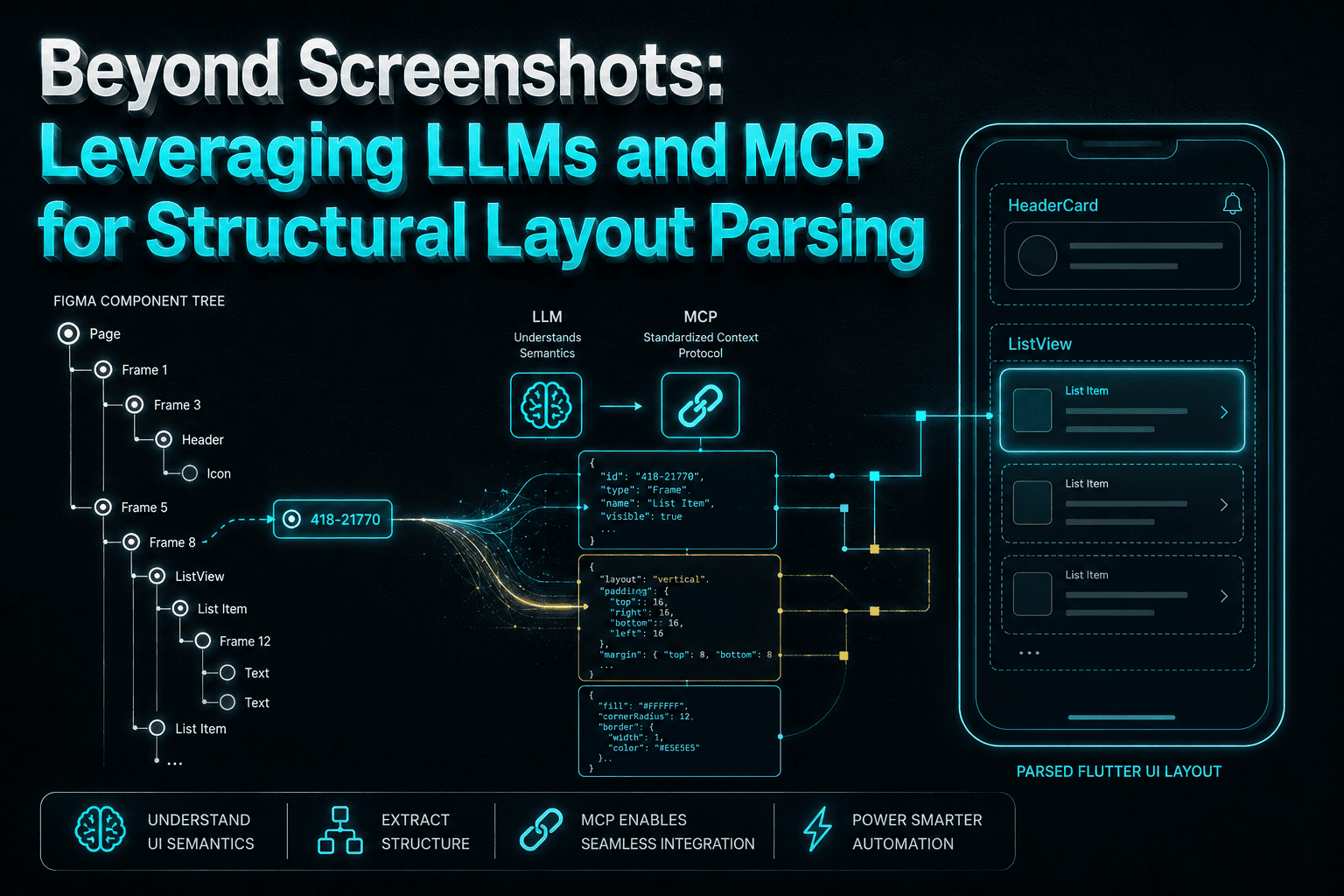
Beyond Screenshots: Leveraging LLMs and MCP for Structural Layout Parsing
The bottleneck in the handoff.
For most of this project, converting a Figma screen into Flutter was the slowest, dumbest part of the job. The work wasn't hard, it was just relentlessly manual: open the design, click a frame, read the inspector, note that the gap is 12 and the outer padding is 16 but the card's internal padding is 14, copy a hex value, click the next layer, do it again. Then translate all of that into a Column wrapping a Row wrapping a Container, guess at which spacing was intentional versus which was a designer nudging a layer by two pixels, and ship it. Design review would come back with a list - "the chip row is 4px tight, the avatar is 40 not 44, that divider shouldn't be there" - and we'd play spot-the-difference against a static PNG for another hour. Multiply that across a screen with a nested list, a bottom nav, and four states, and a single screen could burn most of a day before any actual behaviour existed.
Why Figma MCP fundamentally changes UI generation.
The mechanism matters more than the marketing. Figma MCP doesn't hand the model a screenshot to interpret - it exposes the live Figma document tree as structured JSON the model can query directly. You pass a top-level node reference, the kind of thing that's already sitting in your URL bar (node-id=418-21770), and the model traverses the layer tree programmatically from there: frame names, Auto Layout direction and alignment, itemSpacing, per-side padding, fixed versus hug versus fill sizing, fill and stroke colors, corner radii, and the resolved text styles with their weights and line heights. There is no spec sheet, no slice export, no annotated redline handoff, and critically no inference from pixels - the numbers the model reads are the same numbers the designer typed. That distinction is the whole thing: we stopped asking a model to guess a layout and started asking it to transcribe one.
The payoff: 100% pixel precision with zero boilerplate.
Because the traversal is recursive, one top-level link gets you the whole screen - the model walks into the card list item, the chip row, the bottom nav bar, each of which is its own component instance with its own Auto Layout rules, and maps them down mechanically. Auto Layout vertical with itemSpacing: 12 becomes a scroll container with Gap.h12 between children; per-side padding becomes a Padding; a hug-content frame with a fill and a 16 radius becomes a BoxDecoration on a card component; a fill-width child becomes a constraint against the parent rather than a hardcoded width. Nested lists, repeated row components, and the paginated variants of a screen that used to be three separate manual passes now resolve in one go. Screens that took a day of transcription plus a review cycle now scaffold in a couple of minutes, and they come out matching the design on the first review instead of the third - the spacing argument simply doesn't happen anymore, because nobody guessed.
What it cost us: the design-code gaps MCP can't bridge.
Node extraction gives you a precise static layout and nothing else, and it's worth being blunt about what "nothing else" contains. It does not write your state management - no ScreenViewModel, no Bloc wiring, no reactions, no loading/empty/error triad, because none of that exists in the design tree. It does not write animation beyond what a designer annotated in a comment, and it does not reason about the landscape or tablet reflow of a layout that was only ever drawn at one width. It also inherits the quality of the file it reads: if a frame was laid out with absolute positioning instead of Auto Layout, or components are named Frame 1247, or a designer faked spacing with an invisible rectangle, what comes back is a pile of magic numbers inside four redundant wrappers. Those screens still need a human refactor pass to collapse the nesting, replace the raw values with spacing tokens, and route the colors through role tokens instead of the extracted hexes - a messy Figma file produces messy Flutter, and MCP will not clean it up for you.
The decision rule.
Reach for Figma MCP when you need to scaffold a complex, design-system-compliant screen from well-structured Figma components and pixel parity actually matters - a redesign sweep, a screen with deeply nested list items, anything where the manual transcription cost dominates the interesting work. Don't reach for it expecting an end-to-end code generator; it will happily produce a beautiful, inert screen with no state and no edge cases, and it has no opinion about whether your layout survives rotation. Treat it as an instantaneous scaffolding engine: it deletes the UI boilerplate and the spacing archaeology, leaving engineers with the two things that were always the actual job - the business logic and the app state.



