
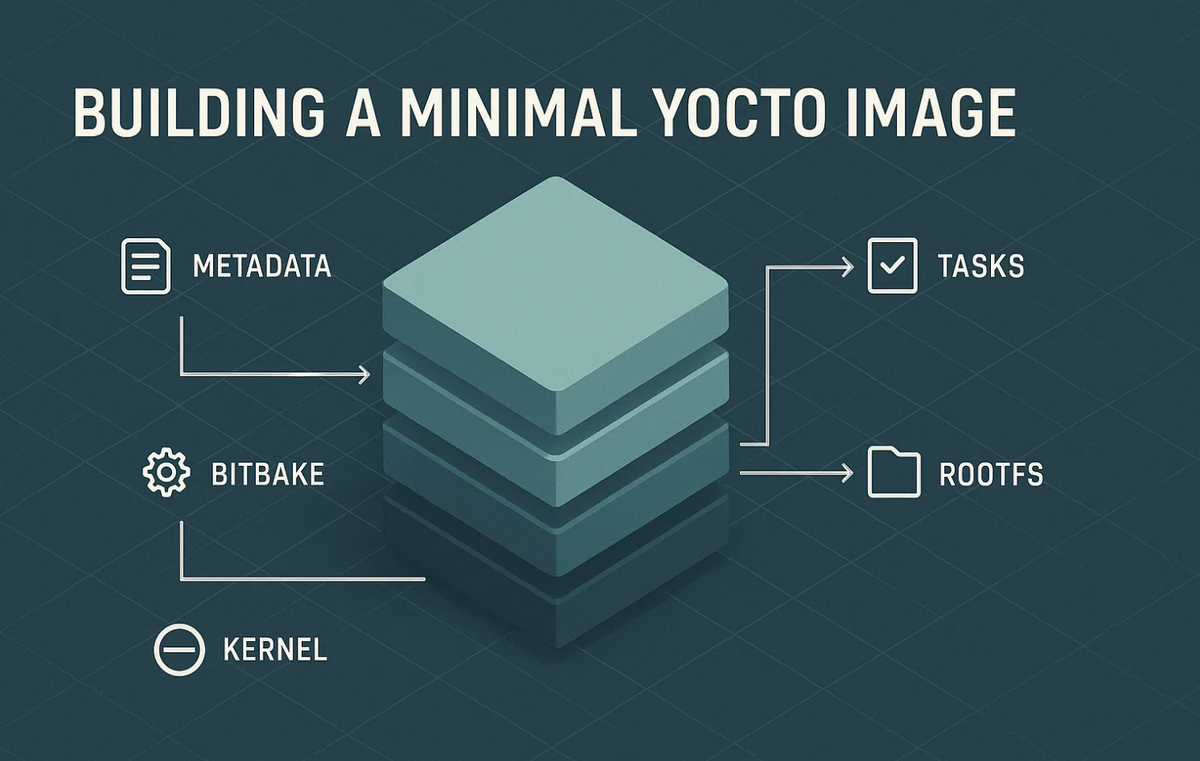
Building a Minimal Yocto Image
Every embedded Linux engineer eventually reaches the same point: the need for a fully customized, lightweight, reproducible Linux distribution. Prebuilt OS images are bloated, build-from-scratch distros are fragile, and the Yocto Project solves this by giving you a structured framework to build a Linux system exactly as big as it needs to be, and no bigger.
At Hoomanely, where we design modular, multi-SOM IoT pet-care systems, gateway SOMs, sensor SOMs, camera nodes, LoRa bridges, minimal images are essential. A smaller root filesystem means faster OTA updates, lower flash wear, lower memory pressure, and more predictable behavior across devices. This post is a practical walkthrough of building a minimal Yocto image, covering layers, recipes, image definitions, and the sanity checks that make your build reproducible.
Why minimal images matter
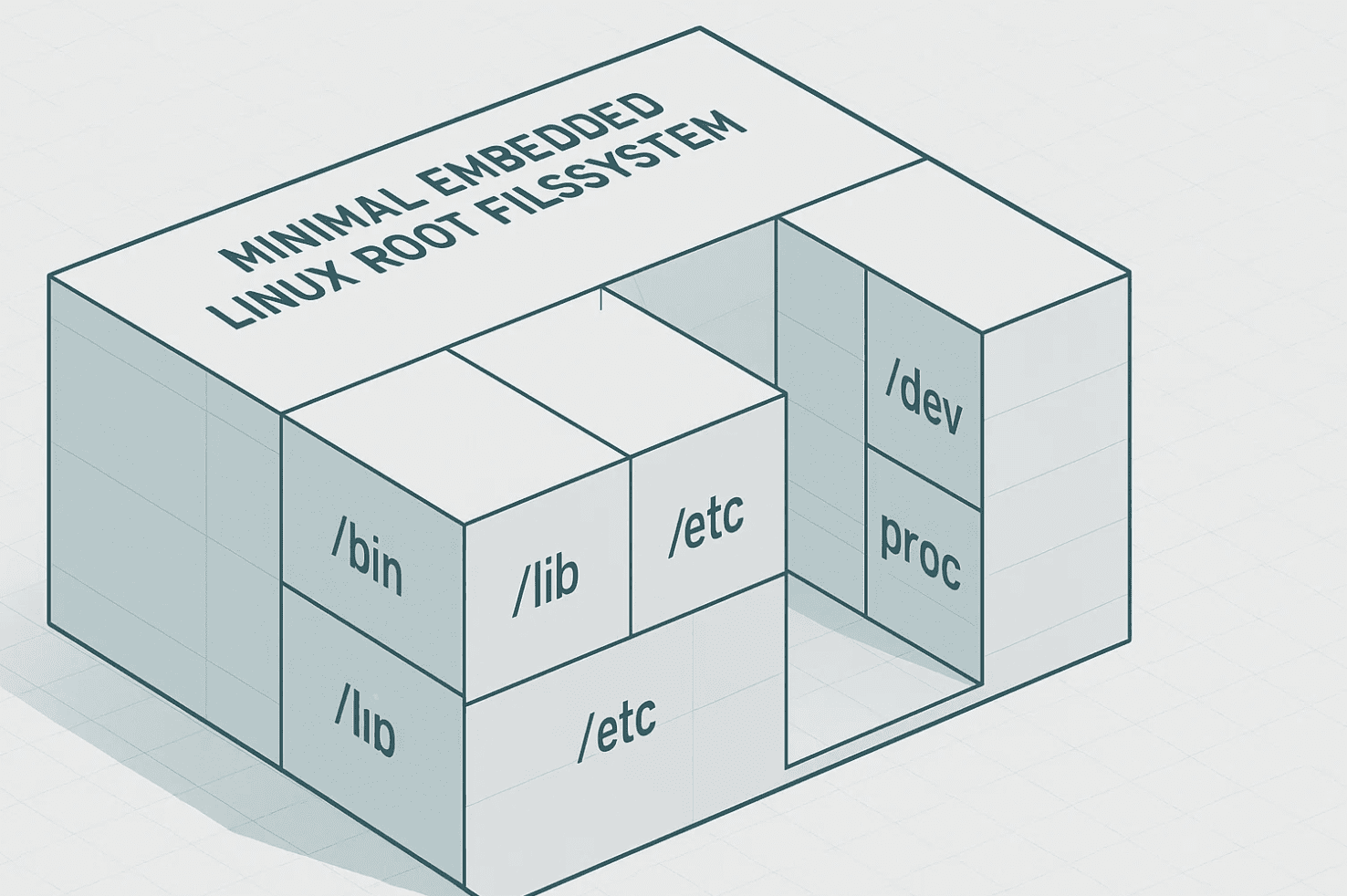
Minimal images cut boot time, RAM footprint, attack surface, update bandwidth, flash wear, and failure modes tied to unused services. core-image-minimal typically lands around 25 to 40 MB, and an optimized custom minimal build using musl, stripped binaries, no locales, no docs, no static libs, can get down to 15 to 25 MB. Those numbers hold up against real-world Yocto builds on Kirkstone or Scarthgap. For Hoomanely products deployed in homes and fields, every megabyte removed means faster updates and longer device life.
Yocto in three points
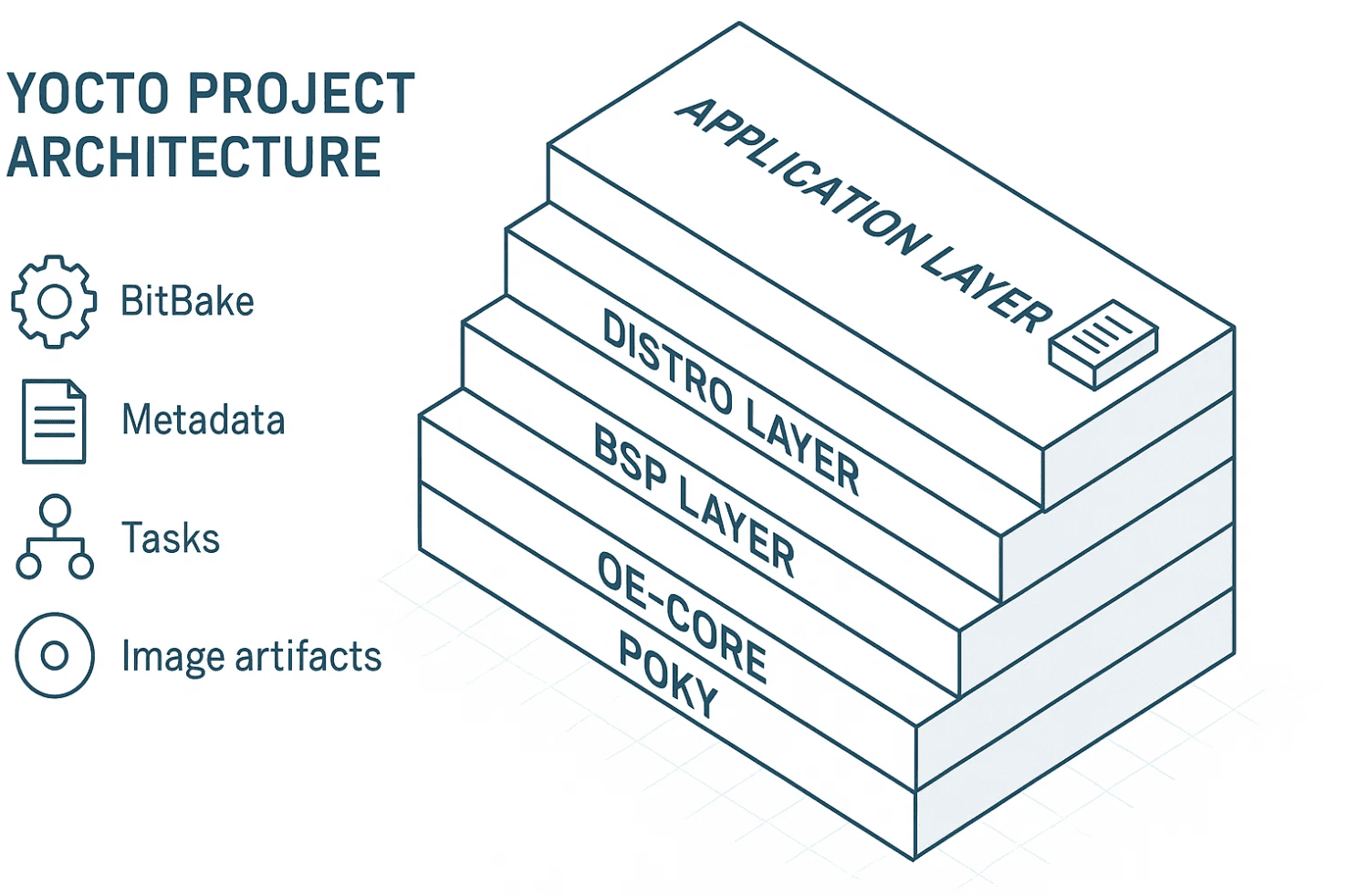
Yocto is a build framework, not a distribution. It's a metadata system where layers feed recipes feed tasks feed packages feed images. And it's a collection of classes, image classes, kernel classes, packaging classes. The core toolchain is BitBake as the task executor, OpenEmbedded Core, Poky as the reference distro, and BSP layers for board-specific Linux support.
Layers and recipes
A layer is a container of metadata and recipes, typically structured as meta/ (OE Core base), meta-poky/ (reference distribution), meta-yocto-bsp/ (generic BSPs), meta-yourboard/ (hardware-specific BSP), and meta-yourproduct/ (application, configs, image definitions). A layer must declare compatibility:
LAYERSERIES_COMPAT_meta-myproduct = "kirkstone scarthgap"That protects builds from mismatched Yocto versions. A recipe (.bb) defines source fetching, dependencies, build steps, installation steps, licensing, and packaging:
SUMMARY = "Hello World App"
LICENSE = "MIT"
LIC_FILES_CHKSUM = "file://${COMMON_LICENSE_DIR}/MIT;md5=0835ade698e0bcf8506ecda2f7b4f302"

SRC_URI = "file://main.c"
S = "${WORKDIR}"

do_compile() {
    ${CC} ${CFLAGS} ${LDFLAGS} main.c -o hello
}

do_install() {
    install -d ${D}${bindir}
    install -m 0755 hello ${D}${bindir}
}
Building the minimal image
Start by cloning Poky and checking out a stable LTS release like Kirkstone. Run source oe-init-build-env to set up build/conf/local.conf and build/conf/bblayers.conf. Create a custom layer with bitbake-layers create-layer and bitbake-layers add-layer, then declare its compatibility in layer.conf.
Rather than redefining everything, inherit core-image and extend it:
DESCRIPTION = "Hoomanely minimal image"
LICENSE = "MIT"

inherit core-image

IMAGE_INSTALL:append = " dropbear "
IMAGE_FEATURES:remove = "splash package-management x11-base"
Set the machine in local.conf, qemux86-64 for testing, or raspberrypi4, beaglebone, or a custom Hoomanely SOM for real hardware. For the init system, modern Yocto recommends explicitly setting DISTRO_FEATURES:remove = "systemd" plus DISTRO_FEATURES:append = " sysvinit" and INIT_MANAGER = "sysvinit", or INIT_MANAGER = "mdev-busybox" for a BusyBox-based setup. Just removing systemd doesn't automatically switch to BusyBox, you have to adjust the distro features too, which is a common misconfiguration worth double-checking.
Build with bitbake myproduct-minimal-image. Outputs land in build/tmp/deploy/images/<machine>/, including a .wic SD card image, kernel, device tree, and rootfs tarball.
Sanity checks
Yocto validates builds strictly, and the common failure modes are worth knowing up front. Missing host packages, install the required tools like gcc, chrpath, diffstat, and python3. Layer compatibility mismatches, fixed by correcting LAYERSERIES_COMPAT. Insufficient disk space, realistically 50 to 100 GB for a first build, 20 to 30 GB for incremental builds, and 15 to 20 GB for a minimal image with a populated sstate-cache. And stale sstate-cache, often fixed by clearing it with rm -rf sstate-cache/* when errors look inexplicable.
Kernel configuration
To add kernel configs, create recipes-kernel/linux/linux-yocto_%.bbappend pointing at a config fragment file with SRC_URI += "file://myfragment.cfg", and put your kernel options, CONFIG_SPI=y, CONFIG_I2C=y, CONFIG_USB_ACM=y, in that fragment file.
Optimizing the image further
Remove docs, locales, and static libs by setting IMAGE_LINGUAS = "en-us" and configuring locale generation narrowly. Use musl instead of glibc for a smaller libc with TCLIBC = "musl". Binary stripping is enabled by default. And use INHERIT += "rm_work" to conserve build host disk space, though it's worth noting this only reduces build disk usage, not the final rootfs size.
Boot time
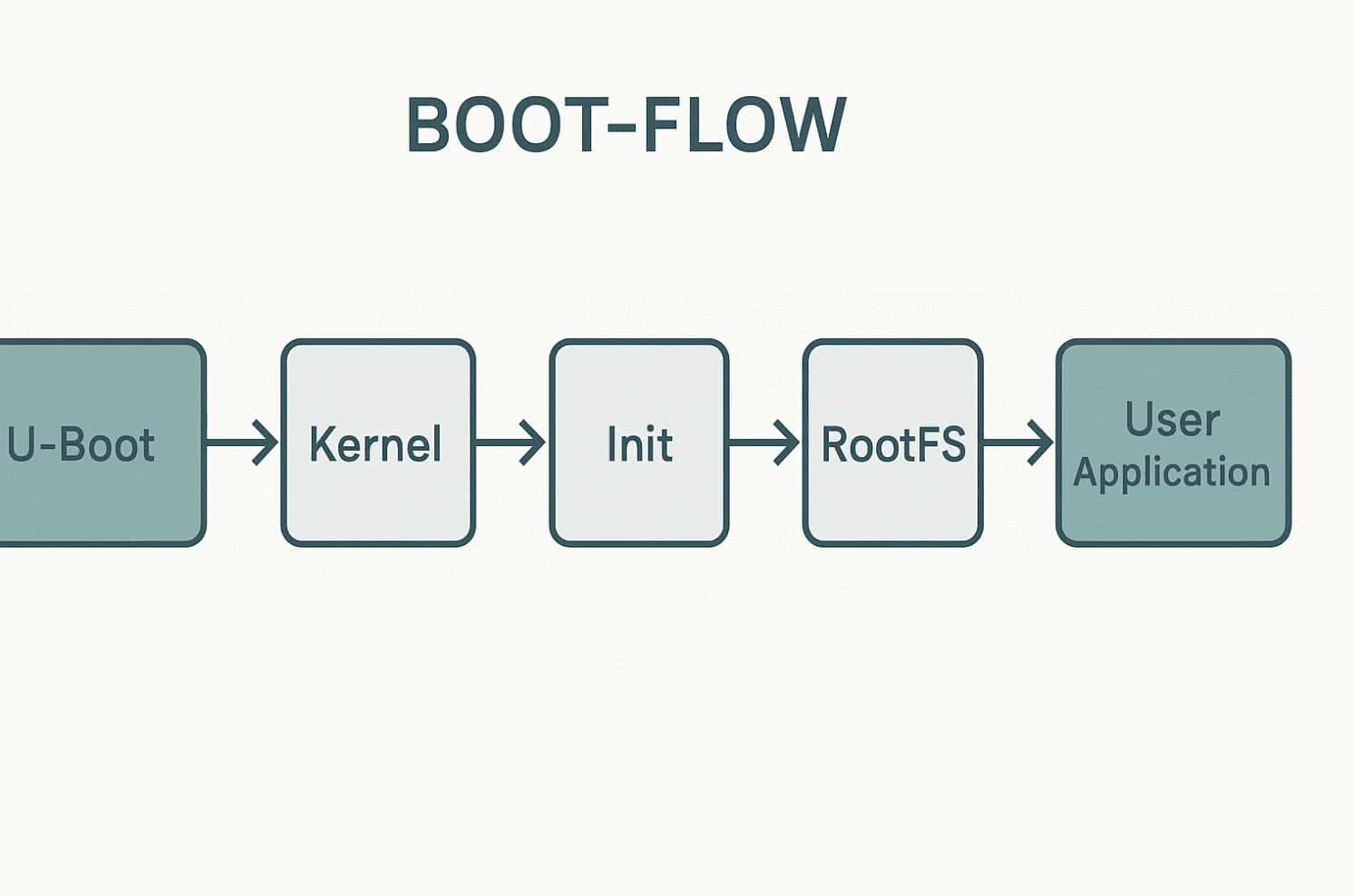
Userspace init can complete in under 2 seconds on a minimal image, and total boot time from U-Boot through kernel to shell typically runs 5 to 15 seconds on most SBCs. Getting under 2 seconds total requires U-Boot tuning, minimal driver probing, kernel config optimization, and initramfs techniques.
Debugging the build
Useful commands: bitbake -e recipe for environment variables, bitbake -c clean recipe for a clean build, bitbake -c cleanall recipe to also remove downloaded sources, and bitbake -g recipe for a dependency graph. Logs live under build/tmp/work/<recipe>/<version>/temp/log.do_compile and similar paths for other tasks.
Common issues
"Nothing provides X" usually means a required layer is missing, the recipe name is wrong, or distro configuration excludes it, fixed with bitbake-layers add-layer /path/to/layer. Slow builds benefit from a shared sstate-cache plus tuning BB_NUMBER_THREADS and PARALLEL_MAKE. Missing kernel modules mean you need a config fragment as shown above. And an image that boots but shows no shell usually points to /sbin/init missing, the wrong init manager, or BusyBox built without CONFIG_FEATURE_SH, checkable via bitbake busybox -c menuconfig.
Key takeaways
Yocto is a framework, not a distribution, its power comes from metadata. Inherit from core-image and modify using :append and :remove rather than fighting the class system. Always declare LAYERSERIES_COMPAT. Use INIT_MANAGER and DISTRO_FEATURES together correctly to avoid a broken init. Minimal images typically land in the 25 to 40 MB range, with aggressively optimized builds reaching 15 to 25 MB. And sanity checks and layer hygiene matter more than any individual recipe.
For Hoomanely, minimal images are core to long-term maintainability and reliable OTA updates across thousands of devices.



