
Camera Streams That Don't Drop Frames

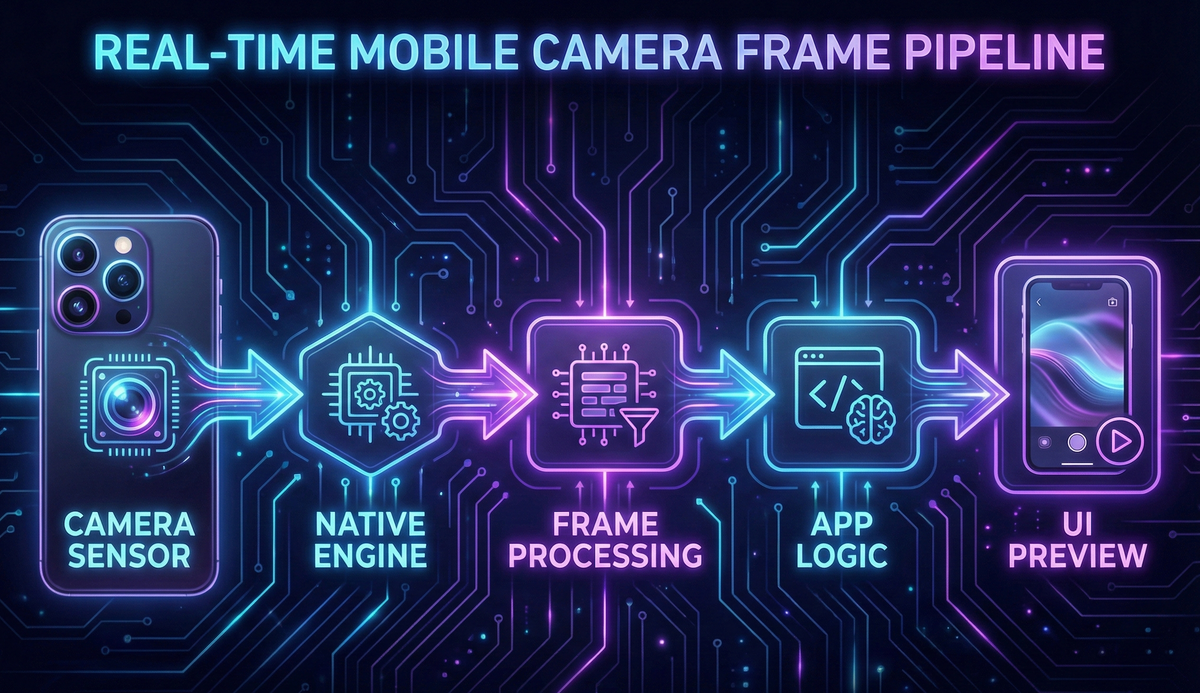
Mobile apps now depend on real-time camera pipelines more than ever. Whether you're scanning QR codes, running on-device AI, analyzing food labels, previewing AR overlays, or streaming video, smooth, uninterrupted camera frames are absolutely critical.
But here's the catch: Mobile devices are unpredictable. CPU spikes, GPU contention, thermal throttling, and OS scheduling quirks can cause dropped frames and janky previews. And when frames drop, everything breaks — your ML model misses detections, your preview stutters, your users get frustrated.
On iOS and Android, the camera frameworks behave very differently in how they deliver frames, handle backpressure, and respond to slow processing. Understanding these differences is the key to building robust real-time experiences.
Why Camera Streams Drop Frames
A camera operates at a fixed FPS (usually 30 or 60). Your app needs to:
- Receive frames from the camera hardware
- Process frames (optional ML inference or filters)
- Display the preview to the user
- Free buffers on time so the camera can reuse them
If any of these steps is slower than the camera's frame interval (~33ms for 30fps), you get stuttering preview, latency in ML processing, occasional black frames, slow QR detection, and overheating in extreme cases.
The enemy is almost always threatening architecture and memory backpressure.
Threading Models: How iOS & Android Deliver Frames
iOS (AVFoundation)
iOS uses AVCaptureSession and delivers frames via AVCaptureVideoDataOutputSampleBufferDelegate on a dedicated GCD queue. Apple's framework internally handles:
- Frame synchronization
- Buffer pool management and reuse
- Frame timing and pacing
- GPU/CPU load balancing
- Graceful degradation under load
Result: iOS gives stable, predictable frame delivery ~95% of the time. Even on older devices, the framework handles most edge cases gracefully.
Android (CameraX / Camera2)
Android uses CameraX (recommended) or the lower-level Camera2 API. Frames arrive as ImageProxy objects via a background executor that you configure. ,
- Explicitly closing buffers (
image.close()) - Choosing the right backpressure strategy
- Managing GPU/CPU contention manually
- Preventing main-thread blocking
- Handling manufacturer-specific quirks
Result: Performance varies drastically by manufacturer (Samsung vs Xiaomi vs Google), Android version, camera HAL driver quality, thermal state, and available RAM. This is why Android developers often complain about inconsistent camera preview performance across devices.
The Real Problem: Memory Backpressure
When the app cannot process frames fast enough, backpressure determines what happens next. This is where iOS and Android diverge significantly.
Backpressure on iOS
iOS automatically drops frames gracefully when your processing falls behind. It prioritizes smooth preview and consistent FPS, and does not block the capture pipeline. The framework skips delivering older frames to your delegate.
This behavior is ideal for real-time use cases like QR scanning and lightweight ML inference.
Backpressure on Android
CameraX gives you two explicit strategies:
1. STRATEGY_KEEP_ONLY_LATEST (recommended for 99% of apps)
- Automatically drops older frames when processing is slow
- Always delivers only the newest available frame
- Prevents preview freezing and maintains smooth UI
- Perfect for real-time ML, scanning, and visual feedback
2. STRATEGY_BLOCK_PRODUCER
- If your processing slows down, the entire camera HAL blocks
- Preview freezes or stutters visibly
- Leads to user-visible jank and poor experience
- Only use for special cases like video recording, where you need every frame
The bottom line: Almost every real-time camera app should use KEEP_ONLY_LATEST on Android.
GPU/CPU Contention: The Silent Frame Killer
Real-time camera apps simultaneously stress multiple hardware pipelines:
- ISP (Image Signal Processor) for raw sensor data
- CPU for ML inference and frame processing
- GPU for preview rendering and effects
- Neural Engine / NPU for accelerated ML
- The thermal throttling system monitors all of the above
When ML inference and preview rendering both hit the GPU at the same time, frames drop or the preview becomes sluggish. This is especially common on mid-range devices with shared memory architectures.
Solution strategies:
- Move ML processing to a background isolate or executor
- Use direct YUV buffers (avoid RGB conversion)
- Never convert to Bitmap unless absolutely necessary
- Limit ML inference to 10–15fps if the model is heavy
- Use proper backpressure handling to prevent queue overflow
- Monitor thermal state and reduce processing when device heats up
Zero-Copy & Efficient Buffer Handling
Every buffer copy costs 2–6 milliseconds, which is massive when your entire frame budget is only 33 ms at 30fps.
Optimizations that matter:
- Access raw YUV data directly (
CVImageBufferon iOS,ImageProxyon Android) - Avoid Bitmap conversion unless you're displaying the frame in a non-native view
- Use GPU texture mapping for preview rendering
- Reuse shared buffer pools instead of allocating new memory
- Don't resize frames on the CPU — use GPU shaders or let ML frameworks handle it
Implementing these strategies alone can reduce dropped frames by 40–60% on most devices. The key insight: every copy you avoid is time you can spend on actual processing.
How We Use This at Hoomanely
At Hoomanely, we build pet care solutions that depend heavily on real-time visual processing. Our camera pipelines power two critical user flows that need to work flawlessly:
A. Food Label Image Capture (Pet Food Ingredient Analysis)
When users photograph pet food packaging to analyze ingredients, every detail matters:
- The camera must not freeze or jitter during capture
- Text on the label must remain sharp and readable for OCR
- Processing must feel instant to maintain user confidence
- Consistent frames help avoid blurry captures that fail OCR
Our production pipeline:
✅ iOS: AVCaptureSession with optimized metadata output
✅ Android: CameraX with KEEP_ONLY_LATEST backpressure
✅ Zero-copy YUV buffer access for speed
✅ Isolate-based OCR pipeline to avoid blocking the UI thread
✅ Automatic focus optimization for text clarity
This architecture ensures the scan experience feels instant and accurate, with ingredient extraction completing in under 2 seconds on most devices.
B. QR Code Scanning (Pet Tags, Device Pairing, Admin Tools)
QR scanning is mission-critical for device pairing and pet tag reading. Users expect it to work instantly, not after multiple attempts.
Requirements:
- Rock-solid, stable frame rate
- Instantaneous decoding (sub-200ms)
- Fast retry logic for partial scans
- Zero frame blocking or freezing
How we achieve this:
✅ Dedicated camera processing thread separate from UI
✅ Fast YUV→binary conversion using SIMD optimizations
✅ Continuous auto-focus tuning for varied distances
✅ Adaptive exposure for different lighting conditions
The result: QR codes scan in less than 150ms on average, even on budget Android devices. Users simply point and go — no multiple attempts, no frustration.
Key Takeaways
Let's recap the essential principles for building drop-free camera streams:
- Smooth camera performance requires correct threading architecture and buffer handling from day one
- iOS is predictable and handles edge cases automatically → Android requires more manual engineering and device-specific testing
- Always use
KEEP_ONLY_LATESTbackpressure on Android to prevent frozen previews - ML inference should always run on background threads or isolates, never on the main thread
- Implement zero-copy buffer access wherever possible — every copy costs precious milliseconds
- Adopt frame skipping for heavy ML models to maintain preview smoothness
- Actively manage GPU/CPU contention to prevent thermal throttling and maintain performance
- Test on low-end devices first — if it works on budget hardware, it'll fly on flagships
Most importantly: If your camera pipeline isn't properly optimized, every real-time feature breaks — from food label scanning to QR code pairing to AR experiences. Get this foundation right, and everything else becomes easier.
Conclusion
Modern mobile apps increasingly rely on high-performance camera streams for core functionality — and ensuring smooth, drop-free frames is now a fundamental engineering skill, not an optional optimization.
Whether you're building AR experiences, ML-driven scanning solutions, or pet-care visual insights as we do at Hoomanely, the difference between a smooth camera preview and a jittery one directly impacts user trust and retention.
At Hoomanely, we leaned into this challenge early in our development process. Our camera architecture ensures fast, reliable food-label analysis and sub-second QR scanning across both iOS and Android — even on mid-tier and budget devices that represent the majority of our user base.
No frame drops. No delays. No frustration.
Just a smooth, real-time experience that feels effortless to the user.
And when the technology gets out of the way, users can focus on what matters: taking better care of their pets.



