Designing Debug Access That Doesn’t Become a Liability

Debug access is one of the most useful parts of a board during development.
It is how firmware gets flashed, how logs are captured, how dead boards get recovered, and how engineers figure out what the system is actually doing.
But in a real product, debug access is never just a convenience. It is a physical entry point into the system. If it is left too open, too permanent, or too casually routed, it can start creating problems of its own.
At Hoomanely, we do not treat debug access as a loose collection of headers and test pads. We treat it as part of the product architecture.
The goal is simple:
make debugging easy during development, useful during manufacturing, safe during service, and quiet in the shipped product.
That sounds obvious, but it changes the board design significantly. Because the best debug access is not the one that exposes everything. It is the one that gives the right access, at the right time, in the right form.
Debug Access Is Helpful — Until It Starts Disturbing the Product
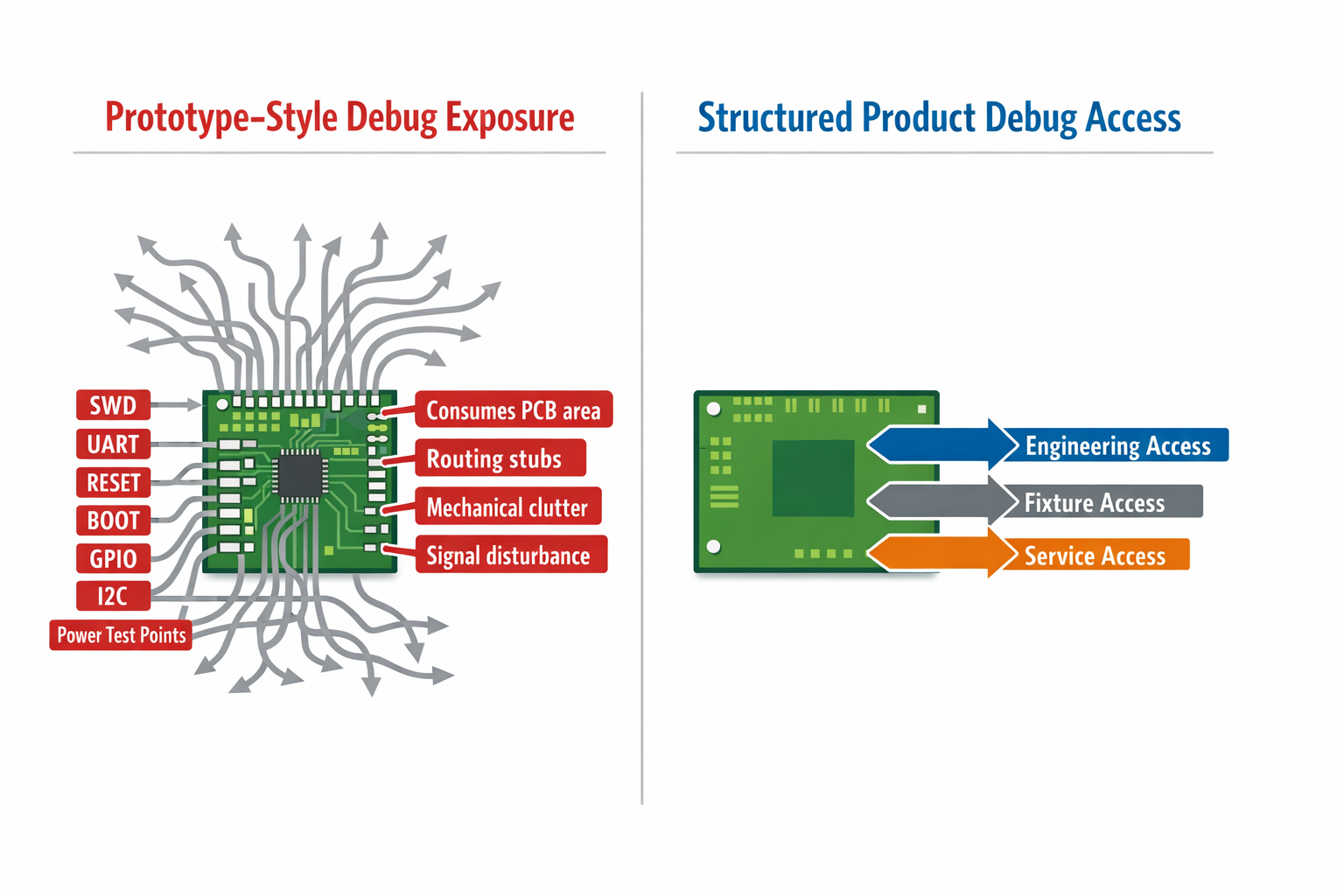
On early prototype boards, the natural instinct is to expose as much as possible:
- SWD or JTAG
- UART console
- reset
- boot mode pins
- test points for rails
- spare GPIOs
- I²C or SPI breakouts
That helps during bring-up. But if those same decisions carry forward unchanged, they begin to cost the product in less obvious ways.
Extra debug exposure can:
- consume PCB area
- complicate enclosure design
- add routing stubs
- weaken signal integrity
- expose sensitive control pins
- confuse service procedures
- make manufacturing fixtures more awkward
So the problem is not debug access itself. The problem is unstructured debug access.
A good debug design increases observability without increasing confusion.
Access and Exposure Are Not the Same Thing
This is one of the most important distinctions in board design.
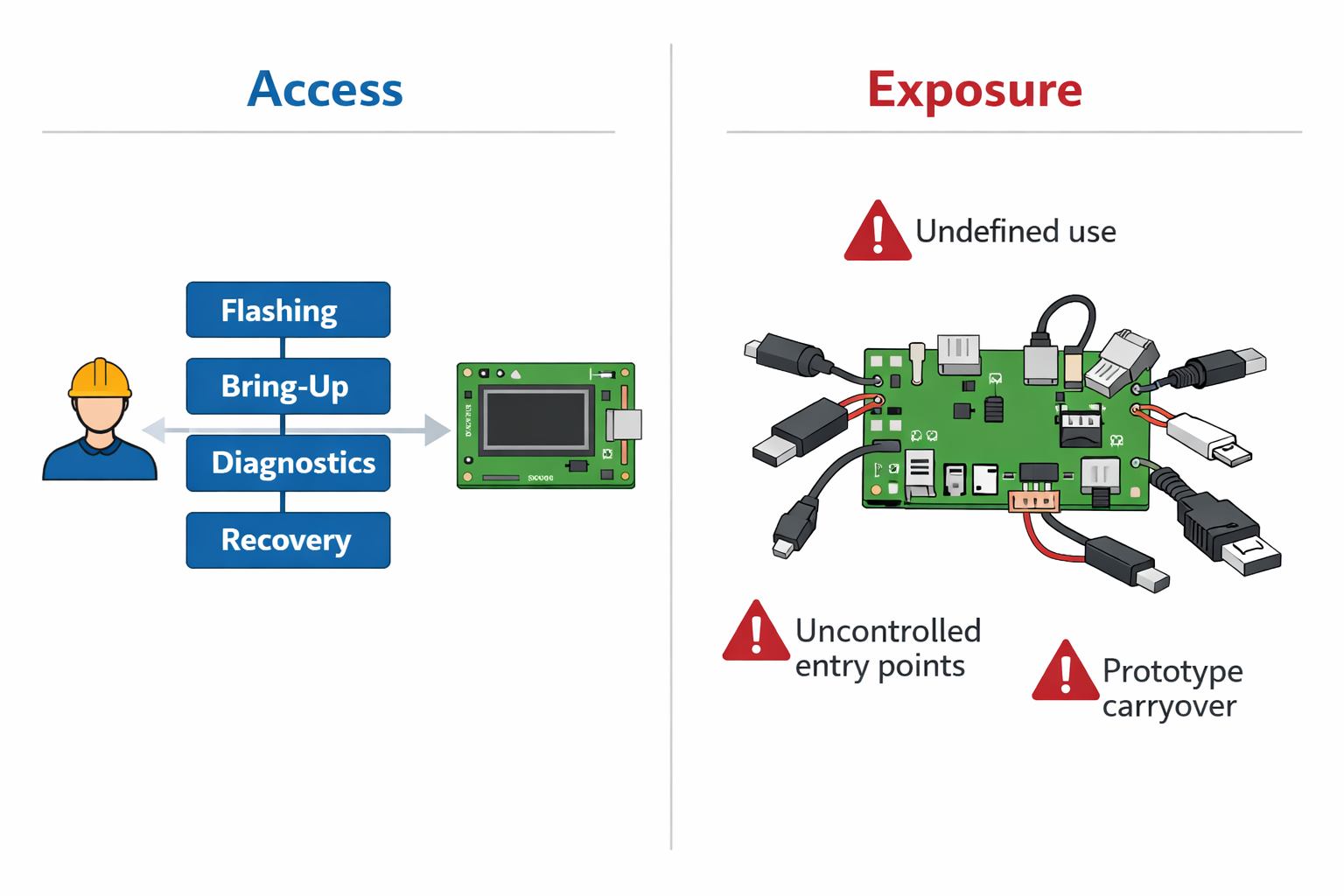
Access is intentional.
It exists for a defined use case:
- firmware flashing
- board bring-up
- production testing
- controlled recovery
- diagnostics
Exposure is accidental.
It exists because no one decided how much access was actually needed.
That difference matters.
A board with proper debug access feels deliberate.
A board with too much exposure feels like it never left the prototype stage.
At Hoomanely, we start by asking:
- Who needs this interface?
- At what stage?
- For what exact action?
- Does it need a connector, or just fixture access?
- Should it still exist in the shipped product?
These questions usually reduce clutter and improve clarity at the same time.
Debug Needs Change Across the Product Lifecycle
A board does not need the same kind of debug access forever.
Different stages need different levels of control.
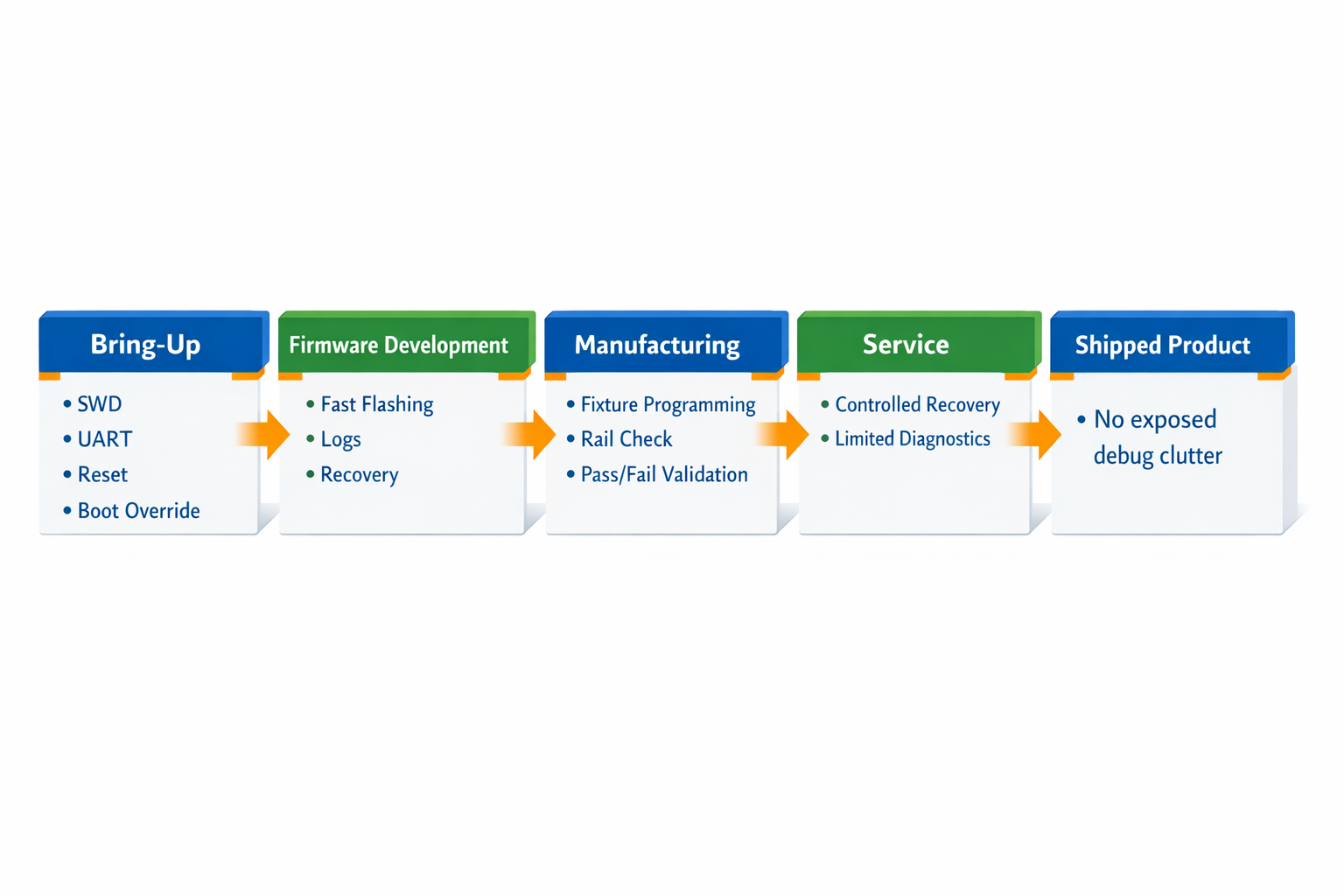
During bring-up
We may need:
- SWD
- UART
- reset
- boot override
- rail visibility
During firmware development
We may still need:
- fast flashing
- console access
- recovery access
- timing visibility
During manufacturing
What matters is different:
- fixture-friendly programming
- simple pass/fail validation
- stable contact points
- minimal operator ambiguity
During service
The need becomes narrower:
- controlled recovery
- deterministic diagnostics
- low-risk access
In the shipped product
Debug access should not interfere with normal operation at all.
This is why we do not design one fully open interface and force it to serve every phase. We design debug in layers.
Some access is meant for engineering only.
Some is meant for production fixtures.
Some is kept for service.
Some should never remain user-accessible in the final system.
That keeps the board cleaner and the product safer.
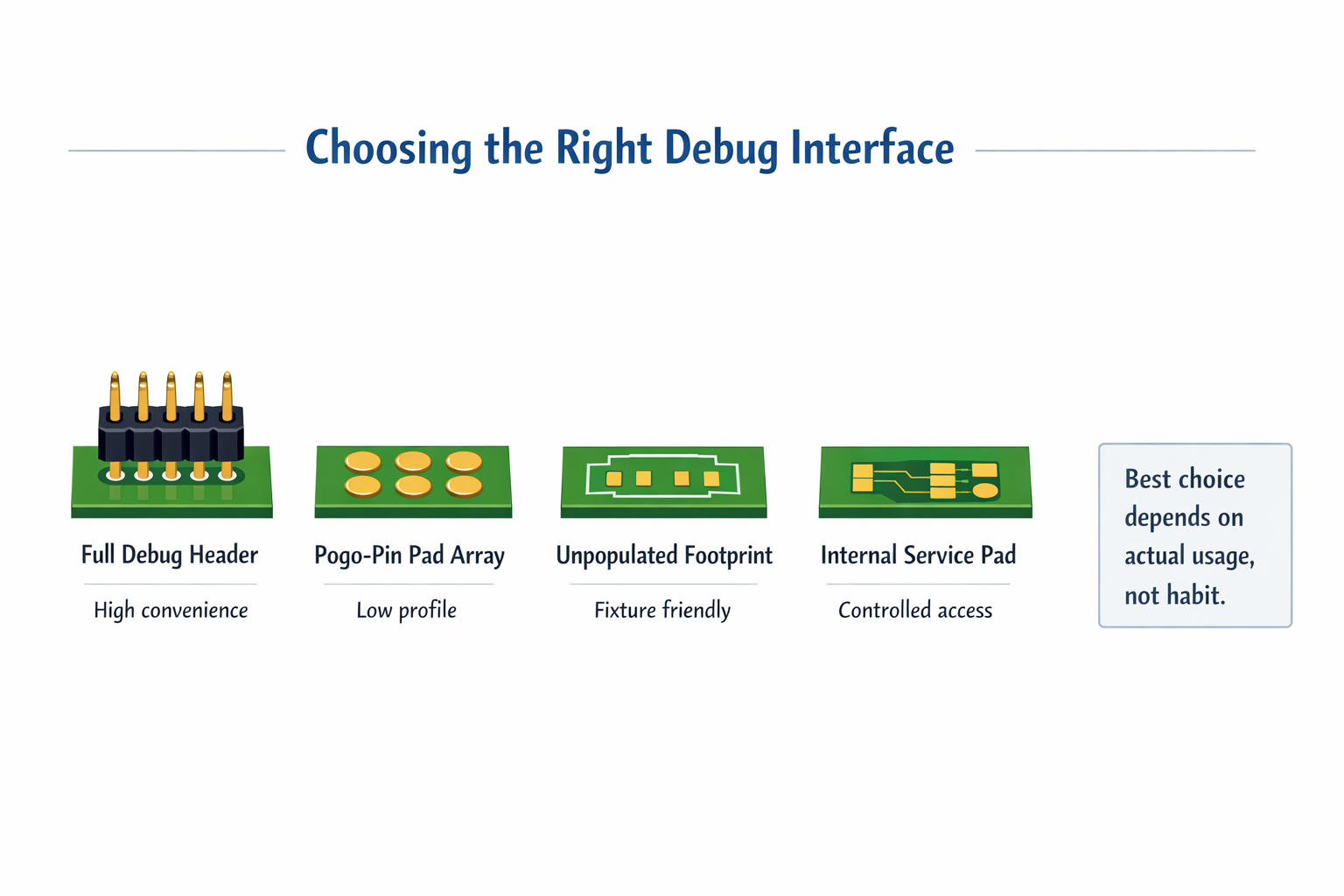
A Connector Is Not Always the Best Debug Interface
A common assumption is that debug access must mean a visible connector.
That is often unnecessary.
In many cases, better options are:
- tagged test pads
- pogo-pin pads
- compact unpopulated footprints
- internal service pads
- small programming interfaces hidden inside the enclosure
This is often better than leaving a large debug header on the board forever.
Why?
Because connectors cost more than BOM value. They take space, affect mechanical packaging, add height, and invite accidental handling.
If an interface is mainly used in bring-up or fixture programming, a clean pad array may be the better choice. It still gives access, but without turning the board into a permanent development platform.
The right debug interface is not the biggest one. It is the one that matches real usage.
Debug Signals Must Not Weaken Functional Signals
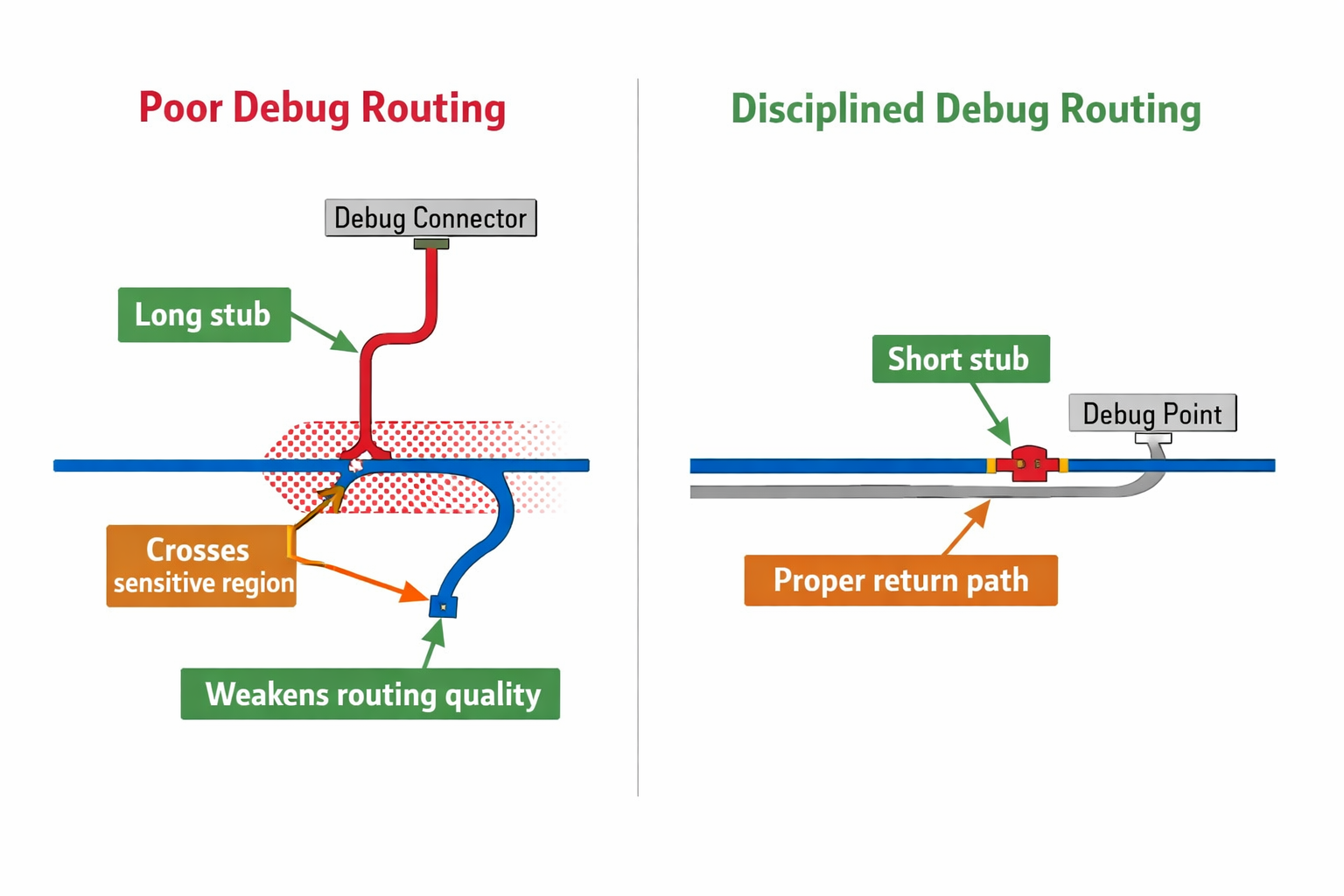
Debug routing is often treated casually because these signals are “only for development.”
That is a mistake.
A reset line extended to a convenient header can become too long and too exposed. A UART trace routed across the board may pass through sensitive regions. A boot strap pin may become easier to disturb than intended.
At Hoomanely, debug nets are routed with the same discipline as functional nets:
- short paths
- controlled placement
- minimal stubs
- good return paths
- no unnecessary crossings through sensitive areas
Debug should observe the system, not disturb it.
If a debug path weakens a product signal, then the board is paying too much for convenience.
Boot Control Is Useful, but It Must Be Strongly Defined
Boot mode access is one of the most valuable debug tools in embedded systems.
It helps with:
- recovery
- reflashing
- entering programming modes
- bypassing broken firmware states
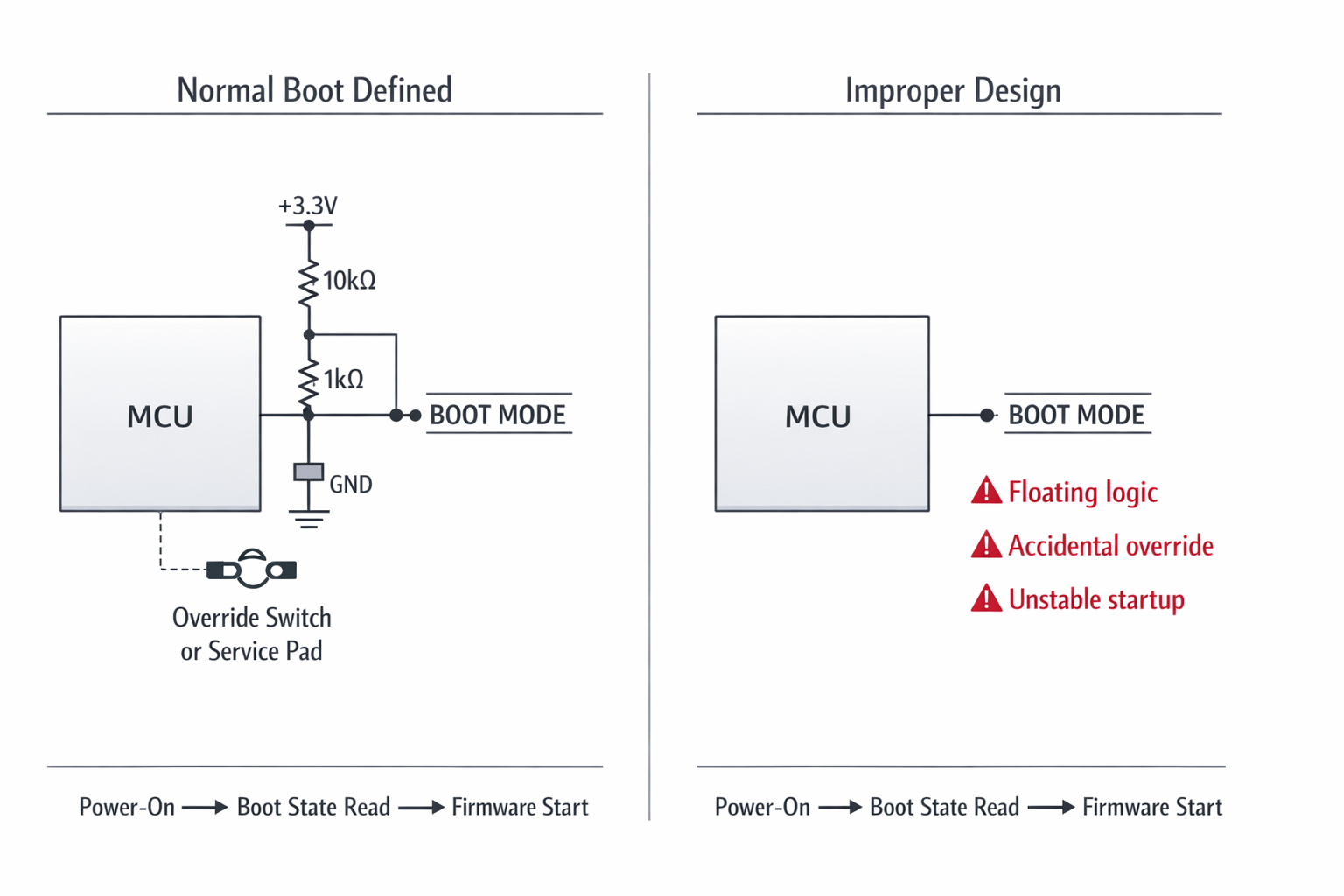
But it can also become a source of instability if the hardware does not strongly define the normal boot condition.
If boot straps are too exposed or weakly biased, the system may enter the wrong mode because of:
- floating logic
- probing mistakes
- accidental grounding
- noisy handling during power-up
So the board must always know what “normal boot” means.
That means:
- strong default pull states
- clear override behavior
- no ambiguous access paths
- override only when intentionally invoked
Boot debug should be possible.
Accidental boot-mode entry should not.
Reset Access Must Respect the System Architecture
Reset access is another area that looks simple but becomes messy if handled carelessly.
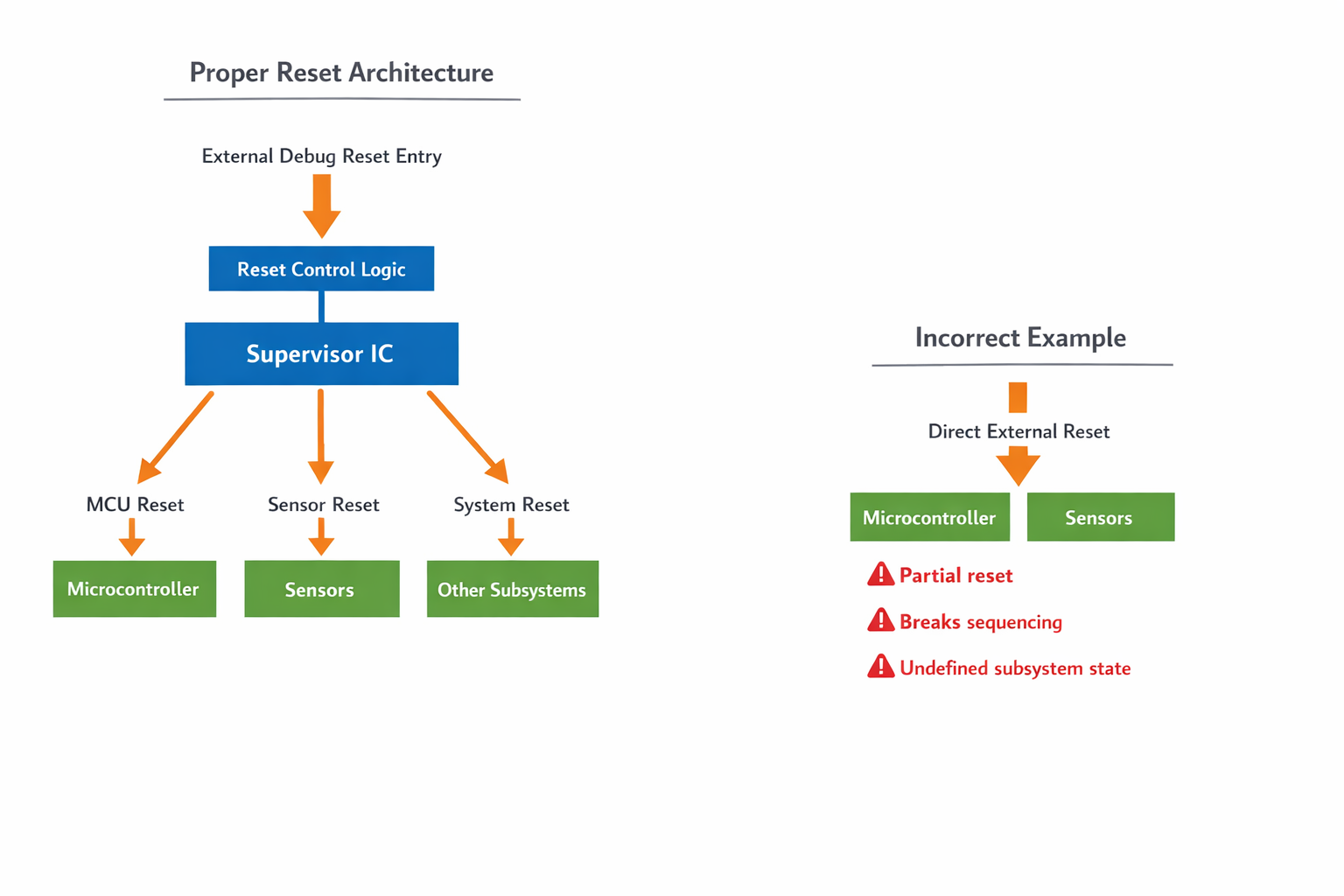
Yes, engineers need easy reset during development. But an external reset path can become a liability if it:
- picks up noise
- bypasses supervisor logic
- causes partial resets
- leaves some subsystems active while others restart
That creates confusion instead of useful control.
At Hoomanely, reset is designed as part of the full reset architecture. That means:
- The reset hierarchy is defined first
- External reset points are controlled
- Subsystem resets are separated where required
- Supervisor behaviour remains intact
A reset signal should return the system to a known state.
If it creates a half-reset condition, it is not helping.
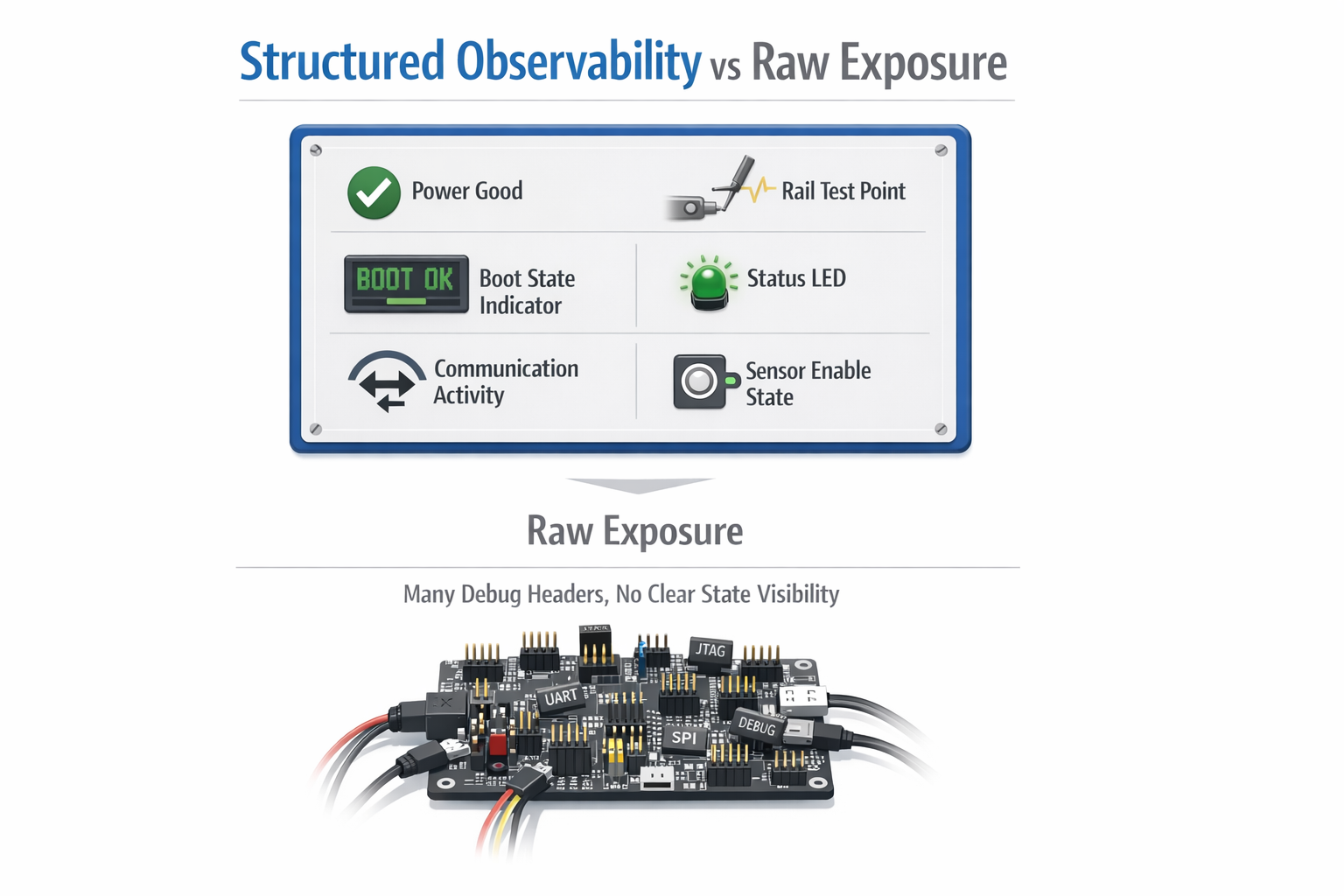
Better Observability Is More Valuable Than Raw Control
Many teams focus first on control:
more straps, more headers, more override pins.
But in real products, observability is often more useful than raw control.
A board is easier to debug if it clearly tells you:
- which rail is up
- whether a subsystem is present
- whether firmware reached a specific stage
- whether reset occurred
- whether a sensor rail is enabled
- whether communication is active
This is why structured debug works better than open-ended debug.
Useful observability can include:
- meaningful status LEDs
- cleanly labelled rail test points
- power-good visibility
- known boot-state indicators
- deterministic programming points
A board that explains its own state needs less invasive troubleshooting.
That improves both development speed and long-term maintainability.
Engineering Debug and Manufacturing Debug Should Be Different
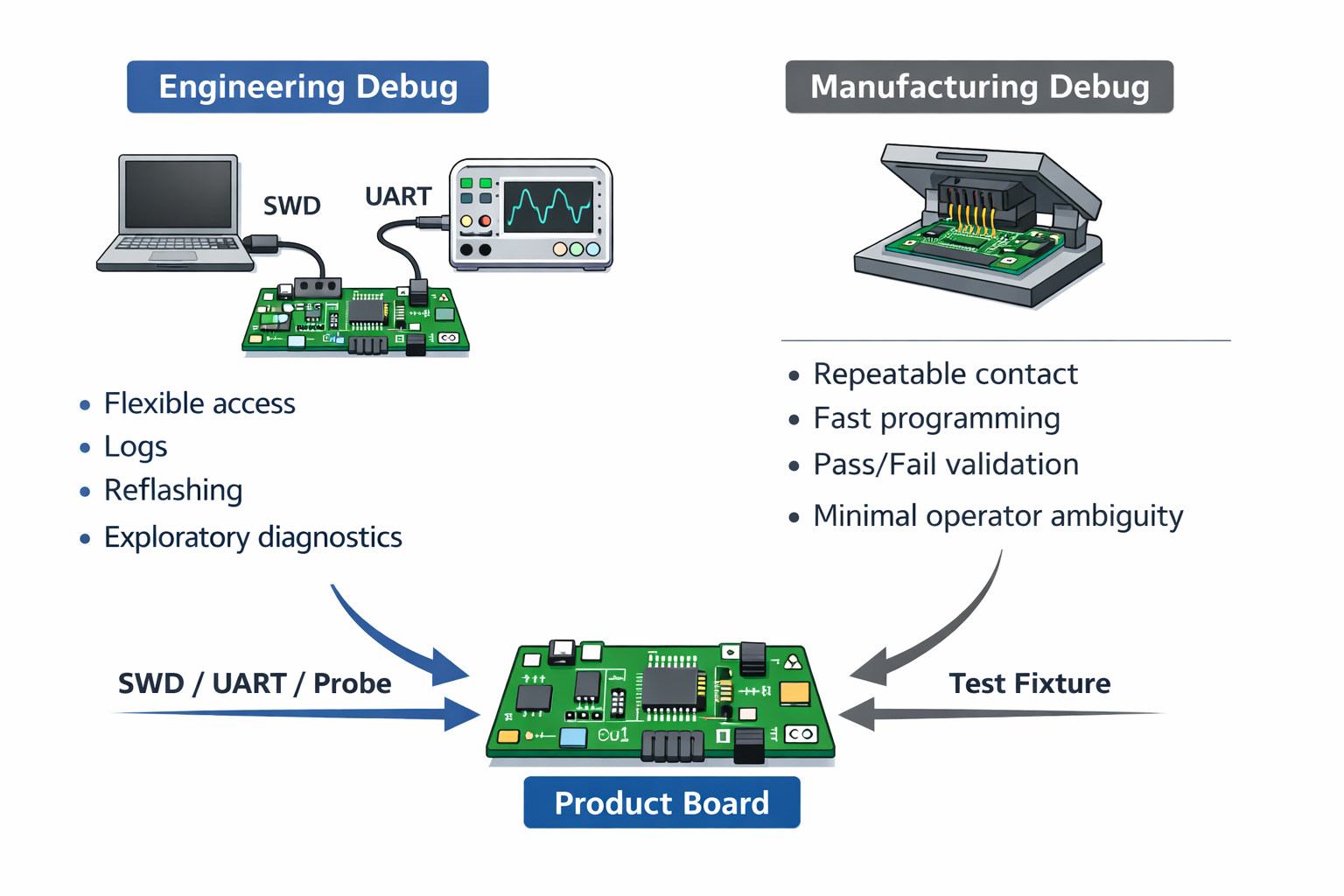
One mistake many boards make is trying to use the exact same debug pathway for both engineers and manufacturing.
That sounds efficient, but usually creates friction.
Engineering debug wants:
- flexibility
- reflashing
- console access
- exploratory access
Manufacturing wants:
- fast, repeatable connection
- fixture compatibility
- simple programming flow
- clear pass/fail output
Those are not the same needs.
A header that works on a bench may be awkward in a fixture. A console that helps an engineer may be irrelevant on a line.
So we separate those paths wherever possible:
- engineering access for development
- fixture-friendly access for production
- narrower recovery access for service
That makes each workflow cleaner and reduces handling mistakes.
Service Access Should Be Narrow, Not Unlimited
By the time a product reaches service, the need changes again.
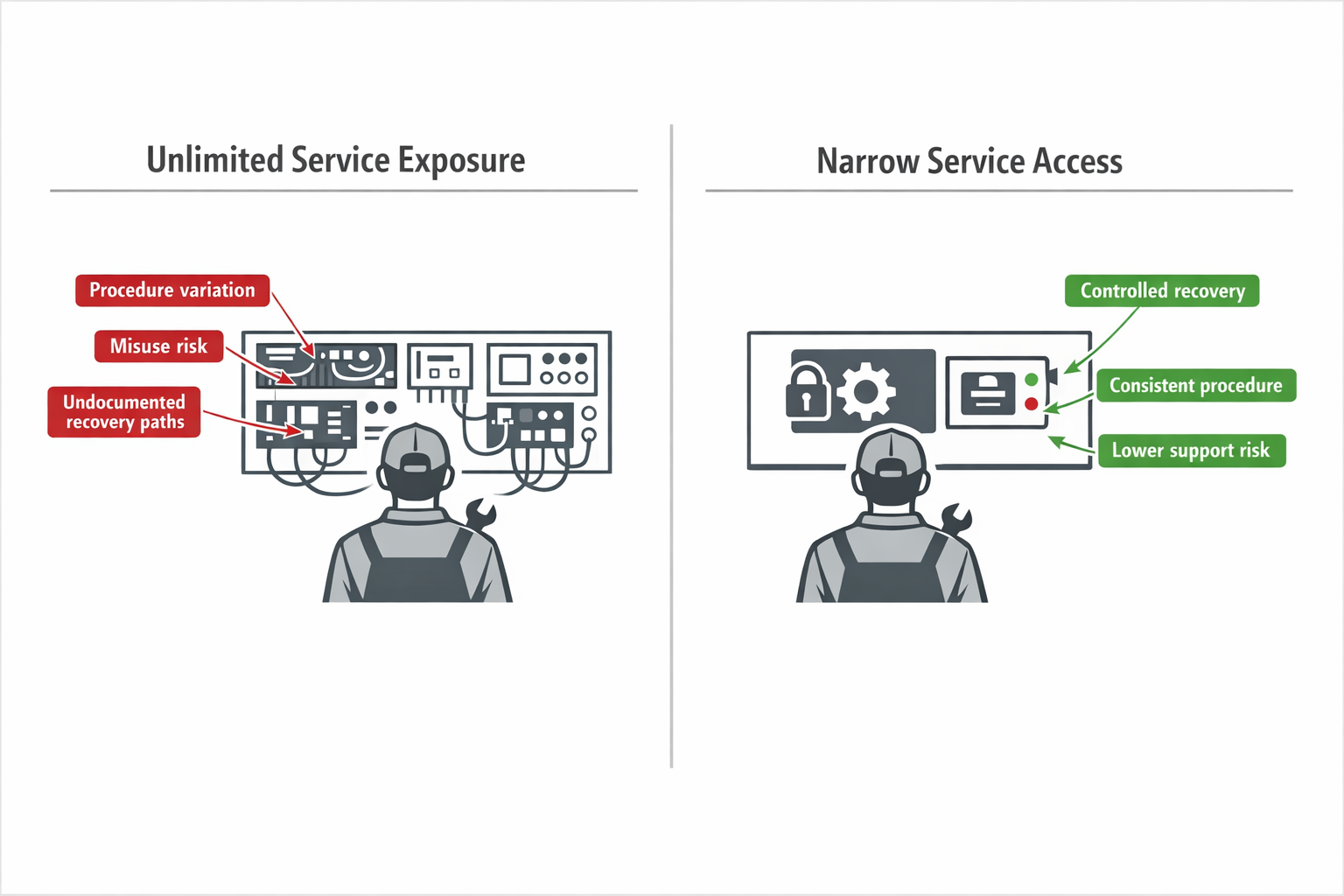
Service does not need every internal debug feature. It needs:
- reliable diagnosis
- controlled recovery
- low risk of causing new problems
This is where too much debug access becomes dangerous. If service can touch every low-level interface, procedures become inconsistent and error-prone.
A better service model is usually:
- one defined recovery path
- one trusted programming route
- one clear status method
That makes the product easier to support and less dependent on undocumented engineering knowledge.
Good service access is not “everything exposed.”
It is “only what is needed.”
Placement Matters as Much as the Interface
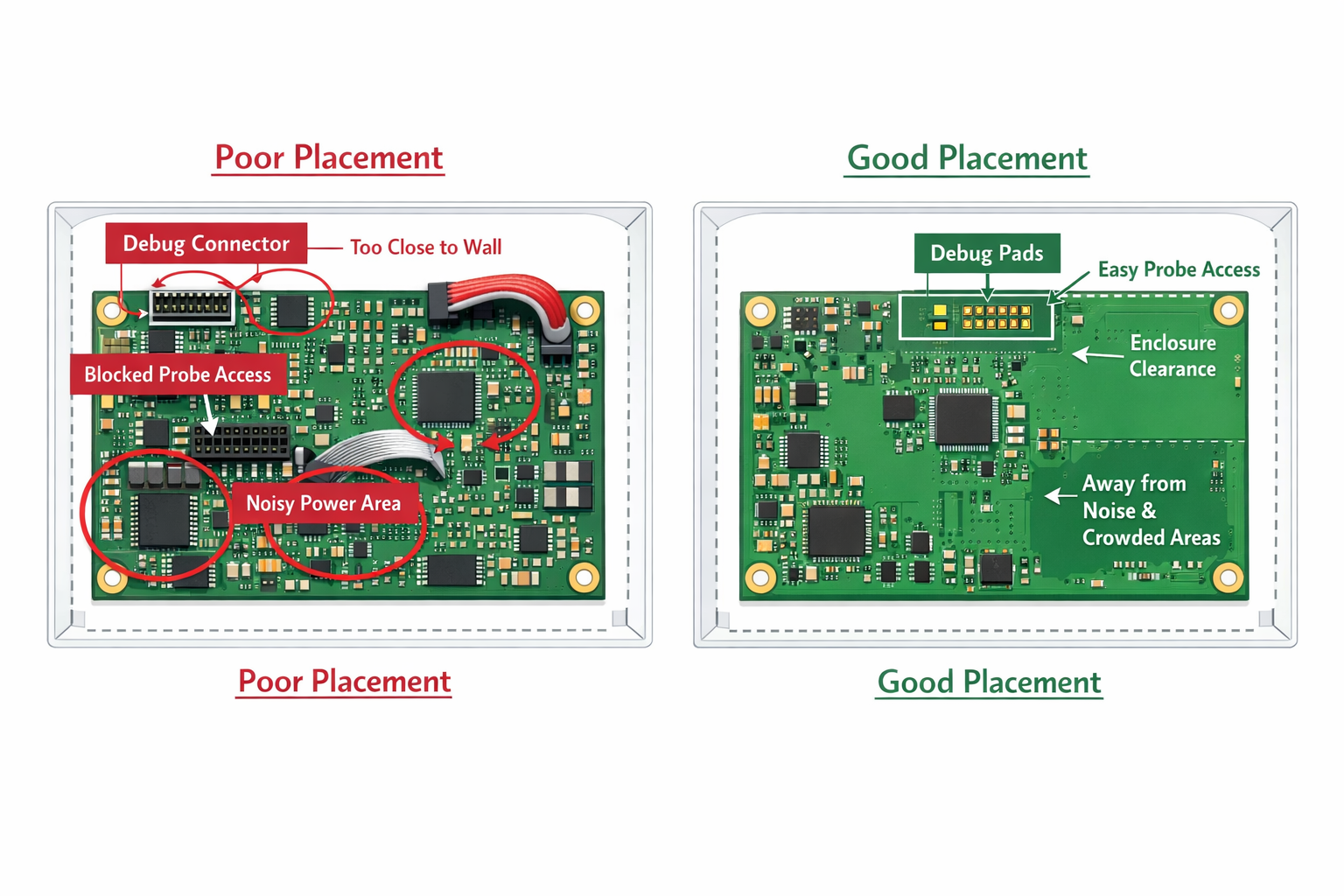
Even if the electrical design is correct, poor physical placement can still make debug access a liability.
A badly placed connector or pad field can:
- clash with enclosure walls
- block other probes
- complicate fixture contact
- interfere with rework
- sit too close to power or noise sources
So debug placement must be planned as part of the whole board system.
At Hoomanely, we check:
- Can it be accessed during bring-up without blocking measurements?
- Can it be used in fixture repeatedly?
- Can it stay out of the final user-facing experience?
- Can it remain unpopulated without hurting the design?
Good placement makes debug feel natural.
Bad placement makes it feel like a workaround.
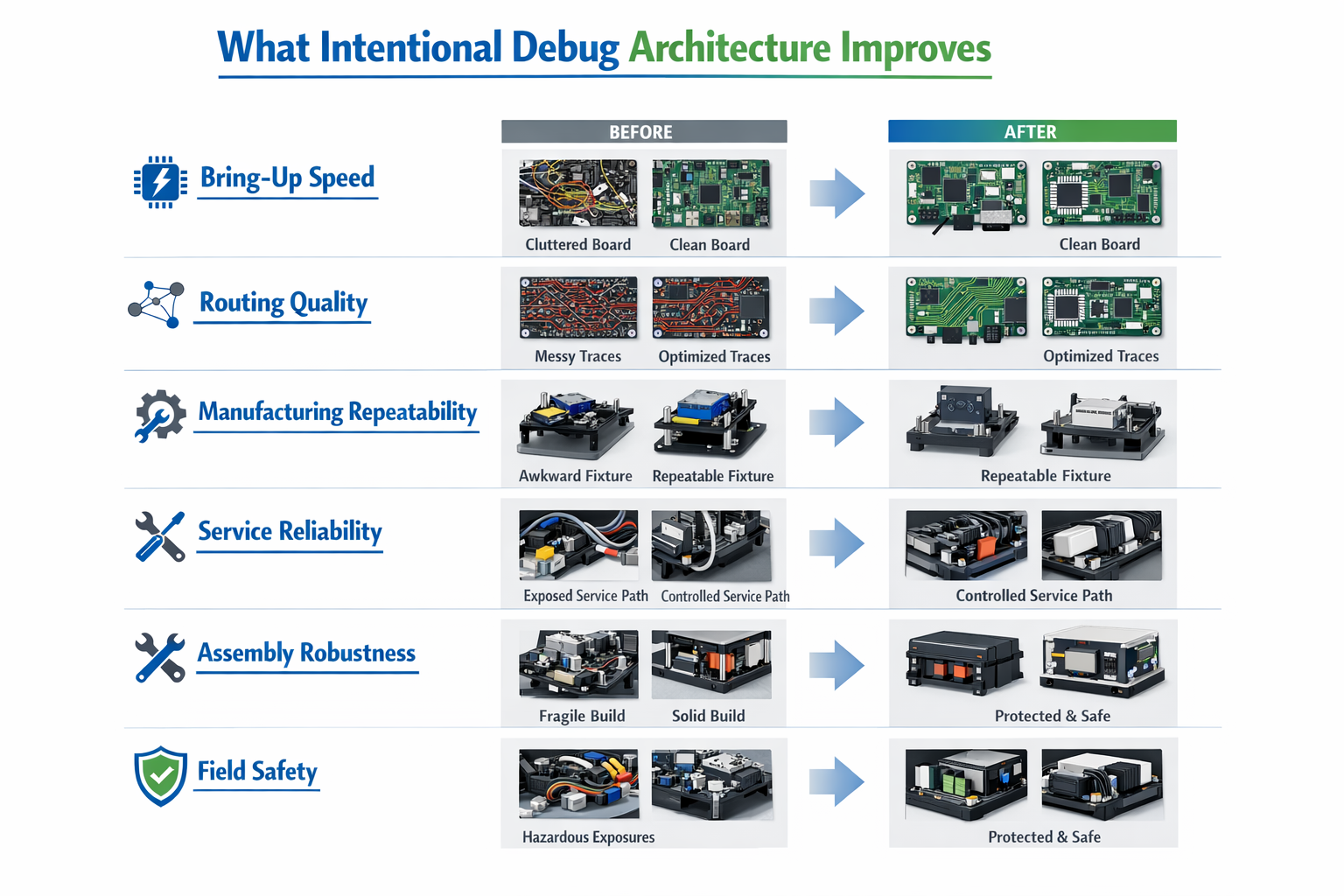
What Better Debug Architecture Improves
When debug access is designed intentionally, the gains are practical and measurable.
It improves:
Bring-up speed
The board becomes easier to initialize and recover.
Routing quality
Functional nets stay cleaner because debug no longer dictates bad paths.
Manufacturing repeatability
Programming and validation become faster and more consistent.
Service reliability
Recovery methods become controlled instead of improvised.
Assembly robustness
Fewer unnecessary connectors reduce mechanical risk.
Field safety
The shipped product exposes fewer accidental entry points.
These are not side benefits. They directly affect development effort, production quality, and long-term support.
The Hoomanely Approach
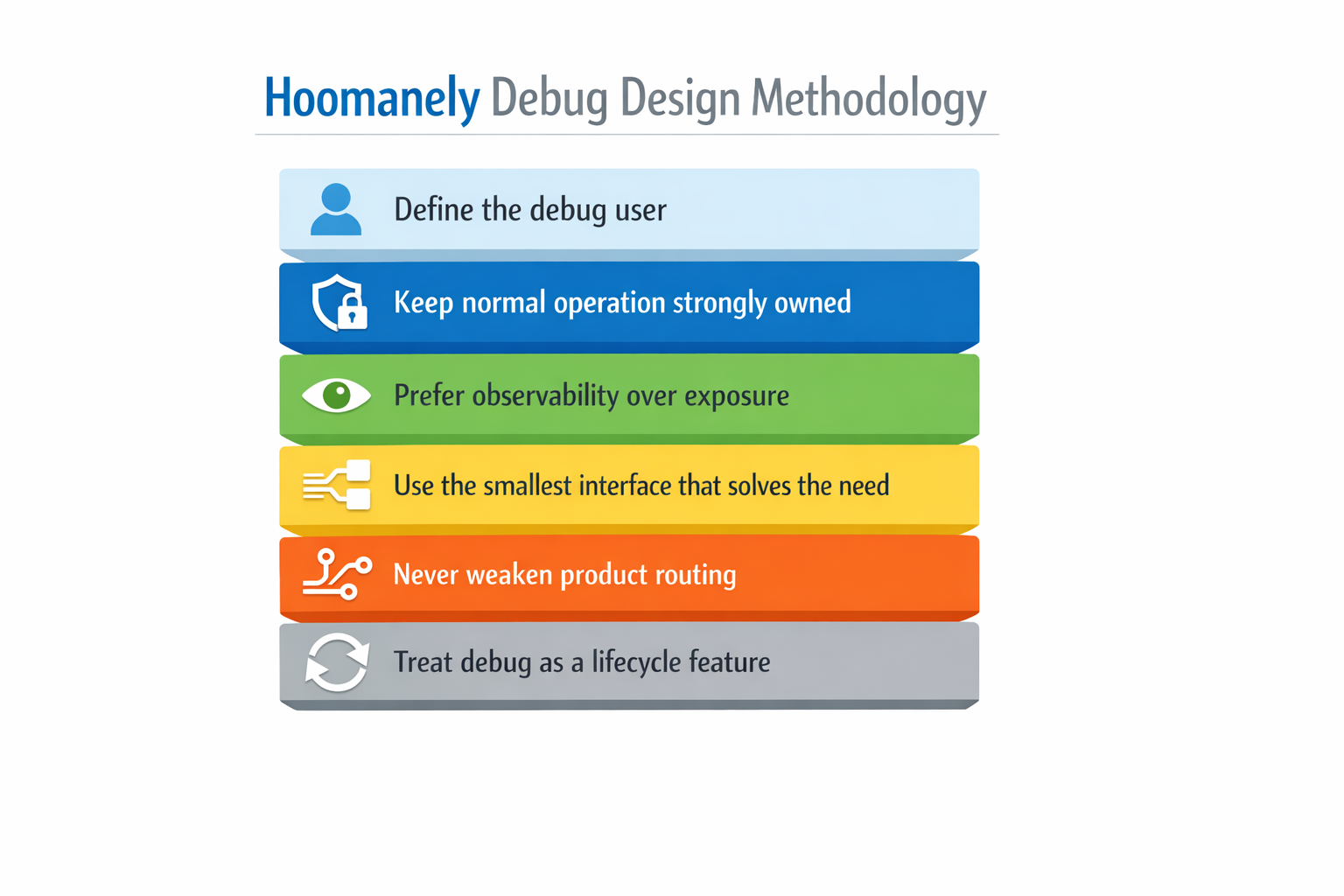
Our debug design methodology is simple and strict:
1. Define the user of the debug path
Engineer, fixture, or service technician.
2. Keep normal system behaviour strongly owned
Boot, reset, and power-up must remain deterministic.
3. Prefer observability over excessive exposure
The board should explain itself clearly.
4. Use the smallest interface that solves the real need
Pads, fixture points, or compact headers only where justified.
5. Never let debug routing weaken product routing
Functional behaviour always comes first.
6. Treat debug as a lifecycle feature
Not every debug path belongs in the final shipped product.
This is how debug remains useful during development without becoming a burden later.
Final Thought
Debug access is essential. But if it is designed casually, it slowly turns from a development advantage into a product liability.
The right goal is not to expose everything.
The right goal is to make the board:
- easy to debug
- easy to manufacture
- easy to service
- hard to misuse
That is the balance we aim for at Hoomanely.
Because the best debug access is not the one that gives unlimited control.
It is the one that gives the right control, in the right place, at the right time — and then stays out of the way.