How I Handled Spam Backlinks Using Google’s Disavow Tool
While working on SEO improvements for our website, I recently came across something that caught my attention spam alerts and suspicious backlinks pointing to the website.
Until then, most of my SEO work had been around things like indexing, page performance, metadata, and improving the overall website experience. This task gave me a chance to understand another important side of SEO: backlink health.
In this post, I want to share what I found, how I prepared and uploaded a disavow list, and what I learned from the process.
The Problem I Noticed
While reviewing the website's SEO health, I found that there were backlinks coming from domains that didn't look relevant or trustworthy.
Backlinks are normally valuable because they can help search engines understand the authority and relevance of a website. But not every backlink is useful.
Some links can come from:
- Spam websites
- Low-quality directories
- Automatically generated pages
- Completely unrelated domains
- Suspicious or potentially manipulative websites
Seeing these links made me curious about whether they could negatively affect the website's SEO.
That is when I started learning more about toxic backlinks and Google's Disavow Tool.
First, I Didn't Immediately Disavow Everything
One important thing I learned during this task was that finding a strange backlink doesn't automatically mean it should be disavowed.
Google is already capable of ignoring many spammy links.
The disavow tool is therefore something that should be used carefully, especially when there is a significant number of suspicious links or a reason to believe certain backlinks could negatively affect the site's search performance.
So instead of simply collecting every unfamiliar domain, I reviewed the suspicious links and focused on the domains that appeared genuinely spammy or irrelevant.
Creating the Disavow List
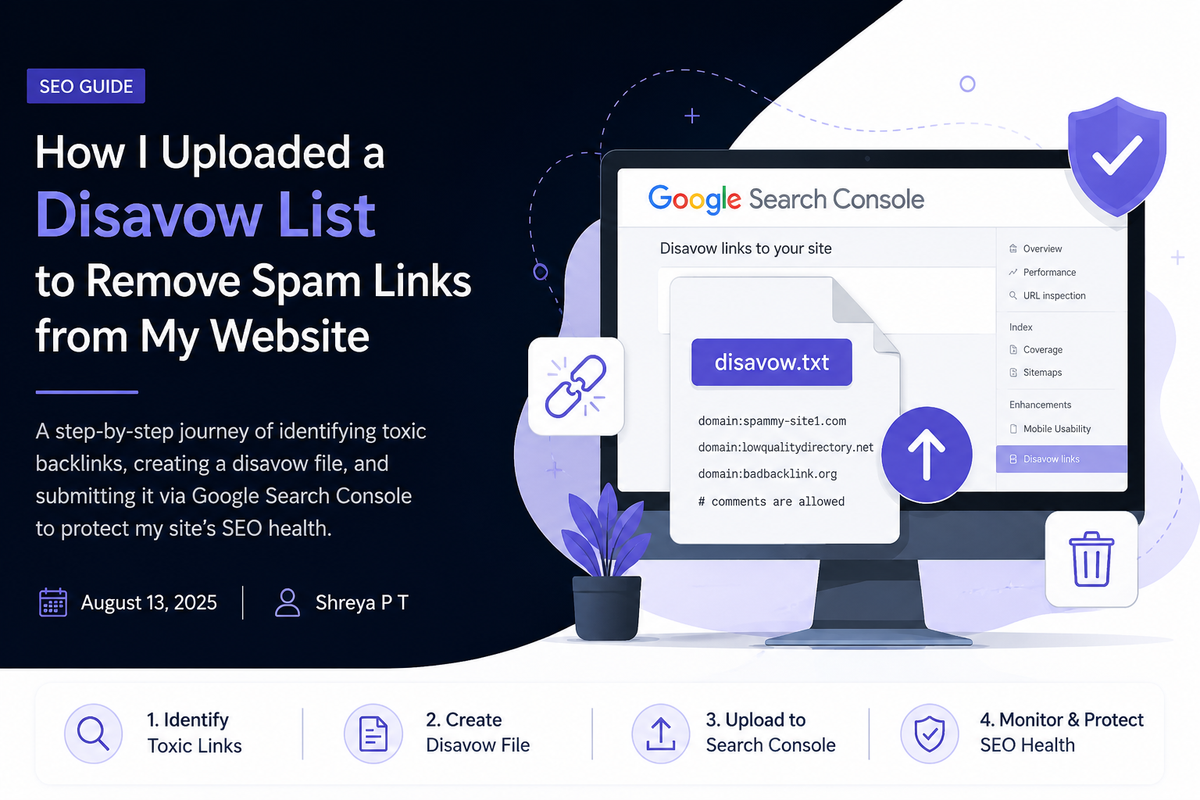
After identifying the domains I wanted Google to ignore, the next step was preparing the disavow file.
The file itself is surprisingly simple.
It is basically a .txt file containing the domains or URLs that should be ignored when Google evaluates backlinks to the website.
For example:
domain:spam-example.com
domain:another-spam-domain.com
In my case, I preferred adding domains rather than individual URLs when the entire domain appeared suspicious.
Before uploading the file, I reviewed the entries again because this is one place where a small mistake could matter. I definitely didn't want to accidentally disavow a legitimate backlink.
Uploading It to Google's Disavow Tool
Once the list was ready, I uploaded the .txt file using Google's Disavow Links tool for the appropriate website property.
The process itself wasn't difficult.
What required more attention was everything before clicking upload deciding which backlinks actually deserved to be included.
After uploading the file, Google can use this information while evaluating links pointing to the website. It isn't an instant backlink deletion process, and the links don't suddenly disappear from reports.
That was another useful thing I learned: disavowing a link and removing a link are two different things.
The disavow file essentially tells Google that I don't want those links to be considered when evaluating the site's backlink profile.
What I Learned From This Task
Before working on this, I mostly thought about SEO from the website itself — content, metadata, indexing, performance, UI, and technical improvements.
This task helped me understand that SEO also involves looking at what is happening outside the website.
A website can be technically optimized and have good content, but understanding where its backlinks are coming from is another part of maintaining its overall search health.
I also learned that SEO tools shouldn't be used just because an alert appears.
An alert should be the starting point for investigation, not automatically the reason for taking action.
My process became:
Spam alert → Review backlinks → Check domains → Identify suspicious links → Prepare disavow list → Review again → Upload → Continue monitoring
My Biggest Takeaway
The most valuable part of this task wasn't actually uploading the file.
It was learning how to decide whether action was necessary in the first place.
As a developer working more closely with SEO, I'm realizing that technical SEO isn't only about fixing Lighthouse issues, adding metadata, or making sure pages are indexed.
Sometimes it means investigating data, understanding how search engines interpret signals, and making careful decisions based on what you find.
This was a relatively small SEO task, but it gave me a much better understanding of backlinks, spam signals, and how off-page SEO connects with the overall health of a website.
And that's something I'll definitely keep monitoring as I continue working on SEO improvements.
Final Thoughts
If you're handling SEO for a website and suddenly notice a large number of suspicious backlinks, don't panic and don't immediately disavow everything.
Investigate first.
Understand where the links are coming from, separate genuinely suspicious domains from legitimate ones, and use Google's Disavow Tool only when it makes sense.
For me, this task turned a simple spam alert into a useful hands-on lesson in technical SEO.
Sometimes the best way to learn SEO is not from a checklist it's from investigating the unexpected things you find while working on a real website.