
Inside the vBus Ecosystem: A Deep Dive into Hoomanely's SoM Architecture
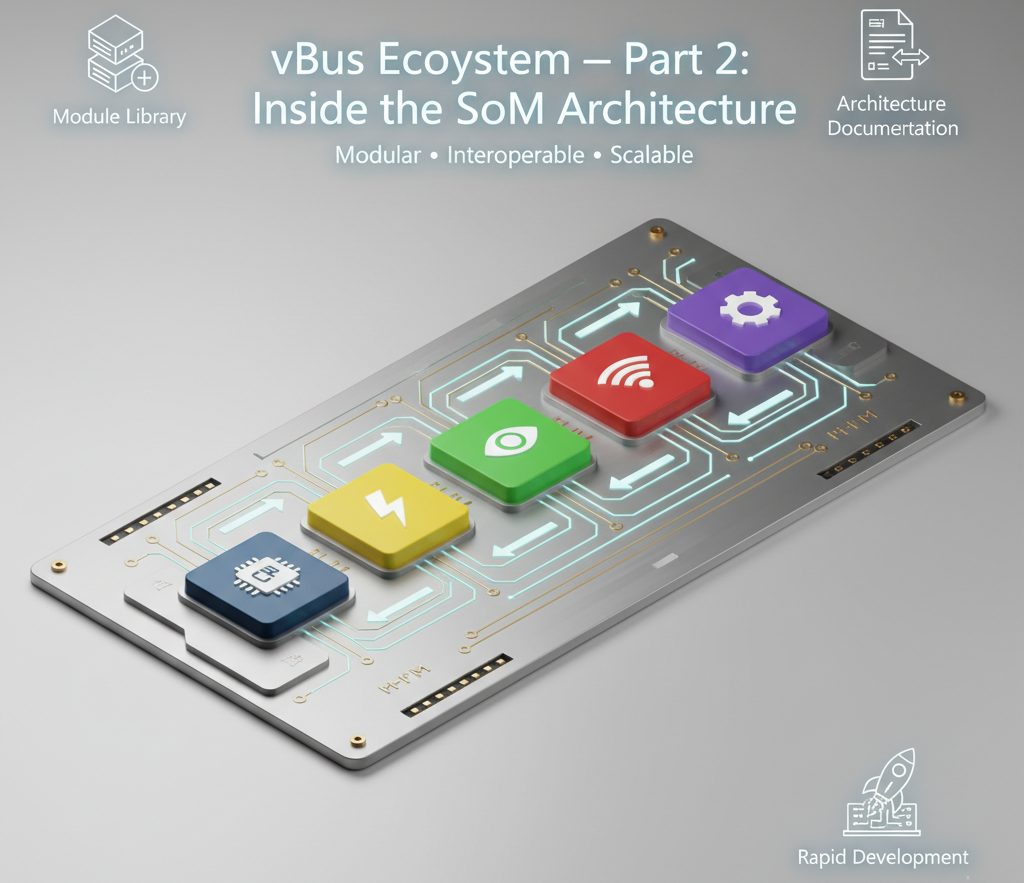
Introduction: From Bus to Modules
In our previous post, we introduced vBus—our universal communication bus architecture that forms the backbone of Hoomanely's modular ecosystem. We discussed the challenges of creating a standardized interface that could accommodate diverse modules with varying requirements. Today, we're pulling back the curtain to reveal what sits on either end of those vBus connections: the System-on-Modules (SoMs) themselves.
Building a truly modular embedded platform isn't just about creating a clever connector standard. It's about architecting a family of intelligent modules that work in concert, each optimized for its specific role while maintaining seamless interoperability. Think of it as designing an orchestra where each instrument (module) has its own characteristics and capabilities, but all play from the same score (vBus standard).
Over the past year, we've developed four distinct SoM categories, each with its own architectural considerations and pin-out strategies. Let me walk you through how we've approached each one.
The CPU SoM: The Orchestral Conductor
The CPU SoM is the brain of our ecosystem and, unsurprisingly, the most complex module we've designed. It's the central processing hub that coordinates data flow, executes application logic, and manages the entire system. But here's the challenge: a modern application processor can expose hundreds of potential I/O pins—USB ports, Ethernet controllers, display interfaces, memory buses, GPIO banks, and more. How do you condense that into a manageable, standardized interface?
The Pin-Out Puzzle
We settled on a 100-pin connector standard for the CPU SoM after extensive analysis of our target applications. This might sound like a lot, but consider what needs to pass through this interface:
- Multiple high-speed communication channels (CANFD, USB 3.0, SDIO)
- Parallel interfaces for peripheral expansion
- Control and monitoring signals
- Debug and programming infrastructure
- Power delivery for a processor that might draw several watts
The key to making this work was aggressive pin-block organization. We divided the 100 pins into functional blocks:
Power Block: Multiple voltage rails with parallel pins for high-current delivery, along with power-good signals and enable controls. The CPU SoM might need 5V for peripherals, 3.3V for I/O, and 1.8V for the processor core—all at varying current levels.
High-Speed Communication Block: These lanes are carefully impedance-controlled and isolated from noisy signals. We've allocated multiple lanes to support simultaneous high-bandwidth connections—crucial when a vision processing module and a communication module both need to stream data.
Low-Speed Communication Block: UART, SPI, I2C buses, and GPIO that connect to peripheral SoMs. This is where sensor data, actuator commands, and configuration information flow. We've included multiple instances of common protocols—for example, three independent I2C buses—to prevent bottlenecks.
Programming and Debug Block: JTAG/SWD interfaces, UART console, and boot mode selection pins. This block is critical during development and field diagnostics.
Special Function Block: Analog inputs, PWM outputs, interrupt lines, and reserved pins for future expansion.
The Minimalist Challenge
The real engineering challenge wasn't deciding what to include—it was deciding what to leave out. Every pin is a compromise. Including a dedicated CAN bus interface means one less GPIO or USB lane. We approached this through extensive application analysis, identifying the absolute minimum set of interfaces that 80% of our target applications would need directly on the CPU SoM.
For the remaining 20%? That's where peripheral SoMs and the flexibility of the ecosystem come in. Need industrial RS-485 communication? Add a peripheral SoM with an MCU that handles the protocol conversion. Need more analog inputs? There's a peripheral SoM for that. The CPU SoM provides the computational horsepower and core connectivity; specialized modules handle edge cases.
This architecture also enables something powerful: CPU SoM swapping. A project might start with a dual-core ARM Cortex-A7 processor for basic applications, but as requirements grow, you can swap in a quad-core Cortex-A53 or even an octa-core Cortex-A72 without redesigning the entire system—as long as the core pinout remains consistent.
The Power SoM: Small but Mighty
If the CPU SoM is the brain, the Power SoM is the heart—pumping energy throughout the system. Don't let its compact 30-pin standard fool you; this module is dealing with some of the highest electrical stresses in the entire ecosystem.
The Heat Equation
Here's a reality that every power electronics engineer knows intimately: I²R losses are your enemy. When you push current through a connector pin, resistance causes voltage drop and heat generation. Double the current, and you quadruple the power dissipation. This is why power connector design is as much about thermal management as it is about electrical capacity.
Our Power SoM faces a brutal challenge: delivering potentially 50-100W of total power to the system through a compact connector. Let's break down the math: if we're providing 5V at 10A to power-hungry modules, that's 50W. A typical board-to-board connector pin might be rated for 3A continuously. Push 10A through a single pin, and you're asking for trouble—voltage sag, excessive heating, and potential connector damage.
Our solution involves parallel pin allocation. For high-current rails, we dedicate multiple pins in parallel. For a 5V/10A rail, we might use 4-5 pins, each carrying 2-2.5A. This distributes the thermal load and reduces overall resistance. The ground return gets the same treatment—never skimp on ground pins.
Beyond Pure Power Delivery
But the Power SoM isn't just a dumb power supply. It's an intelligent module that monitors and manages system energy. This is where that communication block comes in. Using a dedicated I2C or SPI connection to the CPU SoM, our Power SoM reports:
- Real-time voltage and current measurements for each rail
- Temperature monitoring (both ambient and connector hot-spot temperatures)
- Fault detection (overcurrent, undervoltage, thermal shutdown)
- Battery status and charging management (for battery-backed systems)
- Power sequencing status and health indicators
This bidirectional communication enables sophisticated power management. The CPU SoM can query power consumption, dynamically throttle performance to stay within thermal limits, or even shut down non-critical peripheral SoMs to conserve energy in a low-battery situation.
High-Current Connector Considerations
The connector selection for the Power SoM is critical. We needed:
- High current rating per pin (2-3A minimum)
- Low contact resistance (< 10mΩ per pin)
- Robust mechanical design to handle repeated mating cycles
- Good thermal conduction from pins to PCB for heat dissipation
- Compact footprint despite high pin count
We ultimately selected connectors with larger pin cross-sections and enhanced plating specifically designed for power applications. The connector cost is higher than signal-only connectors, but the reliability gain is worth it.
Peripheral SoMs: The Future is Modular
Here's where the vBus ecosystem truly shines. Peripheral SoMs are our "plug-and-play" sensor and actuator modules, and they represent a fundamental shift in how we approach embedded system design. Instead of cramming every possible sensor onto a monolithic board—leading to expensive, inflexible designs—we've embraced radical modularity.
The Intelligence Layer
Each Peripheral SoM is built around a 40-pin standard connector and includes an onboard MCU. Why the MCU? This is a crucial architectural decision that solves multiple problems simultaneously:
Protocol Translation: Sensors speak dozens of different languages. Some use I2C, others SPI, analog voltage outputs, pulse trains, or proprietary protocols. Rather than forcing the CPU SoM to directly support every possible interface, we embed intelligence in the Peripheral SoM. The onboard MCU reads the sensor in its native protocol and translates the data to a standardized format over vBus.
Data Preprocessing: Raw sensor data often needs conditioning—filtering, calibration, unit conversion, or sensor fusion. The Peripheral SoM MCU handles this locally, sending only processed, meaningful data to the CPU. A motion sensor module might perform IMU fusion onboard, sending orientation quaternions rather than raw accelerometer and gyroscope readings.
Reduced System Complexity: The CPU SoM no longer needs a dozen different sensor drivers. It communicates with Peripheral SoMs over a few standard protocols (typically UART or SPI), and each module handles its own sensor management.
Hot-Swappability: With intelligent modules, the system can auto-detect and configure new peripherals. Plug in a new sensor module, and it identifies itself over I2C, downloads any necessary calibration data, and starts reporting.
Pin Block Architecture
The 40-pin standard breaks down into:
Power Block: Typically 3.3V and 5V power delivery with adequate ground return. Most sensors operate in the milliamp to low-hundreds-of-milliamps range, so power requirements are modest compared to the CPU or Power SoMs.
Primary Communication Block: High-speed data connection to the CPU SoM—usually SPI or UART for data streaming, plus I2C for configuration and control. We include chip-select or enable lines for multi-drop configurations.
Secondary Communication Block: Additional interfaces for specialized needs—analog inputs for sensors that need to co-exist with digital data, interrupt lines for event-driven operation, or GPIO for indicator LEDs and user interface.
Programming Block: Every Peripheral SoM needs firmware updates. This block provides access to the onboard MCU's programming interface (typically SWD or UART bootloader).
Expansion/Reserved (remaining pins): Room to grow. New sensor types or capabilities can utilize these pins without breaking compatibility.
Real-World Examples
Imagine a few Peripheral SoM variants:
- Environmental Sensor SoM: Temperature, humidity, pressure, and air quality sensors, all read by an MCU that performs calibration and reports a clean JSON data stream.
- Vision SoM: A camera module with onboard image signal processing, outputting compressed video or even running ML inference at the edge.
- Industrial I/O SoM: Isolated digital inputs/outputs and analog signal conditioning for connecting to industrial equipment.
- Motor Control SoM: High-current motor drivers with encoder feedback, position control loop running on the local MCU.
Each optimized for its function, but all speaking the same vBus language.
The Communication SoM: Gateway to the World
The Communication SoM is our bridge between the local vBus ecosystem and the outside world—whether that's a cloud server, a smartphone, or a mesh network of devices. This module faces unique challenges that set it apart from other SoMs in our lineup.
The Bandwidth Imperative
Modern IoT and edge computing applications generate substantial data. A vision processing system might be producing megabytes per second of video. A multi-sensor industrial monitoring system could be streaming hundreds of telemetry channels. All of this needs to be transmitted wirelessly—and often with real-time or near-real-time requirements.
This is why the Communication SoM uses a 50-pin connector standard with an emphasis on high-speed interfaces. The pinout includes:
High-Speed Data Block: Dedicated lanes for protocols like USB 2.0/3.0, SDIO, or even PCIe for connecting high-performance wireless modules (e.g., Wi-Fi 6, 5G cellular). These aren't your basic UART-connected Bluetooth modules—we're talking about interfaces capable of hundreds of megabits per second.
Multi-Protocol Wireless Support: The architecture accommodates different wireless technologies:
- Wi-Fi: For high-bandwidth, short-range communication in infrastructure-rich environments
- Bluetooth/BLE: For low-power device connectivity and smartphone interaction
- LoRa/LoRaWAN: For long-range, low-power wide-area networks
- Cellular (4G/5G): For mobile and remote deployment scenarios
- Zigbee/Thread: For mesh networking in smart building applications
Antenna and RF Considerations: The Communication SoM pinout includes provisions for antenna connections and RF signal paths. We've carefully isolated these from digital signals to prevent interference and maintain regulatory compliance.
Protocol Stack Management
Here's an often-overlooked complexity: wireless communication isn't just about radio hardware. It's about protocol stacks—layers of software that handle everything from low-level radio control to high-level application protocols like MQTT, HTTP, or CoAP.
The Communication SoM includes its own processing capability to manage these stacks. This offloads the CPU SoM from dealing with the intricacies of TCP/IP connection management, TLS encryption handshakes, or LoRaWAN duty cycle compliance. The CPU SoM simply hands off data to be transmitted and receives incoming data—the Communication SoM handles the rest.
Security and Authentication
In an increasingly hostile network environment, the Communication SoM also serves as a security boundary. It can implement:
- Hardware-accelerated encryption (AES, RSA)
- Secure element integration for key storage
- Certificate management for TLS/DTLS connections
- Network-level firewall and filtering
By concentrating security functions in a dedicated module, we can design and certify it once, then reuse it across multiple products—dramatically reducing the security validation burden for each new system.
The 16-Pin Breakthrough: Carrier Board Simplification
Now, let's talk about one of our favorite innovations—the 16-pin SoM-to-Carrier interface. This might not sound revolutionary at first, but it addresses a practical problem that anyone who's designed modular systems has encountered: connector chaos on carrier boards.
The Problem with Full Connectors
Imagine you're designing a carrier PCB that hosts a CPU SoM and three Peripheral SoMs. Using the full 100-pin and 40-pin connectors, you're dealing with:
- Large connector footprints consuming significant board real estate
- Complex routing to fan out all those signals
- High connector cost (four multi-pin connectors add up quickly)
- Potential signal integrity challenges with long traces
But here's the thing: in many applications, you don't need all 100 pins of the CPU SoM or all 40 pins of a Peripheral SoM. You might only need power, a single SPI bus, and an interrupt line. Using a 40-pin connector for that is overkill.
The 16-Pin Solution
Our 16-pin interface is a subset of the full vBus pinout, carefully selected to support common point-to-point connections. It typically includes:
- Power: 3.3V, 5V, and ground pins
- Primary Communication: One pair of CAN
- Control Signals: Interrupt, reset, or enable
- I2C: For configuration and identification
This stripped-down interface enables several powerful use cases:
Direct CPU-to-Peripheral Connections: On a carrier board where a Peripheral SoM is dedicated to the CPU SoM (like a tightly-coupled IMU for motion control), the 16-pin interface provides a clean, direct connection without routing through a full backplane.
Cost Reduction: Smaller connectors are significantly cheaper—both the connectors themselves and the PCB area they consume. For volume production, this matters.
Flexible Carrier Topologies: You can create carrier boards with a mix of full vBus connectors (for modules that need full bandwidth) and 16-pin connectors (for simpler modules). This optimization can reduce carrier board complexity and cost by 30-40% in some designs.
Rapid Prototyping: During development, engineers can create simple breakout carriers with just 16-pin connectors to test CPU-peripheral communication without building a full system.
Maintaining Compatibility
The critical design principle: the 16-pin pinout is a strict subset of the larger connector standards. Pin 1 on a 16-pin connector corresponds to the same signal as pin 1 on a 40-pin connector. This means:
- An adapter board can easily bridge between 16-pin and full-pin interfaces
- Software drivers don't change—the CPU SoM sees the same signals
- Migration from prototype (16-pin) to production (full-pin) is seamless
It's modularity within modularity—fractal design philosophy applied to connector standards.
The Ecosystem View: How It All Comes Together
Let's step back and look at the complete picture. A typical Hoomanely system might consist of:
- 1x CPU SoM (100-pin): The central processor running Linux or a real-time OS
- 1x Power SoM (30-pin, high-current): Providing regulated power to the entire system
- 2-4x Peripheral SoMs (40-pin or 16-pin): Sensors, actuators, or specialized I/O
- 1x Communication SoM (50-pin): Wireless connectivity to cloud and devices
These modules can be arranged on a carrier PCB in different configurations:
- Backplane topology: All modules connect to a common bus on a motherboard-style carrier
- Star topology: CPU SoM at the center with point-to-point connections to peripherals
- Hybrid topology: Mix of shared bus for some modules and dedicated connections for others
The flexibility is remarkable. The same CPU SoM that powers a robotic platform can be repurposed for an industrial gateway by swapping the peripheral and communication modules. The development investment in CPU-level software (operating system, middleware, application frameworks) is preserved across product lines.
Design Philosophy: Standardization Meets Specialization
Our SoM architecture embodies a core philosophy: standardize the interfaces, specialize the implementations. The vBus connector pinouts and signal definitions are fixed, but what sits behind them can vary dramatically:
- A low-cost CPU SoM might use a dual-core Cortex-A7 with 512MB RAM
- A high-performance variant might pack a hexa-core Cortex-A76 with 4GB RAM and an NPU
- Both use the same 100-pin interface, both run the same core software stack
This approach gives us economies of scale (common carrier boards, common development tools) while serving diverse market segments.
Conclusion: Building Blocks for Innovation
The SoM architecture we've built at Hoomanely isn't just about technical specifications and pin counts. It's about creating a platform for rapid innovation. By abstracting complexity into standardized, intelligent modules, we enable our engineering teams—and our customers—to focus on what makes their products unique rather than reinventing connectivity and integration with each new project.
The 100-pin CPU SoM, 30-pin Power SoM, 40-pin Peripheral SoM, 50-pin Communication SoM, and 16-pin simplified interface aren't arbitrary numbers. They're the result of countless design iterations, thermal simulations, signal integrity analyses, and real-world testing. Each represents a carefully optimized balance between capability and constraint.
As we continue to expand the Hoomanely ecosystem, new SoM variants will emerge—perhaps a dedicated AI accelerator SoM, an automotive-grade power management module, or a satellite communication interface. But they'll all speak the same language, connect through the same vBus backbone, and integrate seamlessly with the modules we've built today.
That's the power of thoughtful modularity. Not just building products, but building a platform for the products we haven't even imagined yet.



