
Optimizing Image & Video Compression for Mobile: Maintaining Quality While Hitting Size Limits
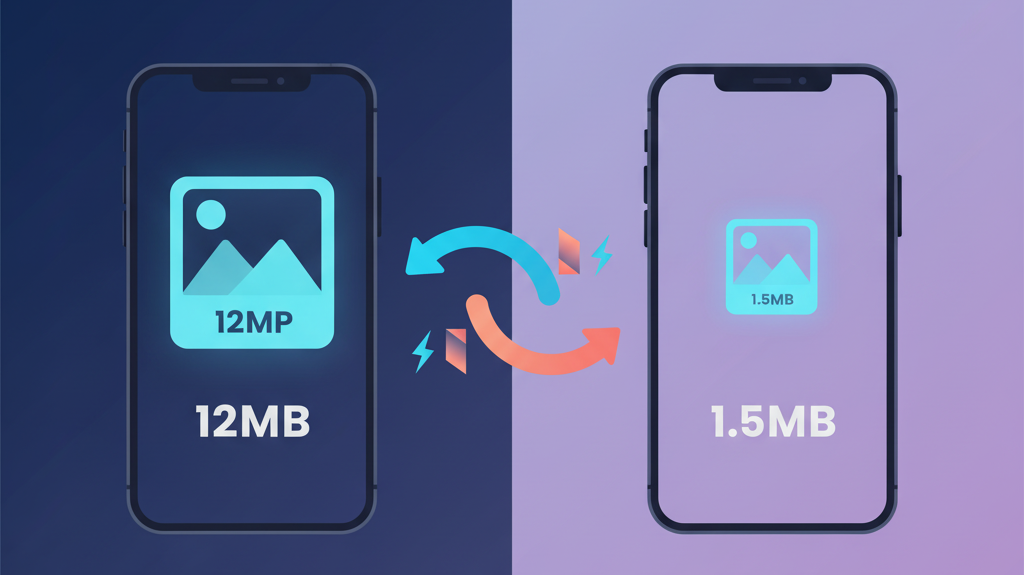
Modern smartphones are incredible content creation machines. They capture stunning photos and silky-smooth videos—but this power creates a significant challenge for mobile app developers. A single iPhone photo can be 12MB. A 30-second 4K video? Easily 150MB. When users tap "upload," they expect instant results, but backend systems have practical limits, networks are unpredictable, and poor compression leads to stretched photos, failed uploads, and frustrated users.
At Hoomanely, this challenge is particularly acute. When a worried pet parent needs to share their dog's symptoms or a concerning wound to the community, the last thing they should face is upload failures or degraded image quality that obscures important medical details. Getting media compression right isn't just about technical excellence—it's about removing barriers to care when every second counts.
The Real Problem with Generic Approaches
Most teams start with one of a few common patterns, and they all have serious limitations.
Fixed Quality Compression seems logical: apply 80% JPEG quality to everything. The problem? A 4000×3000 photo at 80% quality still hits 6MB, while a smaller 1000×750 image gets unnecessarily degraded. One-size-fits-all fails when content varies wildly.
Aggressive Downscaling forces all images into fixed dimensions like 1024×1024. This creates distorted aspect ratios—landscape photos get squashed, portrait shots become tiny. Users notice when their carefully framed photos look stretched or cropped incorrectly.
Iterative Compression seems smarter: compress, check the file size, and if it's too large, compress again at lower quality. Repeat until acceptable. But multiple compression passes compound quality loss exponentially, processing time becomes unpredictable (anywhere from 5 to 30 seconds), and the UI blocks while the app churns through iterations.
The fundamental issue? These approaches treat compression as a quality slider rather than understanding the relationship between pixel dimensions, aspect ratios, and file size.
Think in Dimensions, Not Just Quality
The breakthrough came from a simple insight: file size is primarily determined by pixel count, not compression percentage.
Dimension-Based Compression
Instead of arbitrary dimension targets, one should focus on the shortest side of the image and target some pixel value. Here, let's say 1080 pixels. Here's why this works:
- Landscape photo (4000×3000): Shortest side is 3000 → resize to 1440×1080
- Portrait photo (3000×4000): Shortest side is 3000 → resize to 1080×1440
- Square photo (3000×3000): Both equal → resize to 1080×1080
The aspect ratio is perfectly preserved in every case. Then we apply high-quality compression (90-100%) to the properly-sized image. The result? Consistent file sizes between 800KB and 2MB, with no distortion and excellent visual quality.
This single-pass approach is predictable and fast.
Format Normalisation
iOS devices capture photos in HEIC (High Efficiency Image Format), which is 50% smaller than JPEG but not universally supported. Android devices and many web services can't handle HEIC, leading to upload failures and confused users.
Our solution is transparent format conversion:
- Detect the image format before processing
- If HEIC/HEIF is detected, convert to JPEG at high quality (100%)
- Process the converted JPEG through our dimension-based pipeline
This eliminates an entire class of "unsupported format" errors while maintaining cross-platform compatibility. The backend only needs to handle JPEG, simplifying the entire stack.
Video Compression with Smart Targeting
Videos are exponentially more complex. A one-minute 4K video can exceed 400MB, and users expect reasonably fast processing without draining their battery.
One can target something like 960×540 resolution for video compression. Why not 1080p? Because:
- File sizes would be 2-3× larger
- Processing time would double
- Most viewing happens on mobile screens where 540p looks excellent
- It maintains the standard 16:9 aspect ratio
For a 30-second clip, this typically results in 5-15MB files that process in 8-12 seconds. The frame rate is preserved for smooth playback, and audio quality remains high. It's the sweet spot between quality and practicality for mobile-first experiences.
Size Validation and Safety Nets
Even with intelligent compression, one should add validation layers:
- Hard limits: 20MB for images, 100MB for videos
- Early validation: Check original file size first (fail fast if already enormous)
- Post-compression validation: Verify the compressed file meets requirements
- Clear error messages: Tell users exactly what went wrong and what they can do
This prevents surprise upload failures and protects backend infrastructure from overload.
Performance in Practice
The proof is in the numbers. Image processing typically completes in 800ms to 1.5 seconds for standard photos. When HEIC conversion is needed, add another 400-700ms. Videos take a little longer - but users constantly sees progress updates, so the UI never feels frozen.
Memory usage stays controlled: 50-80MB peak for images, 100-150MB for video processing, with proper cleanup to prevent leaks.
File size reduction is dramatic: average image compression achieves 85-95% size reduction (12MB becomes 1.5MB), while videos see 90-95% reduction (200MB becomes 15MB).

Handling Edge Cases
Already-small images: If an image is already under target dimensions and size limits, we skip compression entirely. No need to degrade quality that's already acceptable.
Extreme aspect ratios: Panoramic photos (10000×2000) or tall screenshots (1000×8000) still work. Targeting the shortest dimension at 1080px results in 5400×1080 or 1080×8640—maintaining aspect ratio while keeping file sizes reasonable.
Corrupted files: Graceful error handling with clear messages prevents app crashes and guides users toward solutions.
Very long videos: One should validate duration and file size before starting compression. If a user tries to upload a five-minute video that would exceed limits even after compression, one should fail fast with clear expectations.
Key Design Trade-offs
Every technical decision involves trade-offs. Here are the ones we at Hoomanely made consciously:
Targeting 1080px shortest dimension means our compressed images aren't suitable for print quality or other photography workflows. But they're perfect for the 95% use case: viewing on mobile screens and sharing on social platforms.
Single-pass compression means we might not achieve the absolute smallest possible file size. Some images could theoretically be compressed further. But we prioritized quality preservation and predictable performance over maximum compression.
Converting HEIC to JPEG means we lose HEIC's superior compression efficiency. Files are slightly larger than they could be. But universal compatibility and simpler backend processing were more valuable than cutting-edge format support.
Video resolution at 960×540 isn't "HD quality" and might look soft on large screens. But our mobile-first approach prioritises the most common viewing scenario and keeps file sizes manageable.
Principles for Success
Building this system taught us several core principles that apply beyond our specific implementation:
Understand your constraints upfront. Know your size limits, target devices, and network conditions before designing your compression strategy.
Optimise for the common case. Design for 95% of users, not edge cases.
Never distort user content. Preserve aspect ratios religiously. Users notice when their photos look wrong.
One-pass processing is almost always better. It's faster and produces better quality than iterative approaches.
Handle formats transparently. Users shouldn't need to think about HEIC versus JPEG or codec compatibility.
Validate early, fail fast. Check file sizes and formats before starting expensive compression operations.
Provide clear feedback. Show progress indicators, explain errors, and give users actionable next steps.
Key Takeaways
Good compression isn't about achieving the smallest possible file size. It's about finding the sweet spot between quality, performance, and user experience.
By understanding the relationship between pixel dimensions, aspect ratios, and file size, one can significantly reduce upload failures while maintaining visual quality that users appreciate. The dimension-based approach with format normalisation proved far more effective than traditional quality-slider methods.
The technical implementation matters less than the principles: preserve aspect ratios, compress in a single pass, handle formats transparently, and validate early. Get these right, and compression becomes invisible—exactly how it should be.



