Simplifying Multi-Step Form Workflows by Removing Draft Persistence
To save and resume a multi-step form in a Flutter app, treat a half-finished record as its own kind of object. Keep it out of the list the rest of the app reads, and let one opt-in server parameter bring it back. In the Hoomanely app that took 1 new query parameter, a separate drafts list instead of a flag checked in more than 20 places, and 0 new onboarding code.
This post covers what broke when owners left the add-pet form halfway, the back behavior that did not work, how drafts stay apart from finished pets, how resuming works, and where the approach still falls short.
The short version
- A pet left half set up stayed on the server as a draft but disappeared from the app after sign-in, because the default pet list hides drafts.
- We added 1 opt-in query parameter,
include_drafts, so the default response is unchanged for every older app build. - The app keeps drafts in a separate list, so none of the more than 20 places that read the finished pet list can mistake a draft for a pet.
- Resuming reuses the existing interview with 0 new onboarding code and opens on the first unanswered question.
What broke when owners left the form
Hoomanely asks a handful of questions about a pet: name, breed, age group, gender, neuter status, and a closing question written for each pet. A first-time owner who quits starts again from question 1, and we chose that on purpose. An owner adding another pet from the pet switcher is different, because they are already inside a running app.
Two things went wrong. First, the add-pet run starts by replacing the whole route stack, so there is nothing underneath to pop back to, and pressing back from the first page closed the app. Second, the server writes the pet row as soon as the name is entered, marked onboarding_complete: false, and the default pet list hides those rows. A report from build 521 made it concrete: a pet left on the closing question stayed a draft on the server and was gone from the app after the owner signed in again.
The back behavior that did not work
Our earlier design let back leave from any question. That avoided the closed app, but it left no way to fix a wrong answer. Once the closing question appeared, the owner could not change the breed, because answered pages hide and there is no card left to edit. The closing question also rewrites itself when the breed changes, so a wrong breed produced a wrong question.
Back now reverses one page, the same as on a first run, and offers to leave only from the first question. The close cross in the header leaves from anywhere. Every leave is confirmed with two choices, Leave or Keep going, because one tap should never discard a half-entered pet. A run the owner left now reports paused instead of finished, which sends them back to the chat rather than to the end of setup.
How drafts stay out of the finished list
The server already held the draft, so the fix was a way to ask for it. GET /pet/pets?include_drafts=true also returns active drafts. Without the parameter the response is unchanged, so profile-complete checks and household counts still mean finished pets. FastAPI ignores query parameters a route does not declare, so a new app talking to an older backend simply sees no drafts, which is the same overlap problem we describe in a deploy is an overlap, not an instant.
The backend change is one condition (simplified):
def list_pets(owner_id, include_drafts=False):
    return [
        p for p in owner_pets(owner_id)
        if p.active and (p.onboarding_complete or include_drafts)
    ]
On the app side we compared three ways to hold a draft.
Option | Survives sign-in | Risk to existing screens | Result |
|---|---|---|---|
Keep the draft on the device only | No | None | Rejected, a re-login loses the pet |
Flag each pet as a draft and filter at every call site | Yes | High, more than 20 places read the pet list and each could forget the filter | Rejected |
Separate drafts list plus the opt-in parameter | Yes | Low, a draft cannot appear in the finished list | Chosen |
The separate list makes the bad state impossible instead of unlikely. First-run routing, the household count and the active pet only ever read finished pets, so a draft can never route someone past onboarding or become the active pet. Sign-in sync follows the same rule as finished pets: the server's drafts are adopted, and a local draft the server does not know about is kept only until it has synced. A draft finished or discarded on another device therefore disappears here.
Resuming without new onboarding code
Tapping a draft seeds the add-pet interview with the pet's own id and answers, then starts the existing flow. The interview already reuses a stored pet id and opens on the first unanswered question, so resuming needed 0 new onboarding code. Finishing promotes the draft to a finished pet with the same id. Discarding asks first, then deletes the row through the same single API layer every other call uses.
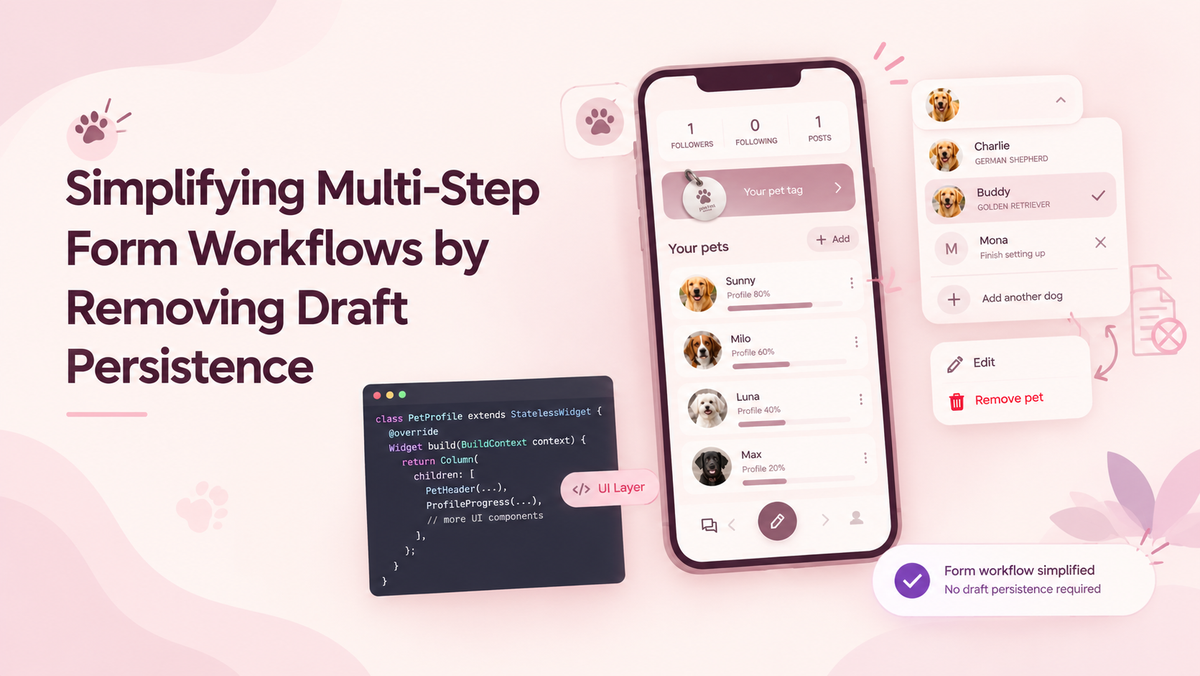
Drafts appear in 2 places, the pet switcher and Profile, Your pets, both captioned Finish setting up. A run left on the same device shows up at once, without waiting for a sync.
How we keep it from regressing
Two tests pin the rules that matter. One proves that reconciling with drafts leaves the finished list without any draft in it. The other proves that finishing a pet removes its draft. Both exist because a later change to the registry could quietly break either rule, and nothing on screen would show it until an owner lost a pet.
Where it still falls short
Drafts from a first run are not kept. A first run the owner quits still restarts at question 1, by product decision. A draft is never the active pet, so chat, journal and vault do not show it until setup is finished. Two backend jobs, the daily insight fan-out and quiz generation, still treat drafts as pets. We logged that in our backlog instead of widening this change.
Conclusion
Treat a half-finished record as its own object, keep it out of the list everything else reads, and let one opt-in parameter bring it back. Before building a new store, check whether your server already holds the draft, because ours did. To see it, get the Hoomanely app, add a second pet and leave halfway. For more notes like this, see our Software posts.
FAQs
Why not store the draft only on the device?
A device-only draft is lost when the owner signs out or changes phones. The server already stored the pet row, so asking for it was cheaper than building a second copy. It also means a draft started on one device can be finished on another.
Why a separate drafts list instead of a flag on each pet?
A flag has to be checked everywhere the pet list is read, and more than 20 places read it. One missed check would let a draft route an owner past onboarding. A separate list makes that mistake impossible to write.
Does include_drafts change what older app builds see?
No. The default response is the same as before, and older builds never send the parameter. A new app talking to an older backend sends it, the backend ignores it, and the app sees no drafts.
What happens when an owner discards a draft?
The app asks for confirmation first. After the owner confirms, it deletes the draft row on the server and removes it from the local list. If the delete fails, the draft stays and the owner sees a message to check the connection and try again.
Can a draft pet become the active pet?
No. The active pet is only ever chosen from finished pets. Chat, journal and vault read the active pet, so they never show a draft.