
Stacked Architecture in the Real World: Building Scalable Flutter Apps That Stand the Test of Time
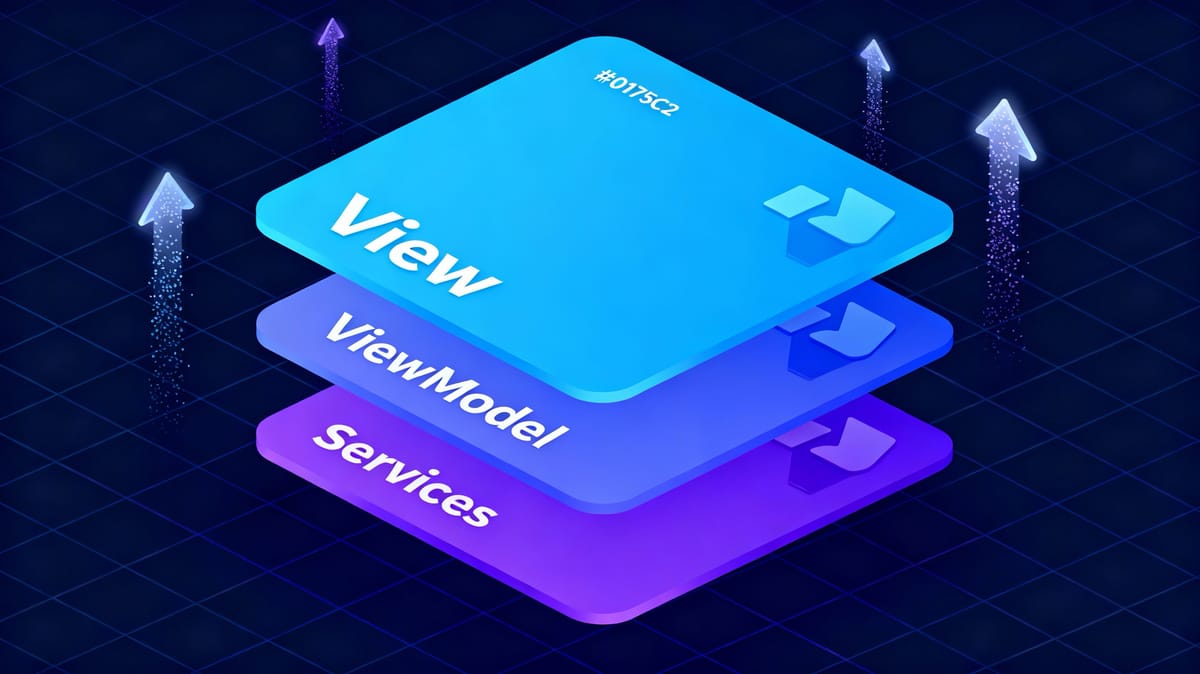
Flutter has revolutionised mobile development with its cross-platform capabilities and beautiful UI toolkit. But as your app grows beyond a few screens, you quickly realise that UI code alone isn't enough. You need structure, separation of concerns, and a clear architectural pattern. At Hoomanely, building pet healthcare technology that impacts real lives, we couldn't afford architectural debt. After evaluating multiple state management solutions and architectural patterns, we chose Stacked—and it transformed how we build and scale our applications. Here's why.
The Architecture Evolution in Flutter
When you start with Flutter, everything feels simple. You write widgets, manage state with setState(), and your app works. But as your codebase grows, cracks begin to show:
- Business logic creeps into your widgets
- State management becomes chaotic
- Testing becomes nearly impossible
- Code reusability suffers
- Team collaboration gets messy
This is where architectural patterns come in. The Flutter ecosystem has evolved through several approaches, each trying to solve these problems in different ways.
Understanding MVVM and Popular State Management Solutions
The MVVM Foundation
Model-View-ViewModel (MVVM) is a design pattern that separates your code into three distinct layers:
- Model: Your data structures and business entities
- View: The UI layer (your Flutter widgets)
- ViewModel: The intermediary that handles business logic and state
The goal? Keep your views dumb and your logic testable. Teams have implemented MVVM using various state management solutions.
BLoC (Business Logic Component)
BLoC uses streams and events to manage state. You dispatch events, BLoC processes them, and emits new states.
// BLoC Example
class UserBloc extends Bloc<UserEvent, UserState> {
  UserBloc() : super(UserInitial()) {
    on<LoadUser>((event, emit) async {
      emit(UserLoading());
      try {
        final user = await userRepository.getUser(event.id);
        emit(UserLoaded(user));
      } catch (e) {
        emit(UserError(e.toString()));
      }
    });
  }
}Pros: Predictable state flow, great for complex state transitions, excellent documentation.
Cons: Boilerplate-heavy, steep learning curve, requires understanding streams, event-state mapping can become verbose.
Riverpod
Riverpod is the evolution of Provider, offering a more robust and testable approach to dependency injection and state management.
// Riverpod Example
final userProvider = FutureProvider.family<User, String>((ref, userId) async {
  final repository = ref.watch(userRepositoryProvider);
  return repository.getUser(userId);
});Pros: Compile-time safety, excellent dependency injection, flexible provider types, less boilerplate than BLoC.
Cons: Learning curve with provider types, can be overwhelming, lacks opinionated structure for large apps.
Enter Stacked: The MVVM Framework Built for Scale
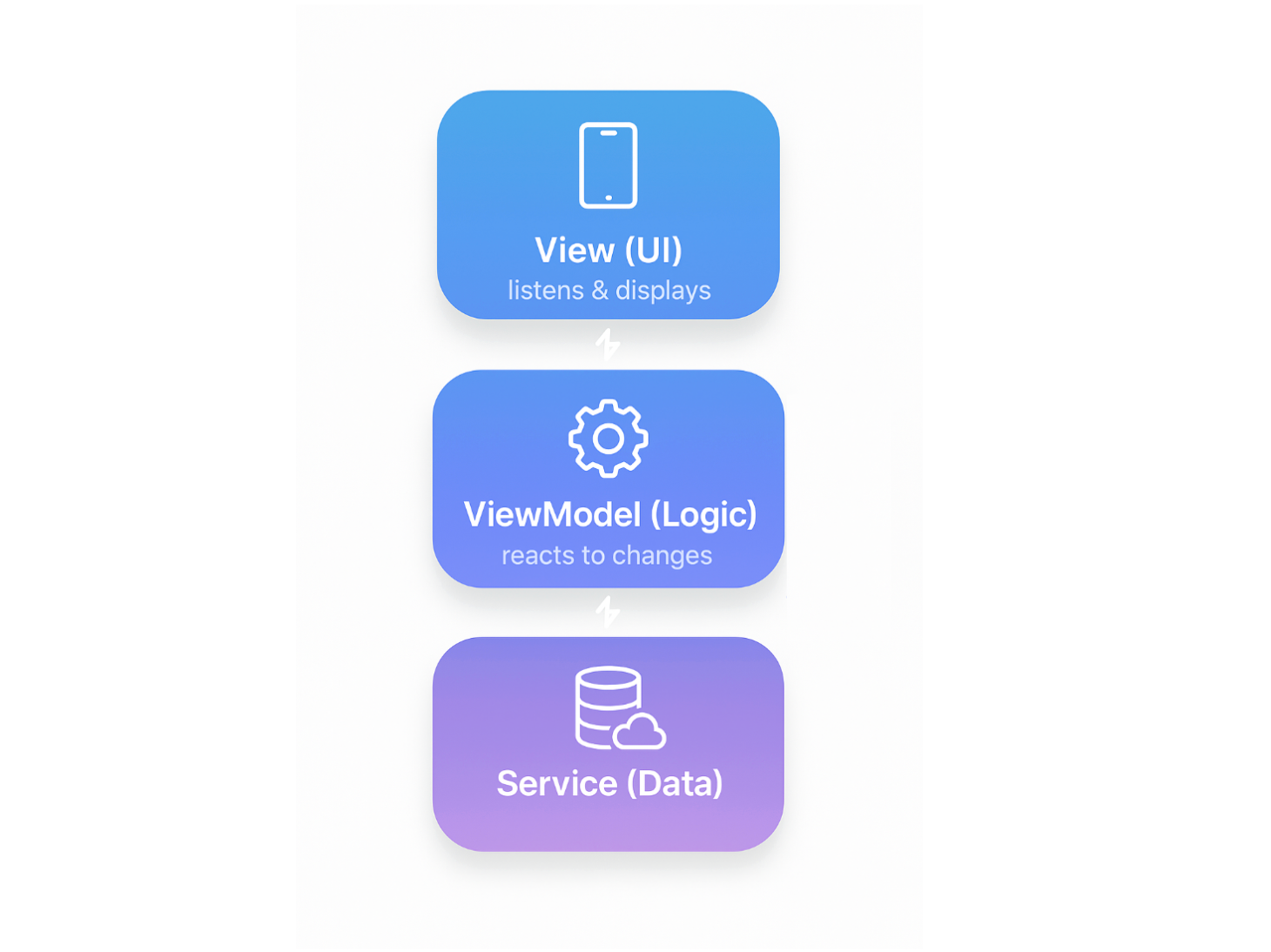
Stacked isn't just another state management library—it's a complete architectural framework.
Core Philosophy
Stacked is built on three pillars:
- Separation of Concerns: Clear boundaries between Views, ViewModels, and Services
- Testability: Every component is independently testable
- Scalability: Architecture that grows with your application
The Stacked Architecture Layers
┌─────────────────────────────────┐
│         Views (UI)              │  ← Your Flutter widgets
├─────────────────────────────────┤
│       ViewModels               │  ← Business logic & state
├─────────────────────────────────┤
│        Services                │  ← Shared functionality
├─────────────────────────────────┤
│       Data Models              │  ← Your entities
└─────────────────────────────────┘
Why Stacked Wins: The Comparative Advantage
1. Built-in Navigation System
Unlike BLoC or Riverpod, Stacked includes a powerful navigation service out of the box.
BLoC/Riverpod approach:
// Navigate through context, managing routes manually
Navigator.of(context).pushNamed('/user-details', arguments: user);
Stacked approach:
// Type-safe navigation from anywhere
_navigationService.navigateToUserDetailsView(user: user);
2. Dependency Injection Made Simple
Stacked uses get_it under the hood but provides a cleaner setup:
@StackedApp(
  routes: [
    MaterialRoute(page: HomeView),
    MaterialRoute(page: PetDetailsView),
  ],
  dependencies: [
    LazySingleton(classType: NavigationService),
    LazySingleton(classType: AuthenticationService),
    Singleton(classType: ApiService),
  ],
)
class App {}
This generates all the boilerplate for you.
3. Reactive Services and State Management
Stacked ViewModels are reactive by default. Change a property, and your UI updates automatically:
class PetListViewModel extends ReactiveViewModel {
  final _petService = locator<PetService>();

  List<Patient> get pets => _petService.pets;

  @override
  List<ListenableServiceMixin> get listenableServices => [_petService];
}
Real-World Implementation Patterns
Service-Oriented Architecture
// Authentication domain
class AuthenticationService {
  Future<User> login(String email, String password) async {}
  Future<void> logout() async {}
  User? get currentUser => _currentUser;
}

// Pet management domain
class PetService extends ReactiveServiceMixin {
  final _pets = ReactiveValue<List<Pet>>([]);
  List<Pet> get pets => _pets.value;

  Future<void> fetchPets() async {
    final data = await _apiService.getPets();
    _pets.value = data;
  }
}
Each service has a single responsibility, making testing and maintenance straightforward.
Bottom Sheet and Dialog Services
Stacked's bottom sheet service creates reusable, customisable dialogs:
// In ViewModel
Future<void> showPatientOptions() async {
  final response = await _bottomSheetService.showCustomSheet(
    variant: BottomSheetType.patientActions,
    data: patient,
  );

  if (response?.confirmed == true) {
    await _handleAction(response.data);
  }
}

// Setup in app
class App {
  void setupBottomSheets() {
    final bottomSheetService = locator<BottomSheetService>();
    bottomSheetService.setCustomSheetBuilders({
      BottomSheetType.patientActions: (context, request, completer) =>
          PatientActionsSheet(
            patient: request.data,
            onComplete: completer,
          ),
    });
  }
}
Loading States and Error Handling
Stacked ViewModels provide built-in busy state management:
class PetDetailsViewModel extends BaseViewModel {
  Pet? _pet;
  Pet? get pet => _pet;

  Future<void> loadPet(String id) async {
    runBusyFuture(_fetchPet(id));
  }

  Future<void> _fetchPet(String id) async {
    try {
      _pet = await _petService.getPet(id);
      notifyListeners();
    } catch (e) {
      setError(e);
    }
  }
}
In the view:
Widget build(BuildContext context) {
  return ViewModelBuilder<PetDetailsViewModel>.reactive(
    viewModelBuilder: () => PetDetailsViewModel(),
    onViewModelReady: (model) => model.loadPet(widget.petId),
    builder: (context, model, child) {
      if (model.isBusy) return LoadingIndicator();
      if (model.hasError) return ErrorWidget(error: model.modelError);
      return PetDetailsContent(patient: model.patient);
    },
  );
}
This pattern ensures consistent loading states and error handling across all features.
Testing in Stacked
Stacked's architecture makes testing natural:
// Unit test for ViewModel
void main() {
  group('PetListViewModel', () {
    late PetListViewModel model;
    late MockPetService mockService;

    setUp(() {
      locator.registerLazySingleton<PetService>(() => mockService);
      model = PetListViewModel();
    });

    test('loads pets successfully', () async {
      when(mockService.fetchPets()).thenAnswer((_) async => [pet1]);

      await model.loadPets();

      expect(model.pets.length, 1);
      expect(model.hasError, false);
    });
  });
}
Performance Considerations
Stacked apps are performant by default, but here are our optimisation strategies at Hoomanely:
- Lazy Service Registration: Services initialise only when first accessed.
- Selective Rebuilds: ViewModels notify listeners only when necessary.
- Reactive Services: Updates propagate efficiently without manual subscriptions.
- Proper Disposal: Stacked handles cleanup automatically.
Scaling Beyond A Number Of Screens
At Hoomanely, as we grew from MVP to a comprehensive pet healthcare platform, Stacked scaled effortlessly:
- Modular Features: Each workflow is self-contained
- Shared Services: Common functionality lives in well-defined services
- Consistent Patterns: New features follow established conventions
Key Takeaways
Stacked isn't just a state management solution—it's an architectural decision that impacts your entire development lifecycle:
Choose Stacked if you need:
- Clear, opinionated structure for medium-to-large apps
- Built-in navigation, dialogs, and bottom sheets
- Fast onboarding for new team members
- Excellent testability without fighting the framework
- Balance between structure and flexibility
For Hoomanely, Stacked was transformative. It gave us the structure to scale our app while maintaining code quality. The architecture decisions we made at the start still serve us well today—a testament to Stacked's longevity.



