
Streaming to the Web from Flutter via Web Bluetooth

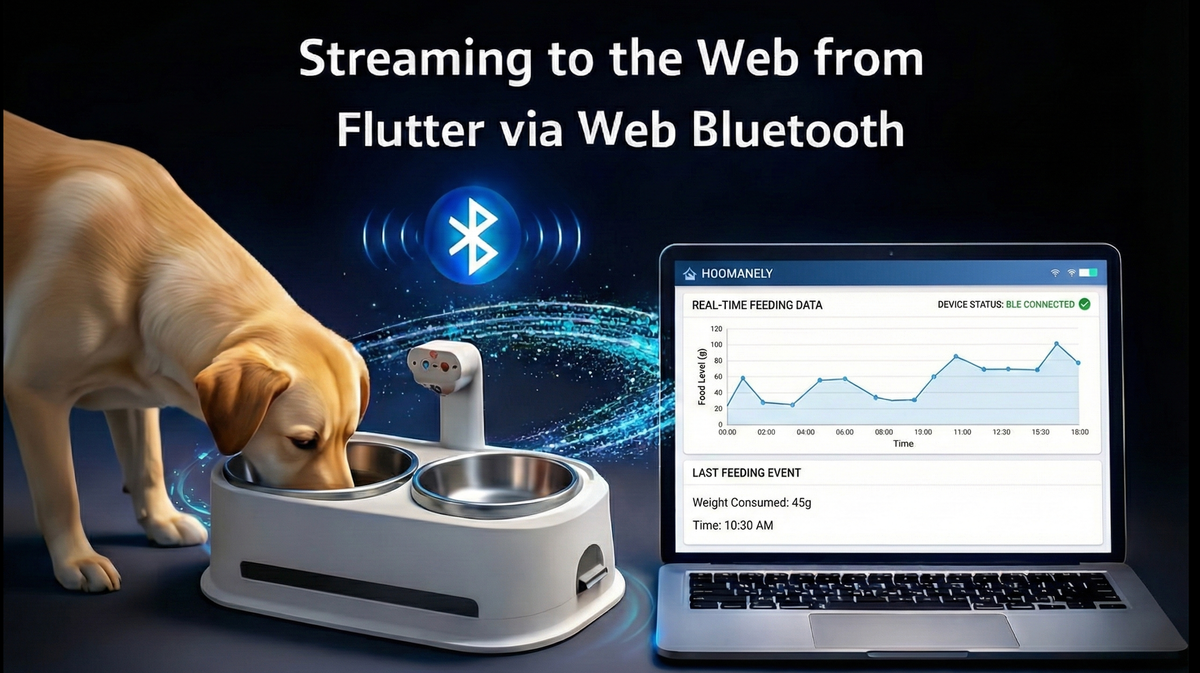
Hoomanely products are no longer just mobile apps or hardware devices in isolation. They are systems—a combination of sensors, firmware, mobile applications, dashboards, and cloud intelligence. At Hoomanely, as we build connected pet devices and real-time insights for pet parents, one recurring question keeps coming up:
Can we stream live device data directly to the web—without forcing users to install yet another app or rely on cloud connectivity?
Web Bluetooth appears to be the obvious answer. In theory, it promises a clean, server-less path: connect to a nearby device or companion app and stream data straight into the browser.
This post documents our experience streaming data to the web from Flutter using Web Bluetooth—what genuinely works today, what we deliberately avoid, and how we plan to evolve this architecture at Hoomanely in the future.
Why We Even Considered Web Bluetooth
At Hoomanely, our devices generate continuous streams of data—feeding events, weight changes, device state, and diagnostics. While our mobile Flutter app is the primary interface, there are real use cases where the web makes more sense:
- Internal debugging dashboards
- Device setup and calibration tools
- Partner demos without app installs
- Quick diagnostics during support calls
- Factory and QA tooling
The idea was appealing: no Wi-Fi required, no cloud round-trip, no backend dependency. Just BLE to browser to UI.
Web Bluetooth, supported in Chromium-based browsers, appeared to unlock this possibility.
The High-Level Architecture
The simplest form of streaming looks like this:
[BLE Device / Flutter App]
          ↓ BLE Notifications
[Web Browser (Chrome)]
          ↓
[Live Dashboard / UI]
In some cases, the Flutter app itself acts as the BLE peripheral, proxying or simulating device data. In others, the browser connects directly to the hardware device.
Either way, the promise is real-time data without infrastructure.
What Actually Works Today
Let's start with the good news. Web Bluetooth does work—if you stay within its boundaries.
1. Chromium Desktop Browsers Are Reliable Enough
Chrome and Edge on desktop are currently the only environments we consider production-viable for Web Bluetooth. They offer stable BLE APIs, predictable permission prompts, reasonable connection lifetimes, and decent debugging tools.
For internal dashboards, engineering tools, and demos, this is more than sufficient.
2. BLE Notifications for Small, Structured Payloads
Streaming works best when payloads are small (tens of bytes), updates are event-driven rather than continuous floods, and data is serialized efficiently through binary or compact JSON.
Examples that work well include feeding event markers, weight deltas, device status changes, and heartbeat pings. BLE notifications are designed for this pattern, and browsers handle it reasonably well.
3. Short-Lived, Foreground Sessions
Web Bluetooth behaves well when the browser tab is active, the session is short-lived (minutes, not hours), and the user explicitly initiated the connection.
This maps nicely to setup flows, diagnostics, and live demos. As long as expectations are scoped correctly, the experience feels surprisingly smooth.
4. Flutter as a BLE Bridge
Flutter can act as a BLE intermediary, especially useful when the hardware device is not directly web-compatible, you want to proxy data from multiple sources, or you need app-level logic before exposing data.
This pattern lets us reuse business logic already present in Flutter while still enabling web streaming.
What We Actively Avoid (and Why)
1. Safari (iOS & macOS)
Safari does not support Web Bluetooth. There are no reliable polyfills, no meaningful workarounds. Any architecture that assumes Safari support is fundamentally broken.
2. High-Frequency or Continuous Streaming
BLE is not a high-throughput channel, and browsers make it worse. We avoid sub-second streaming loops, raw sensor dumps, and continuous charts without aggregation.
Trying to push too much data results in dropped notifications, UI jank, silent disconnects, and browser throttling. Instead, we aggregate, debounce, and window data before it ever reaches the browser.
3. Background or Long-Running Tabs
Browsers aggressively throttle inactive tabs, background windows, and battery-sensitive devices. Any architecture that assumes the tab will stay open and keep streaming will fail unpredictably.
Web Bluetooth is foreground-first by design, and we respect that.
4. Mobile Web as a Target
While Chrome on Android technically supports Web Bluetooth, the experience is fragile. Permissions reset frequently, OS-level interruptions are common, and backgrounding kills connections.
For now, we treat mobile web BLE as experimental only.
5. Treating Web Bluetooth as a Cloud Replacement
This is a big one. Web Bluetooth is a local transport, session-based, and user-mediated. It is not a reliable data pipeline, a sync mechanism, or a source of truth.
What We're Building Toward at Hoomanely
Despite the limitations, Web Bluetooth plays an important role in our future architecture.
1. Local-First, Cloud-Eventually Flows
Our direction is local BLE for instant feedback, background cloud sync for durability, and unified event models across both.
The same event schema flows through the device to the app to the web locally, and device to the cloud to analytics asynchronously. This keeps experiences fast without sacrificing reliability.
2. Flutter as the Orchestration Layer
Flutter isn't just a UI for us—it's the orchestration layer managing device state, user context, feature flags, permissions, and safety checks.
Rather than exposing raw device streams to the browser, Flutter increasingly acts as a gatekeeper, data normalizer, and policy engine. This reduces surface area and keeps logic centralized.
3. Purpose-Built Web Dashboards
Instead of generic live views, we are investing in task-specific dashboards for device calibration, feeding session playback, support diagnostics, and manufacturing QA.
Each dashboard has clear session boundaries, explicit user intent, and a narrow data scope. Web Bluetooth works best when the problem is well-defined.
4. Progressive Enhancement, Not Dependence
Web Bluetooth is treated as an enhancement. If supported, great. If not, graceful fallback.
This mindset prevents us from shipping brittle features that only work on a subset of machines.
Web Bluetooth is one tool in a broader connectivity toolbox—not the final answer.
Key Takeaways
If you're considering streaming from Flutter to the web via Web Bluetooth, here's the distilled truth:
Web Bluetooth is powerful, but narrow.
It works best when sessions are short, payloads are small, browsers are desktop Chromium, and expectations are realistic.
It fails when you treat it like a backend, expect mobile Safari support, stream too much data, or rely on background execution.
At Hoomanely, embracing these constraints allowed us to use Web Bluetooth where it shines—without compromising the reliability of our core product.
Closing Thoughts
Web Bluetooth is not the future of all connectivity. But used carefully, it's a valuable bridge between hardware, mobile apps, and the web.
As we continue building connected pet experiences at Hoomanely, our focus remains the same: fast local interactions, reliable cloud intelligence, and thoughtful tradeoffs over hype.
And sometimes, staying sane means saying no to the shiny solution—until it's ready.



