
The Debug Window: Why UART is a First-Class Feature in Every vBus Module
Introduction: Visibility is Reliability
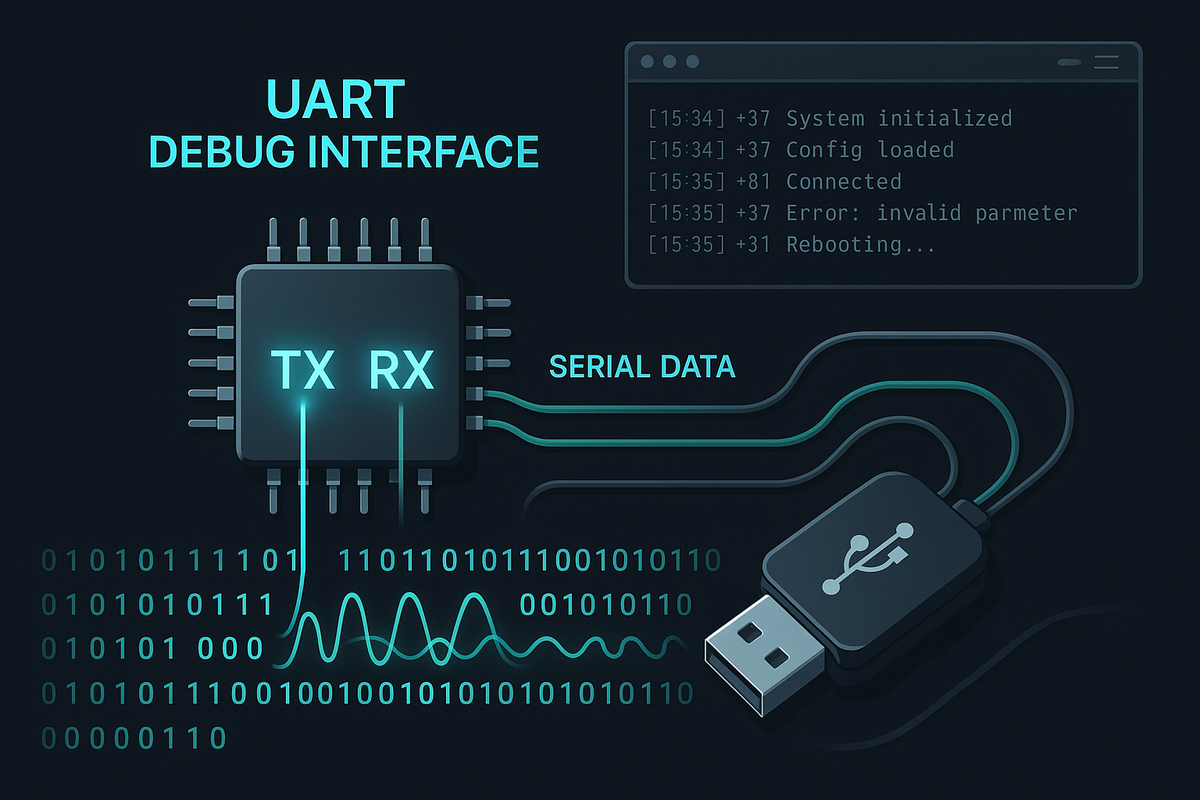
At Hoomanely, we design systems that work—but we also design systems that can be understood when they're working, diagnosed when behavior seems unexpected, and brought up efficiently during development. This philosophy led us to establish a fundamental design principle: every vBus module includes a dedicated debug UART as a mandatory, first-class feature.
This isn't just about troubleshooting broken hardware. Debug UART provides a continuous window into system operation—from the moment power is applied through boot sequences, runtime operation, and shutdown. It's the most reliable, universally accessible interface for understanding what's happening inside our products, and it's proven invaluable across development, manufacturing testing, field validation, and customer support.
Today, I want to share why UART has earned first-class status in our design methodology and how this simple, time-tested interface continues to deliver exceptional value in modern embedded systems.
Universal Accessibility: The Tools are Everywhere
Zero Barrier to Entry
One of UART's greatest strengths is its universal accessibility. Unlike specialized debug interfaces that require proprietary tools or expensive debuggers, UART works with equipment every engineer already has:
USB-to-Serial Adapters: Available everywhere for $5-20. Plug it into any computer, open a terminal program, and you're connected. No drivers, no licenses, no specialized software.
Built-in Serial Ports: Many development boards and single-board computers include hardware UART ports that can directly connect to our products.
Terminal Software: Cross-platform, free, and simple. PuTTY, minicom, screen, CoolTerm—dozens of options that work identically regardless of operating system.
This accessibility matters enormously during development. A firmware engineer can test code changes, a hardware engineer can verify power sequencing, a manufacturing technician can run diagnostics, and a field service technician can collect logs—all using the same simple interface and the same inexpensive adapter.
Works When Nothing Else Does
UART operates at the lowest level of the system stack. It doesn't require:
- Operating system initialization
- USB enumeration
- Network configuration
- Display drivers
- Filesystem mounting
This independence makes UART the first interface available during system boot and the last interface functioning during system failures. When USB won't enumerate, when network stacks are hung, when displays show nothing—UART still works. This reliability is why bootloaders, kernel debuggers, and low-level diagnostics universally rely on UART.
Boot Visibility: Understanding System Initialization
Real-Time Boot Logging
The moment power hits a vBus module, the debug UART becomes active. This provides unprecedented visibility into the boot process:
Bootloader Messages:
[BOOT] Hoomanely Bootloader v2.3.1
[BOOT] CPU: STM32H743 @ 400MHz
[BOOT] Flash: 2MB, RAM: 1MB
[BOOT] Checking firmware integrity... OK
[BOOT] Loading application from 0x08020000
[BOOT] Jumping to application...
Kernel/RTOS Initialization:
[KERN] FreeRTOS v10.4.3 starting
[KERN] System clock: 400MHz
[KERN] Heap: 512KB available
[KERN] Creating tasks...
[KERN] Starting scheduler
Application Startup:
[APP] vBus CPU SoM v2.1 initializing
[APP] Scanning vBus for connected modules...
[APP] Found: Power SoM
[APP] Found: Peripheral SoM - IMU
[APP] Found: Communication SoM - WiFi
[APP] All modules initialized successfully
[APP] Entering main loop
This visibility is invaluable during development. When a board doesn't boot, the UART output tells you exactly how far initialization proceeded before failure occurred. Did the bootloader start? Did RAM initialization complete? Did peripheral enumeration succeed? The answers are right there in the log.
Early Hardware Validation
During hardware bring-up—when you've just received prototype PCBs—UART provides immediate feedback on fundamental hardware health:
Clock Configuration: First messages confirm that the processor is running at the expected frequency. Wrong clock frequency? You'll see garbled characters or no output—immediate indication of clock issues.
Memory Testing: Boot code typically tests RAM. UART messages confirm memory is functional and accessible at expected addresses.
Power Rails: Monitoring code reports voltage levels on critical rails via UART, confirming power distribution is working correctly.
Peripheral Detection: As peripherals initialize, UART logs confirm that I2C sensors, SPI flash, and other components are responding correctly.
This early validation accelerates hardware debug dramatically. Instead of spending hours probing signals with oscilloscopes or logic analyzers before you know if anything works, UART gives you immediate system-level status.
Runtime Diagnostics: Understanding System Behavior
Continuous System Monitoring
Once the system is running, debug UART continues providing valuable insight:
Task Activity Logging:
[TASK-SENSOR] Reading IMU... accel: [0.02, -0.05, 9.81] m/s²
[TASK-COMM] WiFi connected, RSSI: -45dBm
[TASK-DATA] Logging data point #1247
Performance Metrics:
[PERF] CPU utilization: 23%
[PERF] Free heap: 387KB
[PERF] Task execution times: sensor=2.3ms, comm=8.1ms
Communication Status:
[VBUS] Received data from Peripheral SoM
[VBUS] CAN bus traffic: 47 messages/sec
[I2C] Transaction complete: 0x48 -> 12 bytes
This continuous monitoring helps developers understand system behavior under various conditions. Is the CPU overloaded? Are tasks executing at expected rates? Is communication functioning properly? UART provides real-time answers.
Event and Error Reporting
Debug UART excels at reporting unexpected events:
Protocol Errors:
[WARN] I2C timeout on address 0x68 (retry successful)
[ERROR] CAN bus off - excessive error frames detected
Resource Issues:
[WARN] Heap fragmentation at 47%
[WARN] Task stack usage: 82% (consider increasing stack size)
Peripheral Problems:
[ERROR] Sensor not responding (address 0x1E)
[WARN] Flash write taking longer than expected (45ms)
These messages provide context that's difficult to obtain otherwise. A logic analyzer shows you the I2C transaction timing, but UART tells you "sensor at 0x1E isn't responding"—information that includes the interpretation, not just the raw data.
User Interaction and Configuration
Debug UART can be bidirectional—not just output, but input too. Many of our modules implement simple command-line interfaces over UART:
System Control:
>status
System: Running, Uptime: 2h 34m
Modules: 3 connected (CPU, Power, Peripheral-IMU)
Memory: 387KB free / 512KB total
>reset peripheral
Resetting Peripheral SoM...
Done.
>log level debug
Log level set to DEBUG
Configuration:
>config set wifi.ssid "MyNetwork"
>config set wifi.password "********"
>config save
Configuration saved to flash
Calibration:
>calibrate accel
Place device on flat surface and press Enter
Calibrating... offset=[0.02, -0.03, 0.05]
Calibration complete.
This interactive capability transforms UART from a passive logging interface into an active development and testing tool.
Manufacturing Test Integration
Automated Test Scripts
In manufacturing, debug UART enables automated testing through scripted interactions:
Functional Verification:
# Open serial port
serial_port = connect_uart('/dev/ttyUSB0', 115200)
# Send test command
serial_port.write('test all\n')
# Parse response
response = serial_port.read_until('TEST COMPLETE')
if 'PASS' in response: print("✓ Module passed functional test")
else:
print("✗ Module failed - see log") save_log(response)
Production Programming: Manufacturing stations use UART to:
- Verify bootloader is programmed correctly
- Check firmware version
- Write unique serial numbers to each module
- Validate vBus enumeration
- Confirm sensor calibration
The simplicity of UART makes test fixture development straightforward—no complex USB drivers, no network stack dependencies, just open serial port, send commands, parse responses.
Yield Analysis
Manufacturing logs collected via UART feed into yield analysis systems:
- Which tests fail most frequently?
- Are failures correlated with specific component lots?
- Do certain power supply voltages show marginal behavior?
- Are timing-sensitive operations showing variation?
This data-driven approach to manufacturing quality relies on comprehensive logging—and UART provides that logging infrastructure with zero complexity.
Field Diagnostics: Supporting Deployed Systems
Remote Debug Capabilities
When products are deployed at customer sites, debug UART enables remote diagnostics:
Support Scenarios:
Customer reports unexpected behavior. Support engineer requests:
- Connect USB-to-serial adapter to debug port
- Open terminal and capture output
- Send log file via email
The log reveals:
[ERROR] Sensor calibration data appears corrupted
[WARN] Falling back to factory defaults
Support engineer: "Your sensor needs recalibration. Here's the procedure..."
This remote visibility transforms support from trial-and-error guesswork ("have you tried turning it off and on?") to data-driven diagnosis ("the log shows calibration corruption—let's fix that").
Firmware Update Validation
UART provides real-time feedback during field firmware updates:
[UPDATE] Firmware update initiated
[UPDATE] Downloading version 2.4.0... 23%
[UPDATE] Downloading version 2.4.0... 56%
[UPDATE] Downloading version 2.4.0... 100%
[UPDATE] Verifying checksum... OK
[UPDATE] Installing firmware...
[UPDATE] Firmware installed successfully
[BOOT] Rebooting...
[BOOT] Hoomanely Bootloader v2.3.1
[BOOT] Application version: 2.4.0
[APP] Update successful, system operational
This visibility reassures users during updates and helps diagnose failures if updates don't complete successfully.
vBus Architecture Integration
Per-Module Debug Infrastructure
Every vBus SoM includes its own debug UART:
CPU SoM: Primary system console. Bootloader, kernel, and application all log here. This is the main diagnostic interface for overall system behavior.
Power SoM: Reports power rail voltages, current consumption, fault conditions, and thermal status. Critical for power-related diagnostics.
Peripheral SoMs: Each peripheral module logs its sensor readings, calibration status, and operational state. Helps isolate issues to specific modules.
Communication SoMs: Reports wireless connection status, network traffic, protocol errors. Essential for debugging connectivity issues.
Multi-UART Aggregation
During development, we often monitor multiple UART ports simultaneously using USB-to-serial hub adapters:
Terminal Layout:
┌─────────────────┬─────────────────┐
│ CPU SoM │ Power SoM │
│ │ │
│ [APP] Running │ [PWR] 5V: 5.02V │
│ [TASK] Loop... │ [PWR] Load: 2.3A │
├─────────────────┼─────────────────┤
│ Peripheral SoM │ Comm SoM │
│ │ │
│ [IMU] Accel... │ [WIFI] RSSI:-45 │
│ [IMU] Gyro... │ [WIFI] TX:47pkt │
└─────────────────┴─────────────────┘
This multi-window view provides comprehensive system visibility—you see how modules interact, spot timing relationships, and identify which module is source of issues.
Standardized Log Formats
Across all vBus modules, we maintain consistent log formatting:
[TIMESTAMP] [MODULE] [LEVEL] Message
[0002.341] [CPU] [INFO] System initialized
[0002.855] [PERIPH] [DEBUG] Sensor reading: 23.4°C
[0003.122] [COMM] [WARN] WiFi signal weak
This standardization enables automated log parsing, filtering, and analysis. Scripts can extract specific events, correlate timing across modules, or highlight warnings and errors regardless of which module generated them.
Hardware Design: Making UART Accessible
Physical Connector Considerations
We design UART accessibility into every board:
Dedicated Debug Header: 4-pin 0.1" header (GND, TX, RX, VCC) positioned for easy access. No need to disassemble product to access debug—connector is accessible from outside or through small access port.
Clear Silkscreen Labeling: Header pins labeled clearly: UART_TX, UART_RX, GND. No ambiguity about which pin is which.
Standard Pinout: We use consistent pinout across all products (pin 1: GND, pin 2: RX, pin 3: TX, pin 4: VCC). Universal cable works on any Hoomanely product.
Protection Circuitry: ESD diodes on TX/RX pins protect against static discharge when connecting cables.
Voltage Level Considerations
Consumer USB-to-serial adapters typically output 3.3V logic. Our designs accommodate this:
3.3V Logic Levels: Even when processor runs at different voltages (1.8V core, for example), UART pins operate at 3.3V through level translation or dedicated 3.3V I/O bank.
Voltage Indication: VCC pin on debug header provides 3.3V output that powers indicator LED on some USB-serial adapters—confirms connection is live.
Development Workflow Integration
Continuous Integration Testing
The automation ensures firmware quality without manual testing—every commit triggers automated hardware-in-the-loop testing via UART.
Real-Time Development Feedback
During firmware development, UART provides instant feedback:
Modify code → Build → Flash → Immediately see results in UART terminal
No need to attach debuggers, set breakpoints, or step through code for basic validation. Print statements via UART provide immediate confirmation that code changes work as expected.
Conclusion: Simple, Universal, Indispensable
In an era of sophisticated debug tools—JTAG, SWD, USB, Ethernet-based debugging—the humble UART remains our most reliable, most accessible, most universally valuable debug interface. Its simplicity is its strength: no complex protocols, no driver dependencies, no infrastructure requirements. Just two signal wires, ground, and you have a window into system operation.
At Hoomanely, elevating debug UART to first-class feature status reflects our commitment to debuggability and testability. Products designed for visibility are products designed for reliability. When every module includes comprehensive UART logging, when every engineer has the tools to access those logs, and when manufacturing and support processes leverage this infrastructure—quality naturally follows.
As our vBus ecosystem grows and modules become more sophisticated, debug UART remains the constant—the reliable foundation that lets us understand, validate, and support everything we build.



