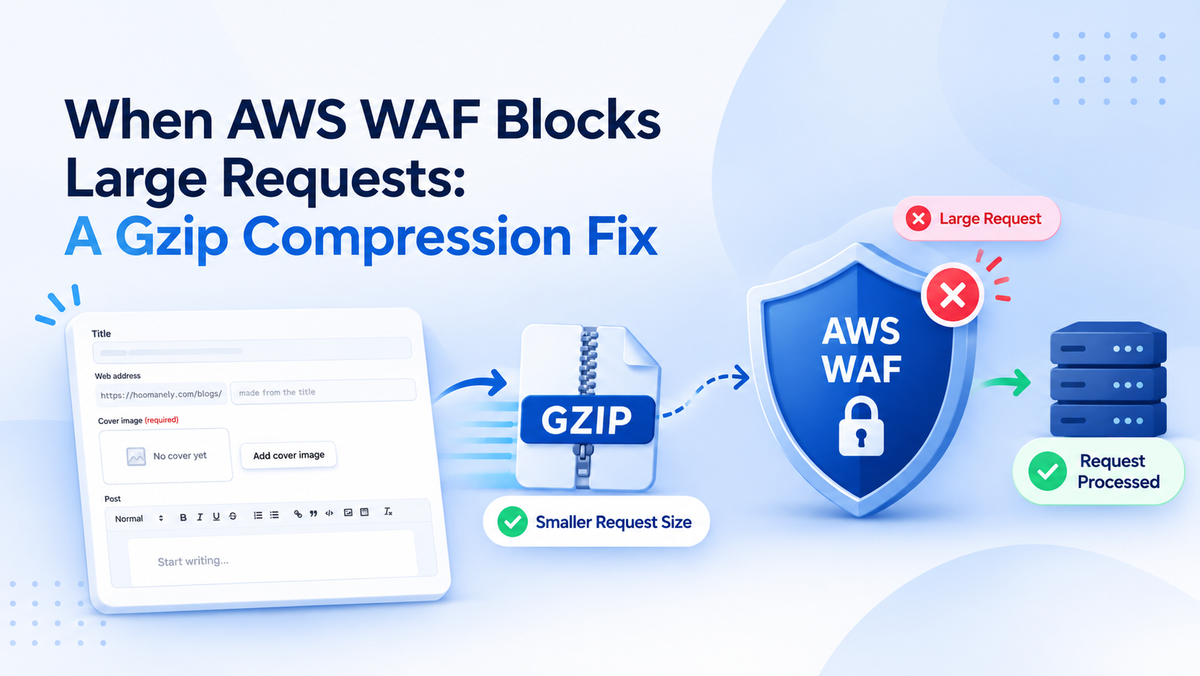
When AWS WAF Blocks Large Requests: A Gzip Compression Fix
The Short Version
I ran into an issue where large HTTP requests worked perfectly on my local machine but failed on staging with a 403 Forbidden response. After investigating the request flow, I found that AWS WAF was blocking requests because of its 8 KB request-body inspection limit for our Application Load Balancer setup.
Increasing the limit was not an option, and disabling the security rule was not an acceptable solution. I decided to use gzip compression to reduce the request body size before sending it to the backend.
I enabled compression on the frontend and added a RequestDecompressionMiddleware on the backend to restore the original request before processing it. I also added safeguards to reject invalid compressed data and limit decompressed content to 2 MiB.
The fix allowed larger requests to pass through the existing setup without disabling the WAF or redesigning the request flow.
The Body
1. The Problem: Everything Worked Locally
I was working on an API flow that needed to handle larger amounts of content. Everything worked as expected on my local machine, but when I tested the same operation on staging, the request failed with a 403 Forbidden response.
What made the issue confusing was that the response was not in our usual JSON format. Instead, I received a plain HTML error page.
Initially, I suspected an authentication issue or something wrong with the backend validation. However, the response did not look like the errors normally returned by our application.
Since the same request worked locally, I started looking at the differences between the local and deployed environments.
2. Finding the Actual Cause
Our deployed request flow goes through API Gateway, VPC Link, a private Application Load Balancer (ALB), and finally ECS Fargate.
The ALB has AWS Web Application Firewall (WAF) attached to it. WAF inspects incoming requests and evaluates them against configured security rules before they reach the application.
For an Application Load Balancer, AWS WAF's default request-body inspection limit is 8 KB. This is an inspection limit, not a universal HTTP request-size limit. Depending on the configured rule and its handling of oversized bodies, a request can be blocked when its body exceeds the inspection window.
This explained why the issue appeared only after deployment. My local environment did not have the same WAF configuration, so the request was not encountering that restriction.
I also realised that the amount of content being sent mattered. As the request body grew, it became more likely to exceed the inspection window.
At this point, I knew that changing the backend validation alone would not solve the problem. I needed to reduce the size of the request before it reached the WAF.
3. Considering Different Solutions
Before implementing anything, I considered a few possible approaches.
Increasing the WAF limit: This would have been convenient, but the inspection limit for our ALB integration could not be increased beyond the supported maximum.
Disabling the WAF rule: This might have allowed the request through, but weakening an existing security control just to accommodate larger payloads was not an acceptable solution.
Uploading the content to S3: Another approach was to upload the content directly to S3 using a signed upload URL and then send a reference to the backend. This could work well for much larger payloads, but it would introduce a separate upload flow and require more changes.
Compressing the request body: Since the payload contained a significant amount of text, gzip compression looked like a simpler approach. It could reduce the number of bytes sent without changing the overall request flow.
I decided to go with gzip because it addressed the immediate problem while allowing us to keep the existing security layer in place.
4. Implementing Gzip Compression on the Frontend
The first part of the solution was to compress the request body before sending it to the backend.
I enabled the compress: true option in our API runtime for the relevant requests. The runtime compresses the request body using gzip and sends it with the following header:
Content-Encoding: gzip
This header tells the receiving server that the body is compressed and must be decompressed before it can be processed as normal JSON.
The main advantage was that I did not need to redesign the request flow. The frontend could continue using the existing API runtime, with compression enabled for the requests that needed it.
The compressed request was smaller, which helped it fit within the WAF inspection window for the tested payloads.
5. Decompressing the Request on the Backend
Compressing the request on the frontend was only half of the solution. The backend still needed to receive the original content in a format that the application could understand.
For this, I added a RequestDecompressionMiddleware.
One important detail was its position in the middleware chain. I placed it as the outermost middleware so that decompression happened before authentication guards, other middleware, and route handlers attempted to read the request body.
If another component read the body before decompression, it would receive compressed bytes instead of the expected JSON.
I also restricted the middleware to /mgmt/ routes so that the change applied only where it was required.
The middleware follows a few important rules:
- It accepts only gzip encoding. Unsupported content encodings are rejected with
415 Unsupported Media Type. - It limits the decompressed request body to 2 MiB and returns
413 Payload Too Largeif the limit is exceeded. - It rejects invalid gzip data with
400 Bad Request. - It checks for unexpected trailing data after the gzip stream rather than silently accepting malformed input.
These checks were important because accepting compressed requests introduces another security consideration: the compressed body can be much smaller than the data produced after decompression.
Without a decompressed-size limit, a small request could expand into a very large amount of data and consume excessive memory or processing resources. This is a type of risk associated with zip-bomb attacks.
Compression helped solve the request-size problem, but the backend still needed to enforce its own limits.
6. Handling the Missing Header in the Proxy
During implementation, I also had to account for the shell application that proxies requests to the backend.
The shell forwards only an allowlist of headers. This meant that Content-Encoding needed to be explicitly included so the backend could identify the compressed request correctly.
Without this header, the backend might receive compressed bytes without knowing that it needed to decompress them. Since the shell is maintained in a separate repository, I made that change through a separate pull request.
This was a useful reminder that even a small change to request handling can involve multiple application layers. The frontend, proxy, and backend all need to agree on how the request is transferred and interpreted.
7. Testing the Fix
After implementing the changes, I wanted to verify that the solution worked through the real request flow rather than relying only on isolated tests. Our project does not allow mocks for these tests, so I tested against the real stack. I wrote 10 tests covering different scenarios, including valid compressed requests, unsupported encodings, invalid gzip data, and requests that exceeded the decompressed-size limit. The most important test reproduced the original problem: a real request with an uncompressed body larger than 8 KB that compressed to less than 8 KB.
The compressed request passed through the configured WAF inspection rules, reached the backend, was decompressed, and was processed successfully.
That test connected the original failure to the fix. It showed that the change worked for an actual request rather than simply proving that the compression and decompression functions worked independently. I also tested the failure cases to make sure the middleware did not accept invalid data or allow decompressed content to exceed the configured limit.
8. What Changed After the Fix?
After implementing compression and decompression, larger requests could be processed without disabling the WAF or changing the existing infrastructure.
For the payloads I tested, gzip reduced the request size enough to work within the available inspection window. The actual compression ratio depends on the content. Text with repeated patterns generally compresses well, while content that is already compressed or contains less repetition may not shrink as much.
The backend's 2 MiB decompressed-size limit also remains in place. This means compression does not allow unlimited request sizes. Most importantly, the application could continue using its existing request flow. The frontend compressed the data, the proxy forwarded the required header, and the backend restored the original request before processing it.
Conclusion
This issue initially looked like a backend problem because the request worked locally but failed on staging. However, tracing the complete request flow helped me identify the WAF inspection limit as the actual cause.
Instead of disabling the security rule or introducing a separate upload architecture, I used gzip compression to reduce the request size and added backend middleware to decompress and validate the incoming data.
I also made sure the implementation included a decompressed-size limit, proper error handling, and the required header forwarding through the proxy.
The biggest lesson I took away from this experience is that application behaviour can change significantly between local and deployed environments. When a request fails unexpectedly, it is worth checking every layer it passes through rather than assuming the issue is entirely within the application code.
A relatively small change in how data is transferred can solve a larger infrastructure-related problem, provided the solution is implemented with the right safeguards.
Frequently Asked Questions
1. Why was AWS WAF blocking the requests?
The request body exceeded the 8 KB inspection window for our Application Load Balancer setup. The configured WAF rules handled oversized bodies by blocking the affected requests.
2. Can the AWS WAF inspection limit be increased?
The request-body inspection limit for an Application Load Balancer is fixed at 8 KB by default and cannot be increased for that integration. The exact behaviour for oversized requests depends on the WAF rule configuration.
3. How does gzip help with large requests?
Gzip compresses data before it is transmitted. Text and structured content often contain repeated patterns, which makes them suitable for compression. A smaller compressed body can fit within the WAF inspection window even when the original body is larger.
4. Why is backend decompression middleware required?
The application expects the original request body, not compressed bytes. The middleware decompresses the incoming body before authentication guards and route handlers read it, allowing the rest of the application to process the request normally.
5. Is accepting compressed requests safe?
It requires proper validation. In this implementation, the middleware accepts only gzip on the intended routes, rejects invalid compressed data, and limits decompressed content to 2 MiB. These checks help protect the backend from malformed or excessively large payloads.
6. Why did the issue not occur locally?
The local environment did not have the same WAF configuration as staging. As a result, requests that worked locally could be rejected by the deployed infrastructure before reaching the backend.
7. What happens if the compressed request is still too large?
The request can still be blocked if it exceeds the applicable WAF inspection window or violates the configured rules. The backend also rejects decompressed bodies larger than 2 MiB. For substantially larger payloads, uploading content to S3 through a signed URL could be a better approach.
8. What is the main takeaway from this fix?
Always consider the complete request path when debugging deployment-specific issues. Understanding how the frontend, proxy, WAF, and backend interact can help identify the real cause and produce a solution that fixes the problem without weakening security.