
WiFi Provisioning Over BLE: A Modern Approach to IoT Device Setup
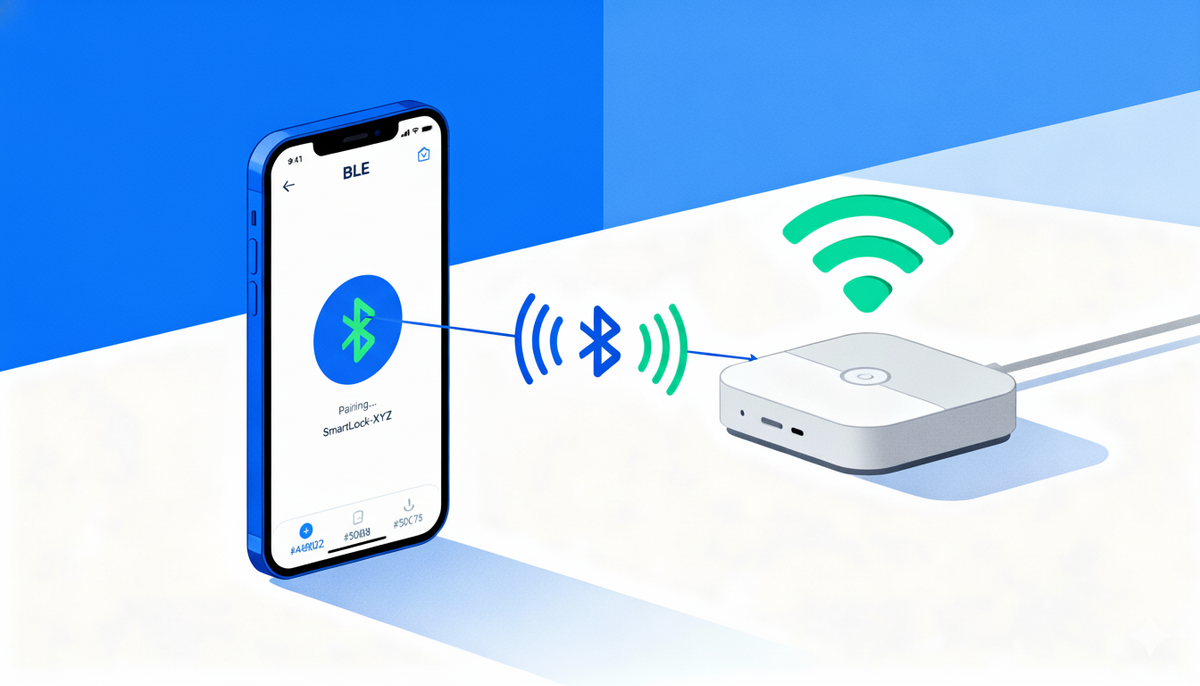
Picture this: You've just unboxed your new smart device. No screen, no buttons, no USB port. How do you tell it your WiFi password? This seemingly simple problem has frustrated IoT teams and users for years. The solution? Bluetooth Low Energy (BLE) acting as a temporary bridge to get your device online.
In this post, we'll explore how to build a robust WiFi provisioning system using BLE—one that handles real-world messiness like dropped connections, weak signals, and impatient users.
The WiFi Provisioning Problem
IoT devices need internet connectivity to be useful. But getting them connected presents a chicken-and-egg problem: without network access, they can't receive configuration; without configuration, they can't access the network.
Traditional approaches have significant drawbacks:
Web-based provisioning (SoftAP mode): The device creates its own WiFi hotspot. Users connect to it, configure credentials through a web page, then reconnect to their home network. It works, but the user experience is clunky—switching networks confuses people, and it often breaks on iOS.
WPS (WiFi Protected Setup): Push a button on your router, push a button on your device. Simple, but requires physical router access and has known security vulnerabilities.
Hardcoding credentials: Only viable for controlled deployments, completely impractical for consumer products.
Display and keyboard: Adds cost, complexity, and power consumption to devices that should be simple and affordable.
Why BLE Changes Everything
Bluetooth Low Energy offers an elegant middle path. Modern smartphones have BLE built-in, apps can discover and connect to devices automatically, and the power consumption is minimal—perfect for battery-operated devices.
Key advantages:
- No existing network required: BLE works anywhere, even during initial setup
- Platform support: iOS and Android both have mature BLE frameworks
- Low barrier: Users already understand "pairing" from headphones and fitness trackers
- Secure: Built-in pairing mechanisms prevent unauthorized access
- Bidirectional: Real-time feedback during the setup process
The tradeoff? BLE is slower than WiFi and has limited range. But for provisioning - a one-time operation - these limitations don't matter.
Architecture Overview
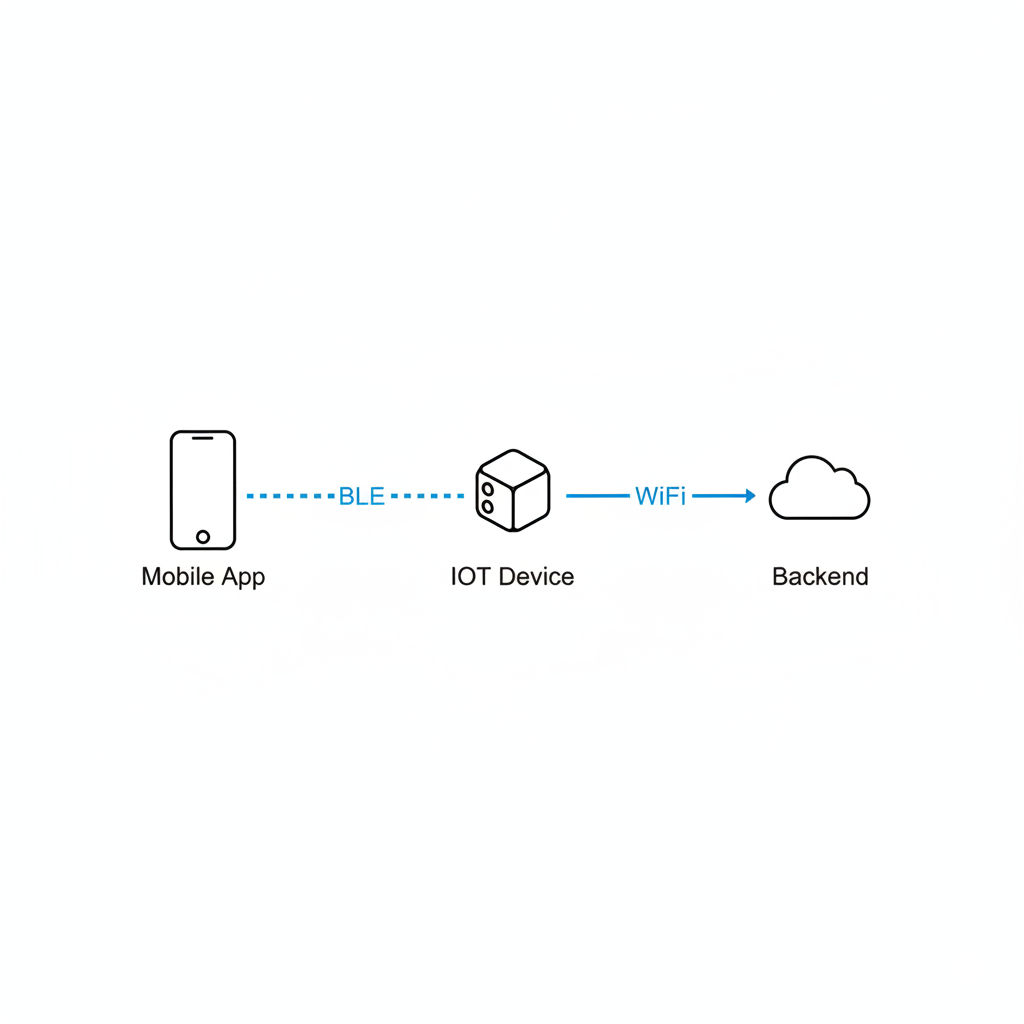
A BLE-based WiFi provisioning system has three main components working together:
The IoT Device (Peripheral): Exposes a GATT (Generic Attribute Profile) service with characteristics for scanning networks, receiving credentials, and reporting connection status.
The Mobile App (Central): Discovers the device, connects via BLE, orchestrates the provisioning flow, and provides user feedback.
The Backend Service: Tracks provisioning status, associates devices with user accounts, and monitors connection health.
The beauty of this architecture is its separation of concerns. BLE handles the control plane (setup and configuration), while WiFi handles the data plane (ongoing communication). Once provisioned, the device can communicate directly with backend services over WiFi while keeping BLE available for reconfiguration.
The Provisioning Flow: Four Critical Phases
Phase 1: Discovery and Connection
The journey begins with finding your device among dozens of nearby Bluetooth peripherals—fitness trackers, speakers, other smart home devices.
Smart filtering is essential. Rather than showing users a raw list of MAC addresses, filter by manufacturer-specific service UUIDs and advertised device names. When your app scans for devices, it should specifically look for your custom GATT service UUID.
Once found, connection isn't instantaneous. BLE connections can fail for various reasons: interference, distance, conflicting connections. Build in automatic retry logic with exponential backoff—try immediately, then after 2 seconds, then 4 seconds.
After connection, negotiate the Maximum Transmission Unit (MTU). The default BLE packet size is tiny (23 bytes), but modern devices support up to 512 bytes. Requesting a larger MTU dramatically improves throughput for operations like.
Finally, discover services and characteristics. Think of this as mapping the device's API - you're finding the specific endpoints for WiFi scanning, credential submission, and status monitoring.
Phase 2: Network Scanning
Now connected, your app asks the device: "What WiFi networks can you see?"
This happens through a write operation to a specific characteristic—essentially sending a command. The device responds not with a single reply, but with a stream of notifications as it discovers networks.
Why notifications instead of polling? Real-time updates provide better UX. As each network appears, it shows up in your app immediately. Users see progress, which reduces perceived wait time.
The data format matters. JSON is human-readable and flexible:
{"ssid": "Home_Network_5G", "rssi": -45}
{"ssid": "Neighbor_WiFi", "rssi": -78}
{"complete": true}
Edge case handling: What if the scan finds nothing? Set a reasonable timeout (30 seconds) and show a helpful message: "No networks found. Make sure you're within range of your WiFi router."
Phase 3: Credential Transmission
The user selects their network and enters the password. Your app packages this into a JSON payload and writes it to the credentials characteristic:
{"ssid": "Home_Network_5G", "password": "secret123"}Security note: The password travels over the BLE connection, which is encrypted after pairing. This is generally secure for local provisioning, but highly sensitive applications might implement additional encryption layers.
The write operation should include confirmation—wait for the device to acknowledge receipt before proceeding. This prevents race conditions where you start polling for status before the device has processed credentials.
Phase 4: Status Verification
This is where things get interesting. The device attempts to connect to WiFi, but this takes time—anywhere from 5 to 30 seconds depending on network conditions and device hardware.
Your app needs to know: Did it work?
Implement an intelligent polling strategy:
- Poll every 4 seconds (frequent enough for good UX, infrequent enough to not overwhelm the device)
- Maximum of 12 attempts (48 seconds total—enough time for slow connections)
- Check BLE connection status before each poll—if BLE disconnected, reconnect first
- Parse the status response: "connected", "failed", "connecting", etc.
Why polling instead of waiting for a notification? Reliability. In real-world conditions, notifications can be missed. Polling ensures you eventually learn the outcome. And it is important to get the status of the connection.
Status interpretation requires nuance. Different devices report status differently. Build a flexible parser that recognizes success patterns ("connected", "success", "ok", "1") and failure patterns ("failed", "error", "disconnected"). Some devices even echo back the SSID—verify it matches what the user selected.
Handling the Real World: Errors and Edge Cases
Theory meets reality in error handling. Users will walk out of range mid-setup. WiFi passwords will be mistyped. Network congestion will cause timeouts.
Connection Recovery
When BLE disconnects unexpectedly (and it will), don't panic. Implement graceful reconnection:
- Clean up existing subscriptions and references
- Wait 2 seconds (immediate retry often fails)
- Attempt reconnection with timeout protection (10 seconds)
- Rediscover services—connection state may have reset
- Resume from the last known good state
Retry Mechanisms
Give users multiple chances:
- Device not found? Retry the scan. Show a message: "Still searching..."
- Connection failed? Try 3 times before giving up
- WiFi connection timed out? Let users retry with the same credentials
Always provide escape hatches. If something goes wrong, show a "Cancel" button. Let users start over without force-closing the app.
Timeout Management
Different operations need different timeouts:
- Service discovery: 60 seconds (complex devices take time)
- Network scanning: 30 seconds (reasonable for most environments)
- WiFi connection: 60 seconds (accommodates slow networks)
- Individual BLE operations: 10-15 seconds (prevents infinite hangs)
Make timeouts visible. Show progress indicators. Tell users "This might take up to 30 seconds" so they don't assume something broke.
User Experience: The Make-or-Break Factor
Technical excellence means nothing if users can't successfully provision their devices. Design for the non-technical user who's setting up a device in poor lighting while holding a crying baby.
Visual feedback at every step:
- Shimmer effects while scanning for devices
- Color-coded status (green = success, blue = in progress, red = error)
- Real-time text updates: "Scanning networks...", "Connecting to WiFi...", "Success!"
Conversational interface: Frame the process as a guided conversation. System messages explain each step. User inputs feel natural. Success is celebrated.
Error messages must be actionable: Instead of "Error 0x0034", say "Couldn't connect to 'Home_Network_5G'. Check your password and try again." Include a "Retry" button right there.
Key Takeaways
1. BLE is ideal for IoT provisioning: It eliminates the need for displays, keyboards, or complex network switching while providing secure, reliable communication.
2. Design for failure: Network issues, interference, and user error are inevitable. Build comprehensive retry logic, timeouts, and recovery mechanisms from day one.
3. Real-time feedback is crucial: Stream-based notifications for scan results and intelligent polling for status verification keep users informed and reduce abandonment.
4. Status verification requires nuance: Don't just check for "success"—verify connection state, handle in-progress states, and provide clear error messages for failures.
5. User experience trumps technical elegance: A bulletproof backend means nothing if users can't complete setup. Invest heavily in visual feedback, conversational UI, and actionable error messages.
6. Extend beyond provisioning: Once you've built the BLE infrastructure, leverage it for firmware updates, device configuration, and real-time data streaming.
The future of IoT setup is invisible - devices that "just work" from the moment they're unboxed. BLE-based WiFi provisioning gets us one step closer to that vision.



