
Backpressure for LLMs: Managing Load Spikes and Token Floods in Real-Time AI Services
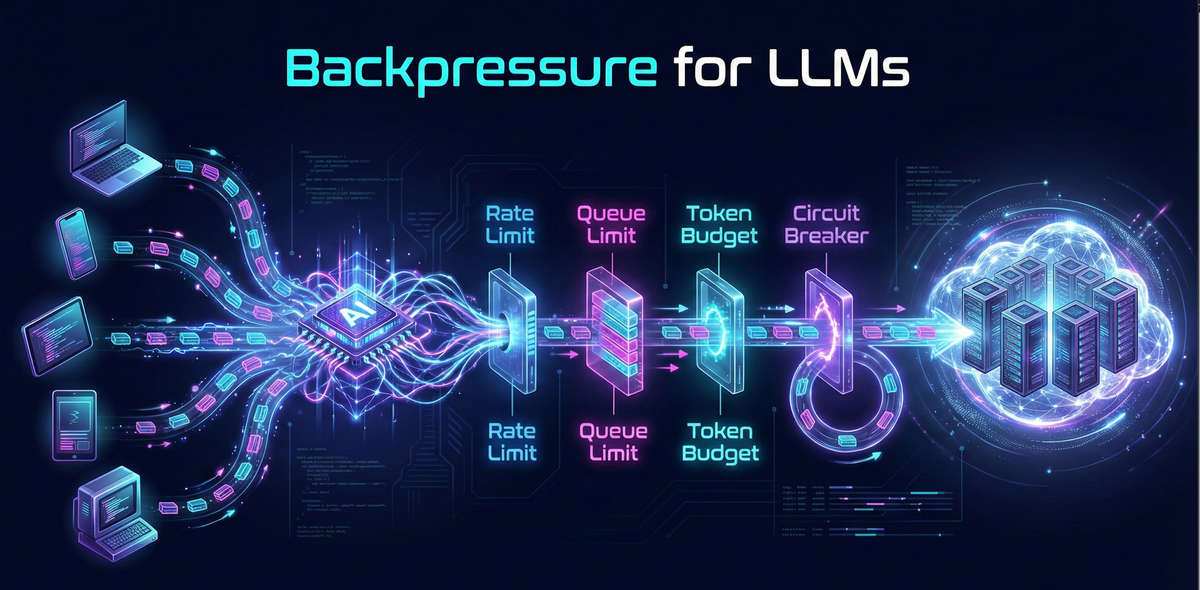
LLM features usually start life in a happy place: a handful of users, low traffic, and plenty of quota. Latency looks fine, tokens are cheap, logs are quiet. Then a product launch, a marketing campaign, or a new “Ask AI” button lands — and suddenly your once-stable service is drowning in concurrent chats, long prompts, and reconnect storms.
The failures are rarely dramatic. Instead, you see queues growing quietly, p99 latency creeping up, memory pressure on your workers, and more “rate limit exceeded” from your LLM provider. Users experience it as “AI feels sluggish today” or “Sometimes my chat just spins.”
Backpressure is how you keep that from happening. In this post, we’ll walk through how to design backpressure-aware LLM backends: bounding queues, shaping bursts, enforcing token budgets, and degrading gracefully when demand exceeds capacity — all in a way that fits naturally into a modern Python-based AI backend.
The Real Problem: Where LLM Systems Crack Under Load
Most LLM backends fail in predictable ways when traffic spikes. The tricky part is that LLM workloads aren’t just “requests per second” — they’re:
- Tokens per second
- Context size per request
- Session concurrency and duration
Three Common Failure Modes
- Token floods instead of simple QPS spikes
Two requests per second sounds trivial… until each request is a 12k-token prompt with a 2k-token response. Your provider charges and rate-limits on tokens, not “calls.” Suddenly you’re blowing through a tokens-per-minute cap even though QPS looks small. - Slow prompts and long-lived sessions
Chat UIs encourage long context histories and streaming responses. That means:- CPU-bound prompt construction (retrieval, formatting, tool planning).
- Network-bound streaming connections that stay open for tens of seconds.
- Workers tied up while users slowly consume responses.
- Too many concurrent sessions / reconnect storms
Mobile apps refresh, WebSockets reconnect, and browser tabs get duplicated. When a network blip happens, you get a reconnect storm: hundreds or thousands of sessions all trying to resume at once.
Without backpressure, these show up as:
- Worker pools saturated.
- Queues growing unbounded.
- Providers throttling or hard failing.
- Cascading timeouts between services.
A Simple Mental Model for Backpressure in LLM Stacks
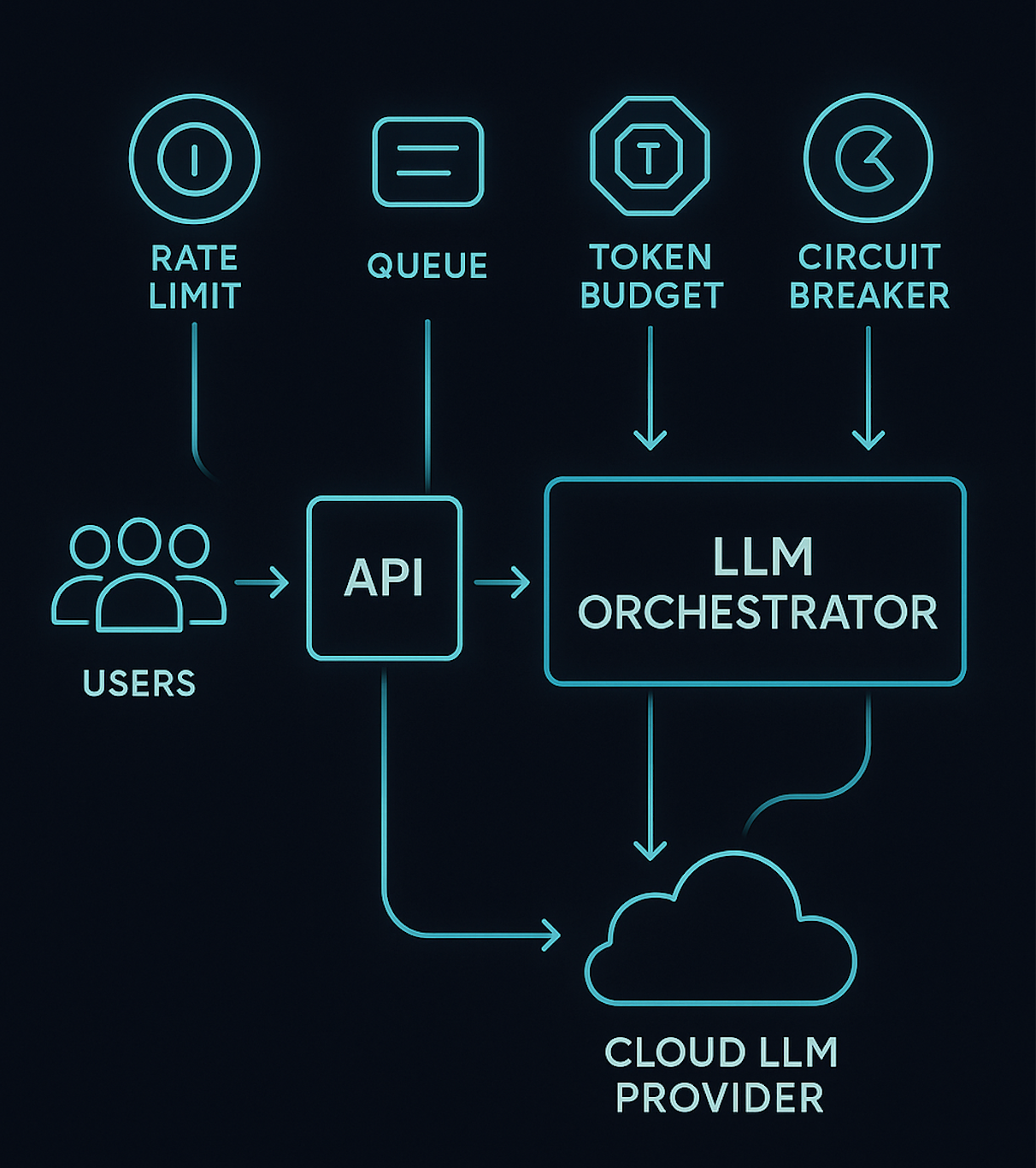
Backpressure is the system’s ability to say, “Not now, or not like this,” instead of silently accepting work it can’t handle.
- Capacity contract:
“At any moment, I can safely handle at most:- C concurrent calls,
- T tokens per second,
- Q queued requests.”
- Fairness contract:
“No single user, tenant, or feature is allowed to dominate capacity.” - Degradation contract:
“When demand exceeds capacity, I will:- Reject fast with a clear error, or
- Downgrade the experience (cheaper model, shorter context, cached answer).”
For LLM systems, capacity is shaped by:
- Provider-side limits (requests/min, tokens/min, concurrent streams).
- Your infrastructure (CPU, memory, worker pools).
- Product expectations (p95 latency targets, cost ceilings).
Without making these explicit, you end up with accidental behavior: queues grow until something crashes.
Layered Design: Where to Apply Backpressure
Good backpressure systems are layered, not monolithic. You don’t want one giant global knob; you want small, predictable controls at each layer of the stack.
We’ll walk through:
- Edge: Admission control & rate limiting
- Service: Bounded queues & worker pools
- Model gateway: Token & concurrency caps
- Client: Burst shaping & reconnect policies
- Product: Graceful degradation strategies
At the Edge: Admission Control & Rate Limiting
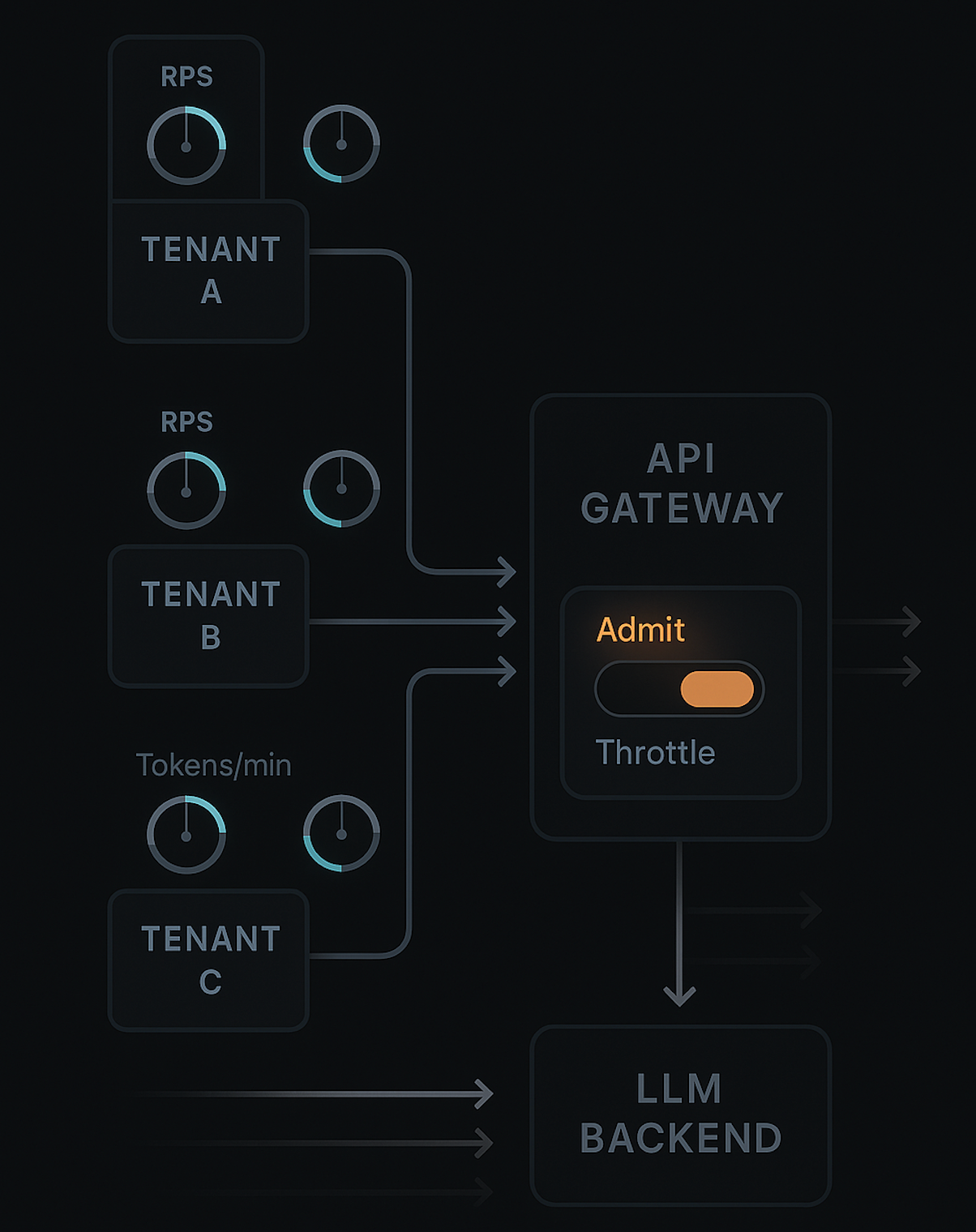
Your API gateway or edge proxy is the first and cheapest place to say “no.”
- Per-tenant and per-API rate limits, e.g.:
- 5 requests/sec and 10k tokens/min per tenant.
- Sliding-window or token-bucket algorithms so short bursts are allowed, but sustained abuse isn’t.
- Simple read-only checks: don’t hit your DB just to reject.
You don’t know the exact token count yet at the edge, but you can use historical averages per endpoint or tenant to approximate. For example:
/chat.stream: assume 2k prompt + 1k completion on average./summarize: assume 3k tokens total.
If a tenant already burns most of its tokens-per-minute allocation, you can start:
- Rejecting new high-cost requests.
- Allowing only small or cached operations.
Tiny Python-esque admission check (pseudo):
def should_admit(tenant_state, endpoint):
    if tenant_state.requests_in_last_sec > TENANT_MAX_RPS:
        return False

    est_tokens = ENDPOINT_TOKEN_ESTIMATE[endpoint]
    if tenant_state.tokens_used_last_min + est_tokens > TENANT_TPM_LIMIT:
        return False

    return True
This doesn’t have to be perfect — it just needs to be fast and conservative.
Inside Your Service: Bounded Queues & Worker Pools
Once a request passes the edge, it enters your LLM service. This is where classic backpressure patterns from microservices apply, but tuned to long-running LLM calls.
- Bound your queues: if the queue is full, reject or degrade; don’t just append.
- Limit in-flight LLM calls via a worker pool or semaphore.
- Separate short and long workloads to avoid starvation (e.g., chat vs overnight batch).
MAX_INFLIGHT = 64
MAX_QUEUE = 128

semaphore = asyncio.Semaphore(MAX_INFLIGHT)
queue = asyncio.Queue(MAX_QUEUE)

async def enqueue_request(req):
    try:
        queue.put_nowait(req)
    except asyncio.QueueFull:
        raise TooBusyError("LLM backend overloaded")

async def worker():
    while True:
        req = await queue.get()
        try:
            async with semaphore:
                await process_llm_request(req)
        finally:
            queue.task_done()
The important part is the policy when QueueFull happens:
- Reject fast with a specific error (
HTTP 429or custom code). - Or enqueue a degraded variant (shorter context, cheaper model).
- Or route to a separate “fallback” pipeline.
If you don’t make that choice explicit, your system will do the worst possible thing: silently accept work it can’t finish on time.
At the Model Gateway: Token & Concurrency Caps
Your LLM gateway (the component that actually calls the provider) should enforce hard limits:
- Max tokens per request
- Cap the prompt + completion tokens.
- Trim context, truncate logs, or drop low-value messages if the prompt is too long.
- Max concurrent calls per model / per tenant
- Each model has different throughput and cost.
- You may allow more concurrency for a cheaper model and less for a premium one.
- Tenant-level token budgets
- Daily, hourly, and per-session token ceilings.
- When a tenant hits a budget, you:
- Switch to a smaller model,
- Enforce shorter answers,
- Or return a “quota reached” response with clear messaging.
This is also where you handle provider-side backpressure:
- Respect
429/ rate-limit headers. - Implement retries with backoff only up to a point.
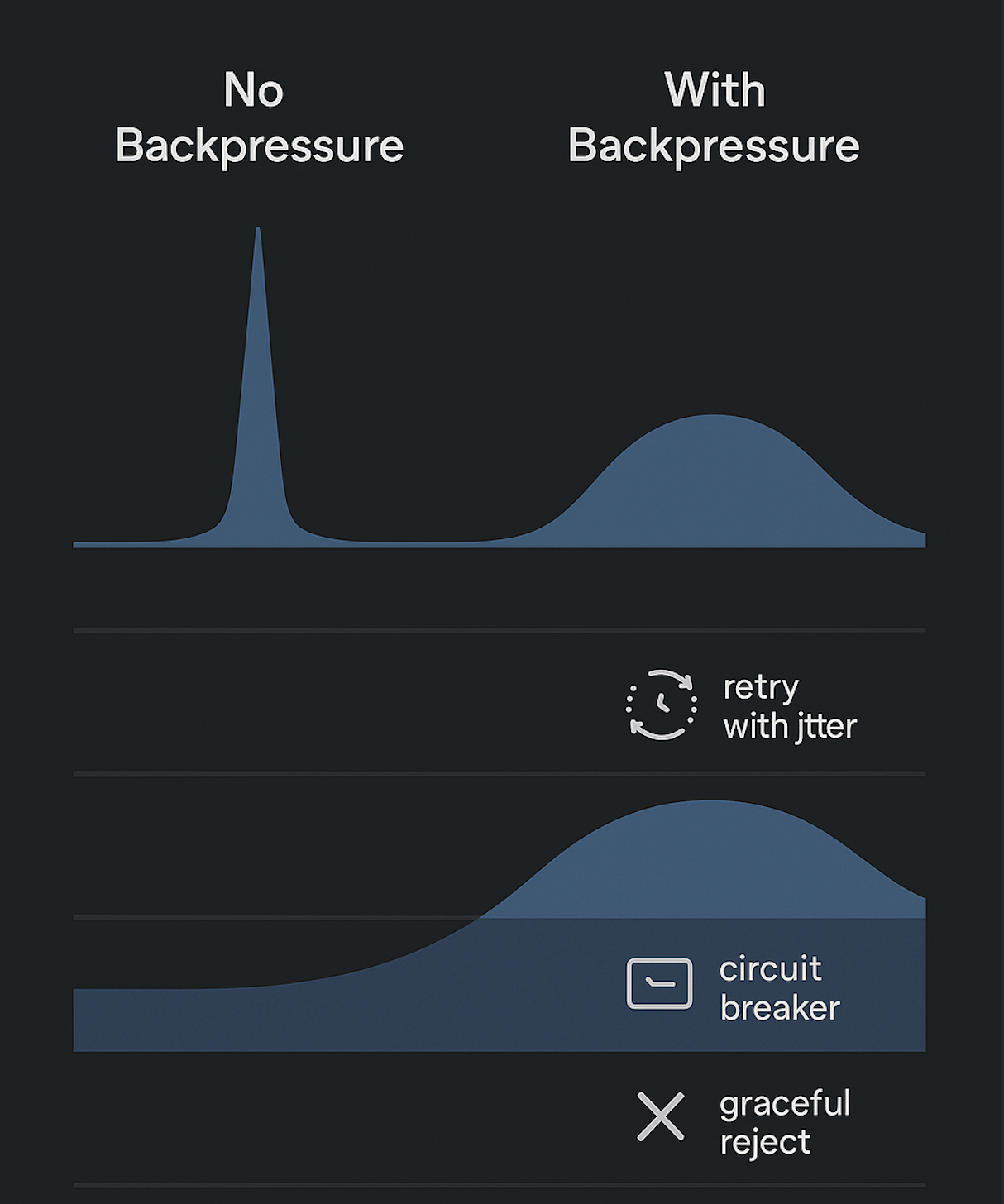
- Trip a circuit breaker when the provider is unhealthy (e.g., spike in 5xx) and fail fast.
On the Client: Burst Shaping & Reconnect Behavior
Backpressure is not just a server concern. Your client (web, mobile, backend consumer) can either amplify or smooth spikes.
- Deduplicate rapid inputs: don’t send a new completion request on every keystroke; throttle or debounce.
- Single active session per view: cancel old streams when starting a new one.
- Retry with jitter, not immediate tight loops on errors.
- Show errors early (429 / “system busy”) instead of spinning forever.
Reconnect storms are particularly nasty:
- Imagine 10,000 devices with open streams.
- Network blip happens; all reconnect within a second.
- Without backoff and jitter, your backend sees a cliff of traffic.
Teach your client to:
- Retry after a randomized small delay (e.g., 200–800 ms).
- Respect retry-after headers from the server.
- Avoid re-sending the exact same query if the previous one was successfully processed.
Product-Level: Graceful Degradation Strategies
Backpressure isn’t just about saying “no”; it’s about choosing how to degrade:
- Cheaper or smaller models
- Drop from GPT-4-class to a smaller model when under heavy load or budget pressure.
- Shorter context or summaries
- Summarize the last N messages instead of sending the full history.
- Reduced frequency
- Instead of real-time auto-suggestions on every keystroke, offer them on explicit triggers.
- Fallback features
- If AI is unavailable, show cached insights or a “minimal” mode (e.g., basic FAQ search).
Implementation Patterns in a Python-Based LLM Backend
- API Gateway (NGINX / API Gateway / Envoy)
- Python backend (FastAPI / Flask / Django)
- LLM gateway (custom service calling cloud LLM APIs)
- Redis / Dynamo / Postgres for state
- Async I/O for streaming
Central In-Flight & Queue Limits
At process level, maintain explicit counters:
INFLIGHT = 0
INFLIGHT_MAX = 64
QUEUE_MAX = 128

async def handle_chat(request):
    global INFLIGHT
    if INFLIGHT >= INFLIGHT_MAX:
        if queue_length() >= QUEUE_MAX:
            return too_busy()  # 429 with clear payload
        else:
            return enqueue_for_later(request)

    INFLIGHT += 1
    try:
        return await call_llm(request)
    finally:
        INFLIGHT -= 1
- Track
INFLIGHTper tenant and per model. - Expose these metrics via Prometheus / CloudWatch for dashboards.
- Auto-tune
INFLIGHT_MAXusing observed latency and CPU usage.
Token Budget Manager
Introduce a small “token budget manager” component:
- Receives estimated tokens for each request (input + output).
- Checks against tenant/session budgets.
- Updates usage atomically.
class TokenBudget:
    def __init__(self, store):
        self.store = store  # e.g. Redis

    def check_and_reserve(self, tenant_id, est_tokens):
        used = self.store.get_tokens_last_min(tenant_id)
        if used + est_tokens > TENANT_TPM_LIMIT:
            return False
        self.store.increment_tokens(tenant_id, est_tokens)
        return True
Before calling the LLM:
- Estimate tokens based on prompt length and max_tokens.
check_and_reserve.- If false: degrade or reject.
Later, you can replace estimates with actual token usage from provider responses.
Backpressure-Aware Streaming
For streaming responses (Server-Sent Events or WebSockets):
- Stream from provider to client incrementally, but keep an eye on:
- Stream duration (hard cap).
- Total tokens emitted.
- Terminate politely when limits are reached with a clear final message:
- “Truncated due to system limits; tap to continue” type UX.
- Reduce
max_tokensdynamically based on current load. - Choose to respond with a short summary plus a link to “expand” later.
At Hoomanely, we build pet-health experiences that combine sensor data with LLM-powered insights: daily summaries, explanations of trends, and proactive nudges for pet parents. Many of these flows are real-time and session-based — for example, an owner opening the app in the evening and exploring their pet’s activity and nutrition.
- A typical usage spike happens at predictable times (morning/evening).
- Some features are nice-to-have (long-form explanations), while others are critical (alerts when something looks wrong).
- We need to stay within strict cost budgets while keeping core experiences responsive.
- Put tenant-level token budgets around long-form explanations.
- Prioritize short, high-signal alerts over heavy “storytelling” prompts during spikes.
- Use bounded queues and concurrency caps in our LLM gateway, so a batch of hungry users doesn’t stall telemetry pipelines.
- Expose rich metrics (tokens per feature, per tenant, per hour) to watch how backpressure decisions play out in practice.
The same patterns apply whether you’re building pet-health insights, code copilots, or customer support bots — the labels change, but the backpressure design is identical.
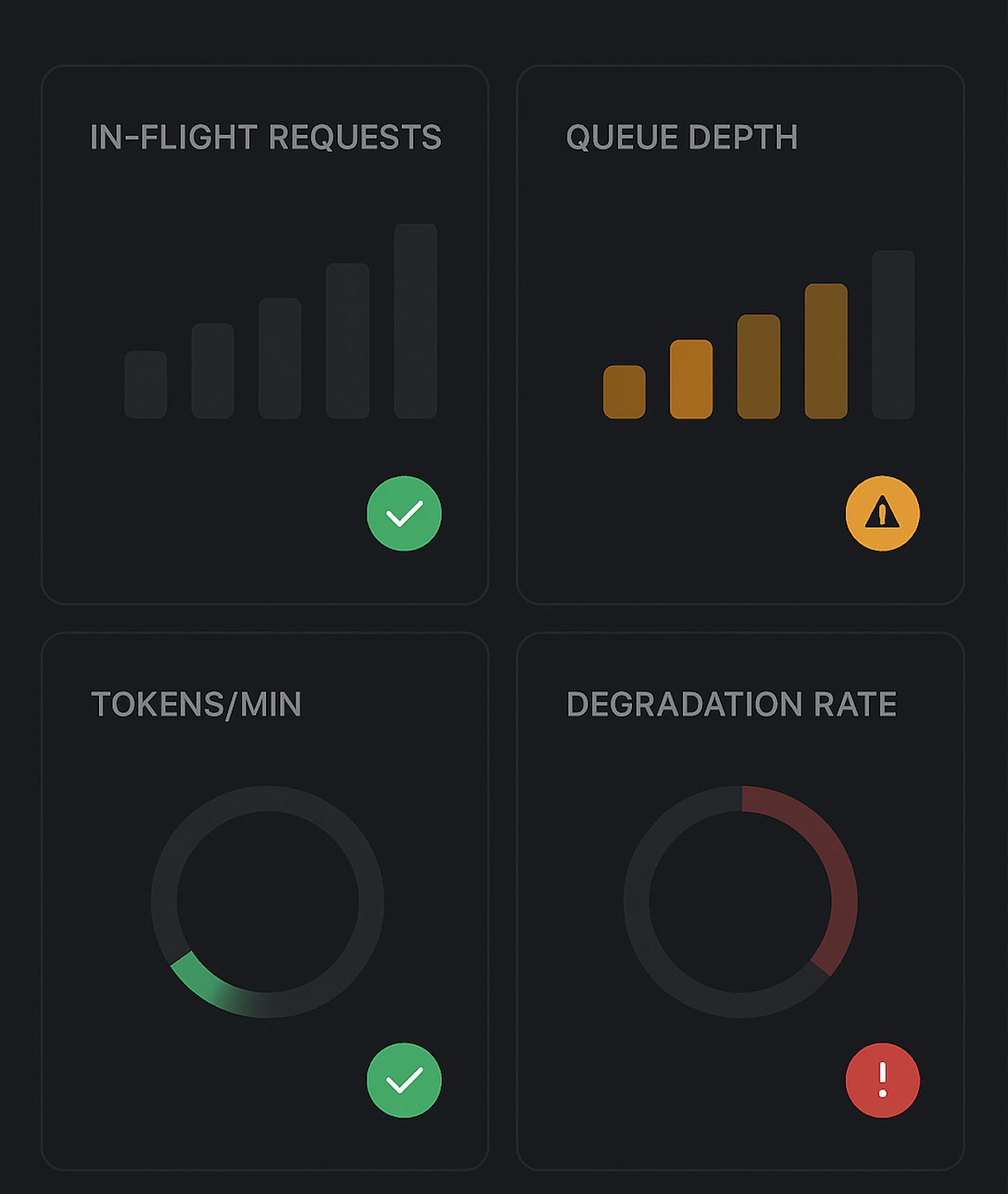
What “Good” Looks Like: Outcomes & Signals
Look for these behavioral patterns:
- Stable p95/p99 latency even when traffic spikes.
- Error patterns that are intentional, not random:
- More 429s / “busy” responses under load,
- Fewer timeouts and mysterious 5xx.
- Predictable costs:
- Tokens/min plateau at a configured ceiling instead of scaling unbounded.
- Fairness across tenants:
- No single tenant or feature starves others during bursts.
- Debriefable incidents:
- When something goes wrong, you can say:
- “At 8:03 PM, tenant X hit its token budget, we degraded feature Y, overall latency stayed within SLO.”
- When something goes wrong, you can say:
Backpressure doesn’t eliminate incidents; it makes them bounded, understandable, and fixable.
Key Takeaways
- Think in tokens, not just requests.
Design capacity around tokens/sec and tokens/min per tenant, per model, and globally. - Layer your backpressure.
Edge → service → model gateway → client → product-level. Each layer has simple, explicit rules. - Bound queues and inflight requests.
Never let queues grow unbounded; reject or degrade fast instead of silently accepting work you can’t finish. - Introduce token budgets and fairness.
Per-tenant and per-session budgets prevent one user or feature from monopolizing capacity and cost. - Plan your degradation story.
Decide ahead of time how you’ll degrade: smaller models, shorter answers, less frequent updates, fallbacks. - Make clients good citizens.
Shape bursts, dedupe inputs, and use jittered retries to avoid reconnect storms. - Instrument everything.
Expose metrics for queue depth, in-flight requests, tokens/min, and degradation decisions; build a simple dashboard so the team can actually see backpressure in action.
If you treat backpressure as a first-class design concern — not an afterthought — your LLM features will feel stable, predictable, and trustworthy, even when traffic spikes and token floods hit. And that’s what users remember: not just how smart your AI is, but how reliably it shows up when they need it.



