Building a Lightweight Website Workflow with Google Apps Script
Whenever we build a new website feature, our first instinct is usually to think about a backend. We start planning REST APIs, database tables, authentication, deployment pipelines, and server infrastructure. For many applications, that's exactly the right approach because those components provide the flexibility and scalability needed for complex systems. But not every feature requires that level of architecture.
While working on one of our website workflows, I realized the actual requirement was much simpler than the solution we initially had in mind. We weren't building a customer-facing platform with complex business rules or high traffic. We simply needed a reliable way to receive form submissions, store them, and notify the team whenever a new entry arrived. At that point, building a complete backend started to feel unnecessary.
Instead of introducing another service to maintain, we looked for a solution that could solve the problem with less infrastructure while still remaining reliable and easy to manage. That search led us to Google Apps Script. What seemed like a small implementation eventually became an important lesson about choosing technology based on requirements rather than habit.
The Challenge
The workflow itself was straightforward, but it still had a few important requirements.
The solution needed to:
- Accept information submitted through a website form.
- Store every submission reliably.
- Notify the team immediately after a successful submission.
- Be easy to update as requirements changed.
- Minimize operational overhead.
On paper, building a backend appeared to be the obvious choice. However, after breaking the problem into smaller pieces, we realized that many of the responsibilities a traditional backend provides simply weren't needed. There was no complex business logic. No user authentication. No relational database queries. No long-running background processes. The more we evaluated the requirements, the clearer it became that we were considering a much larger solution than the problem actually demanded.
Considering a Traditional Backend
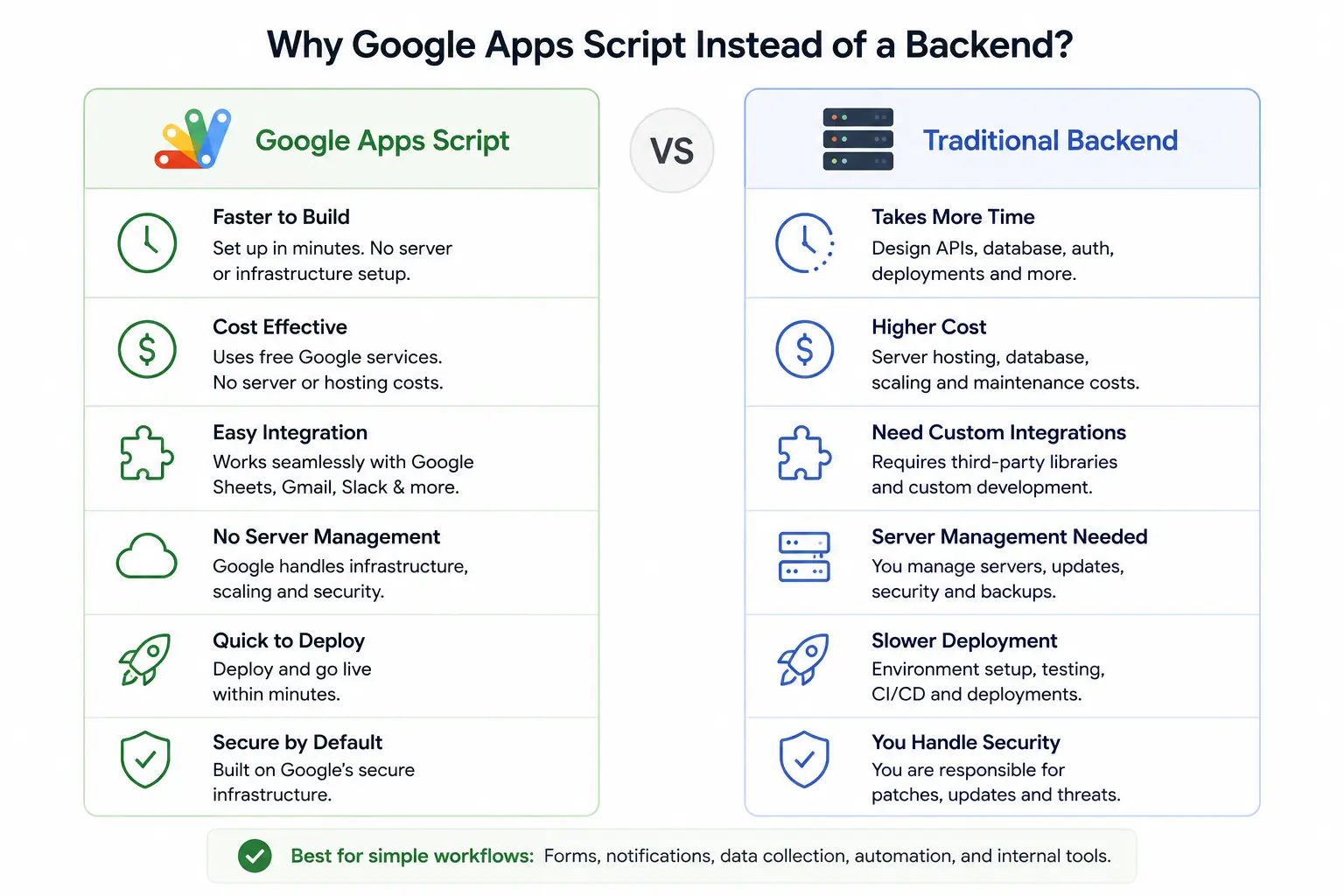
A conventional implementation would probably include several components. A backend application would expose REST endpoints, validate incoming requests, communicate with a database, send notifications, handle deployment, and require ongoing monitoring and maintenance. Each of these components serves an important purpose in large-scale applications. However, for a workflow that only receives form submissions and automates a few follow-up actions, adding another server also means adding more infrastructure, more deployment steps, and more maintenance over time. The backend wasn't wrong it was simply more than we needed.
Why Google Apps Script Made Sense
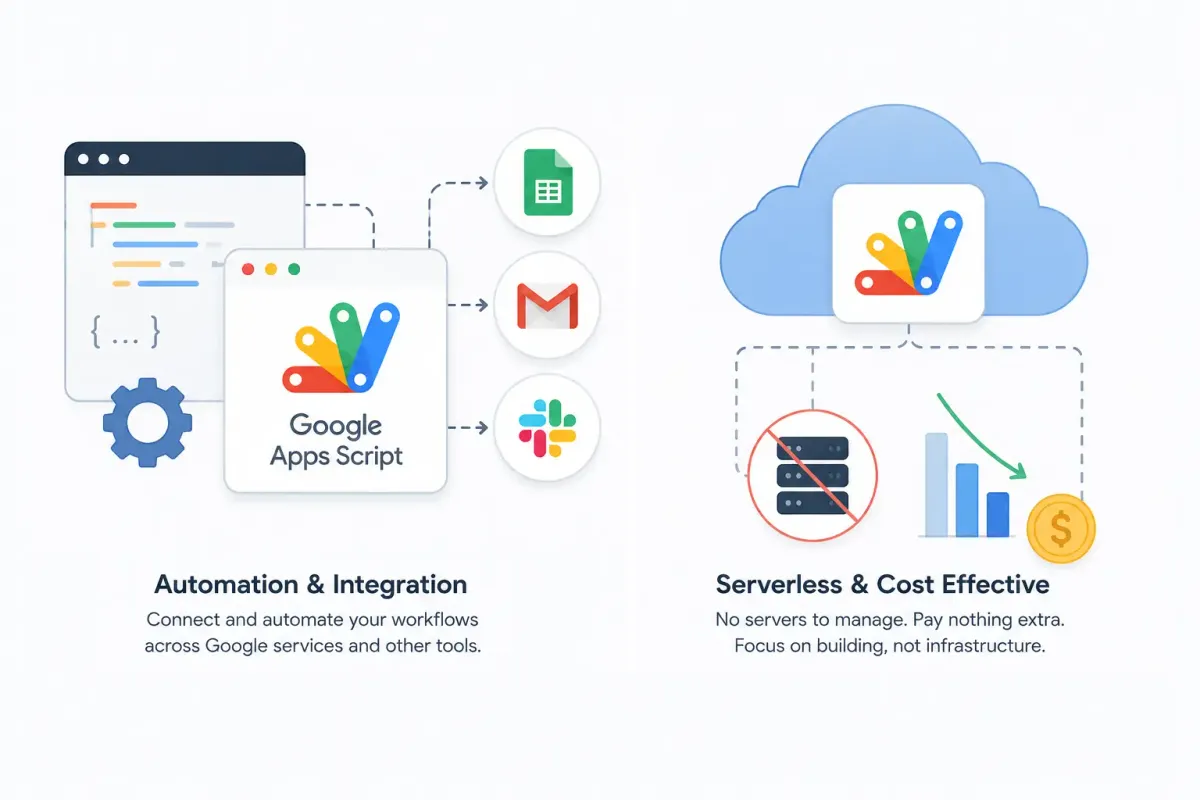
Google Apps Script offered an alternative that matched our requirements surprisingly well. Instead of building another backend service, the website could send requests directly to an Apps Script Web App. From there, the script could:
- Process incoming form data.
- Save submissions directly to Google Sheets.
- Send email notifications.
- Trigger Slack alerts.
- Continue using Google's managed infrastructure.
Because the workflow was already centered around Google Workspace, this approach removed several layers of complexity without sacrificing functionality. Rather than spending time managing infrastructure, we could focus entirely on the workflow itself.
What We Gained
The biggest advantage wasn't simply writing less code. It was reducing everything surrounding the code. Using Google Apps Script allowed us to:
- Deliver the feature much faster.
- Avoid maintaining another backend service.
- Eliminate separate server infrastructure.
- Integrate naturally with Google Sheets, Gmail, and Slack.
- Make future changes quickly without touching backend deployments.
For this particular workflow, simplicity wasn't a limitation it became the biggest strength of the implementation.
When Google Apps Script Is the Right Choice
Google Apps Script works especially well when the goal is workflow automation rather than building a complete backend platform.
Examples include:
- Contact forms
- Career application forms
- Internal approval systems
- Spreadsheet automation
- Team notifications
- Email automation
- Data collection workflows
- Internal dashboards
In these scenarios, reducing infrastructure often provides more value than introducing additional services.
When a Traditional Backend Is Still the Better Choice
Google Apps Script isn't intended to replace every backend. Applications that require complex business logic, authentication systems, relational databases, high request volumes, microservices, or public APIs still benefit from dedicated backend frameworks. Choosing between the two isn't about deciding which technology is better. It's about understanding which technology fits the problem.
Lessons Learned
One of the biggest lessons from this implementation had nothing to do with Google Apps Script itself. It was learning to evaluate requirements before selecting the architecture. As developers, we often default to familiar patterns. Building an API feels like the natural first step because it's a common solution. But engineering isn't about using the most technologies it's about choosing the right amount of technology.
For this workflow, Google Apps Script wasn't selected because it was the newest or the easiest option. It was selected because it aligned with the actual requirements, reduced unnecessary infrastructure, simplified maintenance, and delivered exactly what the project needed.
Sometimes the best engineering decision isn't building a backend. Sometimes it's recognizing that you don't need one at all.
This project reinforced an important engineering principle:
Good software isn't measured by how many technologies it uses it's measured by how effectively it solves the problem.
Google Apps Script wasn't selected because it was the newest or most powerful tool. It was selected because it matched the requirements, reduced unnecessary complexity, and delivered a maintainable solution. Sometimes, the best engineering decision is knowing when not to build a backend.