
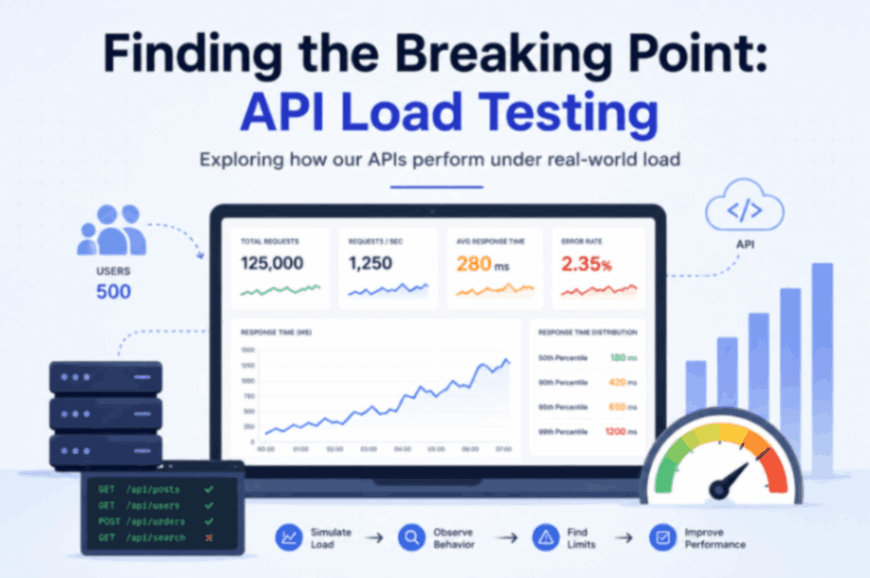
Finding the Breaking Point: API Load Testing
An API can work perfectly during development and still struggle when the number of users increases. A request that takes a few hundred milliseconds with a small number of users can behave very differently when hundreds of requests arrive at the same time. That made us look beyond functional testing and start asking a different question:
How much load can our APIs actually handle before performance starts to degrade?
This is where API load testing became important.
Why did we need API load testing?
During normal development, we usually test whether an API returns the expected response.
For example:
Request → API → Response
If the response is correct, we consider the API to be working. But real applications don't have just one user sending one request at a time.
Multiple users may be:
- Loading data
- Searching
- Creating content
- Updating information
- Accessing the same APIs simultaneously
This creates a completely different environment.
The API now has to handle many requests concurrently while maintaining acceptable response times and reliability. So the goal of load testing wasn't simply to send a large number of requests. The goal was to understand how the API behaves when real-world traffic increases.
Starting with a realistic scenario
One of the first things we considered was what kind of traffic we actually wanted to simulate. Sending the same API request continuously doesn't necessarily represent real application usage. For example, imagine an application with APIs like:
GET  /api/posts
GET  /api/categories
GET  /api/posts/{id}
POST /api/posts
GET  /api/search
A real user might access these APIs in different combinations. Some requests might be very frequent, while others might happen only occasionally. So our load-testing scenario needed to represent that behavior rather than treating every API equally. This was an important shift in thinking:
We weren't testing individual requests anymore. We were testing how the system behaves when users interact with it.
Gradually increasing the load
Instead of immediately putting a very large load on the system, we approached the test progressively. A typical pattern looks like:
10 users
   ↓
50 users
   ↓
100 users
   ↓
250 users
   ↓
500 users
At each stage, we can observe what happens to the APIs. At a lower load, the system might look completely healthy. As the number of concurrent users increases, we may start seeing:
- Higher response times
- Increased requests per second
- More failed requests
- Increased CPU usage
- Increased memory usage
- Database connection pressure
The interesting point isn't just the final number of users.
It is where the system's behavior starts to change.
What metrics matter?
While running the tests, there are several metrics that help us understand API performance.
Response time
Response time tells us how long the API takes to return a response.
For example:
Average response time: 250 ms
That gives us a general idea of performance. But looking only at the average can hide an important part of the story.
Percentiles
Suppose we get:
P50 → 180 ms
P90 → 420 ms
P95 → 650 ms
P99 → 1200 ms
The average might still look reasonable, but P99 shows that a small percentage of requests are taking much longer. This is important because those slow requests are still affecting real users.
Requests per second
Another important metric is requests per second (RPS).
RPS tells us how many requests the system is processing during a given period. As the number of users increases, we generally expect traffic to increase as well. But eventually, we may reach a point where adding more users doesn't result in a proportional increase in successful throughput. That can be a signal that something in the system is becoming a bottleneck.
Imagine a test produces:
Total requests: 100,000
Failed requests: 3,000
Failure rate: 3%
The system is still responding to most requests, but a 3% failure rate could already be significant depending on the API and the application's requirements. This is why load testing needs to look at both:
Performance + Reliability
Finding the breaking point
This is where the results become interesting. Imagine the test produces something like:
50 users
Response time → 200 ms
Failures      → 0%

100 users
Response time → 230 ms
Failures      → 0%

250 users
Response time → 450 ms
Failures      → 0.5%

500 users
Response time → 1.2 sec
Failures      → 4%
At this point, we have something worth investigating. The system didn't suddenly stop working. Instead, its behavior gradually changed. Response times increased, and failures started appearing. That transition is what we were interested in.
Where does the application stop behaving as expected?
That is much more useful than simply saying:
"The API can handle 500 users."
But load testing doesn't tell us everything
One thing that became clear during this process is that load testing identifies a problem, but it doesn't always tell us exactly where the problem originates. If an API becomes slow under heavy load, the cause could be somewhere deeper in the system. For example:
Users
  ↓
API
  ↓
Application Logic
  ↓
Database
  ↓
External Services
The bottleneck could be:
- An inefficient database query
- Too many database connections
- Connection pooling
- External API dependencies
- Application-level processing
What made this different from normal API testing?
Normal API testing often answers:
Does the endpoint return the correct response?
Load testing asks a different set of questions:
Does it still respond correctly when many users access it?
How many requests can it process?
That difference made API testing much more interesting. We weren't just validating functionality anymore. We were trying to understand the behavior and limits of the system.
Conclusion
The biggest takeaway was that performance shouldn't be assumed from a small-scale test. An API can look fast when tested manually. That doesn't necessarily mean it will remain fast when hundreds of users access it concurrently. Load testing gives us a controlled way to increase traffic, observe the system, and identify changes in behavior. It also changes the way we think about application performance.



