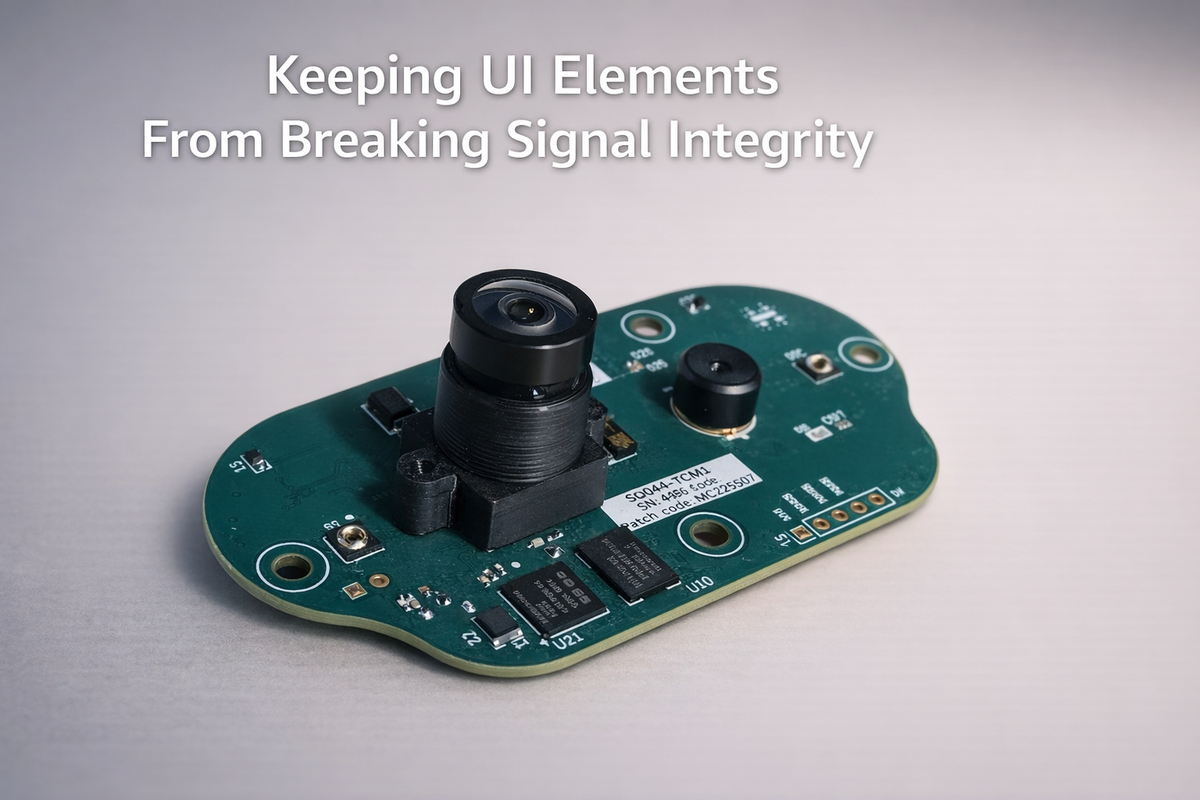
Keeping UI Elements From Breaking Signal Integrity
UI elements are often treated as harmless. Buttons, LEDs, touch pads, they sit quietly on the board, interacting with the user, far removed from the "serious" parts of the system like high-speed interfaces, ADCs, or communication buses.
But in reality, UI elements are some of the most uncontrolled electrical entry points into the system. They're touched by users. They're exposed to noise. They're routed across the board. And if not designed carefully, they become a source of signal interference, noise injection, unintended coupling, and unpredictable system behavior.
At Hoomanely, we treat UI elements not as isolated features, but as electrical participants in the system. Because the moment a UI element interferes with signal integrity, it stops being a UI problem and becomes a system problem.
The hidden risk: UI as a noise injection path
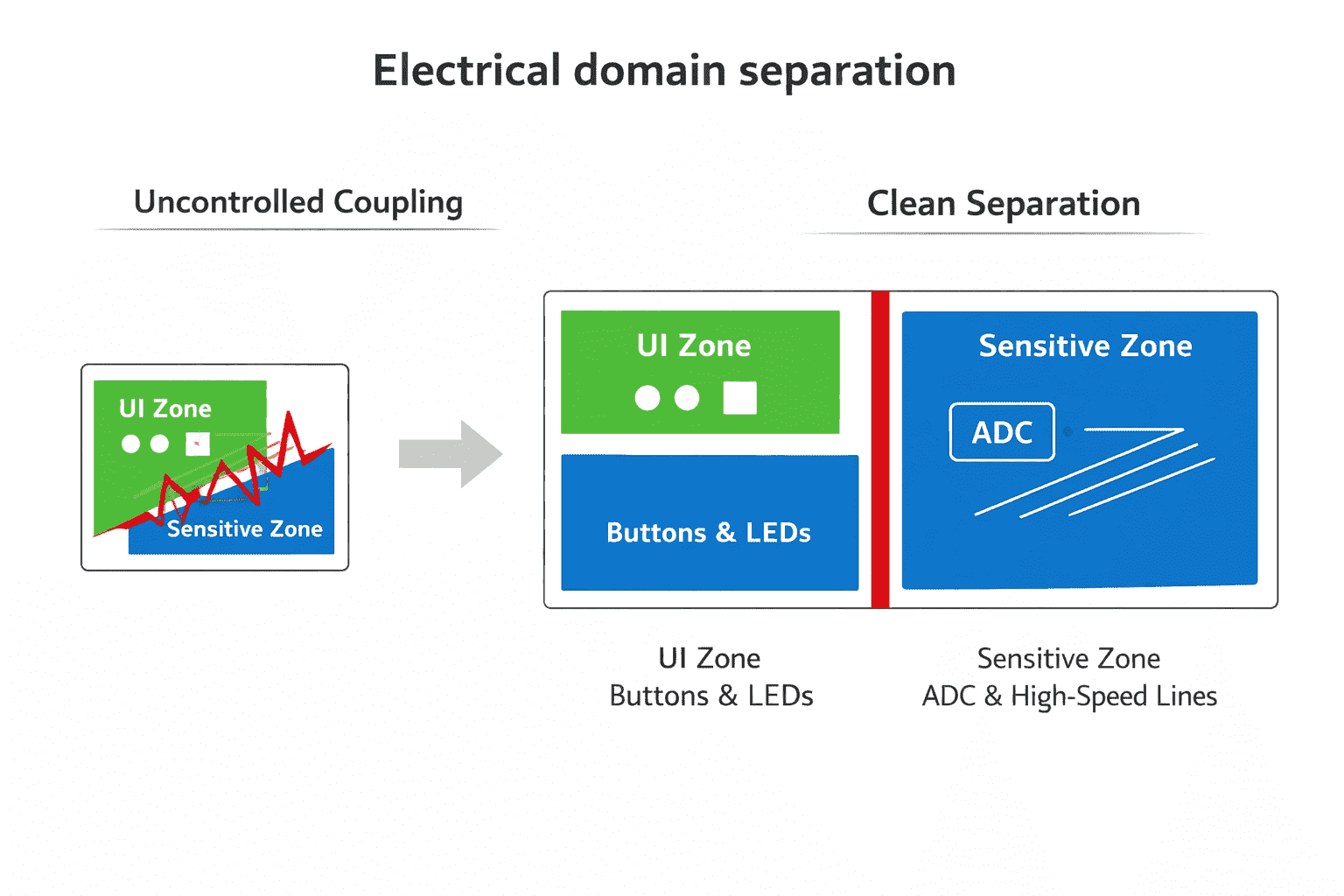
Unlike internal signals, UI elements interact with the external world. That means they're exposed to electrostatic discharge, human body capacitance, environmental noise, and long trace routing across the board. A simple button press isn't just a logic transition, it can introduce voltage spikes, transient currents, and coupling into nearby traces.
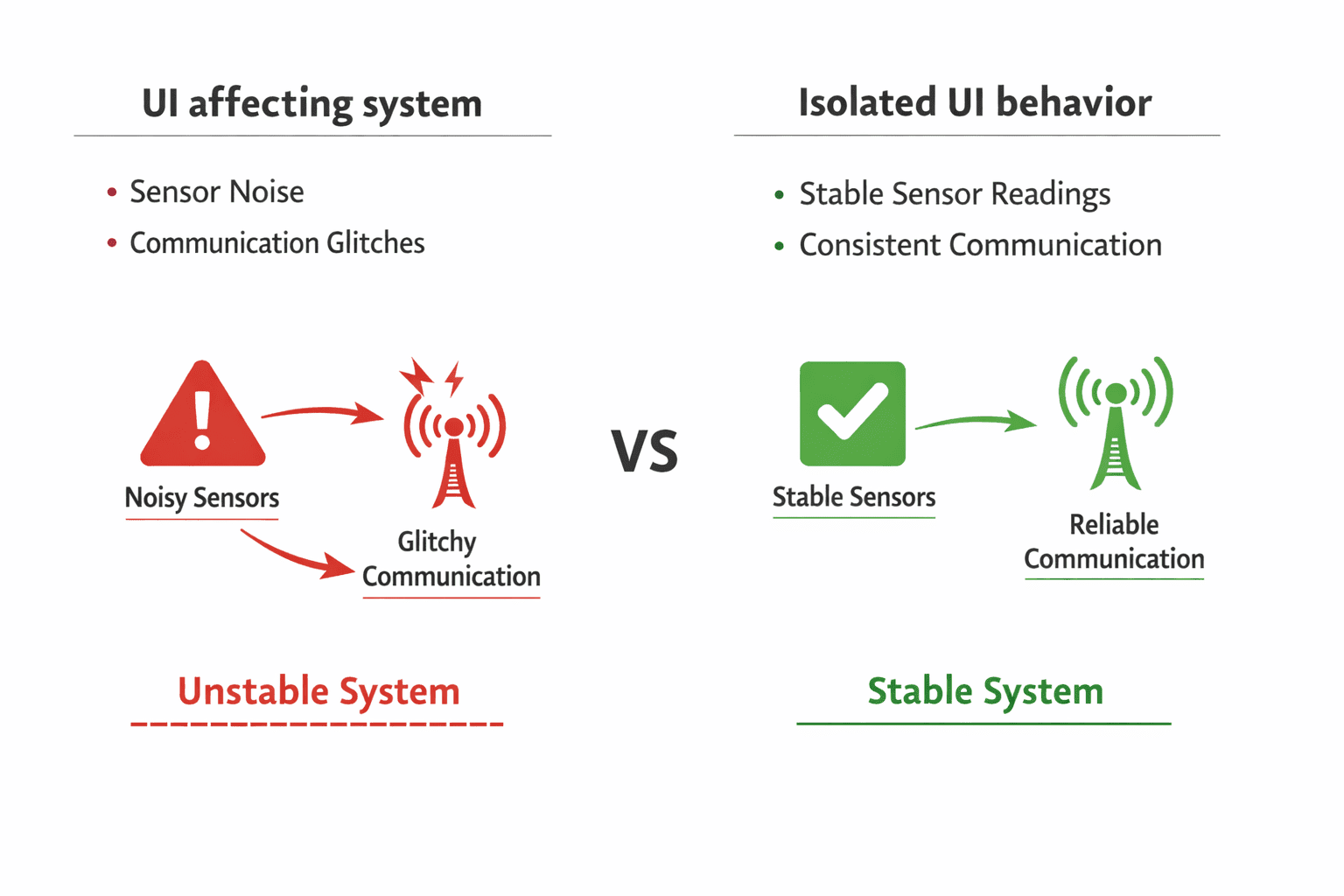
If these effects aren't controlled, they propagate into sensitive analogue circuits, high-speed digital lines, and communication interfaces. This is how seemingly unrelated bugs appear, a button press affects a sensor reading, an LED toggle introduces communication glitches. These aren't firmware issues. They're signal integrity failures.
UI routing is not "low priority routing"
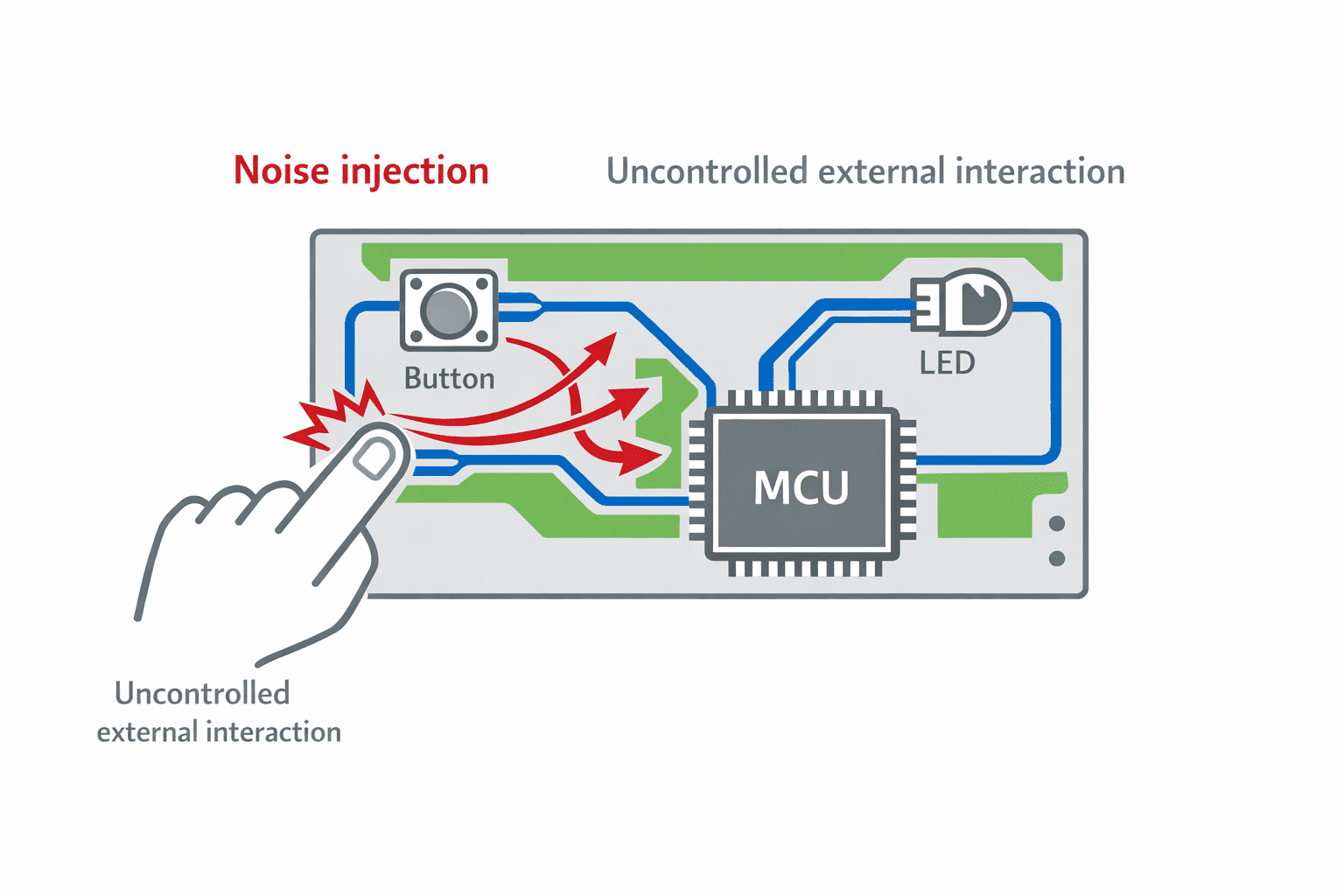
A common mistake is routing UI signals last, after power, high-speed lines, and critical signals. Whatever space remains gets used for button lines, LED control, and touch signals. This often results in long, winding traces, proximity to sensitive lines, and inconsistent reference paths.
At Hoomanely, we treat UI routing with intent, using controlled trace paths, predictable return paths, and avoidance of sensitive regions. Because a noisy UI trace isn't isolated. It's coupled into the system.
Separating UI domains from sensitive domains
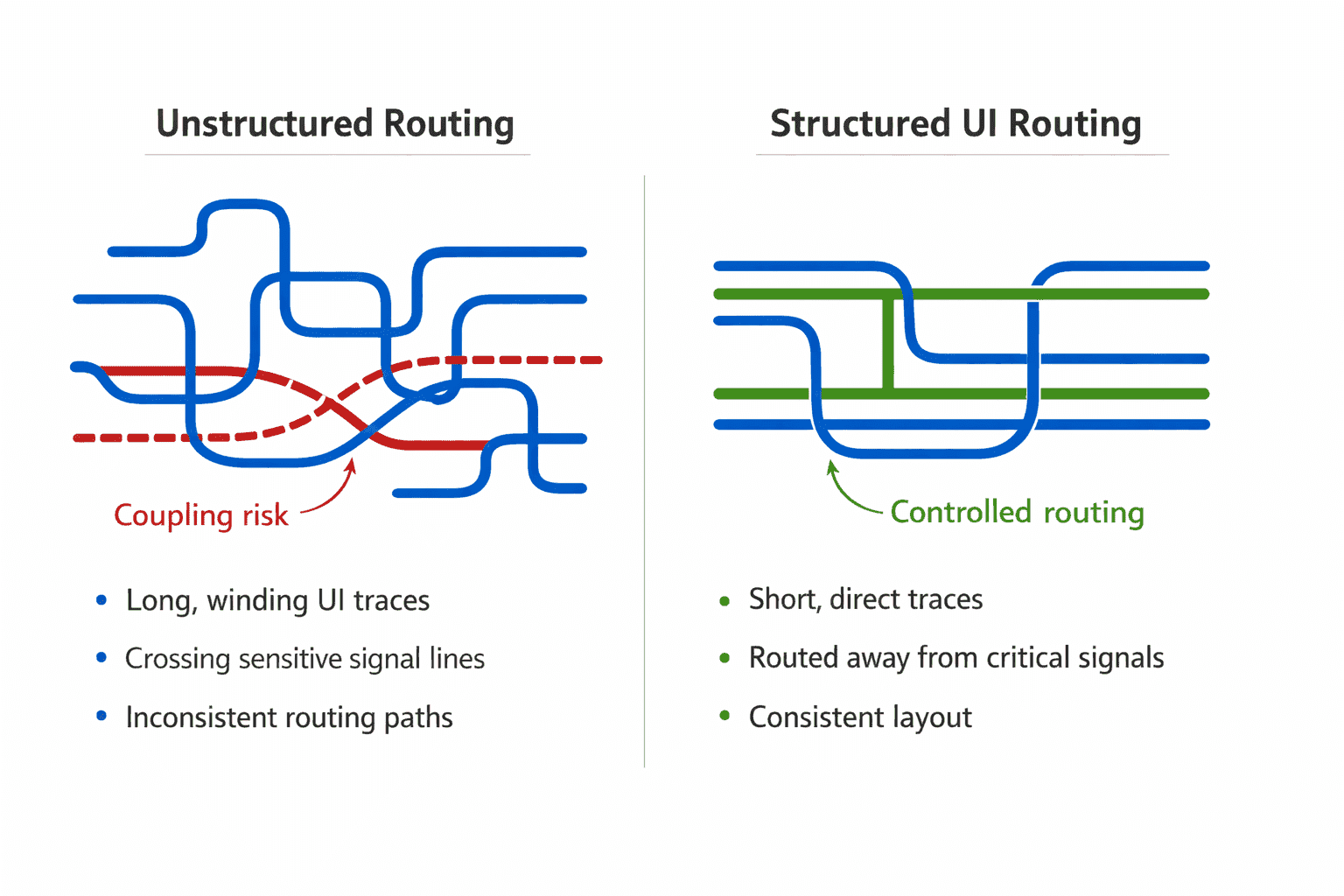
One of the most effective techniques is domain separation. We group UI elements into their own electrical region, physically separated from analogue and high-speed areas, with controlled entry points into the system and clear return paths. This prevents noise from UI signals entering sensitive circuits, and interference from system activity affecting UI behavior. The board is no longer a flat space, it becomes a structured environment, where different domains are isolated by design.
Managing return paths for UI signals
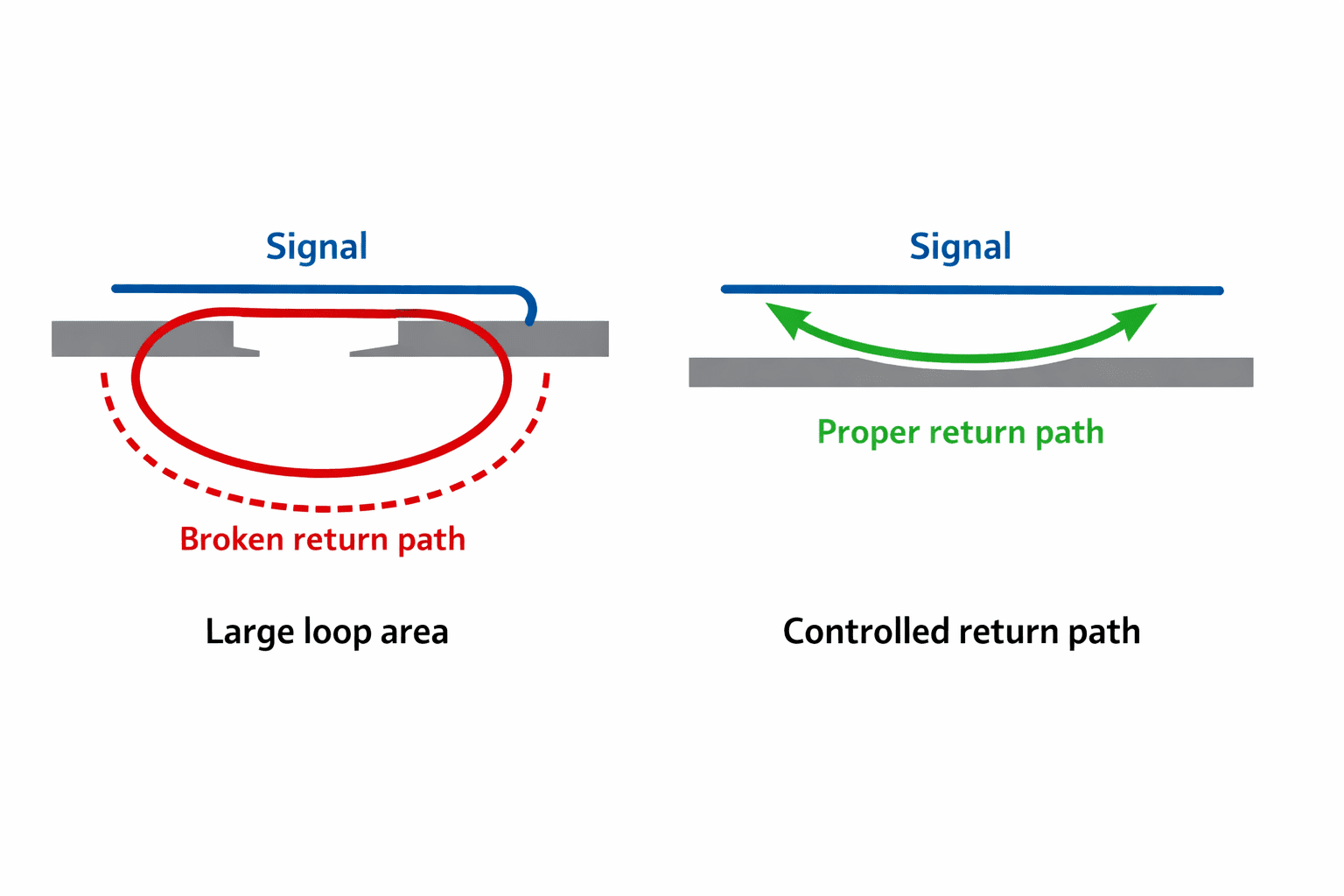
Signal integrity isn't just about the forward path, it's about the return path. UI signals often suffer from poor return paths because they're routed casually, ground references are discontinuous, or they cross multiple regions. This creates loop areas, radiated noise, and coupling into adjacent traces.
So we ensure UI traces have a continuous ground reference, minimal loop area, and predictable return current paths. This keeps UI signals contained.
Protecting against ESD and external disturbances
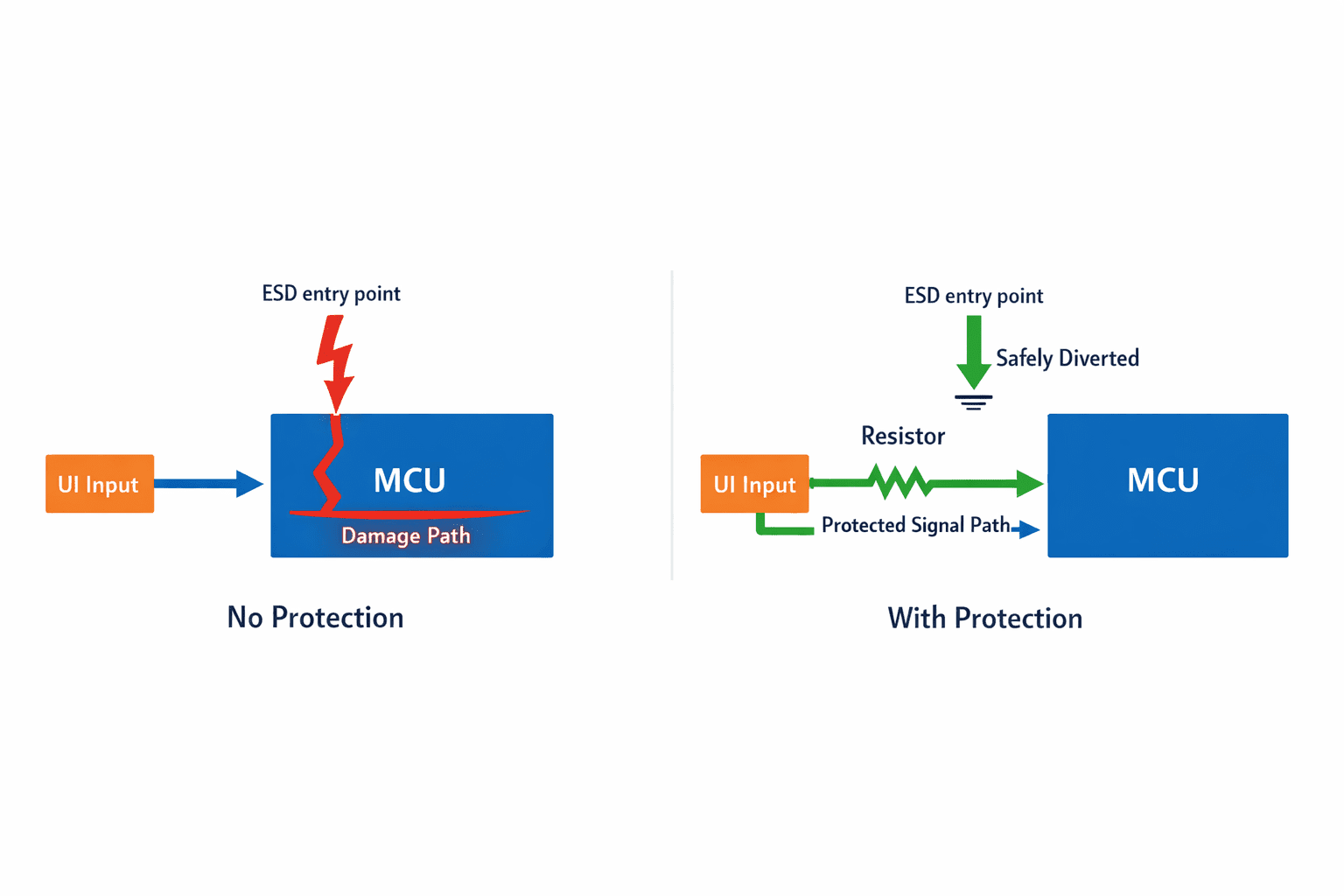
UI elements are directly exposed to the user, making them the primary entry point for ESD events. Without protection, spikes travel directly into the MCU, latch-up conditions occur, and long-term reliability degrades. So we add ESD protection components, current-limiting resistors, and controlled input filtering. This ensures external disturbances are absorbed before they reach critical parts of the system.
LED switching: a common source of noise
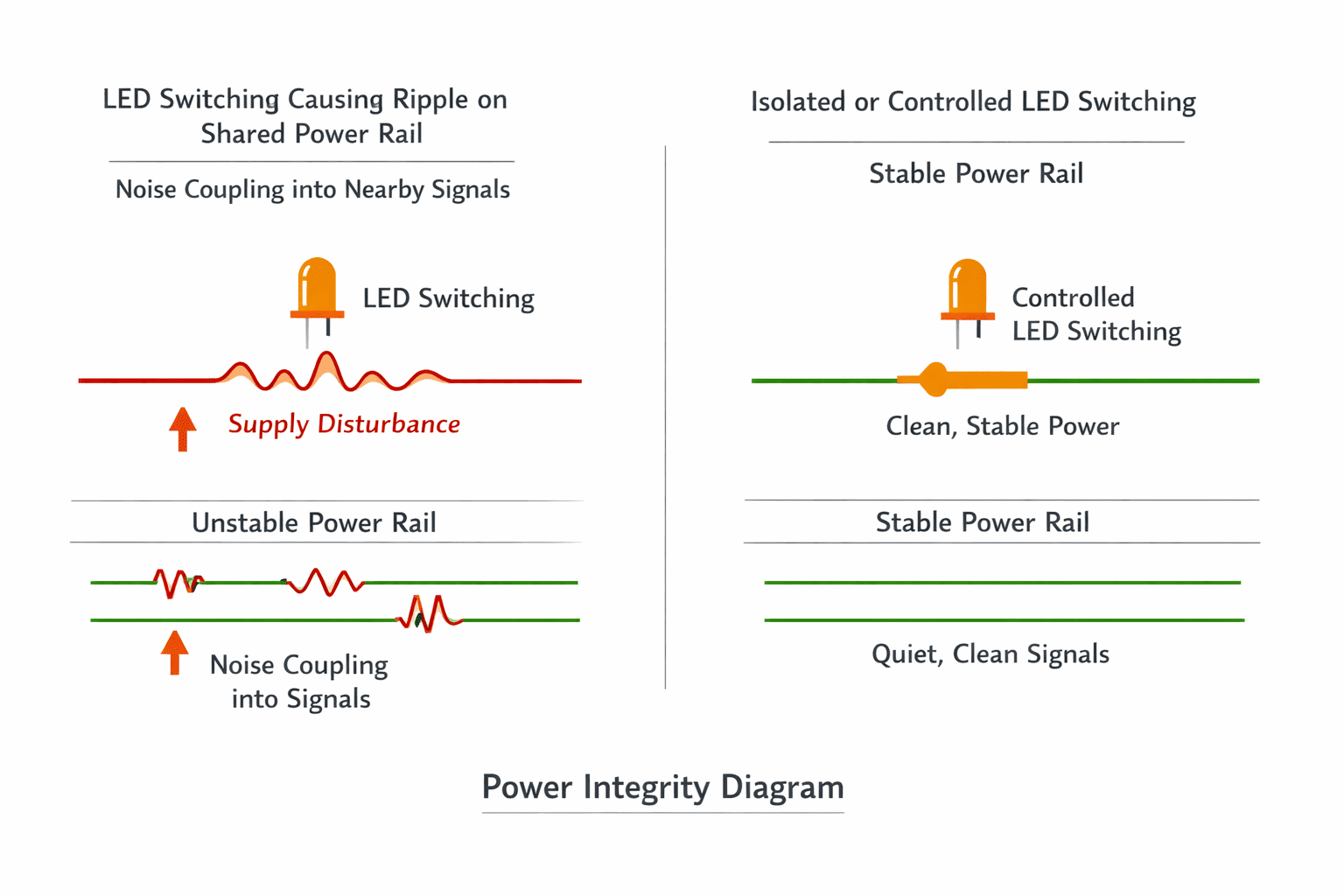
LEDs seem simple, but switching them introduces current spikes, ground bounce, and supply ripple. If LED control lines are poorly designed, they inject noise into shared rails and affect nearby sensitive signals. We manage this by controlling LED switching rates, isolating LED power paths where needed, and avoiding shared return paths with sensitive circuits. The LED should indicate state, not disturb it.
Buttons and mechanical switching noise
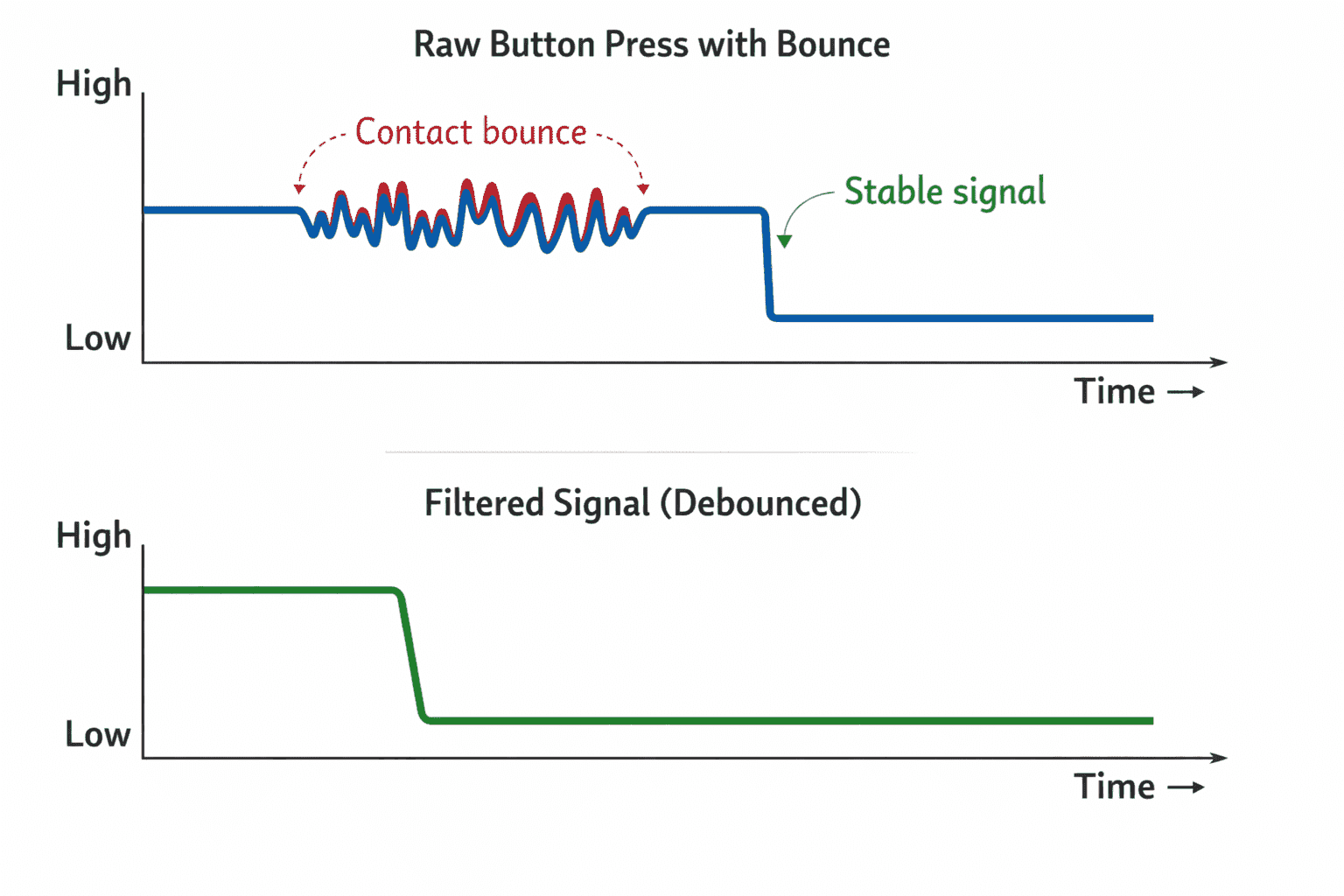
Mechanical buttons introduce contact bounce, transient spikes, and unpredictable timing. If directly connected, they create noisy input signals, may trigger false events, and inject noise into the system. So we implement hardware debouncing where required, controlled filtering, and stable pull-up or pull-down configurations. This ensures clean transitions, both logically and electrically.
Touch interfaces: high sensitivity, high risk
Touch inputs are even more sensitive, relying on capacitance changes and high-impedance sensing. This makes them highly susceptible to external noise, nearby switching signals, and poor grounding. So we design touch interfaces with controlled shielding, stable reference planes, and separation from noisy signals. Otherwise, UI responsiveness becomes inconsistent.
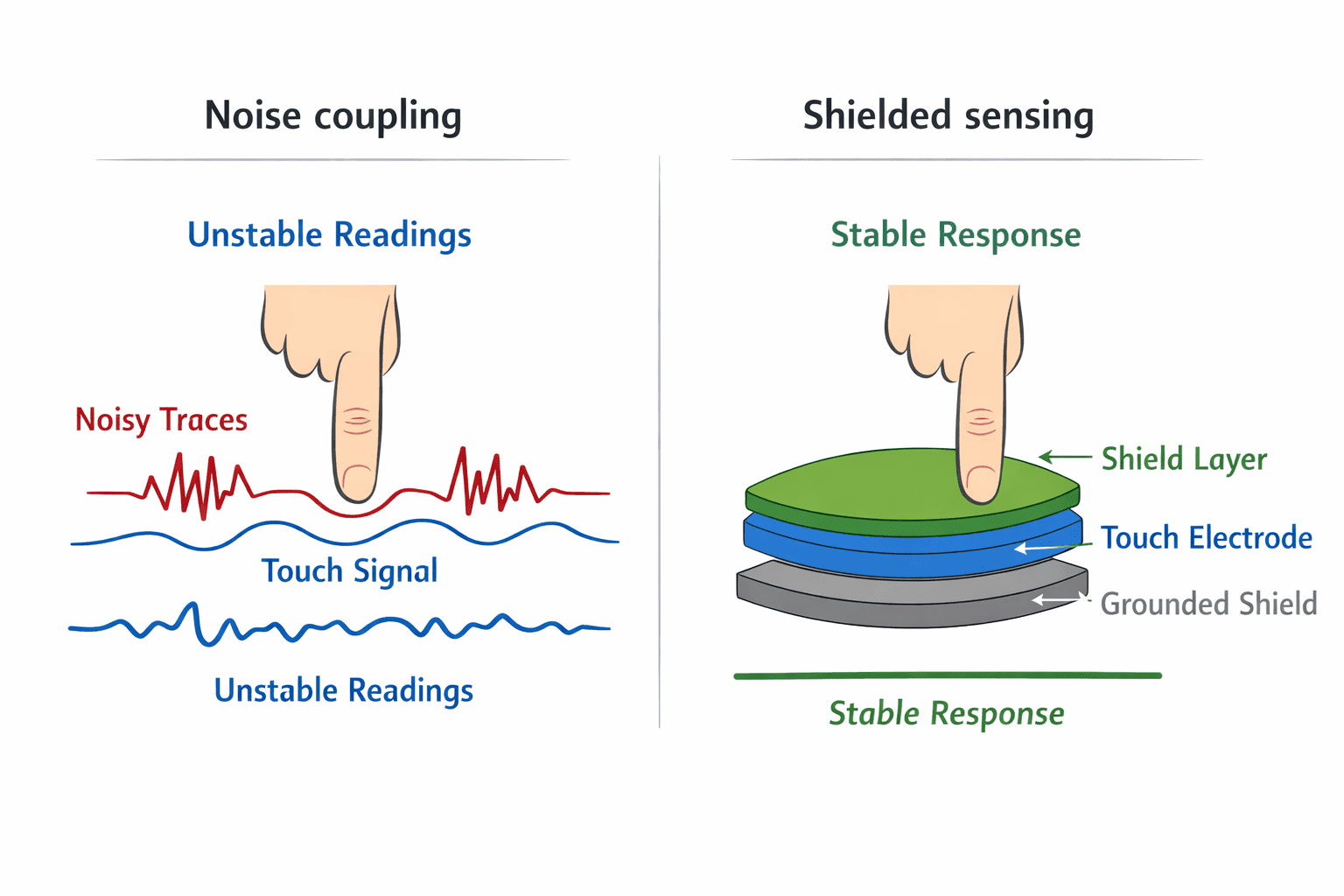
Practical observations from EverBowl-like systems
In systems like EverBowl, UI elements are part of a larger sensing and processing ecosystem. We observed that poorly designed UI paths could introduce noise into sensor readings, affect ADC stability, and create inconsistent system behavior. After restructuring UI design, sensor noise reduced meaningfully since cleaner separation prevented UI-induced interference. System stability improved with no unexpected behavior during user interaction. Debugging became easier since UI interactions no longer created misleading system states. And user experience improved as inputs became consistent and reliable. These improvements came from treating UI as part of the signal system, not outside it.
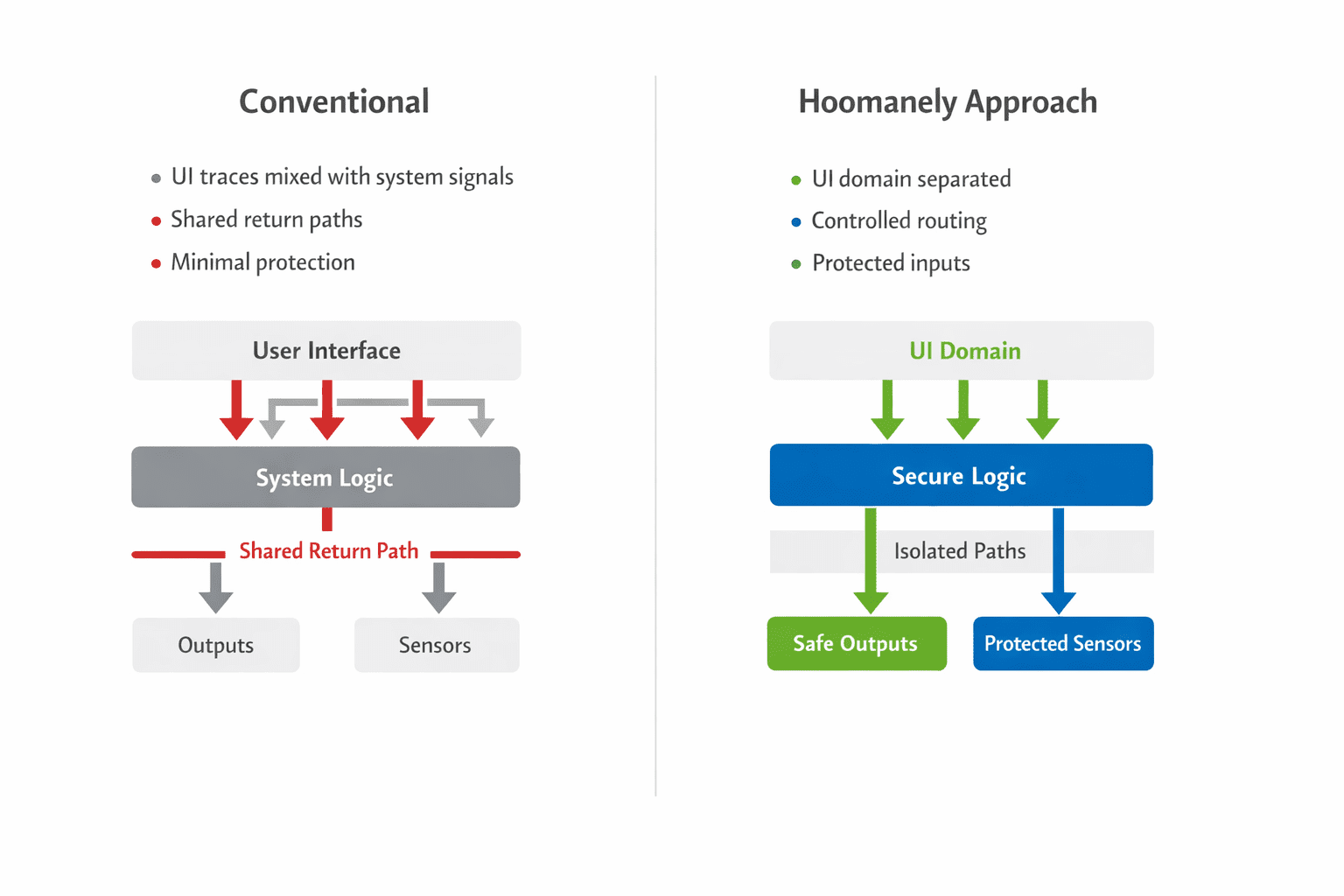
Conventional vs structured approach
The conventional approach routes UI last, with minimal isolation, shared paths with sensitive signals, and basic ESD consideration. The Hoomanely approach treats UI as a noise source, using structured routing and domain separation, controlled return paths, and integrated protection. The difference isn't visible in functionality. It becomes visible in stability.
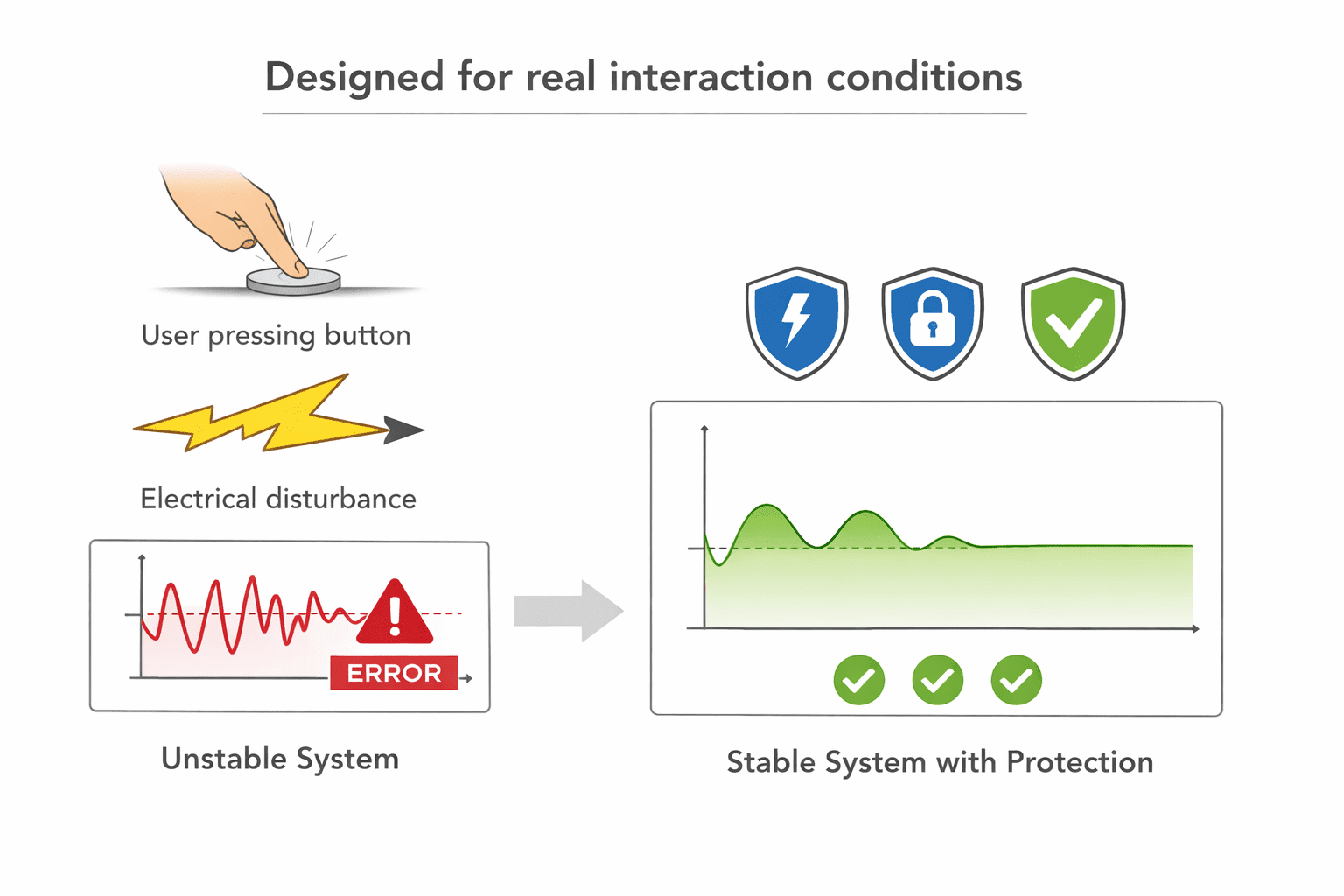
Designing for real interaction
Users don't interact gently with hardware. They press buttons repeatedly, touch surfaces unpredictably, and operate devices in noisy environments. So UI design must handle repeated disturbances, electrical noise, and environmental variability. The system must remain stable regardless of how the UI is used.
The core principle
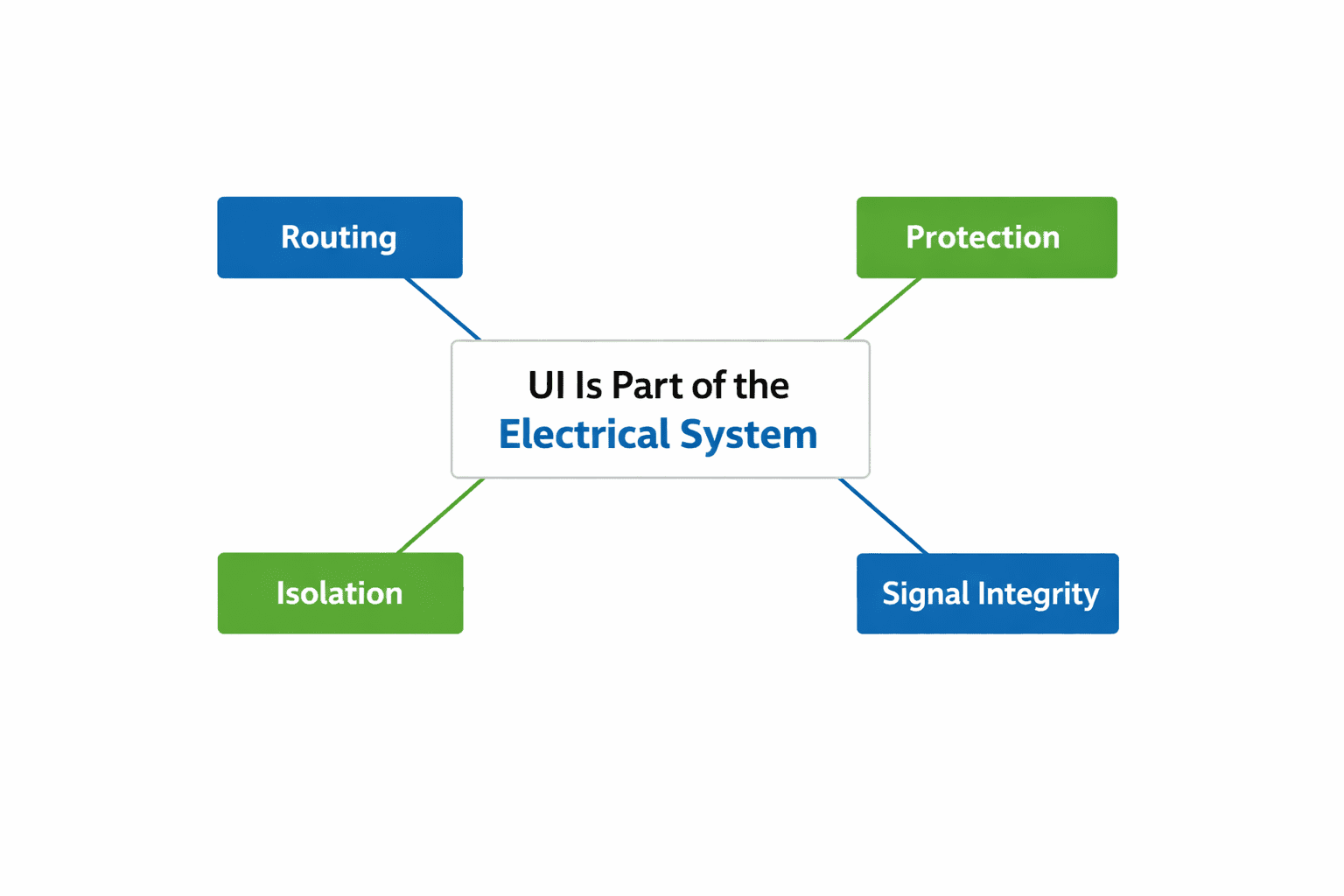
UI elements aren't passive. They're entry points into your electrical system. If not controlled, they'll inject noise, disturb signals, and reduce system reliability. So they must be designed with the same discipline as power systems, high-speed interfaces, and sensitive analogue paths.
Final thought
UI design is often seen as a user-facing concern. But in embedded systems, it's equally an electrical concern. At Hoomanely, we design UI elements to interact cleanly, behave predictably, and remain electrically isolated. Because a system that behaves perfectly until a user touches it is not a reliable system. And the best UI isn't just intuitive. It's invisible to the rest of the system.