
Observation-First AI Infrastructure for LLM-Powered Systems
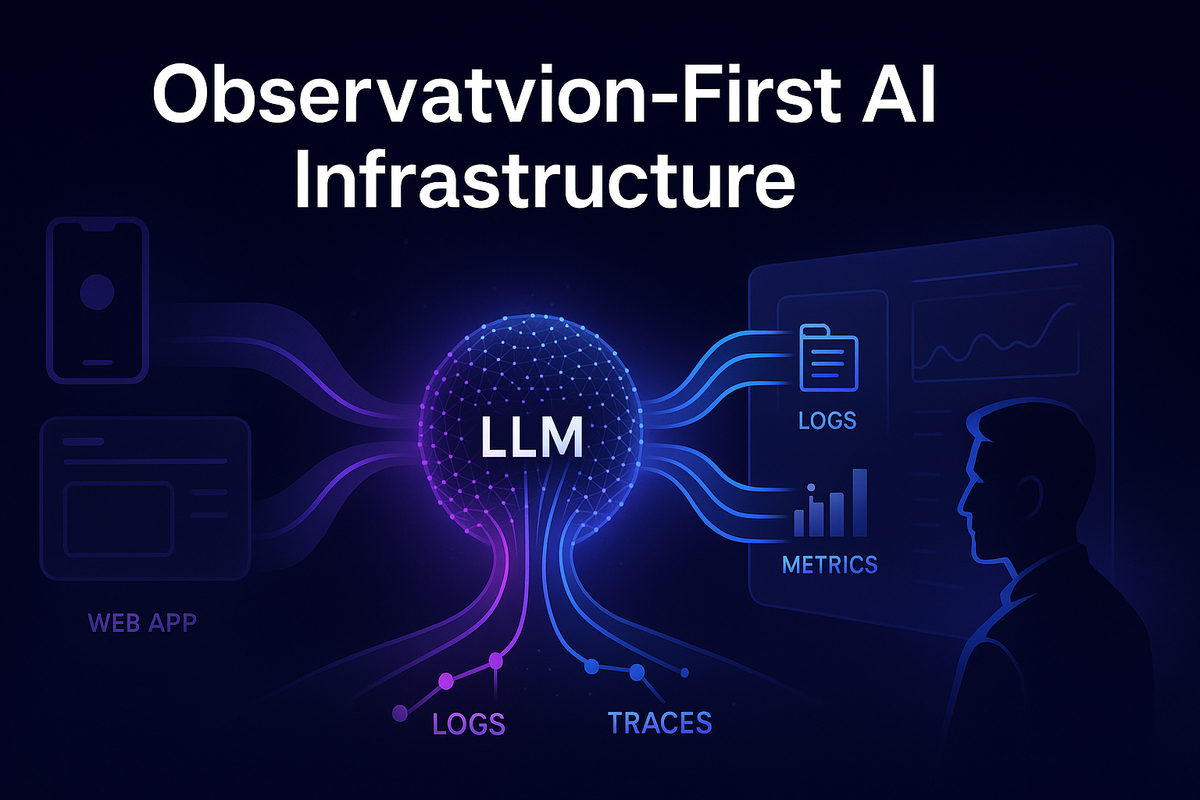
When an AI feature behaves well, it feels effortless: the user asks a question, the model replies, and everything “just works.” But under that smooth surface, LLM calls are some of the most complex operations in your stack: huge prompts, variable latency, opaque provider behavior, and costs that can drift quietly over time.
If you treat those calls like any other HTTP request, you end up guessing in production. Why did this response hallucinate? Why did latency spike for users in one region? Which feature suddenly doubled our token bill last week?
Observation-first AI infrastructure flips the default. Instead of sprinkling logs after something breaks, you design your gateway, metrics, and traces around the idea that every LLM call is a first-class, observable event. In this post, we’ll walk through how to do that: what to log, which metrics to track, how to tag traces, and how this plugs cleanly into a Python-based AI gateway (like the ones we use at Hoomanely).
The Problem: LLMs Don’t Fail Like Normal APIs
Most teams already have “good enough” observability for REST APIs:
- HTTP status codes, latency histograms
- Basic logs on errors
- APM traces for slow endpoints
For LLMs, that’s not enough. The painful issues almost never show up in a 500 status code.
Typical symptoms you can’t see with vanilla observability:
- “The tone of responses changed after last week’s deploy.”
- “Our token bill went up 3× but traffic looks the same.”
- “This one feature is slow, but only for some users and only at certain times.”
- “The model is suddenly misclassifying a pet’s behavior after we tweaked the prompt.”
These are content- and context-driven failures. To debug them, you need to connect three dimensions:
- What: Feature name, model, prompt template, system instructions, guardrail rules.
- How: Token counts, context size, latency, retries, streaming vs non-streaming.
- Who / Where / When: Tenant, app platform, region, version, time window.
Standard API metrics give you only a thin slice of that. Observation-first infrastructure is about widening the lens.
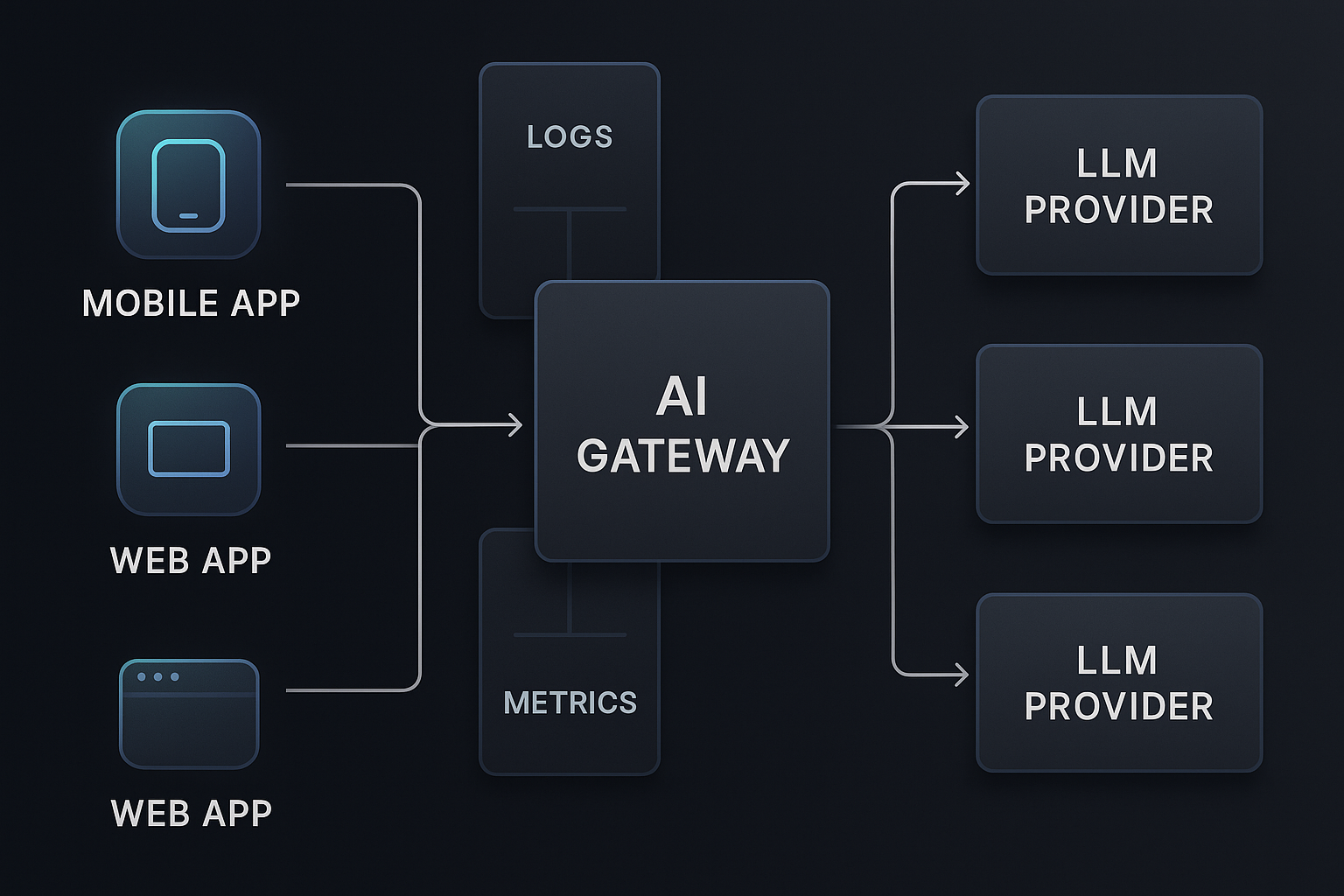
Approach: Make LLM Calls First-Class, Observable Events
An observation-first mindset starts with a simple rule:
Every LLM call is a domain event, not just an HTTP request.
That means you treat it like you would a payment, a ride booking, or an order:
- It has its own schema.
- It has a correlation ID shared across services.
- You can inspect its lifecycle later, even months after the fact.
At minimum, each LLM call should produce one structured log event containing:
feature_name– which product feature triggered this (e.g."water-intake-coach")model– provider and version (e.g."bedrock.meta.llama3-8b")tenant_id/user_id/session_id(hashed / pseudonymous as needed)request_id/trace_id– correlation IDsprompt_template_id+prompt_hash– which prompt variant was usedinput_token_count,output_token_countlatency_ms(end-to-end and model-only, if possible)streamingvsnon_streamingcache_hit/cache_missflagscost_estimatestatus– success, provider_error, timeout, filtered_by_guardrail, etc.
You don’t need full prompt text or full response in 100% of logs. In fact, for privacy and cost, you often shouldn’t. But you do need enough structure to answer questions like:
- “Which features are driving most of our cost?”
- “Did hallucinations spike after switching prompts?”
- “Are timeouts correlated with specific models or regions?”
Logs, Metrics, and Traces: Different Jobs, Same Event
An observation-first design leans on all three:
- Logs → Rich, queryable details per call (great for debugging weird behavior).
- Metrics → Fast, aggregated numbers (great for dashboards and alerts).
- Traces → End-to-end timelines across services (great for bottlenecks and context).
The trick is to emit all three from the same event so they line up.
Designing LLM-Specific Logs
A Minimal LLM Call Schema
Here’s a Python-style data model you might use inside your AI gateway:
from pydantic import BaseModel
from typing import Optional, Dict

class LLMCallLog(BaseModel):
    # Identity & linking
    request_id: str
    trace_id: str
    feature_name: str
    model: str

    # Context
    tenant_id: Optional[str]
    user_id_hash: Optional[str]
    session_id: Optional[str]
    platform: Optional[str]  # "ios", "android", "web"
    app_version: Optional[str]

    # Prompt & tokens
    prompt_template_id: Optional[str]
    prompt_hash: Optional[str]
    input_tokens: int
    output_tokens: int

    # Timing & behavior
    latency_ms: float
    streaming: bool
    retries: int
    cache_hit: bool

    # Outcome
    status: str           # "ok", "timeout", "provider_error", ...
    cost_usd: float
    extra: Dict[str, str] = {}
You can serialize this as JSON and send it to your log pipeline (e.g. OpenSearch, Loki, CloudWatch).
A few important details:
prompt_hashinstead of raw prompt: Avoid logging raw user prompts everywhere. Hash the full prompt or just the template to relate behavior to a prompt variant without leaking user text.feature_nameis non-negotiable: You never want to be stuck asking “which part of the app is this LLM call for?”extrafor feature-specific fields: e.g."pet_species": "dog","language": "en".
Partial Content Logging
Sometimes you still need content to debug behavior (e.g. why a classification failed). You can:
- Log only the system prompt for a small sample of calls.
- Log redacted snippets of user input (e.g. first 150 chars, PII scrubbed).
- Enable “debug mode” for specific test users or internal tenants.
The observation-first approach says: design this upfront instead of hacking print(response) into random places.

Metrics: Small, Focused, and Cost-Aware
Logs give you depth; metrics give you speed and alerts.
You don’t want to expose all log fields as metric labels — that’s a cardinality explosion waiting to happen. Instead, choose a small, stable set of dimensions:
feature_namemodeltenant_tier(free,pro,enterprise)regionorprovider_region
Then define metrics that answer the important questions:
- Traffic & success:
llm_requests_total{feature_name, model, status}
- Latency:
llm_latency_ms_bucket{feature_name, model}(histogram)
- Tokens:
llm_input_tokens_total{feature_name, model}llm_output_tokens_total{feature_name, model}
- Cost:
llm_cost_usd_total{feature_name, model, tenant_tier}
You can then build dashboards like:
- “Top 5 features by monthly LLM cost”
- “p95 latency per model and region”
- “Token usage trend after new feature launch”
For alerting, think in user-impact terms:
- “p95 latency > 4s for
chat-assistantfor 15 minutes” - “Cost per 1k requests for
nutrition-coachdoubled vs last week” - “Error rate > 2% for
summarizeronbedrock.meta.llama3-8b”
These are alerts your on-call engineer can actually act on.
Traces: Seeing the Whole Journey, Not Just the Model Call
Traces connect your front-end experience with the model call and any downstream fan-out. For LLMs, this is where you see:
- Where time is spent: prompt building, fetching context, model call, post-processing.
- Whether your app is blocking on steps that could be parallelized or streamed.
- How retry logic, fallbacks, or multi-model fan-out behave under load.
A Typical LLM Trace
Imagine you’re using OpenTelemetry with a Python AI gateway. A single user request might produce a trace:
span: /api/chat/assistant(API gateway)span: build_prompt(AI gateway)span: retrieve_context(RAG index)span: call_llm(provider SDK)- attributes:
model,feature_name,input_tokens,output_tokens,latency_ms
- attributes:
span: postprocess_response(AI gateway)span: push_events_to_analytics(async fan-out)
The key idea: the LLM call is just one span in a bigger picture, but it is a well-tagged span.
Some useful trace attributes for call_llm span:
llm.feature_namellm.modelllm.providerllm.input_tokens/llm.output_tokensllm.cache_hitllm.status
With that, you can ask questions like:
- “Show traces where
llm.feature_name == 'hydration-coach'andduration > 4s.” - “Show me slow traces where
llm.input_tokens > 10k.”
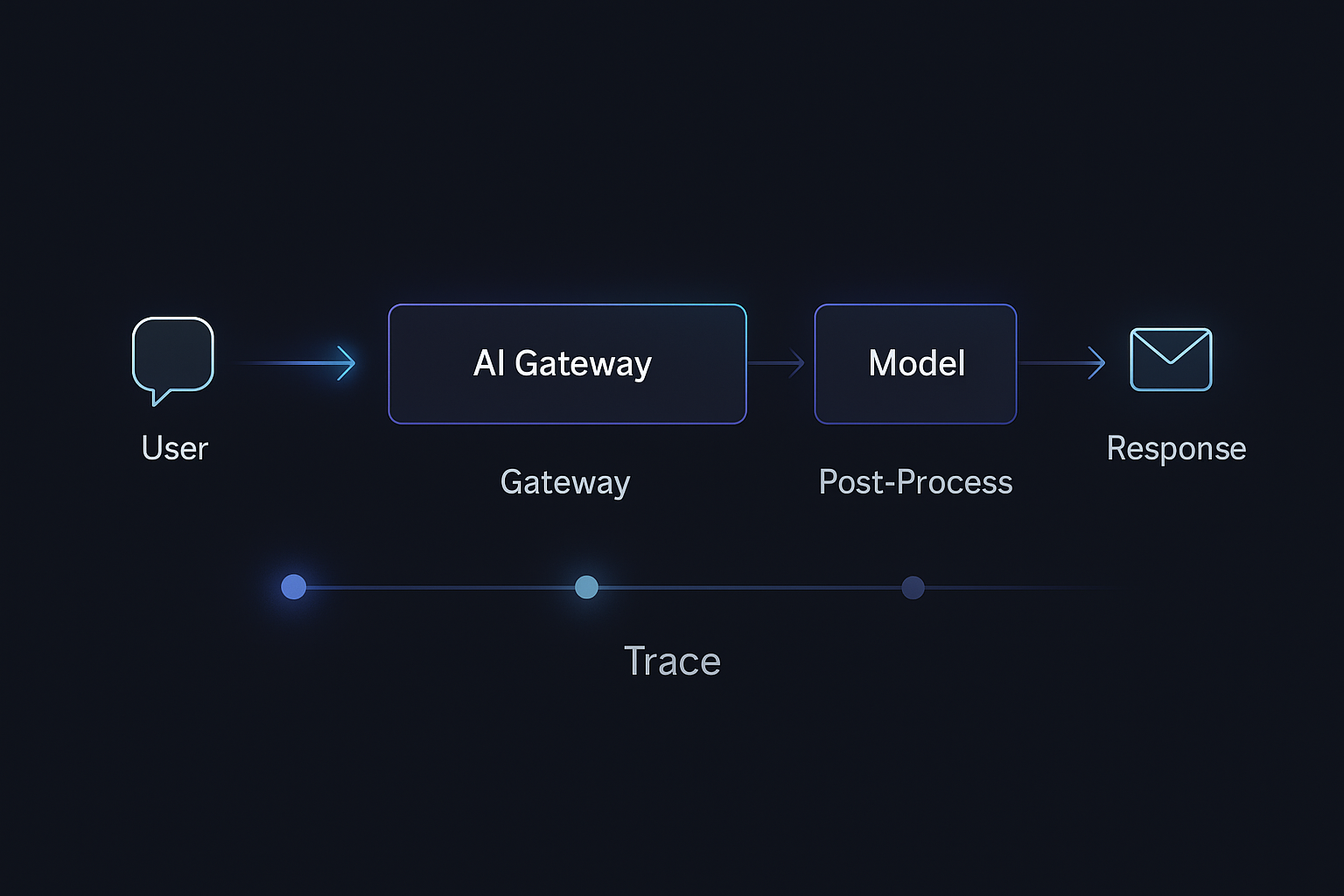
Plugging This into a Python AI Gateway
Most teams already have some kind of AI gateway: a Python service (Flask, FastAPI, or similar) that:
- Receives requests from web/mobile backends
- Builds prompts and retrieves context
- Calls one or more LLMs via provider SDKs or HTTP
- Post-processes and returns responses
Observation-first design says: wrap every model call with a thin, reusable observability layer.
A Simple Wrapper
Conceptually, you want something like:
import time
from contextlib import asynccontextmanager

@asynccontextmanager
async def observe_llm_call(feature_name: str, model: str, **context):
    start = time.perf_counter()
    error = None
    result = None
    try:
        yield lambda r: setattr_nonlocal('result', r)  # pseudo-code hook
    except Exception as e:
        error = e
        raise
    finally:
        duration_ms = (time.perf_counter() - start) * 1000
        # Extract token counts and cost from `result` if available
        log_llm_call(
            feature_name=feature_name,
            model=model,
            duration_ms=duration_ms,
            error=error,
            context=context,
            result=result
        )
        record_llm_metrics(...)
        annotate_trace_span(...)
Your actual implementation will be less magical and more explicit, but the pattern is:
- Start timer & trace span.
- Call the model.
- Capture token counts & metadata.
- Emit a structured log.
- Update metrics & span attributes.
In your handler:
async def run_nutrition_coach(query: str, pet_profile: dict, ctx: RequestContext):
    async with observe_llm_call(
        feature_name="nutrition-coach",
        model="bedrock.meta.llama3-8b",
        tenant_id=ctx.tenant_id,
        user_id_hash=ctx.user_hash,
        platform=ctx.platform,
    ) as set_result:
        prompt = build_prompt(query, pet_profile)
        response = await llm_client.chat(prompt)
        set_result(response)
        return postprocess(response)
The goal isn’t to obsess over syntax—it’s to centralize observability so every feature doesn’t reinvent logging and metrics.
At Hoomanely, our mission is to help pet parents keep their companions healthier and happier through data, insight, and gentle nudges—not just raw charts. That means our AI features sit on top of real sensor streams and behavior logs, interpreting what’s happening and turning it into actionable guidance.
Observation-first AI infrastructure is how we keep that guidance trustworthy:
- When a hydration insight for a dog using a smart bowl (like EverBowl) looks off, we can quickly trace whether:
- the context retrieval pulled stale weight data,
- the LLM call hit an overloaded model, or
- a new prompt variant changed tone or thresholds.
- For activity summaries derived from wearable streams, we can see whether:
- token counts spiked due to overly verbose internal summaries,
- some tenants are experiencing timeouts in a specific region, or
- a new model increased cost per insight.
By tagging LLM calls with feature names, sensor context markers, and tenant tiers, we can iterate on prompts and models without turning pet parents into beta testers.
Results: What Changes When You Go Observation-First
Once you wire logs, metrics, and traces around LLM calls, a few things get noticeably better.
Debugging Becomes Explainable
Instead of “the AI feels weird today,” you can say:
- “Latency increased because
llm.input_tokensjumped after we added two extra knowledge bases into RAG context.” - “Hallucinations clustered around a new
prompt_template_idintroduced yesterday.” - “Only Android users in region X see timeouts due to a gateway routing misconfig, not a model bug.”
You go from intuition and guesswork to structured hypotheses.
Cost Stops Being a Surprise
Because every LLM log has token counts and cost estimates, and your metrics aggregate cost per feature and tenant tier, you can:
- Spot noisy features whose value doesn’t justify their spend.
- Tune output length and sampling parameters with real impact numbers.
- Run A/B tests on models where you track both quality and cost per 1k tokens.
You can even set budgets like: “For this free-tier feature, cap cost at $X per day, then degrade gracefully (shorter responses, lower-context mode, or cached summaries).”
Safer Experimentation
Observation-first infrastructure makes it much safer to:
- Try a new model version for 10% of traffic with a feature flag.
- Introduce a new prompt template and compare:
- Latency
- Tokens
- Cost
- User-facing errors
When something goes wrong, you can roll back based on measured regressions, not vague impressions.
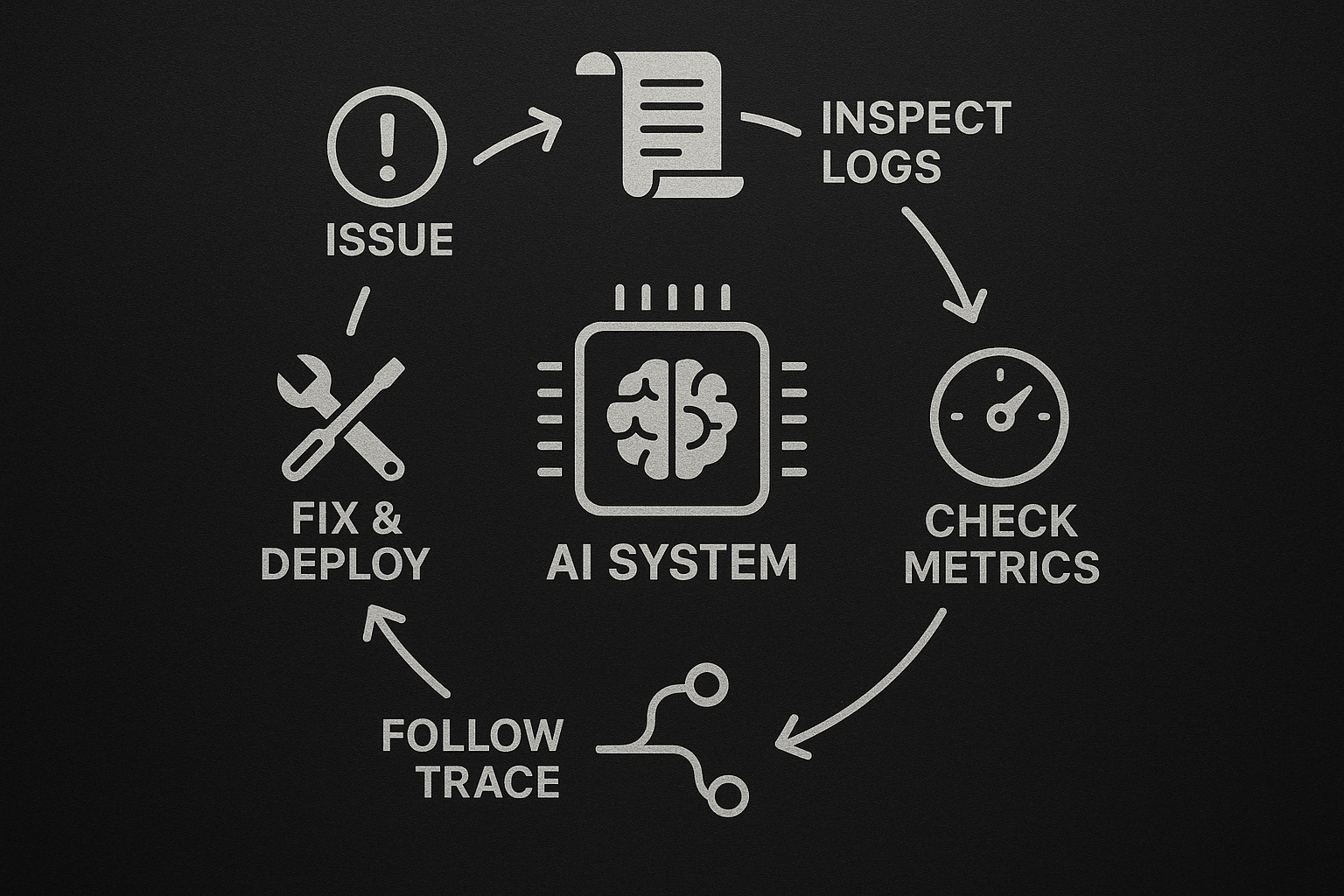
A Practical Checklist for Observation-First LLM Systems
If you want to bring this into your Python-based AI gateway, here’s a Monday-morning checklist.
Schema & IDs
- Define a canonical LLM call schema (like
LLMCallLog) with fields for feature, model, tokens, latency, cost, and status. - Ensure every user request has a correlation ID (
trace_id) that flows from app → gateway → AI gateway → provider. - Introduce
feature_nameandprompt_template_idas first-class concepts in your code.
Logging
- Emit one structured JSON log per LLM call using the canonical schema.
- Add
prompt_hashinstead of raw prompt text for most calls; only log redacted content for sampled debug traffic. - Include tenant tier, platform, and app version for debugging environment-specific issues.
Metrics
- Create metrics for:
llm_requests_totalllm_latency_ms_bucket(histogram)llm_input_tokens_total,llm_output_tokens_totalllm_cost_usd_total
- Limit labels to
feature_name,model,tenant_tier,region. - Add alerts for:
- Latency degradation per feature
- Error rate spikes per model
- Cost per 1k requests deviating from baseline
Traces
- Instrument your AI gateway with spans for
build_prompt,retrieve_context,call_llm,postprocess_response. - Attach LLM-specific attributes (feature, model, tokens, cache_hit) to the
call_llmspan. - Verify traces from front-end requests clearly show where LLM time is spent.
Governance & Privacy
- Establish a policy for what content can be logged (PII redaction, sampling, prompt hashing).
- Periodically review logs and dashboards for accidental leakage of sensitive data.
- Document how to enable “debug mode” for internal users safely.
Observation-first AI infrastructure is less about fancy tools and more about discipline:
- Treat every LLM call as a domain event with a clear schema.
- Emit structured logs, focused metrics, and well-tagged traces from a single point in your AI gateway.
- Use those signals to debug behavior, control cost, and run safe experiments—especially as your AI surface area grows.
For teams building AI features across mobile and web apps (like we do at Hoomanely), this approach turns LLMs from mysterious black boxes into inspectable, controllable, and evolvable components of your system.
You’ll still need good prompts, robust data, and thoughtful UX—but with observation-first infrastructure, you’ll at least know why things behave the way they do and what to adjust next.



