
Rate Limiting and Burst Control in Flutter: Preventing API Floods and UI Storms
Client applications don’t usually fail because of one big bug. They fail because a dozen tiny unbounded behaviors accidentally combine: a user tapping too fast, a scroll listener firing dozens of times per second, a reconnect event triggering a sync job, or a background worker replaying offline writes all at once.
Flutter makes it deceptively easy to fire asynchronous actions, rebuild widgets, or dispatch network calls. And because everything feels lightweight, developers often forget that these actions stack. Over time, even a great app can overwhelm its own backend or UI, leading to jank, duplicated calls, inconsistent state, and unnecessary cost.
Drawing from production patterns used inside Hoomanely’s mobile ecosystem, we’ll explore how modern Flutter apps implement rate limiting, throttling, debouncing, and burst control across all layers — from the UI, to repositories, to sync workers, to device event streams. The goal is simple: bounded, deterministic behavior that stays smooth under pressure.
This is not a conceptual overview. It’s a practical guide for engineers building event-heavy, data-intensive mobile apps that must remain stable even when user behavior or device-side events get chaotic.
Why Rate Limiting Matters in Flutter Apps
Rate limiting in mobile isn’t just about protecting backends — it’s about protecting the app from itself. Flutter’s reactive nature means UI rebuilds and events propagate quickly. Without guardrails, simple interactions can fan out.
Mobile apps operate in unpredictable environments — flaky networks, suspended processes, background resuming, and bursty device sensors like accelerometers or BLE streams.
Left unchecked, these bursts create:
- API floods
- UI storms
- Inconsistent or duplicated states
- Drained battery
- Increased backend cost
- Sluggishness that feels like “lag” to users
Hoomanely’s mobile architecture deals daily with sensor events (e.g., EverSense), weight updates (e.g., EverBowl), AI chat streaming, and background sync. Rate limiting isn’t optional — it’s structural.
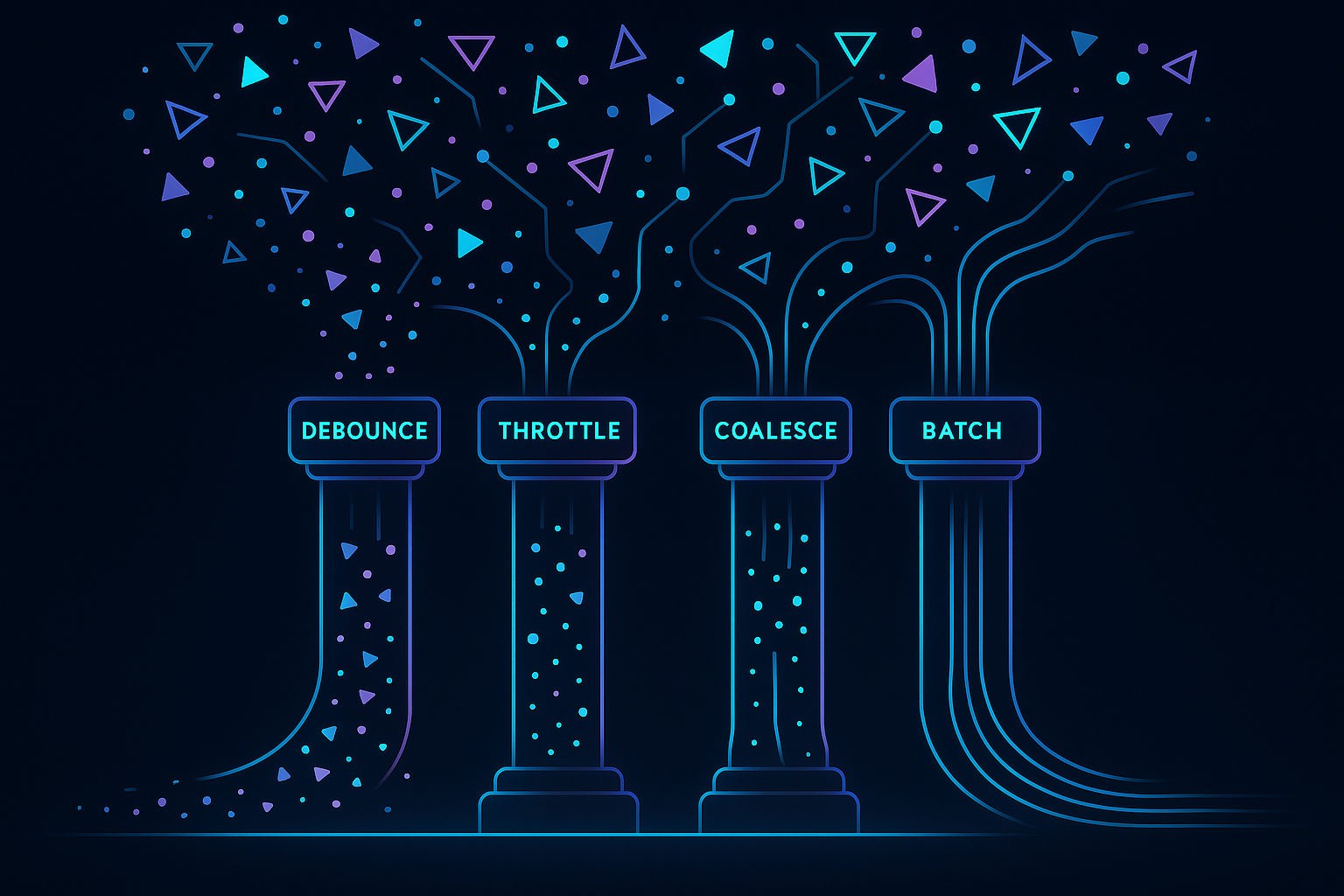
The Core Strategies: Debounce, Throttle, Coalesce, Batch
Debouncing
Wait for the event stream to settle before acting.
Good for typing, sliders, filters, and searches.
Throttling
Allow at most one event per interval.
Good for drag gestures, scrolling, continuous interactions.
Coalescing
Merge multiple identical requests into one.
Good for repository-level API calls, repeated refreshes, or multiple consumers requesting the same resource.
Batching
Group multiple events into one payload.
Useful for sensor bursts, analytics, offline logs, and background sync.
The magic happens when these techniques become systemic, not just sprinkled across random widgets.
Preventing “Tap Storms” and Input Floods
User input is the first source of chaos. Flutter rebuilds quickly, and widgets can easily trigger too many actions.
Typical Problems
- Search bar fires on every keystroke
- Buttons trigger multiple taps during UI animation
- Scroll listeners dispatch needless refreshes
- Text controllers emit too many change events
Production Patterns
1. Debounce for text input
Especially useful for search, filtering, and AI query suggestions.
Timer? _debounce;

onChanged(String value) {
  _debounce?.cancel();
  _debounce = Timer(const Duration(milliseconds: 300), () {
    searchRepository.search(value);
  });
}
2. Button throttling
Prevent double-tap floods:
bool _busy = false;

onTap() async {
  if (_busy) return;
  _busy = true;
  await doAction();
  _busy = false;
}
3. Scroll-triggered refresh protection
Use throttled listeners to avoid fetch storms during rapid scroll:
final throttle = Throttler(const Duration(milliseconds: 200));

scrollController.addListener(() {
  throttle.run(() => loadNextPage());
});
For interactions such as chat input in EverWiz or timeline filtering inside the analytics surfaces, UI debouncing prevents both token floods and request spikes that could otherwise hit the backend every few milliseconds.
Repository Layer: Coalescing Duplicate Calls
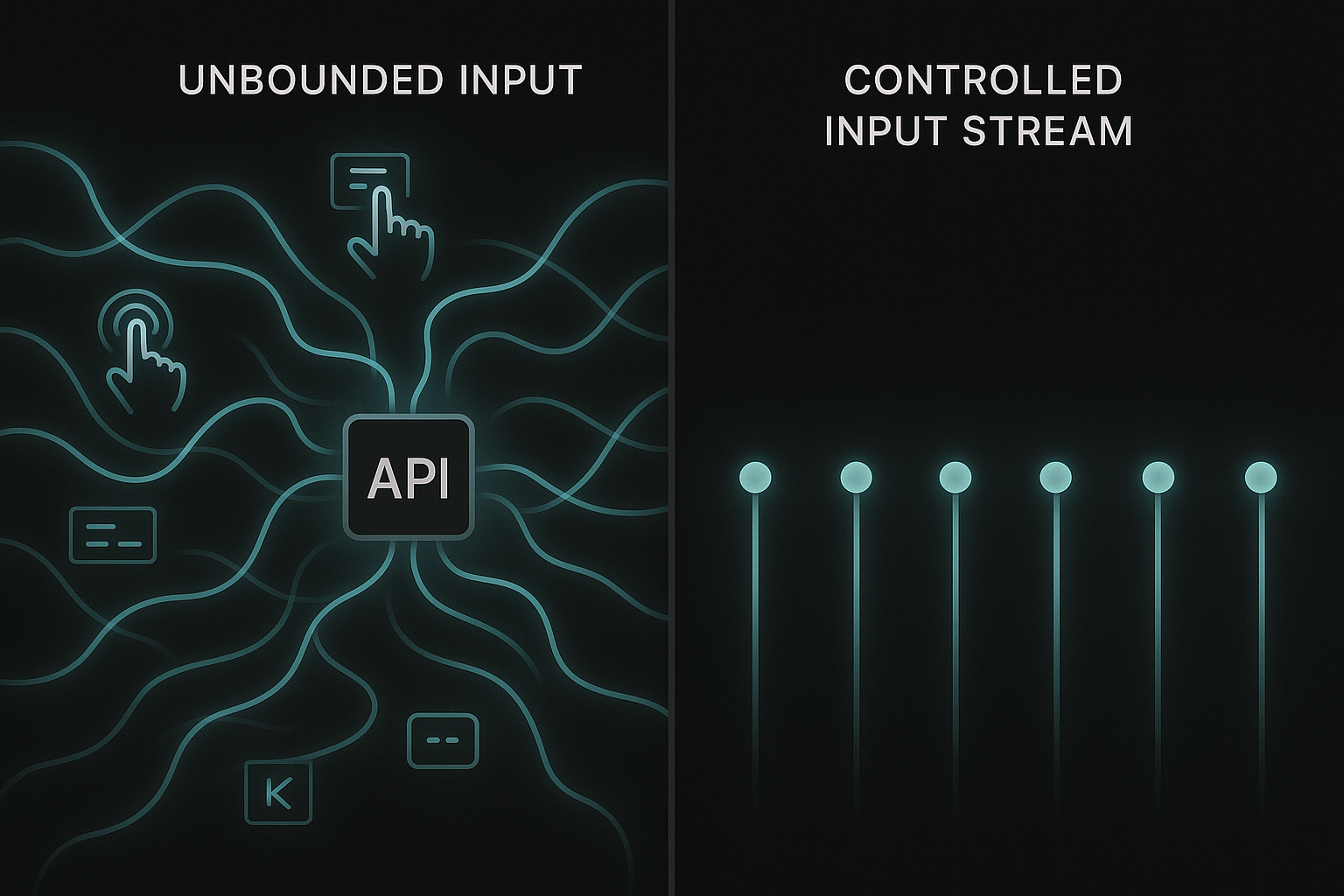
Even perfectly debounced UI can still trigger expensive network calls if multiple parts of the app request the same resource simultaneously.
This happens frequently in modular Flutter architectures:
- UI needs user profile
- Background service needs user profile
- Push notification handler needs user profile
- Navigation hook refreshes profile on screen entry
Without coordination, four unrelated triggers may hit the API at once.
Solution: Repository-Level Call Coalescing
At the repository layer, you can treat “get X” as an idempotent operation and coalesce duplicates into one in-flight future.
Future<User> getUser() {
  if (_inflight != null) return _inflight!;

  _inflight = _fetchUser().whenComplete(() => _inflight = null);
  return _inflight!;
}
Now, no matter how many consumers ask for the user profile, the app performs only one request.
Cache Windows to Reduce Thrashing
Coalescing solves simultaneous calls. A small timed cache prevents near-simultaneous repeats:
if (_lastFetched != null &&
    DateTime.now().difference(_lastFetched!) < Duration(seconds: 20)) {
  return _cachedUser;
}
This reduces cost and ensures smooth UI transitions when navigating across screens that rely on the same resource.
Many user-facing features request shared state: pet details, activity logs, AI insights, or device status. Repository-level coalescing ensures these requests stay bounded, even when multiple modules observe the same data simultaneously.
Device Events: Smoothing Hardware Bursts
Flutter apps often receive bursty data from:
- BLE notifications
- Motion sensors
- Connectivity events
- Background suspend/resume
- Local database streams
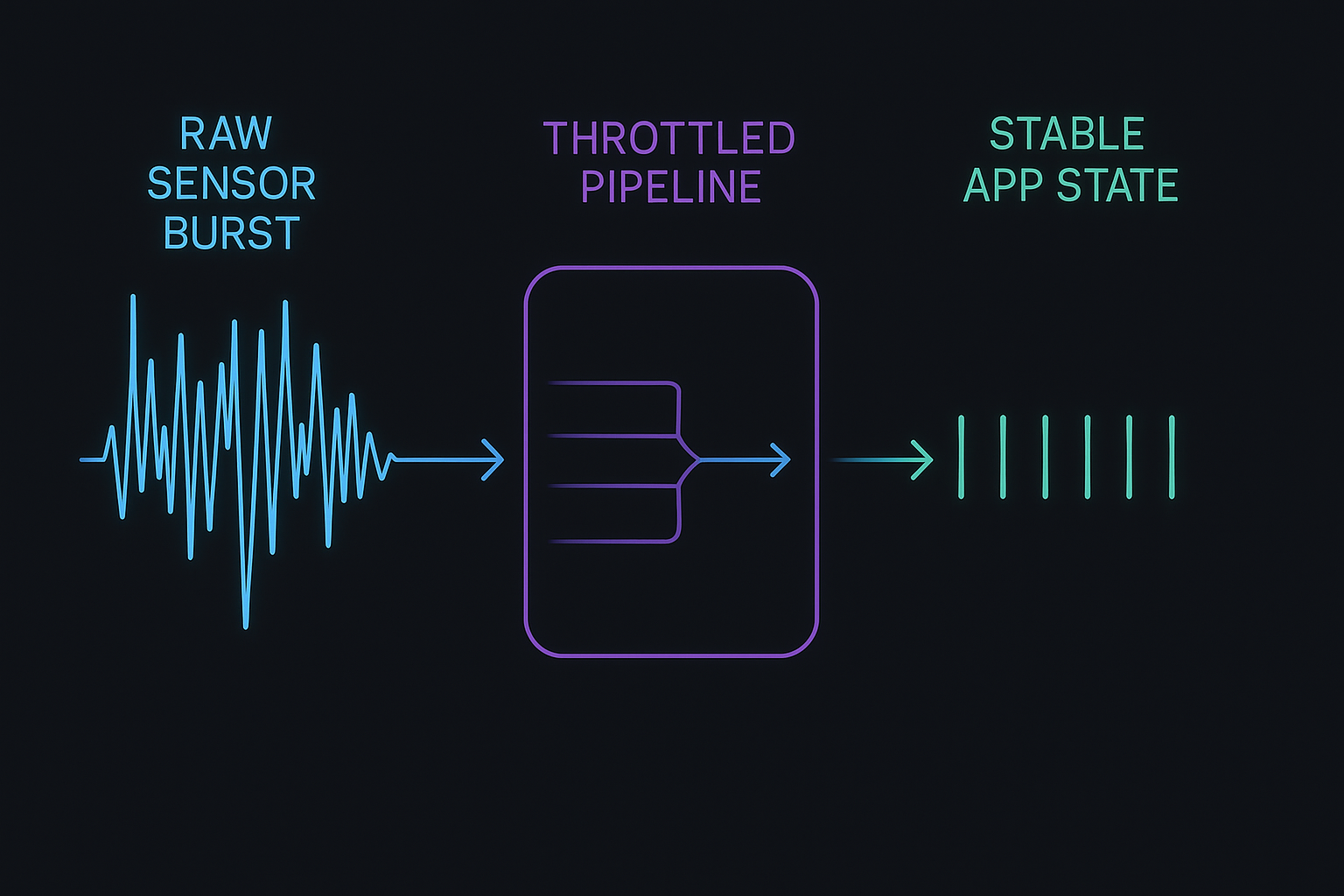
Hardware-driven events don’t care about your UI frame rate. They fire whenever they want — often in rapid bursts.
Problems Caused by Bursty Device Events
- UI rebuild storms
- High CPU usage
- Rapid backend write amplification
- Non-deterministic state transitions
1. Event Throttling for Sensors
For fast-moving sensors (accelerometers, load cells, BLE packets), throttle before reaching UI or network layers:
final throttle = Throttler(const Duration(milliseconds: 50));

sensorStream.listen((event) {
  throttle.run(() => processSensorReading(event));
});
2. Batch Processing
For data like weight logs, environmental readings, or accelerometer bursts:
- Collect events for 200–500ms
- Compress or summarize
- Emit a single combined record
3. Edge-side Deduplication
Prevent sending the same state repeatedly — especially important after reconnect events.
Navigation & Screen Lifecycle: Hidden Sources of API Floods
Flutter navigation can be a silent trigger for request storms, especially when screens refresh on:
initState()didChangeDependencies()didPopNext()- deep-link re-entry
- hot resume after OS pause
Safe Navigation Patterns
1. Use “refresh once per visible lifecycle”
Track a local boolean:
if (!_hasRefreshed) {
  repo.refresh();
  _hasRefreshed = true;
}
2. Avoid fetching the same resource across multiple pages
Instead, let repositories cache or coalesce.
3. Use route-aware observers for predictable refreshes
This ensures refresh triggers only when returning from specific screens, not every navigation event.
In Hoomanely’s App
Surfaces like pet analytics or AI-driven timelines avoid unnecessary refresh storms by implementing lifecycle-aware guards, ensuring only meaningful transitions cause data reloads.
Background Sync & Offline Recovery
When a device reconnects after being offline, queued operations may replay instantly.
Examples:
- Analytics logs
- Local writes
- Sensor batches
- AI chat messages buffered offline
If each is replayed naively, the backend sees a burst flood.
1. Sliding Window Replays
Replay only N operations per second:
final queue = Queue<LogEntry>();

processQueue() async {
  if (queue.isEmpty) return;

  final batch = queue.take(5); // Max 5 per second
  await sendBatch(batch);
}
2. Retry Backoff
Prevent infinite retry loops when backend is stressed.
3. Sync Budget Per Cycle
Allow only a fixed amount of work before yielding to UI.
4. Drift-Aware Timeline Ordering
Ensure offline data merges into the correct timeline without creating visual storms in the UI.
Offline activity logs, device health analytics, and AI interaction metadata all sync using rate-limited replay mechanisms — preventing costly backend spikes after network recovery.
Observability: Detecting Bursts Before They Hurt
Rate limiting isn’t complete without observability. You need telemetry footprints of: request-per-second spikes, UI rebuild storms, repetitive identical API calls, sync cycle durations, device event frequency
These metrics help detect: runaway loops, hidden retries, widget rebuild explosions, accidental high-frequency event listeners
Hoomanely uses a mix of client-side logging, lightweight counters, and backend correlation to understand how mobile behavior impacts cost and user experience. A simple counter inside your client can reveal a lot:
BurstMonitor.record("getInsights");
Over time, you’ll notice which operations naturally want to burst — and where guardrails are missing.
Takeaways
Rate limiting is not a single technique you sprinkle across an app — it’s a governing policy that shapes how every layer behaves under load. A Flutter application becomes predictable not because each component is fast, but because each component is bounded, disciplined, and unable to overwhelm the rest of the system. When rate limiting is applied holistically, the entire experience becomes smoother, more cost-efficient, and resilient to real-world chaos such as bursty users, noisy sensors, and flaky networks.
In practice, the most stable mobile architectures enforce boundaries at key pressure points:
- UI layer: Prevent tap storms, rapid rebuilds, and uncontrolled text input bursts.
- Repository layer: Coalesce identical calls and ensure only one in-flight request per resource.
- Device event streams: Throttle and batch noisy hardware signals into predictable flows.
- Navigation lifecycle: Avoid hidden refresh loops triggered by screen transitions.
- Offline sync workers: Replay pending operations at controlled, sliding-window rates.
- Observability layer: Continuously detect bursts, loops, and structural inefficiencies.
At Hoomanely, this approach is foundational. With multiple live data sources, AI-driven interactions, and sensor-rich devices feeding the ecosystem, the emphasis isn’t on “making everything faster”—it’s on ensuring every subsystem respects its boundaries. That discipline is what produces an app that feels consistently smooth, stable, and trustworthy, regardless of how chaotic the underlying environment becomes.
Smoother Apps Through Bounded Behavior
Rate limiting and burst control are no longer advanced techniques — they’re table stakes for production Flutter apps interacting with real-time backends or hardware sources. As interactions become more dynamic and apps integrate more AI-driven or sensor-based features, chaos grows naturally.
The only sustainable fix is systemic:
- Debounce noisy UI
- Throttle gesture-driven streams
- Coalesce repository-level calls
- Smooth sensor bursts
- Limit replay rates after reconnect
- Observe and monitor everything
The result is an app that feels fast, stays stable, and protects both the user experience and backend systems. Predictability is performance.



