
Refine SSR in App Router

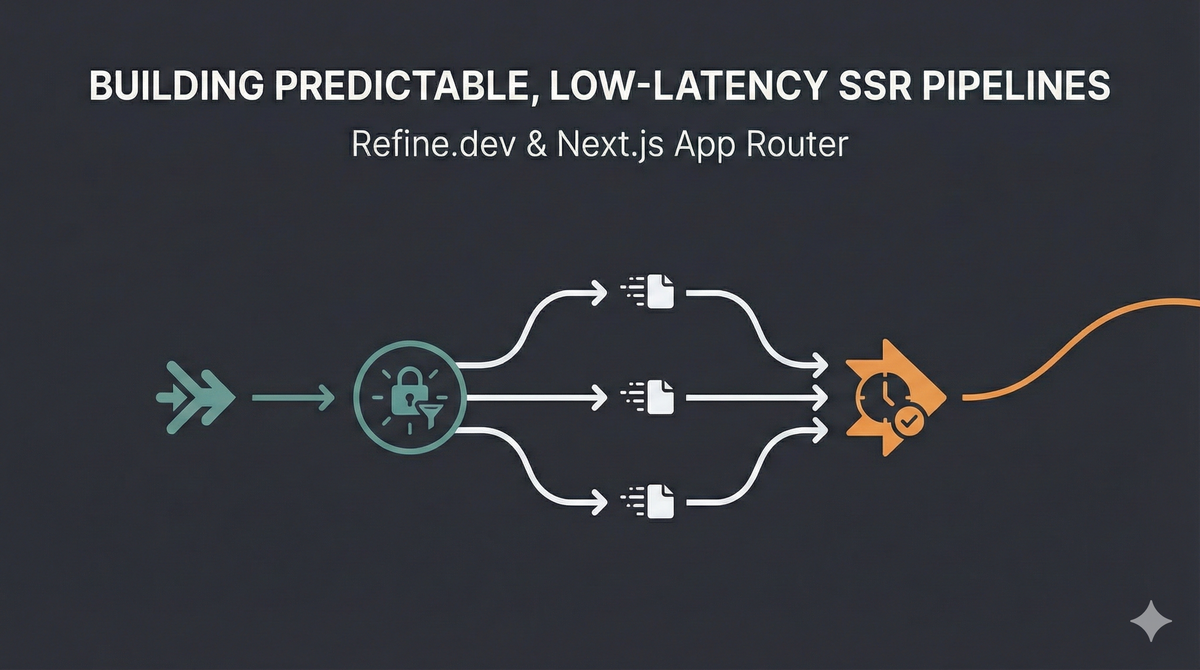
Refine SSR in App Router
Building predictable, low-latency SSR pipelines with Refine.dev and the Next.js App Router
Server-Side Rendering (SSR) in Next.js App Router is powerful—and deceptively easy to misuse. A misplaced await, an auth check in the wrong component, or scattered data fetching can silently create cascading waterfalls, duplicated network calls, and unpredictable page load times.
Add Refine.dev into the mix—with its auth providers, data providers, and router bindings—and the system becomes more capable but also easier to architect incorrectly.
This article explores how to build refined, predictable SSR flows using Next.js App Router + Refine.dev, focusing on three core challenges:
- Authentication in Server Components (not hooks)
- Query parameter handling (without triggering redundant fetches)
- Parallel data orchestration (avoiding sequential waterfalls)
We'll examine where things go wrong, how to architect stable foundations, and how these patterns support Hoomanely's internal tools—device dashboards, telemetry explorers, and operational insights across our SoM-based Tracker, EverBowl, and EverHub ecosystem.
Problem: App Router SSR is Powerful but Easy to Misarchitect
SSR in App Router behaves fundamentally differently from the Pages Router.
Every Server Component can fetch data independently, which means:
- Async calls may execute sequentially instead of in parallel
- Nested components can introduce implicit waterfalls
- Refine's client-side hooks don't work in Server Components
- Duplicated fetches can occur without proper memoization
searchParamschanges can trigger unnecessary re-renders
And because these failures don't throw errors—they just slow down SSR response time—they often go unnoticed until production.
The classical antipattern:
//  BAD: Sequential waterfall
async function DashboardPage() {
  const user = await checkAuth();        // Wait
  const filters = await parseFilters();  // Wait
  const data = await fetchData();        // Wait
  // Each await blocks the next
}
Placed in nested components, these become separate fetch phases instead of one coordinated operation.
The core problem: SSR work is often scattered across components instead of orchestrated at the page or layout level.
Why It Matters
Hoomanely's internal dashboards unify diverse telemetry and device behavior:
- Tracker streams motion, altitude, and environmental signals
- EverBowl captures pet behavior via photos, audio events, temperature, and weight
- EverHub aggregates multi-device sensor streams and makes local decisions
These dashboards depend on:
- Authentication validation
- Query parameter parsing (filters, pagination, sorting)
- Multi-resource GraphQL queries
- Real-time telemetry overlays
If authentication fires twice, if filter parsing causes redundant fetches, or if GraphQL queries execute sequentially, every dashboard slows down.
In engineering environments especially those analyzing telemetry loads, behavior traces, and event timelines slow initial loads kill productivity.
A refined SSR pipeline ensures:
- Single execution path for auth and routing
- Parallel data fetching with no waterfalls
- No duplicated network calls
- Predictable SSR response time regardless of component nesting
That's why we refine SSR—not just for speed, but for predictability.
Architecture: A Refined SSR Pipeline
A predictable SSR pipeline follows one architectural invariant:
All SSR work must be orchestrated at the page or layout level before rendering child components.
We structure this pipeline around four principles.
1. Orchestrate SSR Logic at Layout/Page Level
This is the most important rule.
In App Router, your layout.tsx and page.tsx files are Server Components by default. They should handle:
- Authentication checks
- Query parameter parsing
- All initial data fetching
- Permission validation
Never place data-fetching logic in deeply nested Server Components—App Router will create sequential waterfalls.
// app/dashboard/page.tsx (Server Component)
export default async function DashboardPage({ searchParams }) {
  //  GOOD: All SSR work orchestrated here
  const user = await validateAuth();
  const filters = parseSearchParams(searchParams);

  const [devices, telemetry, events] = await Promise.all([
    fetchDevices(filters),
    fetchTelemetry(filters),
    fetchEvents(filters)
  ]);

  return <Dashboard data={{ devices, telemetry, events }} />;
}
Key insight: App Router doesn't have "loaders" like Remix. Instead, Server Components are your loaders.
2. Execute All Queries in Parallel
Refine encourages hook-based data fetching (useList, useOne), which works beautifully on the client—but Server Components can't use hooks.
In SSR, you must fetch data directly and orchestrate it manually.
Bad Practice(Sequential):
async function BadPage() {
  const devices = await fetchDevices();     // Wait
  const telemetry = await fetchTelemetry(); // Wait
  const events = await fetchEvents();       // Wait
  // Total time: sum of all requests
}
Good Practice(Parallel):
async function GoodPage() {
  const [devices, telemetry, events] = await Promise.all([
    fetchDevices(),
    fetchTelemetry(),
    fetchEvents()
  ]);
  // Total time: max of any single request
}
This eliminates implicit waterfalls and ensures predictable SSR response time.
3. Use React's Built-In Request Memoization
App Router automatically deduplicates fetch() calls within the same request using React's cache() mechanism.
But if you're using a GraphQL client or custom data fetching, you need explicit memoization:
import { cache } from 'react';

// Memoized per-request
const getDevices = cache(async (filters: Filters) => {
  const response = await graphqlClient.query({
    query: GET_DEVICES,
    variables: { filters }
  });
  return response.data.devices;
});

// Now safe to call multiple times in the same request
const devices1 = await getDevices(filters);
const devices2 = await getDevices(filters); // Returns cached result
Why this matters:
Without memoization, nested Server Components may trigger the same query multiple times. React's cache() ensures each unique call executes only once per request.
This is similar to how EverHub deduplicates sensor state before aggregating telemetry—avoiding redundant processing.
4. Parse Query Parameters Once, Not Per Component
searchParams in App Router are available to every Server Component. But re-parsing them in nested components is wasteful and can cause subtle bugs.
Bad Practice (Repeated parsing):
// page.tsx
function Page({ searchParams }) {
  const filters = parseFilters(searchParams); // Parse #1
  return <DeviceList searchParams={searchParams} />;
}

// DeviceList (Server Component)
function DeviceList({ searchParams }) {
  const filters = parseFilters(searchParams); // Parse #2
  // ...
}
Good Practice(Parse once):
// page.tsx
function Page({ searchParams }) {
  const filters = parseFilters(searchParams); // Parse once
  return <DeviceList filters={filters} />;
}

// DeviceList
function DeviceList({ filters }) {
  // Use pre-parsed filters
}
This eliminates:
- Repeated parsing overhead
- Potential inconsistencies
- Unnecessary re-renders when
searchParamschange
Implementation: Patterns That Work
Now let's walk through concrete patterns for stable, predictable SSR with Refine + App Router.
Pattern 1: Authentication in Server Components
Refine's useIsAuthenticated() hook is client-side only. In Server Components, you must check authentication manually.
Server-Side Auth Check:
// lib/auth.ts
import { cookies } from 'next/headers';
import { redirect } from 'next/navigation';

export async function requireAuth() {
  const cookieStore = cookies();
  const token = cookieStore.get('auth-token');

  if (!token) {
    redirect('/login');
  }

  // Optionally validate token with your auth provider
  const user = await validateToken(token.value);
  return user;
}
Usage in Layout:
// app/dashboard/layout.tsx
import { requireAuth } from '@/lib/auth';

export default async function DashboardLayout({ children }) {
  const user = await requireAuth(); // Blocks rendering if not authenticated

  return (
    <div>
      <Sidebar user={user} />
      {children}
    </div>
  );
}
Key insight: Run auth checks in the root layout or page, not in nested components. This mirrors how EverHub validates device authentication before processing any telemetry.
Pattern 2: Refine Provider Setup (Client Boundary)
Refine's <Refine> provider is a React Context provider—it must be a Client Component.
Structure:
// app/providers.tsx
'use client';

import { Refine } from '@refinedev/core';
import { dataProvider } from './dataProvider';
import { authProvider } from './authProvider';

export function RefineProvider({ children }) {
  return (
    <Refine
      dataProvider={dataProvider}
      authProvider={authProvider}
      resources={[
        { name: 'devices', list: '/devices' },
        { name: 'telemetry', list: '/telemetry' }
      ]}
    >
      {children}
    </Refine>
  );
}
// app/layout.tsx (Server Component)
import { RefineProvider } from './providers';

export default async function RootLayout({ children }) {
  return (
    <html>
      <body>
        <RefineProvider>
          {children}
        </RefineProvider>
      </body>
    </html>
  );
}
Critical distinction:
- Server Components: Handle SSR data fetching
- Client Components (inside
<RefineProvider>): Use Refine hooks for interactivity
Pattern 3: Parallel GraphQL Queries
If you're fetching multiple GraphQL resources, execute them in parallel to avoid sequential waterfalls.
Apollo Client Setup:
// lib/apolloClient.ts
import { ApolloClient, InMemoryCache, HttpLink } from '@apollo/client';

const httpLink = new HttpLink({
  uri: process.env.GRAPHQL_ENDPOINT,
});

export const apolloClient = new ApolloClient({
  link: httpLink,
  cache: new InMemoryCache()
});
Server Component Usage:
// app/dashboard/page.tsx
import { cache } from 'react';
import { apolloClient } from '@/lib/apolloClient';

const getDevices = cache(async () => {
  const { data } = await apolloClient.query({ query: GET_DEVICES });
  return data.devices;
});

const getTelemetry = cache(async () => {
  const { data } = await apolloClient.query({ query: GET_TELEMETRY });
  return data.telemetry;
});

export default async function DashboardPage() {
  //  Parallel execution (separate HTTP requests during SSR)
  const [devices, telemetry] = await Promise.all([
    getDevices(),
    getTelemetry()
  ]);

  return <Dashboard devices={devices} telemetry={telemetry} />;
}
Important note on batching:
During SSR, these execute as separate HTTP requests in parallel—not batched. Apollo's BatchHttpLink only works after hydration on the client because SSR has no async batching window (each await executes immediately).
For true server-side request reduction, consider:
- Manual query composition (single GraphQL query with multiple fields)
- GraphQL federation/stitching at the API layer
- Server-side multipart batching (requires custom setup)
Optional: Client-side batching after hydration
If you want to enable query batching for client-side requests after the initial SSR load:
// lib/apolloClient.ts (client-side)
import { BatchHttpLink } from '@apollo/client/link/batch-http';

const batchLink = new BatchHttpLink({
  uri: process.env.NEXT_PUBLIC_GRAPHQL_ENDPOINT,
  batchMax: 10,
  batchInterval: 20
});

// Use this client in Client Components
export const clientApolloClient = new ApolloClient({
  link: batchLink,
  cache: new InMemoryCache()
});
This batches multiple queries triggered by Client Components (e.g., via useQuery) into single HTTP requests.
Pattern 4: Hybrid SSR + Client-Side Rendering
Not all data belongs in SSR. Some queries should run client-side.
SSR-Appropriate Data:
- Initial dashboard state
- Device metadata
- User permissions
- Static configuration
Client-Side Only:
- Real-time telemetry streams
- Live sensor updates
- WebSocket connections
- High-frequency polling
Implementation:
// app/dashboard/page.tsx (Server Component)
export default async function DashboardPage() {
  //  Fetch stable data in SSR
  const devices = await getDevices();

  return (
    <div>
      <DeviceList devices={devices} />
      <TelemetryStream /> {/* Client Component with subscriptions */}
    </div>
  );
}
// components/TelemetryStream.tsx
'use client';

import { useSubscription } from '@apollo/client';

export function TelemetryStream() {
  const { data } = useSubscription(TELEMETRY_SUBSCRIPTION);
  return <LiveChart data={data} />;
}
This keeps SSR stable and predictable while enabling real-time updates where needed.
Real-World Usage at Hoomanely
In our internal device dashboards, we apply the refined SSR pipeline to ensure stable performance across our multi-device ecosystem:
- Tracker: motion, altitude, environmental context
- EverBowl: behavioral signals from temperature, audio, images, weight
- EverHub: edge-decision summaries and sensor aggregation
Every dashboard needs:
- Authentication validation
- Query filter parsing
- Multiple GraphQL resources
- Real-time telemetry overlays
Before refinement:
- Auth checks executed in multiple components
- Filters parsed repeatedly
- GraphQL queries ran sequentially
- Unpredictable SSR response time (300ms–2s variance)
After implementing these patterns:
- All SSR work orchestrated in
page.tsx - All data loads in parallel with
Promise.all() - GraphQL queries execute concurrently as separate requests
- Telemetry streams handled client-side
- Predictable SSR response time (consistent ~200ms)
This stability helps engineers interpret telemetry and device behavior without waiting through slow page loads.
Takeaways
1. Server Components are your SSR loaders.
There's no separate "loader" concept—orchestrate all SSR work in layout.tsx or page.tsx.
2. Refine's client hooks don't work in Server Components.
Use direct data fetching in Server Components, Refine hooks in Client Components.
3. Use React's cache() for request memoization.
Prevents duplicate fetches when the same data is needed in multiple Server Components.
4. Use Promise.all() for parallel execution during SSR.
Multiple queries execute as separate concurrent HTTP requests—true batching only happens client-side with Apollo's BatchHttpLink after hydration. Never await sequentially unless dependencies require it.
5. Parse searchParams once at the page level.
Avoid repeated parsing in nested components.
6. Leverage built-in fetch() deduplication for REST APIs.
Use React's cache() wrapper for GraphQL and custom data fetching.
7. Reserve client-side rendering for real-time streams.
SSR is for initial state—subscriptions and polling belong in Client Components.
8. Check authentication in layouts, not nested components.
Centralize auth at the root to avoid scattered checks.



